

B3980 on 2017-2019 Chevrolet Silverado 1500: Causes and Fixes
Code B3980 on a 2017-2019 Silverado indicates a network communication failure, not a specific part failure. It's often caused by a software glitch in the Serial Data Gateway Module (SDGM), a low battery event, or a loose connector at the SDGM. The fix is typically reprogramming the module or inspecting the connector, not replacing parts.
- B3980 is a network communication error, not a failed part. Do not replace expensive modules like the BCM or Instrument Cluster.
- The most common cause is a software glitch in the Serial Data Gateway Module (SDGM), often triggered by a weak battery or jump-start.
- The first step in diagnosis is to check for loose wires at the SDGM connectors in the driver's footwell, as specified by GM TSBs.
- A proper fix requires a trip to a dealer or well-equipped shop for module reprogramming.
- Ensure your battery is healthy, as low voltage is a primary trigger for this complex issue.
What's Unique About the 2017-2019 Chevrolet SILVERADO 1500
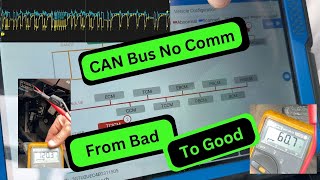
On this generation of Silverado and its platform mates (Tahoe, Sierra, etc.), most electronic modules communicate through a central hub called the Serial Data Gateway Module (SDGM). A high number of electronic failures, including code B3980, are frequently traced back to this single module or its wiring. GM Technical Service Bulletins like PIT5586G and 20-NA-212 often point to software glitches ('logic-lock') within the SDGM or physical connection problems at its connectors 🎬 Watch: How to fix communication issues with multiple modules. as the root cause, rather than a failure of the instrument cluster or BCM itself.
Diagnostic Flowchart
Tap your situation to follow the diagnostic path that matches what you're seeing on this vehicle.
Symptoms You May Notice
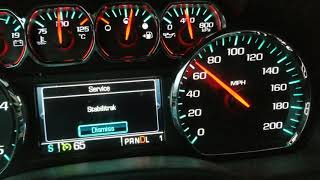
- Instrument panel cluster gauges are inoperative, dead, or fluctuate wildly.
- Radio/infotainment screen is blank.
- HVAC (climate) controls are inoperative.
- No audible feedback (chime) from turn signals or warning alerts.
- Vehicle may not crank, or may start and then immediately stall.
- Service Airbag or Service Suspension messages on the dash.
- Steering wheel controls do not work or are not illuminated.
- Multiple warning lights illuminated on the dash.
- PRNDL (gear selection) indicator does not display the current gear.
- Radio does not shut off when the driver's door is opened.
- Replacing the Instrument Panel Cluster (IPC)
- Replacing the Body Control Module (BCM) without first attempting a reprogram
- Replacing the battery without addressing the underlying software corruption it caused.
- Replacing the Serial Data Gateway Module (SDGM) when only a reprogram or connector repair is needed.
Most Likely Causes
- Serial Data Gateway Module (SDGM) Software Glitch / Logic Lock 🔴 High Probability → Shop Telematics Interface Module As documented in GM TSBs PIT5586G and 20-NA-212, the SDGM can enter a 'logic-lock' state where the microcontroller stops communicating, often after a low voltage event like a weak battery or jump-start. It stops routing communication messages correctly between modules.
How to confirm: A technician with a GM-compatible scan tool will observe a lack of communication from multiple modules. The first diagnostic step recommended by GM is to perform a 'hard reset' or attempt to reprogram the module.
Typical fix: Perform a hard reset by disconnecting the SDGM fuse (F28DL in the instrument panel fuse block for SUVs) or the battery for at least 15 minutes. If that fails, the SDGM must be reprogrammed with updated software by a dealer or qualified shop. TSBs specifically state NOT to replace any parts for this condition as the first step.
Est. part cost: $0 - Loose or Damaged Terminals at SDGM Connector 🟡 Medium Probability The SDGM is located in the driver's footwell above the accelerator pedal, where its connectors (X1 and X2) can be disturbed by feet. TSB PIT5586G specifically calls out inspecting these connectors for bent, backed-out, or loose terminals as a primary cause.
How to confirm: Visually inspect the gray (X1) and black (X2) connectors at the SDGM for any signs of damage, corrosion, or terminals that are not fully seated. Wiggle the connectors while the vehicle is on to see if symptoms appear or disappear.
Typical fix: Repair the affected terminal or replace the connector pigtail. The terminal part number is often cited in the TSB as requiring replacement if bent or damaged.
Est. part cost: $10-$50 - Low Voltage Event (Weak/Dead Battery) 🟡 Medium Probability Modern GM trucks are extremely sensitive to battery voltage. A weak battery, improper jump-start, or battery replacement can corrupt the 'environmental identifier' data shared between modules during the startup sequence, triggering B3980 and other codes. TSB 21-NA-277 directly links these conditions to the setting of multiple environmental ID codes.
How to confirm: Test the battery and charging system. If the problem appeared immediately after a battery was replaced, jump-started, or went dead, this is the likely trigger.
Typical fix: Charge the battery fully and clear all codes. If codes return, the low voltage event has likely caused a software glitch in the SDGM or BCM, which will require reprogramming per official GM procedures.
Est. part cost: $0-$250
Rare But Worth Checking
- Missing Main Fuse: In one documented case, a 60-amp main fuse (F10) on the battery-mounted fuse block was physically missing. This fuse supplied power to the entire right-side instrument panel fuse block, causing a massive network failure that mimicked a module issue.
- Poor Ground Connection (G218): Some owners have traced intermittent and widespread electrical issues, similar to those seen with B3980, to a poor ground connection at G218. This ground is located under the driver's side A-pillar trim near the floor. The factory sound-deadening insulation can get trapped under the ground terminal, causing a poor connection. The fix involves removing the trim, cleaning the contact surfaces, and ensuring the insulation is cut away from the stud.
Diagnosis Steps
- Scan for all DTCs in all modules. Note the presence of multiple U-codes and B-codes (like U0155, U0073, B3980), which confirms a network issue.
- Check the vehicle history for recent low voltage events (dead battery, jump-start, battery replacement).
- Test the battery and charging system to ensure stable voltage (above 12.6V static, ~14V running).
- Perform a targeted SDGM reset by removing its fuse (e.g., F28DL on SUVs) for one minute, then reinstalling. If that doesn't work, perform a 'hard reset' by disconnecting the negative battery terminal for 15-20 minutes to reset all modules. Clear codes and see if they return.
- Locate the Serial Data Gateway Module (SDGM) above the accelerator pedal.
- Carefully disconnect and inspect the X1 (gray) and X2 (black) connectors for any bent, loose, backed-out, or corroded terminals, as per TSB PIT5586G.
- If accessible, inspect ground G218 under the driver's side A-pillar trim for looseness or trapped insulation.
- If no physical wiring issues are found, the vehicle must be taken to a facility with GM diagnostic software (GDS2/SPS2).
- Follow the TSB procedure to reprogram the SDGM. Do not replace modules unless reprogramming fails.
- If reprogramming fails, follow the guided diagnostic procedures in the factory service manual to test the CAN bus network and individual modules.
Parts You'll Likely Need
- Wiring Terminal Lead
(OEM #84619127)— If a loose or damaged terminal is found in the SDGM connector, this terminated lead is used to perform a professional repair as cited in TSB PIT5586G. This part number replaces the older 13587581.
Trusted brands: ACDelco, GM Genuine Parts
OEM price range: $15-$40.
Aftermarket price range: $10-$20
Related Codes That Often Appear With This One
- U0155 — Lost Communication With Instrument Panel Cluster (IPC). This is a direct companion code to B3980, indicating the communication link is down. It is explicitly listed in TSB PIT5586G.
- U0073 — Control Module Communication Bus 'A' Off. This indicates a major shutdown of the primary CAN bus, which is the root problem. It is also listed in TSB PIT5586G.
- B1011 — Keep Alive Memory (KAM) Reset. This code indicates a recent power loss, which is a common trigger for the B3980 software glitch.
- U0140 — Lost Communication With Body Control Module. This is another general communication code that points to the widespread network failure, listed in TSB PIT5586G.
- B3978 / B3979 / B3981 — These are companion 'Incorrect Environmental Identifier' codes for the Airbag, HVAC, and Brake modules, respectively. They often appear in a group with B3980, especially after a low-voltage event, as noted in TSB 21-NA-277.
Technical Service Bulletins (TSBs) & Recalls
- PIT5586G: Diagnostic Tip for a host of issues including inoperative gauges, no-start, and communication DTCs like B3980, pointing to the SDGM connectors or a software lock-up.
- 20-NA-212: Provides updated software and reprogramming instructions for the SDGM on later model years to address the logic-lock condition.
- 21-NA-277: Details how a cluster of 'Incorrect Environmental Identifier' DTCs (including B3980) can set after a low voltage event and provides specific diagnostic criteria.
Platform-Specific Known Issues
- TSB PIT5586G: The Primary Diagnostic Path: This Technical Service Bulletin, titled 'Diagnostic Tip - IPC Gauges Inoperative or Fluctuate, No Crank, Start then Stall', is the foundational document for this issue on 2017 models. It directly lists B3980 and a host of other communication codes. It provides two main causes: a software lock-up in the SDGM fixed by a reset, or loose/damaged terminals in the SDGM connectors (X1/X2) requiring physical repair. It explicitly warns 'Do not replace any parts for this condition' as the first step.
- TSB 20-NA-212: Superseding Bulletin for Later Models: This TSB covers 2018-2019 models and supersedes PIT5586G for those years. It focuses on reprogramming the K56 Serial Data Gateway Module as the primary correction for the communication loss, emphasizing that a software update is the fix for the 'logic lock' condition.
- TSB 21-NA-277: The Low-Voltage Connection: This bulletin is critical when B3980 appears after a battery replacement, jump-start, or deep discharge. It addresses a group of 'Incorrect Environmental Identifier' codes (including B3980) that can be set by the voltage fluctuation. The fix requires a special procedure where a dealer technician contacts the GM Technical Assistance Center (TAC) to obtain a Vehicle Configuration Index (VCI) to properly reprogram and restore the BCM. It explicitly states NOT to perform a standard immobilizer learn or replace modules.
Mechanic-Grade Diagnostic Values
- High-Speed GMLAN Bus Resistance — expected: Approximately 60 Ohms between Pin 6 (CAN-High) and Pin 14 (CAN-Low) at the DLC with the battery disconnected.. Failure: A reading of 120 Ohms indicates one of the two terminating resistors (often in the EBCM or another module) is off the network or the bus is open. A reading near 0 Ohms indicates a short between the high and low lines. Readings significantly different from 60 or 120 Ohms suggest a wiring issue or faulty module.
- High-Speed GMLAN Bus Voltage (at rest) — expected: Approximately 2.5V on both CAN-High and CAN-Low lines with the key on, engine off, and bus at rest (recessive state).. Failure: Significant deviation from 2.5V on either line at rest points to a short to power, short to ground, or a faulty module transceiver pulling the voltage.
- High-Speed GMLAN Bus Voltage (active) — expected: During communication (dominant state), the CAN-High line rises to ~3.5V and the CAN-Low line drops to ~1.5V.. Failure: A line that is stuck high or low, or does not mirror the other line's transition, indicates a fault on that specific circuit or with a connected module.
- Ground G218 Resistance — expected: Under 0.1 Ohms when measured from the ground lug to the negative battery terminal.. Failure: Any reading higher than 0.1-0.2 Ohms indicates high resistance, often due to paint or insulation under the terminal, which can cause intermittent module communication failures.
Hidden / Shadow Codes Worth Checking
- B3980 00: The symptom byte '00' indicates a 'General Electrical Failure'. When this is seen alongside other environmental ID codes (B3978 00, B3979 00, etc.), it strongly points to BCM software corruption caused by a low voltage event, as specifically addressed in TSB 21-NA-277. (see via GM GDS2 (Global Diagnostic System 2) factory scan tool software.)
- B3980 71: The symptom byte '71' indicates 'Invalid Serial Data Received'. This is more specific than a general failure, telling the technician that the BCM is receiving messages from the instrument cluster, but the data content is failing the security handshake. This points more towards a data corruption or software mismatch issue rather than a complete wiring break. (see via GM GDS2 (Global Diagnostic System 2) factory scan tool software.)
Scan Tool Commands That Help
- GM GDS2: Vehicle DTC Information / Clear All DTCs — This is the initial step to see the full scope of the network failure by listing all codes from all modules. It's also used after a hard reset or repair to see if codes return immediately.
- GM GDS2 / Techline Connect (SPS2): K56 Serial Data Gateway Module: Programming and Setup — This is the primary corrective action prescribed by TSB 20-NA-212 for the 'logic lock' condition. It re-flashes the SDGM with the latest software to resolve communication halts.
- GM GDS2 / Techline Connect (SPS2): BCM Programming / Setup (with VCI from TAC) — This is the specific fix for the low-voltage event scenario described in TSB 21-NA-277. It is not a standard reprogram; it requires a special VCI number from GM's Technical Assistance Center to restore the BCM's configuration.
- GM GDS2: Module Diagnostics > Control Functions — This bidirectional control function allows a technician to command various modules and outputs (like lights, wipers, etc.) to test if they are responsive. If many modules are unresponsive, it confirms a widespread network communication issue rather than individual component failures.
Wiring & Ground Locations
- K56 Serial Data Gateway Module (SDGM) — Located in the driver's footwell, typically mounted to a bracket above and to the right of the accelerator pedal.. This is the central hub for network communication. B3980 is frequently caused by a software lock-up within this module or a poor connection at its X1 (gray) or X2 (black) connectors.
- G218 — A critical body ground located on the driver's side, under the dash, near the A-pillar and speaker. Access requires removing the A-pillar and side dash trim panels.. This ground is used by the BCM and other critical modules. TSB PIT5405C identifies a poor connection here (often due to sound-deadening material trapped under the terminal) as a cause for a host of communication DTCs (including U0140) and bizarre electrical symptoms that mimic an SDGM failure.
- DLC (Data Link Connector) — Under the driver's side of the dashboard, to the left of the steering column.. This is the primary access point for diagnostic tools. The High-Speed GMLAN network can be tested here at Pins 6 (CAN-H) and 14 (CAN-L) for resistance and voltage to quickly assess the overall health of the main communication bus.
Real Owner Repair Stories
- YouTube repair channel (2020 Chevrolet Equinox (similar platform electronics)) — No crank, no start. Hitting the start button would prompt 'put foot on brake,' but doing so would just turn the dash off. Multiple codes stored in the BCM.
❌ Tried (didn't work) Initial diagnosis focused on brake switch due to symptoms.
✅ What actually fixed it Following service information for the codes, the Body Control Module (BCM) was reprogrammed using a dealer-level tool. The vehicle started immediately after the reprogram was completed.
Model Year Variations Within This Range
- 2017: The primary guiding document is TSB PIT5586G. The main causes are listed as SDGM logic lock or loose terminals at the SDGM connectors.
- 2018-2019: TSB 20-NA-212 was released and updated to specifically cover these model years, superseding the advice in PIT5586G. This later TSB focuses more heavily on reprogramming the SDGM with updated software as the primary fix, indicating GM developed a more permanent software solution for the 'logic lock' issue found in earlier models.
Helpful Videos


The information in this article is provided for general reference and educational purposes only. Vehicle specifications, procedures, and part compatibility can vary by production date, trim level, and region. Always consult your vehicle's factory service manual and verify part numbers before purchasing or performing repairs. Safety-critical components such as airbags, seat belts, and braking systems should be installed by a qualified professional.
- Chevrolet SILVERADO 1500:
- 🧭 Diagnostic Flowchart
- 🎬 Helpful Videos
- What's Unique About the 2017-2019 Chevrolet SILVERADO 1500
- Symptoms You May Notice
- Most Likely Causes
- Rare But Worth Checking
- Diagnosis Steps
- Parts You'll Likely Need
- Related Codes That Often Appear With This One
- Technical Service Bulletins (TSBs) & Recalls
- Platform-Specific Known Issues
- Mechanic-Grade Diagnostic Values
- Hidden / Shadow Codes Worth Checking
- Scan Tool Commands That Help
- Wiring & Ground Locations
- Real Owner Repair Stories
- Model Year Variations Within This Range
- 🎟️ Get 5% Off