

C0755 on 2016-2023 Buick Envision: TPMS, No-Start, and RCDLR Fixes
On a 2016-2023 Buick Envision, code C0755 means a problem with the right front tire pressure sensor. While it can be a simple dead sensor battery, it's often linked to a failing Remote Control Door Lock Receiver (RCDLR) that can also cause key fob issues and prevent the car from starting. If the car won't start, try placing the fob in the center console pocket. Professional diagnosis is recommended as module replacement requires programming.
- C0755 on your Envision is for the right front TPMS sensor, but the fix might not be in the tire.
- If your key fob is also acting up or the car won't start, the problem is likely the Remote Control Door Lock Receiver (RCDLR), not the sensor.
- Before spending money, remove all aftermarket phone chargers or dash cams to rule out radio frequency interference, as suggested by a GM TSB.
- Replacing a TPMS sensor is straightforward for a tire shop, but replacing the RCDLR requires expensive, dealer-level programming tools.
What's Unique About the 2016-2023 Buick ENVISION
On many vehicles, a TPMS code is a minor annoyance. However, on this generation of Buick Envision and other GM platforms, it can be a critical failure. The system design consolidates the receiver for the key fobs (security) and the TPMS sensors into a single module called the Remote Control Door Lock Receiver (RCDLR). A fault within this module, as documented in GM TSB #16-NA-396, or significant radio frequency interference, can disrupt both systems simultaneously. This is why a seemingly simple tire sensor code (C0755) can present with severe security-related symptoms like a no-start condition, a scenario also detailed in GM TSB #PIC5650M.
Diagnostic Flowchart
Tap your situation to follow the diagnostic path that matches what you're seeing on this vehicle.
Generation note: The 2016-2023 model years span two generations of the Buick Envision (First Gen: 2016-2020, Second Gen: 2021-2023). The system architecture using a combined RCDLR module is common across modern GM vehicles, and TSBs #PIC5650M and #16-NA-396 cover years from both generations, indicating the potential for this issue exists in both.
Symptoms You May Notice
- Service Tire Monitor System message on the driver information center
- TPMS warning light is on or flashing
- Inability to read the right front tire pressure, often showing as '--' on the display
- Key fob works poorly or not at all (poor RKE range)
- "No Fob Detected" message
- Engine does not crank or start
- Engine starts and immediately stalls
- Security light illuminated on the dashboard
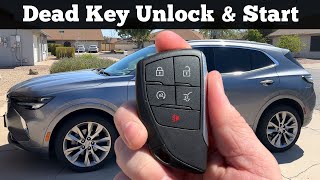
- Vehicle only starts when key fob is placed in the transmitter pocket (center console/cupholder) 🎬 Watch: How to unlock and start with a dead fob
- Replacing the TPMS sensor when the RCDLR is the actual cause, especially if key fob issues are also present.
- Replacing the car battery for a no-start condition without checking for security-related DTCs first.
- Replacing the starter when the no-crank is caused by the security system disabling it.
Most Likely Causes
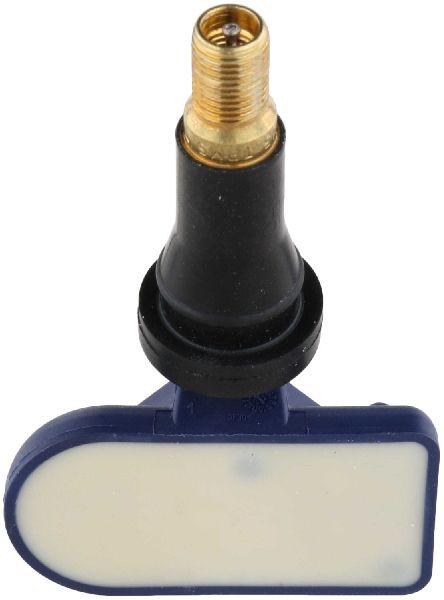
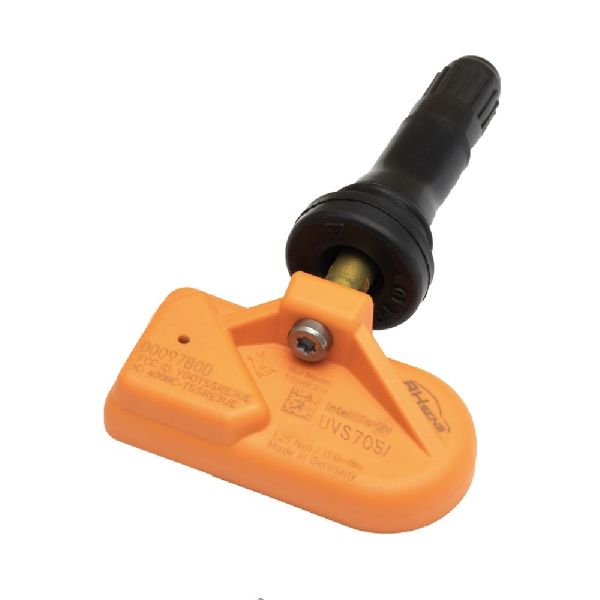
- Failed Right Front TPMS Sensor 🔴 High Probability → Shop Tire Pressure Monitoring System (TPMS) Sensor TPMS sensors are powered by non-rechargeable lithium batteries with a finite lifespan, typically 5-10 years. Vehicles in this year range are reaching the age where original sensor batteries are expected to fail.
How to confirm: Use a TPMS activation tool to attempt to read the sensor. If the tool cannot get a signal from the right front sensor but can from the other three, the sensor is almost certainly the cause. A professional scan tool can also identify a 'Sensor Low Battery' condition.
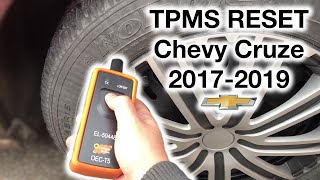
Typical fix: Replace the TPMS sensor in the right front wheel. The new sensor must be 'relearned' to the vehicle using a specific procedure, which often requires a TPMS tool. 🎬 See how to relearn and reset your TPMS sensors
Est. part cost: $25-$75 - Faulty Remote Control Door Lock Receiver (RCDLR) 🟡 Medium Probability → Shop Keyless Entry Receiver This module is a known failure point across many GM vehicles. TSB #16-NA-396 explicitly states that an internal issue can cause this fault. It processes signals from both TPMS and key fobs, and an internal fault can generate TPMS codes and cause security/starting issues.
How to confirm: This is diagnosed when a new TPMS sensor doesn't fix the code, or when TPMS codes appear alongside key fob and no-start issues. A professional scan tool can check for communication with the RCDLR and may find internal module faults or communication DTCs. A technician may also hear only a single click from the RCDLR when pressing the start button, instead of a series of clicks, indicating an internal failure.
Typical fix: Replace the RCDLR module. This part MUST be programmed to the vehicle by a dealer or a qualified independent shop with GM diagnostic software (GDS2 and SPS).
Est. part cost: $70-$180 - Radio Frequency Interference (RFI) ⚪ Low Probability As noted in TSB PIC5650K, the 125 kHz, 315 MHz, and 433 MHz frequencies used by the key fob and TPMS systems are easily 'jammed'. Common sources include aftermarket phone chargers, LED lights (dome, tail, strip lights), dash cams, toll passes, and even other vehicle key fobs on the same keychain.
How to confirm: Remove all aftermarket electronic devices plugged into power outlets and remove all other keys, fobs, and access cards from the key ring. If the problem disappears, one of the removed items was the cause. A technician can also use a special tool (like the J-43241 or EL-52545) to scan for stray RF signals.
Typical fix: Stop using the device that is causing the interference in the vehicle.
Est. part cost: $0
Rare But Worth Checking
- Body Control Module (BCM) Issue: → Shop Body Control Module While rare, a software glitch or internal failure in the BCM could cause it to misinterpret data from the RCDLR. This would typically require BCM reprogramming or replacement by a professional. GM now recommends reprogramming modules with the latest software before replacement.
- Wiring/Connector Damage: Damage to the wiring or connectors for the RCDLR, or its antenna (often in the rear of the vehicle), could cause intermittent signal loss. This would require a visual inspection and continuity testing of the harness. A poor ground connection at a location like G103 can also cause this issue.
Diagnosis Steps
- Scan the vehicle for all DTCs in all modules. Note if C0755 is present alone or with other TPMS or B-prefix (Body/Security) codes like B3055 or B3060.
- If only C0755 is present and the only symptom is the TPMS light, use a TPMS tool to check the battery and function of the right front sensor. If it fails to read, the sensor is the likely culprit.
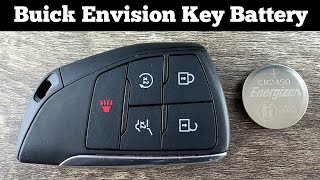
- If you have no-start/key fob symptoms, attempt to start the vehicle by placing the key fob in the designated transmitter pocket (usually in the center console). If it starts, this points strongly to RFI or a weak fob battery. 🎬 Watch: Easy DIY guide to replacing your key fob battery
- Consult TSB #PIC5650K. Thoroughly check for and remove any aftermarket electronics (phone chargers, dash cams, LED lights, etc.) and other fobs/access cards that could cause Radio Frequency Interference (RFI). Retest the system.
- If symptoms persist, and especially if other TPMS or security codes are present, the diagnosis points towards the Remote Control Door Lock Receiver (RCDLR) per TSB #16-NA-396.
- Advanced diagnostics with a professional scan tool (GDS2) are needed to check for specific symptom bytes (e.g., C0755 39 for internal malfunction) and to check communication with the RCDLR before ordering a replacement.
- If the RCDLR is determined to be faulty, it will need to be replaced and programmed by a qualified technician with access to GM's Service Programming System (SPS).
Parts You'll Likely Need
- Tire Pressure Monitoring System (TPMS) Sensor
(OEM #13598772)— This is the most common failure point. The internal battery dies, or the sensor is damaged.
Trusted brands: ACDelco (GM Original Equipment), Schrader, Autel, Dorman
OEM price range: $40-$80
Aftermarket price range: $25-$50 - Remote Control Door Lock Receiver (RCDLR)
(OEM #13597910)— This module is the cause of the more severe no-start and key fob issues associated with this code, as identified in TSB 16-NA-396.
Trusted brands: ACDelco, General Motors
OEM price range: $70-$180
Aftermarket price range: $50-$100
Related Codes That Often Appear With This One
- C0750 — Left Front Tire Pressure Sensor fault. Often set for similar reasons (failing sensor, RCDLR issue, RFI).
- C0760 — Left Rear Tire Pressure Sensor fault. Often set for similar reasons (failing sensor, RCDLR issue, RFI).
- C0765 — Right Rear Tire Pressure Sensor fault. Often set for similar reasons (failing sensor, RCDLR issue, RFI).
- B3055 — Key Not Present. This code is related to the immobilizer system and points towards an issue with the RCDLR or key fob communication, which is directly linked to C0755 per TSBs PIC5650M and 16-NA-396.
- B3060 — Unauthenticated Key. This is another security code often found alongside B3055 and the TPMS codes when the RCDLR or RFI is the root cause.
Technical Service Bulletins (TSBs) & Recalls
- PIC5650M (and revisions like K, G): Links C0755 and other TPMS/security codes to no-crank/no-start conditions, and provides an extensive list of potential Radio Frequency Interference (RFI) sources to check before replacing parts.
- 16-NA-396: Specifically identifies an internal fault in the RCDLR as the cause for intermittent key fob operation, no-start conditions, and TPMS codes (including C0755). Recommends replacement of the RCDLR.
Platform-Specific Known Issues
- RCDLR Module Location: On the Buick Envision, the Remote Control Door Lock Receiver (RCDLR) is typically located behind the passenger side lower center console panel. Access requires removing the panel, which is held by clips and a 10mm hex head bolt.
Mechanic-Grade Diagnostic Values
- Key Fob Battery Voltage — expected: 3.0 Volts. Failure: Less than 2.75 Volts.
- Vehicle Speed for TPMS 'Rolling Mode' Activation — expected: Above 40 km/h (25 MPH).. Failure: If a sensor doesn't transmit in rolling mode above this speed, a DTC will set.
Hidden / Shadow Codes Worth Checking
- C0755 03: Right Front Tire Pressure Sensor Low Voltage (see via GM GDS2 or other professional scan tool that can read manufacturer-specific symptom bytes.)
- C0755 29: Right Front Tire Pressure Sensor Too Few Pulses. This specific symptom code is mentioned in TSB 16-NA-396 as being associated with RCDLR failure. (see via GM GDS2 or other professional scan tool that can read manufacturer-specific symptom bytes.)
- C0755 39: Right Front Tire Pressure Sensor Internal Malfunction (see via GM GDS2 or other professional scan tool that can read manufacturer-specific symptom bytes.)
Scan Tool Commands That Help
- GDS2 (GM Global Diagnostic System 2): Module Setup / RCDLR Setup — This function is required after installing a new RCDLR to integrate it with the vehicle's systems before programming keys or TPMS sensors.
- GDS2 / Tech2Win: Theft Deterrent System Learn — After RCDLR replacement, a 10 or 30-minute relearn procedure must be performed to sync the new module with the vehicle's immobilizer system.
- GDS2 / Tech2Win: Tire Pressure Indicator Sensor Learn — After replacing the RCDLR or any TPMS sensor, this procedure must be run to teach the module the unique ID of each sensor in its specific location on the vehicle.
- SPS (Service Programming System): Program ECU / Replace and Program ECU — This is the software used to load the correct firmware onto the new RCDLR module. It requires an online subscription with GM. It is also now recommended to try reprogramming an existing module before replacement to see if a software update fixes the issue.
Wiring & Ground Locations
- RCDLR Module — On the Buick Envision, the RCDLR is located behind the passenger side lower center console panel.. This is the central receiving unit for both TPMS and key fob signals. Physical access is required for replacement, and checking its connector for corrosion or damage is a key diagnostic step.
- G103 — Located on the cowl in the left rear of the engine compartment, above the brake booster.. This is a major ground point that provides the ground path for the RCDLR, BCM, and Instrument Panel Cluster (IPC). A loose or corroded G103 can cause a wide range of difficult-to-diagnose electrical issues, including symptoms related to code C0755.
- RCDLR Antenna — On similar GM platforms, the antenna is often integrated into the rear quarter glass or headliner area to ensure a clear reception path.. Damage to the antenna or its connection to the RCDLR can cause weak signal reception, leading to intermittent TPMS and key fob issues.
Real Owner Repair Stories
- Go-Parts.com article on Buick Verano (similar GM platform) (2012-2017 Buick Verano) — Code C0755, TPMS light, and key fob issues.
❌ Tried (didn't work) Not specified, but implies that just replacing the TPMS sensor would not work if key fob issues are also present.
✅ What actually fixed it The confirmed fix for the combined symptoms is replacing and reprogramming the Remote Control Door Lock Receiver (RCDLR).
OEM Part Supersession History
13583332, 13510984→13597910— Part has been updated by the manufacturer, likely to improve reliability and address known failure modes.
Heads up: While older numbers are superseded, it is critical to use the latest specified part number (13597910) for replacement to ensure compatibility with vehicle programming and function.
Helpful Videos
We Have This Part in Stock


The information in this article is provided for general reference and educational purposes only. Vehicle specifications, procedures, and part compatibility can vary by production date, trim level, and region. Always consult your vehicle's factory service manual and verify part numbers before purchasing or performing repairs. Safety-critical components such as airbags, seat belts, and braking systems should be installed by a qualified professional.
- Buick ENVISION:
- 🧭 Diagnostic Flowchart
- 🎬 Helpful Videos
- 🛍️ Shop This Part
- What's Unique About the 2016-2023 Buick ENVISION
- Symptoms You May Notice
- Most Likely Causes
- Rare But Worth Checking
- Diagnosis Steps
- Parts You'll Likely Need
- Related Codes That Often Appear With This One
- Technical Service Bulletins (TSBs) & Recalls
- Platform-Specific Known Issues
- Mechanic-Grade Diagnostic Values
- Hidden / Shadow Codes Worth Checking
- Scan Tool Commands That Help
- Wiring & Ground Locations
- Real Owner Repair Stories
- OEM Part Supersession History
- 🎟️ Get 5% Off