

C1709 on 2009-2016 Nissan 370Z: TPMS 'No Data' Fault Explained
On a 2009-2016 Nissan 370Z, code C1709 indicates the computer is not receiving a signal from the front-right TPMS sensor. The most common cause is a dead battery inside the sensor, which has a lifespan of 7-10 years. The fix involves replacing the sensor and registering it to the car, costing around $150-$250 at a shop. Before replacing, unplug all aftermarket phone chargers to rule out radio frequency interference.
- C1709 on a 370Z means the front-right TPMS sensor is not sending a signal to the car.
- The most likely cause is a dead battery inside the sensor, a common failure on cars of this age.
- Before replacing parts, unplug all phone chargers and aftermarket electronics to rule out radio frequency (RF) interference, a known Nissan issue.
- Sensor replacement is not a simple DIY job; it requires tire dismounting and a special tool to register the new sensor with the car's computer.
- To save on future labor costs, consider replacing all four TPMS sensors at once, especially if they are original and over 7 years old.
What's Unique About the 2009-2016 Nissan 370Z
For the Z34 generation 370Z, this code is becoming increasingly common simply due to age. The original TPMS sensors are powered by small, non-replaceable batteries that have a finite lifespan of about 7-10 years. As the 2009-2016 models are now well within or past this window, sensor failure from a dead battery is the primary cause. Additionally, Nissan has issued service bulletin NTB13-088A for its vehicles, including the 370Z, explicitly warning that radio frequency (RF) interference from aftermarket electronics like phone chargers, dash cams, and even some aftermarket remote starters can block TPMS signals and trigger this code.
Diagnostic Flowchart
Tap your situation to follow the diagnostic path that matches what you're seeing on this vehicle.
Symptoms You May Notice
- TPMS warning light flashes for approximately one minute at startup, then stays on solid.
- A TPMS system error message may appear on the vehicle's information display.
- Inability to read the tire pressure for the front-right wheel on models equipped with a multi-tire pressure display.
- The tire pressure display for the front-right wheel may show '--' or a similar placeholder.
- Replacing the sensor without first checking for radio frequency interference from aftermarket accessories.
- Assuming the TPMS light indicates low tire pressure, when a flashing light signifies a system fault.
- Replacing the wrong wheel's sensor. C1709 is specifically for the Front Right wheel.
- Using an incompatible aftermarket sensor. Some cheap online sensors cannot be programmed or registered by standard shop tools, leading to failed repair attempts.
Most Likely Causes
- Dead TPMS Sensor Battery 🔴 High Probability → Shop Tire Pressure Monitoring System (TPMS) Sensor The sensors' internal, non-replaceable batteries have a service life of 7-10 years. Vehicles in the 2009-2016 range are now at an age where battery failure is the most common reason for this code.
How to confirm: A tire shop can use a TPMS diagnostic tool (like an Autel or Bartec unit) to attempt to 'wake' or 'ping' the sensor. If the sensor does not respond or the tool shows a low battery status, it has failed.
Typical fix: Replace the front-right TPMS sensor and register the new sensor's ID to the Body Control Module (BCM). It is often recommended to replace all four sensors at once if they are original to save on future labor costs.
Est. part cost: $40-$100 - Radio Frequency (RF) Interference 🟡 Medium Probability Nissan TSB NTB13-088A specifically warns that aftermarket electronics (e.g., phone chargers, dash cams, power inverters, aftermarket remote starters) can broadcast on a frequency that interferes with the 315 MHz TPMS signal. This is a well-documented issue across many Nissan and Infiniti models.
How to confirm: Unplug all aftermarket devices from the vehicle's power outlets (12V sockets) and turn off any hardwired accessories. Clear the code (if possible) or turn the ignition off and on, then drive the vehicle to see if the fault light goes out. If it does, one of the removed accessories is the culprit. 🎬 Learn more about troubleshooting TPMS signal and communication issues
Typical fix: Remove the interfering device or replace it with a higher-quality, well-shielded version. Some owners on forums have had to try multiple phone chargers to find one that doesn't cause interference.
Est. part cost: $0 - Damaged TPMS Sensor ⚪ Low Probability → Shop Tire Pressure Monitoring System (TPMS) Sensor
How to confirm: Sensors can be physically broken during tire mounting, dismounting, or from a severe pothole impact. This is confirmed by visual inspection after removing the tire from the wheel.
Typical fix: Replace the broken TPMS sensor and register the new one.
Est. part cost: $40-$100
Rare But Worth Checking
- Faulty HVAC Blower Motor: → Shop HVAC Blower Motor Nissan TSB NTB19-062, which applies to the 2018 370Z, identifies that a failing HVAC blower motor can create enough RF interference to cause TPMS 'No Data' codes like C1709. The TSB directs technicians to test the TPMS sensors, and if they are transmitting, to road test the vehicle with the HVAC on max cool. If the code returns, the blower motor (Part # 27225-1EA0A or similar) is the likely cause and should be replaced. While the TSB is for a later model year, it's a known, though rare, possibility on the platform if other causes are ruled out.
- Faulty Body Control Module (BCM): In very rare cases, the BCM, which acts as the receiver for the TPMS signals, can fail. This is typically diagnosed only after confirming all four sensors are good and there is no RF interference. This would usually be accompanied by other, more serious electrical issues.
Diagnosis Steps
- Verify the code is C1709 using an OBD-II scanner with TPMS capabilities. Confirm it corresponds to the Front Right wheel.
- Crucial First Step: Unplug ALL aftermarket accessories (phone chargers, dash cams, etc.) from the vehicle's power ports to eliminate potential RF interference.
- Turn the ignition off and then on. Drive the vehicle for several minutes at speeds over 25 mph. If the light turns off, one of the accessories was the cause. Re-introduce them one by one to find the culprit.
- If the light remains, use a TPMS activation tool (e.g., Autel TS508, Bartec) to try and read the sensor data directly from the front-right wheel. If the tool cannot get a response ('No Signal' or 'Low Battery'), the sensor has almost certainly failed.
- If the sensor is confirmed bad, the tire must be dismounted from the wheel to replace it.
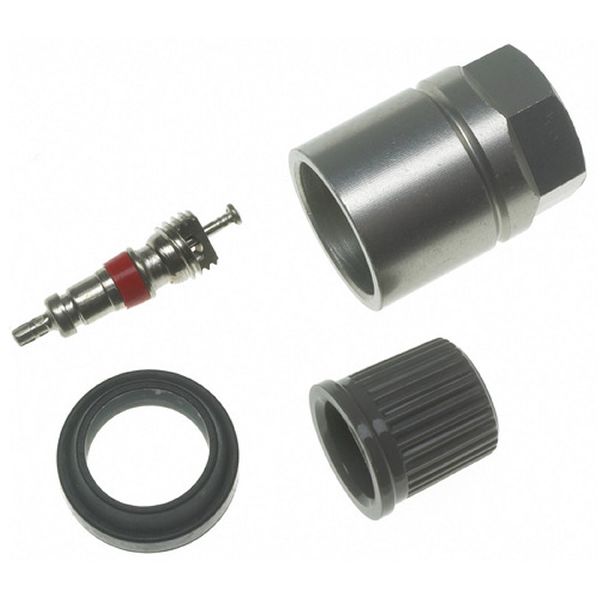
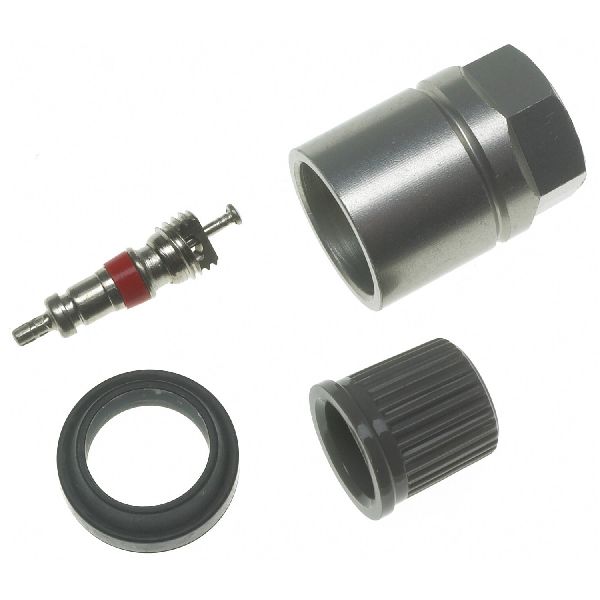
- Install the new TPMS sensor. It is best practice to also replace the valve stem service kit.
- Using a TPMS registration tool connected to the OBD-II port, register the new sensor's unique ID to the vehicle's BCM. This step is mandatory and the system will not work without it. 🎬 See how to program and register new Nissan sensors
- Re-mount and balance the tire, then inflate to the pressure specified on the driver's door jamb sticker.
- Clear the DTC and test drive the vehicle at speeds over 25 mph for several minutes to ensure the light stays off and the system is reading the new sensor.
Parts You'll Likely Need
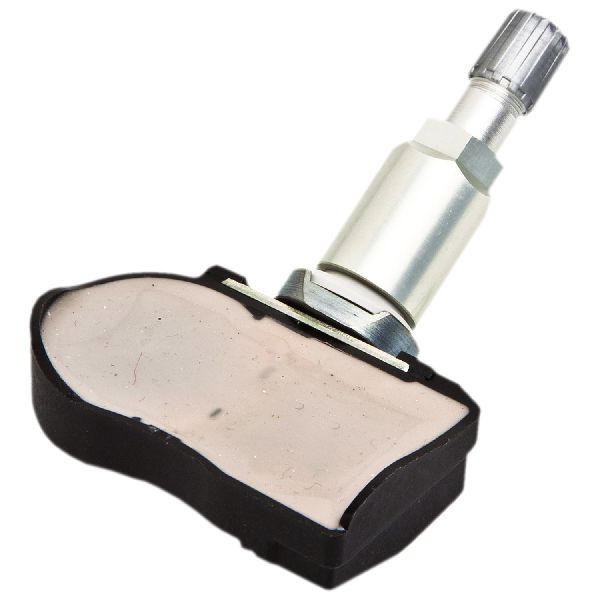
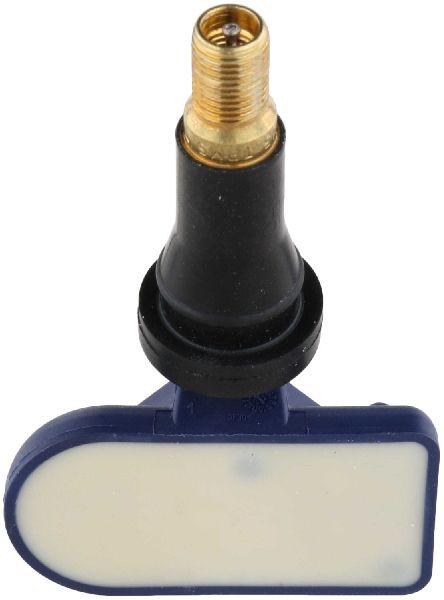
- Tire Pressure Monitoring System (TPMS) Sensor
(OEM #40700-JK01C)— This is the most common failure point. The internal battery dies or the sensor electronics fail, causing the loss of signal that triggers code C1709. The part number 40700-JK01C supersedes many previous versions like 40700-JK00B, 40700-JK00C, and 40700-1AA0D.
Trusted brands: Nissan (OEM), Schrader (Often the OEM supplier), Continental/VDO, Denso
OEM price range: $70-$110
Aftermarket price range: $40-$75
Related Codes That Often Appear With This One
- C1708 — This is the 'No Data' code for the Front Left sensor. It's common to see multiple TPMS codes as sensor batteries often fail around the same time due to age.
- C1710 — This is the 'No Data' code for the Rear Right sensor. Its presence with C1709 suggests either multiple sensors have failed or a systemic issue like RF interference is present.
- C1711 — This is the 'No Data' code for the Rear Left sensor. Nissan groups all four codes (C1708-C1711) as having the same potential causes in its service bulletins. 🎬 Watch: Diagnosing multiple 'No Data' codes on a Nissan
Technical Service Bulletins (TSBs) & Recalls
- NTB13-088A: A general TPMS diagnostic guide for Nissan/Infiniti vehicles that explicitly names radio frequency interference from accessories as a cause for 'No Data' codes (C1708, C1709, C1710, C1711).
- NTB19-062: Specifically for the 2018 370Z, this TSB identifies a faulty HVAC blower motor as a potential source of RF interference causing TPMS codes, including C1709.
Platform-Specific Known Issues
- Radio Frequency Interference: Nissan TSB NTB13-088A specifically highlights that 'No Data' conditions for codes C1708, C1709, C1710, and C1711 can be caused by radio frequency interference from aftermarket accessories plugged into the car's power sockets. This is a primary diagnostic step before replacing parts.
- HVAC Blower Motor Interference (Rare): → Shop HVAC Blower Motor Nissan TSB NTB19-062 notes that on 2018 370Z models, a faulty HVAC blower motor can generate enough RF interference to trigger these same TPMS codes. The diagnostic procedure involves confirming the TPMS sensor is transmitting, then road testing with the A/C on full blast to see if the code returns, indicating a faulty blower motor.
Scan Tool Commands That Help
- Nissan CONSULT III / CONSULT III+: ID Registration — This function is mandatory after replacing a TPMS sensor to write the new sensor's unique ID to the Body Control Module (BCM). The path is typically: Select BCM -> Air Pressure Monitor -> Work Support -> ID Registration.
Wiring & Ground Locations
- Body Control Module (BCM) — Located in the driver's side kick panel, typically below the interior fuse box.. The BCM is the receiver for all TPMS sensor signals. A poor connection or fault in the BCM can prevent it from receiving data from the C1709 sensor, although this is rare.
- M11, M55, M95 — These are primary ground points for dash electronics. M11 is at the left end of the dash, M55 is at the center, and M95 is at the right end.. A poor ground connection at one of these points could potentially cause issues with the BCM or other related electronics, leading to various faults including TPMS communication errors. Checking that these grounds are clean and tight is a valid, though advanced, diagnostic step for persistent, hard-to-diagnose electrical issues.
- Tire Pressure Warning Check Connector — This is a single-pin white female plug taped to a wiring harness. Its location is notoriously inconsistent. It may be found taped to the OBD-II wire loom under the dash near the driver's left knee, or in some cases, tucked away under the passenger side airbag cover.. This connector is used for a manual, tool-free TPMS relearn procedure. By grounding this connector's pin multiple times, the BCM can be put into a learning mode, which can sometimes resolve communication issues or help register sensors without a dedicated scan tool.
Real Owner Repair Stories
- Horsham Developments / my350z.com Forum Users (2009+ Nissan 370Z (and 350Z)) — Flashing TPMS light that remains on, indicating a system fault after installing new wheels or sensors.
❌ Tried (didn't work) Driving the car hoping for an automatic relearn., Inflating tires to correct pressure., Using a scan tool that lacked the specific Nissan registration function.
✅ What actually fixed it A manual relearn procedure was performed without a scan tool. The owner located the white, single-pin 'TPMS interface plug' taped to the OBD-II harness under the driver's dash. With the key in the 'ON' position (engine off), they used a paperclip to ground the pin to the chassis 5-6 times. This caused the TPMS light to start flashing slowly, indicating it was in relearn mode. After starting the car and driving over 25 mph for a few minutes, the light went out, confirming the system had relearned the sensor IDs.
Helpful Videos
We Have This Part in Stock



The information in this article is provided for general reference and educational purposes only. Vehicle specifications, procedures, and part compatibility can vary by production date, trim level, and region. Always consult your vehicle's factory service manual and verify part numbers before purchasing or performing repairs. Safety-critical components such as airbags, seat belts, and braking systems should be installed by a qualified professional.
- Nissan 370Z:
- 🧭 Diagnostic Flowchart
- 🎬 Helpful Videos
- 🛍️ Shop This Part
- What's Unique About the 2009-2016 Nissan 370Z
- Symptoms You May Notice
- Most Likely Causes
- Rare But Worth Checking
- Diagnosis Steps
- Parts You'll Likely Need
- Related Codes That Often Appear With This One
- Technical Service Bulletins (TSBs) & Recalls
- Platform-Specific Known Issues
- Scan Tool Commands That Help
- Wiring & Ground Locations
- Real Owner Repair Stories
- 🎟️ Get 5% Off