

U0198 on 2017-2020 Cadillac Escalade: OnStar Communication Loss Causes and Fixes
U0198 means your Escalade's main computer has lost contact with the Telematic Control Module (OnStar). This is often caused by a known issue with the Serial Data Gateway Module (SDGM) or its connectors, not the OnStar module itself. The first step is to inspect the SDGM connectors, which are typically located near the dashboard fuse box, to the left of the steering column. TSBs #PIT5586G and #20-NA-212 are the primary resources for this issue.
- U0198 means the OnStar module isn't communicating, disabling remote app features and emergency services.
- Before suspecting the OnStar module itself, inspect the connectors on the Serial Data Gateway Module (SDGM) near the dash fuse box, as this is a well-documented problem area.
- A weak battery or bad ground can cause numerous random communication codes on these vehicles; ensure the battery is healthy.
- Any replacement module (either the SDGM or the Telematic module) will require professional programming to work with your vehicle.
- The vehicle is safe to drive, but critical safety features like Automatic Crash Response will not function.
What's Unique About the 2017-2020 Cadillac ESCALADE
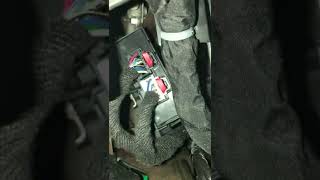
On this generation of Cadillac Escalade and other contemporary GM SUVs (K2XX platform), a wide array of communication codes, including U0198, are frequently traced back to a central hub called the Serial Data Gateway Module (SDGM). Manufacturer Technical Service Bulletins (TSBs) repeatedly point to faulty electrical terminals in the SDGM's main X1 and X2 connectors or software glitches within the module itself. 🎬 Watch: A deep dive into SDGM failures and radio recalls. This means a mechanic's first suspicion should be the gateway module, rather than immediately suspecting a failure of the OnStar module. The SDGM acts as a router between different CAN bus networks in the vehicle, and its failure can mimic the failure of many other individual modules.
Diagnostic Flowchart
Tap your situation to follow the diagnostic path that matches what you're seeing on this vehicle.
Symptoms You May Notice
- OnStar services are unavailable
- myCadillac app features (remote start, lock/unlock, vehicle status) do not work.
- GPS vehicle location is not updating.
- Red or green OnStar light is off or flashing
- "Service Airbag" or other seemingly unrelated warnings may appear on the dash.
- Infotainment screen may display a telematics system fault message.
- Check Engine Light (CEL) is illuminated.
- In severe cases related to SDGM failure, instrument panel gauges may fluctuate or go dead, and no-start/no-crank conditions can occur.
- Replacing the Telematic Control Module (OnStar) when the actual fault lies with the Serial Data Gateway Module's connectors or software. The TSBs strongly suggest checking the SDGM first.
Most Likely Causes
- Poor Connection at Serial Data Gateway Module (SDGM) 🔴 High Probability → Shop Telematics Interface Module Multiple TSBs (#PIT5586 series, #20-NA-212) identify this as the most common failure point. Terminals in the X1 and X2 connectors can back out, have insufficient tension, or corrode, interrupting communication.
How to confirm: Visually inspect the terminals in the SDGM connectors for any signs of damage, looseness, or corrosion. The SDGM is located behind the driver's side lower dashboard, often to the left of the steering column. 🎬 Watch: How to access and install components near the SDGM. Wiggling the harness while monitoring communication status with a scan tool can also pinpoint the issue.
Typical fix: Repairing the affected terminal pin(s) using a terminated lead (GM Part #84619127) or replacing the connector pigtail. This is a delicate repair that requires the correct terminal removal tools.
Est. part cost: $10-$60 - Serial Data Gateway Module (SDGM) Logic Lock 🟡 Medium Probability → Shop Telematics Interface Module TSB #20-NA-212 and #PIT5586G describe a condition where the SDGM microcontroller enters an error state. It remains powered on but ceases all communication on the CAN networks.
How to confirm: If connectors and wiring are confirmed to be good, a diagnostic scan tool will show the SDGM is unresponsive. A 'hard reset' by disconnecting the battery for several minutes (and ensuring residual voltage is drained) may temporarily resolve it. If the issue returns, reprogramming is the next step.
Typical fix: Reprogramming the Serial Data Gateway Module with the latest software from GM, which contains logic improvements to prevent this lock-up. If reprogramming fails, the module must be replaced.
Est. part cost: $150-$350 - Failed Telematic Control Module (OnStar Module) 🟡 Medium Probability Like any electronic module, the TCM can fail internally. This is a common failure on many modern GM trucks and SUVs.
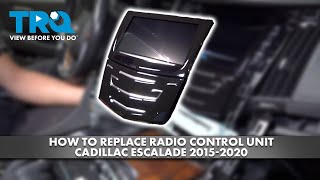
How to confirm: After ruling out all SDGM and wiring issues, the TCM becomes the primary suspect. A technician can attempt to communicate directly with the TCM using a high-end scan tool. If it's unresponsive despite having good power, ground, and data lines, it has failed. The module is typically located behind the center of the dashboard, behind the radio/infotainment unit. 🎬 See this walkthrough for accessing the dash and radio unit.
Typical fix: Replacement of the Telematic Control Module. The new module must be programmed to the vehicle's VIN.
Est. part cost: $250-$500 - Wiring Issue (Power, Ground, or CAN Bus) ⚪ Low Probability Wiring can be damaged by chafing, previous repairs, or water intrusion. Poor ground connections are a known source of intermittent electronic issues on this platform.
How to confirm: Check for 12V power and a solid ground at the Telematic Control Module connector. A resistance reading to ground above 0.2 Ohms is a sign of a bad connection. Check for continuity and resistance on the CAN bus wires between the TCM and the SDGM.
Typical fix: Repairing the damaged section of the wiring harness or cleaning/repairing a ground connection point.
Est. part cost: $1-$20
Rare But Worth Checking
- Weak or Failing Battery:
Diagnosis Steps
- Check Battery Health: Before diving into network diagnostics, ensure the battery is fully charged (above 12.4V) and passes a load test. Low voltage can cause a cascade of communication codes.
- Perform a full vehicle DTC scan to see which other modules are reporting communication loss. A large number of 'U' codes points towards a network-wide issue, likely at the SDGM.
- Locate the Serial Data Gateway Module (SDGM). It is found behind the lower instrument panel, to the left of the steering column.
- Following TSB #PIT5586G and #20-NA-212, carefully disconnect the SDGM's X1 and X2 connectors. Inspect both the module's pins and the harness connector terminals for any that are bent, pushed out ('backed out'), or show signs of corrosion or looseness. Repair as needed, potentially using a terminated lead (GM P/N 84619127).
- If connectors are perfect, perform a hard reset by disconnecting the battery for at least 5 minutes to try and clear a potential SDGM 'logic lock'.
- If the issue persists, locate the Telematic Control Module (TCM). On this platform, it is typically located in the center of the dash, behind the radio and infotainment screen. Access may require removing trim and the glove box.
- Check the TCM connector for 12V power, a solid ground, and signs of damage.
- If all wiring and connections are confirmed good, the next step is to attempt to reprogram the SDGM with the latest GM software, as a 'logic lock' is a known issue that software updates are designed to fix.
- If reprogramming the SDGM does not resolve the U0198 code, the Telematic Control Module itself is the most likely failed component and should be replaced and programmed.
Parts You'll Likely Need
- Serial Data Gateway Module
(OEM #13512361)— This central communication hub can fail due to software glitches ('logic lock') or internal hardware faults, causing a loss of communication to many modules, including the TCM. This part may also be listed as a Park Assist Module.
Trusted brands: ACDelco (Genuine GM)
OEM price range: $150-$350
Aftermarket price range: $100-$250 - Telematic Control Module (OnStar Module)
(OEM #84221924)— If the gateway module and wiring are good, the OnStar module itself may have failed internally. This part was superseded by P/N 84093441 and 84093442. Always confirm the correct part with a VIN.
Trusted brands: ACDelco (Genuine GM)
OEM price range: $250-$500
Aftermarket price range: $200-$400 - Terminated Lead for SDGM Connector
(OEM #84619127)— If a terminal pin in the X1 or X2 connector at the SDGM is found to be loose or damaged, this pre-wired terminal is used to perform a proper repair per TSB PIT5586G.
Trusted brands: ACDelco (Genuine GM)
OEM price range: $15-$30
Aftermarket price range: N/A
Related Codes That Often Appear With This One
- U0140 — Lost Communication with Body Control Module
- U0151 — Lost Communication with Restraints Control Module (Airbag)
- U0155 — Lost Communication with Instrument Panel Cluster
- U0100 — Lost Communication with Engine Control Module
- U0101 — Lost Communication with Transmission Control Module
Technical Service Bulletins (TSBs) & Recalls
- PIT5586B: Instructs dealers to check Serial Data Gateway Module X1 and X2 connector terminals for being bent, backed out, or having loose tension for a long list of U-codes including U0198.
- PIT5586G: Supersedes the previous bulletin, adding instructions to check for a 'logic lock' of the SDGM (where it powers on but stops communicating) and to check both X1 and X2 connectors. It also provides a part number for the terminated lead needed for repairs.
- 20-NA-212: Replaces earlier TSBs, detailing causes like SDGM microcontroller errors or loose connector terminals, and provides specific reprogramming and inspection procedures. It clarifies that reprogramming is the fix for a logic lock, while terminal inspection is the fix for physical connection issues.
Platform-Specific Known Issues
- GM has issued multiple Technical Service Bulletins (TSBs), including #PIT5586B, #PIT5586G, and #20-NA-212, that directly address widespread communication loss issues. These bulletins guide technicians to inspect the connectors at the Serial Data Gateway Module (SDGM) for poor terminal contact or to reprogram the module to fix software lock-ups before replacing any other components. This is the single most important vehicle-specific consideration for this code.
Mechanic-Grade Diagnostic Values
- CAN Bus Resistance at Telematic Control Module — expected: 54 to 69 Ω. Failure: A reading outside this range indicates an issue on the CAN bus circuit (open, short, or faulty terminating resistor).
- Module Ground Circuit Continuity — expected: Less than 0.2 Ω. Failure: A reading above 0.2 Ω indicates excessive resistance from a loose or corroded ground connection.
- CAN Line Voltage Swing (Bidirectional Test) — expected: A swing from 2.5V to 3.5V. Failure: No voltage swing or a swing outside this range indicates a faulty transceiver in the module or a problem on the data line.
Hidden / Shadow Codes Worth Checking
- U1962: Unable to Authenticate Serial Data Message. This indicates a failure in the security handshake between modules on the CAN bus. (see via This code may appear alongside U0198 on a professional scan tool, particularly on newer GM platforms with enhanced vehicle security.)
Scan Tool Commands That Help
- GDS2 / Professional Scan Tool: CAN-bus Monitor — Use this function to view live data traffic on the network. The absence of data frames from the Telematic Control Module while other modules are actively transmitting confirms it is offline.
- SPS (Service Programming System): K56 Serial Data Gateway Module Reprogramming — This is the specific fix called for by TSBs when the SDGM enters a 'logic lock' state. It updates the module's software to prevent the freeze from reoccurring.
- SPS (Service Programming System): Serial Data Gateway Module Learn Procedure — This procedure must be performed after replacing the SDGM. Failure to do so will prevent the new module from learning which other modules are on the vehicle's network, causing communication DTCs and setting code U1977.
Wiring & Ground Locations
- G103 — Located at the left rear of the engine compartment on the cowl, above the brake booster.. This is a critical ground point that serves the Body Control Module (BCM), Instrument Panel Cluster (IPC), Radio, and Data Link Connector (DLC). A poor connection here can cause widespread communication issues that mimic other failures.
- G201 — In the upper left corner of the instrument panel, near the A-pillar on the driver's side.. This is a primary instrument panel ground. Since the SDGM is located in this area, a fault at G201 could cause issues with the gateway module itself.
- TCM Connector (O150) — At the Telematic Control Module, located behind the center dashboard/radio.. This is the direct connection to the module in question. Pins 15 (CAN+) and 16 (CAN-) are used for the CAN bus resistance test.
- SDGM Connectors X1 & X2 — At the Serial Data Gateway Module, behind the driver's side lower dashboard.. These connectors are the most common physical point of failure according to multiple TSBs. Inspecting the terminals in these connectors is the first step in diagnosis.
Real Owner Repair Stories
- Reddit user on r/ChevyTrucks (2023 Chevy Suburban (related K2XX successor platform)) — Check engine light with codes U0198, U1962, and P00FF after hitting a deer which required front-end bodywork.
❌ Tried (didn't work) Initial diagnosis was uncertain if it was a CAN bus issue, a faulty BCM, or the TCM.
✅ What actually fixed it The dealership replaced the OnStar module (TCM). The owner noted that the part took over a month to arrive.
"I Checked Everything" — The Actual Cause
- The most common scenario fitting this pattern for U0198 is the 'logic lock' of the Serial Data Gateway Module (SDGM). A technician can verify all wiring, connectors, power, and grounds are perfect, yet the module remains unresponsive. The actual cause is a software glitch within the module's microcontroller that has frozen its ability to communicate. The fix is not a physical repair but rather a 'hard reset' (battery disconnect) or, more permanently, reprogramming the module with updated software per TSB #20-NA-212.
OEM Part Supersession History
13512361→84078176— Part update or revision by manufacturer.
Heads up: Part 13512361 is listed as the SDGM, but is also cross-referenced as a Park Assist Module. 84078176 is listed specifically for 2017 models. Always verify the correct part number with the vehicle's VIN before ordering.84093441, 84093442→84221924— Part update or revision for the Telematic Control Module (OnStar).
Heads up: 84221924 is the most recent replacement for the earlier part numbers. Programming to the vehicle's VIN is required upon installation.
Model Year Variations Within This Range
- 2017: The primary TSB for this issue is #PIT5586G, which originally covered 2017-2020 models.
- 2018-2020: TSB #PIT5586G was later revised to exclude 2018-2020 models. A new, separate TSB, #20-NA-212, was issued to cover these later years for the same SDGM logic lock and connector issues. This implies that while the root cause is the same, the specific software update or diagnostic procedure may differ slightly for the newer model years within this range.
Helpful Videos


The information in this article is provided for general reference and educational purposes only. Vehicle specifications, procedures, and part compatibility can vary by production date, trim level, and region. Always consult your vehicle's factory service manual and verify part numbers before purchasing or performing repairs. Safety-critical components such as airbags, seat belts, and braking systems should be installed by a qualified professional.
- Cadillac ESCALADE:
- 🧭 Diagnostic Flowchart
- 🎬 Helpful Videos
- What's Unique About the 2017-2020 Cadillac ESCALADE
- Symptoms You May Notice
- Most Likely Causes
- Rare But Worth Checking
- Diagnosis Steps
- Parts You'll Likely Need
- Related Codes That Often Appear With This One
- Technical Service Bulletins (TSBs) & Recalls
- Platform-Specific Known Issues
- Mechanic-Grade Diagnostic Values
- Hidden / Shadow Codes Worth Checking
- Scan Tool Commands That Help
- Wiring & Ground Locations
- Real Owner Repair Stories
- "I Checked Everything" — The Actual Cause
- OEM Part Supersession History
- Model Year Variations Within This Range
- 🎟️ Get 5% Off