

Engine Coolant Temperature Sensor Guide for 1995-2000 GMC C3500
Fixing poor performance and bad fuel economy on your C3500 often starts with this critical, easy-to-replace sensor.
- A bad ECT sensor commonly causes poor fuel economy, rough running, and an illuminated Check Engine Light with codes P0117 or P0118.
- This is a simple and inexpensive DIY repair that most owners can complete in under 30 minutes with basic tools.
- For best results, choose a quality aftermarket brand like Delphi, NGK, or Standard Motor Products, as they offer reliability close to OEM parts.
- Visually confirm your sensor's connector type before ordering, as different styles were used for the 5.7L, 7.4L, and 6.5L engines.
Is a bad Engine Coolant Temperature Sensor hurting your C3500?
If your 1995-2000 GMC C3500 is running rough, getting poor gas mileage, or has an erratic temperature gauge, a faulty Engine Coolant Temperature (ECT) sensor could be the culprit. This sensor tells the engine's computer how hot the coolant is, which affects everything from fuel injection to when the electric cooling fans turn on. A bad sensor can send false information, tricking the computer into making poor decisions that hurt performance and fuel economy.
Symptoms of a Failing ECT Sensor
A failing ECT sensor can cause a range of problems, from annoying to serious. Here’s what to watch for:
- Poor Fuel Economy: If the sensor wrongly tells the computer the engine is always cold, the computer will continuously inject extra fuel, hurting your mileage.
- Black Smoke from Exhaust: A rich fuel mixture, caused by a bad sensor reading, can result in unburned fuel exiting the exhaust as black smoke.
- Rough Idle and Hard Starts: The engine may idle poorly or be difficult to start, especially when cold, because the fuel mixture isn't correct for the actual engine temperature.
- Check Engine Light: A sensor reading that is out of range will often trigger a Check Engine Light. Common codes include P0117 (circuit low) and P0118 (circuit high).
- Engine Overheating: If the sensor fails to report a hot engine, the computer may not turn on the cooling fans when needed, leading to overheating.
- Inaccurate Temp Gauge: The gauge on your dashboard might read incorrectly, stay on cold, or jump around wildly.
Don't Ignore the Signs
While you can often drive with a bad ECT sensor, it's not recommended for long. Running too rich can foul spark plugs and damage the catalytic converter over time. Ignoring an overheating condition can lead to catastrophic engine damage.
Choosing the Right Aftermarket Sensor
For a simple part like an ECT sensor, you don't always need to pay for a dealership OEM part. Many aftermarket brands offer excellent quality, often for a much lower price. However, quality can vary, so it's best to stick with reputable names.
- Top-Tier Aftermarket (OEM-Equivalent): Brands like Delphi and NGK (NTK) are often the original equipment manufacturers for GM. Choosing one of these is very close to buying the genuine part. They are known for reliability and accurate readings.
- Reliable Aftermarket: Standard Motor Products (SMP) and Beck Arnley are well-regarded in the industry. They focus on meeting or exceeding OE specifications and are a solid choice for a balance of price and quality.
- Economy Brands: Brands like Four Seasons, Global Parts, and True Tech offer the lowest prices. While tempting, be aware that budget sensors can sometimes have wider tolerances, leading to less accurate readings or a shorter lifespan. For a critical sensor like this, spending a few extra dollars on a more reputable brand is often wise.
Pro Tip: Check the Connector
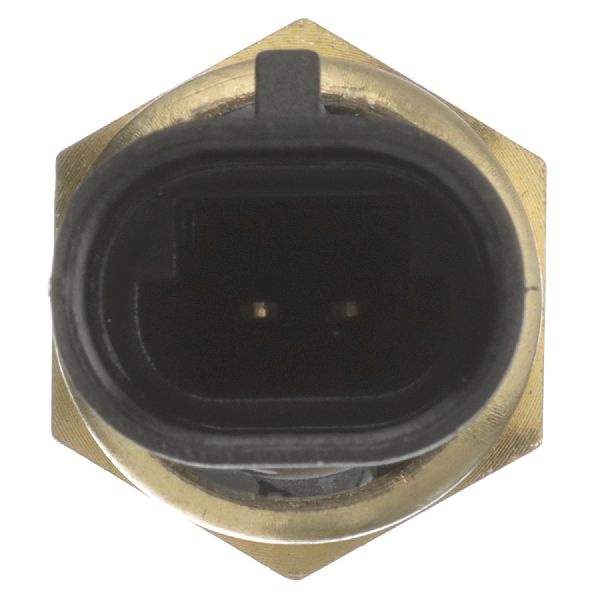
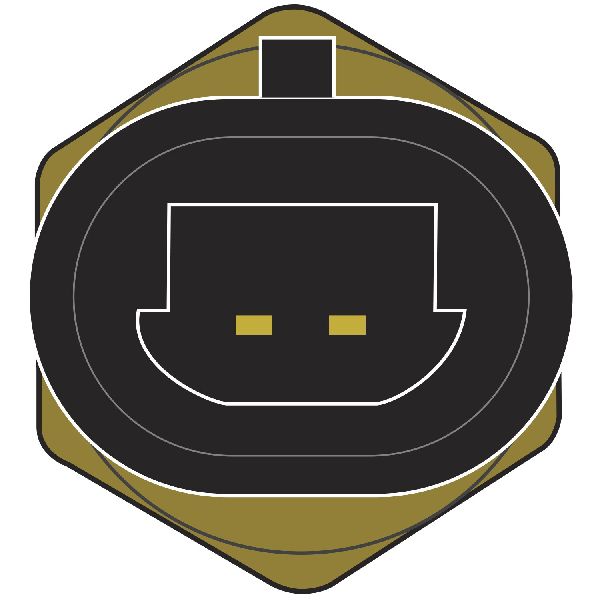
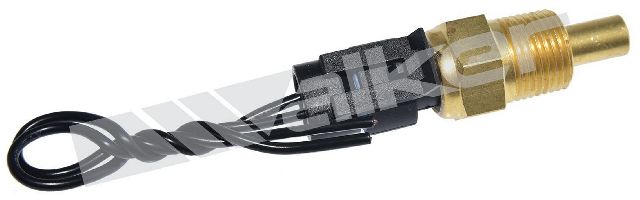
Before ordering, visually inspect your old sensor and its electrical connector. The 1995-2000 C3500 used a couple of different sensor styles and connectors over the years and across different engines (5.7L, 7.4L, 6.5L Diesel). Matching the connector shape (often circular with 2 pins) is the easiest way to ensure you get the right part.
Cost of Replacing the ECT Sensor on a 1995-2000 GMC C3500
| Part Type | Estimated Cost |
|---|---|
| New Aftermarket Sensor | $12.58 - $37.74 |
| New OEM Sensor (ACDelco) | $30 - $60 |
| Shop Labor | $50 - $100 |
| DIY Total | $12.58 - $37.74 |
| Shop Total | $62.58 - $137.74 |
Frequently Asked Questions
Where is the ECT sensor located on my C3500?
It depends on your engine. For the V8 gas engines (5.7L, 7.4L), the primary sensor for the computer is typically located on the front of the intake manifold, near the thermostat housing. The sender for the gauge is often on the driver's side cylinder head. For the 6.5L diesel, locations can vary, but it's often found on the coolant crossover. Always verify the location for your specific engine before starting.
Can I replace this sensor myself?
Yes, this is a very DIY-friendly job. It usually requires only basic hand tools, like a deep socket and ratchet. The main steps are letting the engine cool, disconnecting the battery, unplugging the sensor, and unscrewing it. Have the new sensor ready to screw in quickly to minimize coolant loss.
Do I need to drain the coolant to replace it?
You don't have to drain the entire system. A small amount of coolant will leak out when you remove the old sensor. If you are quick about swapping the old sensor for the new one, the loss will be minimal. Just be sure to top off the coolant reservoir afterward and check for air pockets in the system.
My new sensor is installed, but the Check Engine Light is still on. Why?
The trouble code needs to be cleared from the computer's memory. You can do this with an OBD-II scanner, or by disconnecting the negative battery terminal for about 15 minutes. If the light comes back on, there may be another issue, such as a wiring problem or a different faulty component.
Technical Specifications
OEM Part Numbers: 25037332 19236568 213-77 213-4688
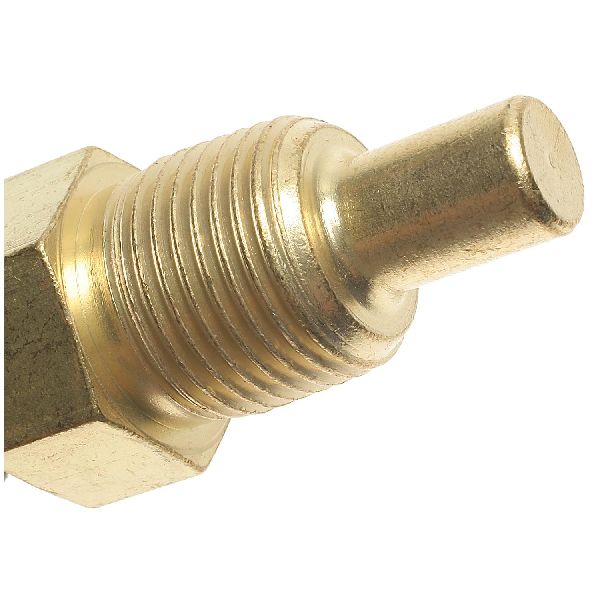
Typically features a 2-pin, circular female connector. Thread size is commonly 3/8" - 18 NPTF. Always verify against the specific engine (5.7L, 7.4L, 6.5L Diesel) as variations exist.
We Have This Part in Stock


The information in this article is provided for general reference and educational purposes only. Vehicle specifications, procedures, and part compatibility can vary by production date, trim level, and region. Always consult your vehicle's factory service manual and verify part numbers before purchasing or performing repairs. Safety-critical components such as airbags, seat belts, and braking systems should be installed by a qualified professional.
- GMC C3500:
- 🛍️ Shop This Part
- Is a bad Engine Coolant Temperature Sensor hurting your C3500?
- Symptoms of a Failing ECT Sensor
- Don't Ignore the Signs
- Choosing the Right Aftermarket Sensor
- Pro Tip: Check the Connector
- Cost of Replacing the ECT Sensor on a 1995-2000 GMC C3500
- Frequently Asked Questions
- 🎟️ Get 5% Off