

Guide to the 1996-2002 Chevrolet Express 3500 Brake Light Switch
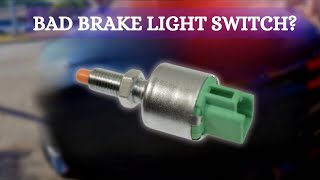
Having issues with your brake lights or cruise control? Your brake light switch might be the culprit.
- A faulty brake light switch is a critical safety issue; replace it immediately if your brake lights are not working.
- Symptoms are not limited to lights; a bad switch can also disable cruise control and prevent the van from shifting out of Park.
- Before buying a new switch, always check the brake light bulbs and fuses first, as these are common and cheaper fixes.
- Replacement is a simple DIY task, but requires working in an awkward position under the dashboard.
Is Your Brake Light Switch Failing?
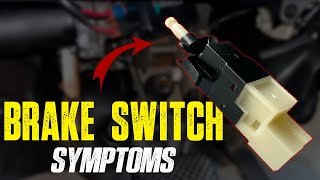
A bad brake light switch on a Chevy Express 3500 can cause several problems, some of which are serious safety risks. Because this part is used every time you drive, it can wear out over time. Here are the most common signs that your switch needs to be replaced.
🎬 Watch this video to identify common brake light switch symptoms.Choosing the Right Aftermarket Part
For the 1996-2002 Express 3500, the brake light switch is a straightforward component. The original equipment (OEM) part from GM provides guaranteed fit and function. However, quality aftermarket brands offer a reliable and more affordable alternative.
Standard Ignition (Standard Motor Products): This is a well-known and generally respected aftermarket brand. Reviews for their switches are often positive, with customers noting they are a good value and a perfect fit that solves common issues like brake light failure. For a part like a brake light switch, a reputable aftermarket brand like Standard Ignition is a solid choice that can perform as well as the original without the higher cost of an OEM part.
Cost of Replacing a Brake Light Switch
| Part Type | Estimated Cost |
|---|---|
| New Aftermarket (Standard Ignition) | $25.24 |
| New OEM (GM Genuine Parts / ACDelco) | $35 - $65 |
| Shop Labor | $50 - $100 |
Frequently Asked Questions
Where is the brake light switch located on a 1996-2002 Express 3500?
The brake light switch is located in the driver's footwell, mounted on a bracket near the top of the brake pedal arm. You will need to look up under the dashboard to see it. It is a small sensor with a wiring connector attached.
Can I replace the brake light switch myself?
Yes, this is a DIY-friendly repair for most people. The job requires basic hand tools and involves working in a tight space under the dashboard. The switch is typically held in place by a retaining clip that can be removed with a screwdriver or pick tool. The most difficult part is often the uncomfortable position required to access the switch.
🎬 Follow this step-by-step guide to replace your brake light switch.My brake lights don't work. Is it definitely the switch?
Not always. Before replacing the switch, you should check for simpler issues first. The most common causes for brake light failure are burned-out bulbs or a blown fuse. Also, inspect the wiring and bulb sockets in the tail lights, as corrosion or damage there is a known issue on these vans.
🎬 See how to troubleshoot blown fuses and wiring shorts.Are there any recalls for the brake light switch on my van?
No specific recalls were found for the brake light switch on the 1996-2002 Chevrolet Express 3500. While GM has issued recalls for brake switch-related issues on other vehicles, this specific model range is not included.
Helpful Videos
Technical Specifications
OEM Part Numbers: 15128874 15861245 93441581 11516282
Located on the brake pedal support bracket. The switch activates brake lights and sends signals to cruise control and shift interlock systems.
We Have This Part in Stock


The information in this article is provided for general reference and educational purposes only. Vehicle specifications, procedures, and part compatibility can vary by production date, trim level, and region. Always consult your vehicle's factory service manual and verify part numbers before purchasing or performing repairs. Safety-critical components such as airbags, seat belts, and braking systems should be installed by a qualified professional.
- Chevrolet Express 3500: