

Parking Brake Cable Guide for the 1998-2005 Chevrolet Blazer
A complete guide to understanding, diagnosing, and replacing the parking brake cables on your Chevrolet Blazer.
- The 1998-2005 Blazer uses a four-cable system; you must identify which cable has failed before ordering.
- Rust and corrosion are the primary causes of failure; inspect cables regularly, especially in regions that use road salt.
- A loose pedal or the vehicle rolling when parked are critical signs that the cable needs immediate replacement.
- While a DIY replacement is possible, accessing the front cable at the pedal assembly can be challenging.
Signs of a Failing Parking Brake Cable
On a 1998-2005 Chevrolet Blazer, the parking brake cables are exposed to road salt, water, and debris, making them prone to failure over time. The most common issues are rust, stretching, and snapping. Here are the key symptoms to watch for:
- Loose or Spongy Pedal: If the parking brake pedal goes to the floor with little resistance, the cable has likely stretched and can no longer create enough tension to hold the vehicle.
- Vehicle Rolls When Parked: The most dangerous symptom is when the parking brake is engaged, but the vehicle still moves. This indicates a complete failure of the system to hold the rear wheels.
- Brake Won't Engage or Disengage: A pedal that won't push down, or a brake that won't release after being applied, often points to a seized or broken cable. This can be caused by internal rust freezing the cable inside its protective sheath. Sometimes, the issue is with the pedal assembly itself, which can get gummed up and require lubrication.
- Grinding or Squeaking Noises: Unusual sounds when applying or releasing the brake can signal a problem with the cable or the brake components it connects to.
- Visible Damage: A visual inspection underneath your Blazer may reveal a frayed, rusted, or snapped cable. In some cases, the brackets holding the cable can rust and break off.
Brake Warning Light
An illuminated brake warning light on your dashboard can sometimes indicate a problem with the parking brake system, such as a stuck pedal or a switch issue. However, it can also signal problems with the main hydraulic brake system, so it should be diagnosed immediately.
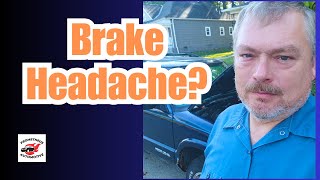
🎬 Watch this video for a professional brake system diagnosis.Choosing the Right Aftermarket Cable
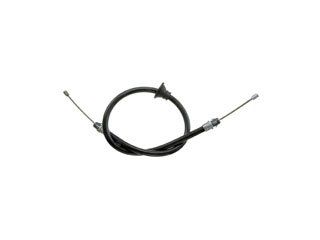
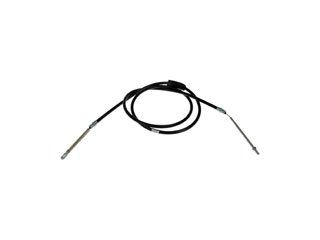
Since OEM cables for this generation of Blazer are often discontinued or hard to find, the aftermarket is the go-to source for replacements. The Blazer uses a multi-cable system, so you must first identify which cable—front, intermediate, or one of the two rears—has failed. Often, it's best to replace them in pairs (both rears) or as a complete set if they are all original and showing age.
Brand Tiers
- ACDelco: Often considered a top-tier aftermarket choice. ACDelco's "Gold" (formerly Professional) line is designed to meet or exceed OEM specifications and is a reliable option for brake and drivetrain components. Be aware of different ACDelco lines, as the "Advantage" or other budget lines may not offer the same quality.
- Raybestos: A well-known brand in the brake industry. However, some users have reported mixed experiences with the fit and finish of their aftermarket cables, noting that the hardware can feel less substantial than the original OEM parts.
- Dorman: A popular aftermarket brand known for a wide range of parts. Quality can sometimes be inconsistent, with some users reporting issues with the durability of rubber components on their parts. For a part like a parking brake cable, where fitment is critical, carefully check reviews for your specific vehicle.
Pro Tip: Check for Complete Kits
When replacing your cables, inspect all related hardware. This includes the equalizer, which connects the front and rear cables, and any guides or brackets. Some brands may offer more complete kits that include this hardware, which can save you time and hassle.
Estimated Costs
| Part/Service | Estimated Cost |
|---|---|
| New Aftermarket Cable (Single) | $37 - $74 |
| Shop Labor to Replace One Cable | $95 - $185 |
| Total Professional Replacement (Single Cable) | $132 - $259 |
Costs are estimates and can vary based on your location and the specific repair shop. Labor costs can increase if multiple cables are replaced or if other components like brake shoes are also serviced.
Frequently Asked Questions
How many parking brake cables does a 1998-2005 Blazer have?
These Blazers typically have a four-cable system: one front cable from the pedal, one intermediate cable, and two rear cables (one for each rear wheel). You must identify which specific cable has failed before ordering a replacement.
Can I replace just the one broken cable?
Yes, you can replace only the failed cable. However, if the cables are original, they have all been exposed to the same conditions. If one has failed from rust or age, the others may not be far behind. It is often recommended to replace the rear cables as a pair for balanced operation.
Is replacing a parking brake cable a DIY job?
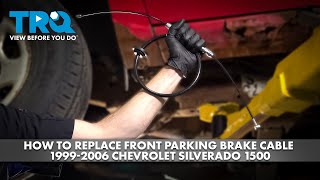
For an experienced DIY mechanic, this is a feasible job. It requires safely lifting and supporting the vehicle, removing the rear wheels and potentially the brake drums/calipers, and routing the new cables. Releasing tension from the old cable and properly adjusting the new one are critical steps. The front cable can be particularly difficult to access where it connects to the pedal assembly.
🎬 See how to replace a front parking brake cable.Were there any recalls for the parking brake cable on the 1998-2005 Blazer?
Searches of the NHTSA database did not reveal any specific recalls for the mechanical parking brake cables on the 1998-2005 Chevrolet Blazer. Recalls found were for newer, unrelated Blazer EV models with electronic parking brakes.
Helpful Videos
Technical Specifications
System Type: Mechanical, multi-cable (front, intermediate, left rear, right rear)
We Have This Part in Stock
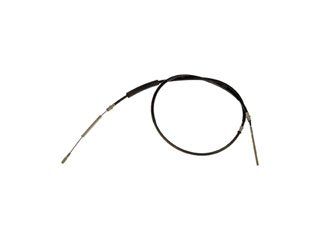
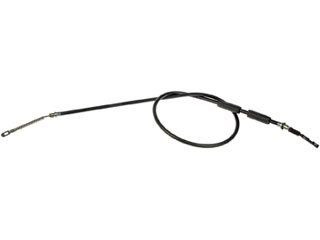
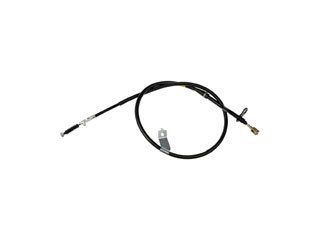
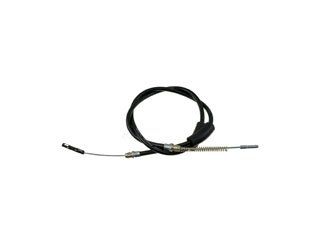

The information in this article is provided for general reference and educational purposes only. Vehicle specifications, procedures, and part compatibility can vary by production date, trim level, and region. Always consult your vehicle's factory service manual and verify part numbers before purchasing or performing repairs. Safety-critical components such as airbags, seat belts, and braking systems should be installed by a qualified professional.
- Chevrolet Blazer: