

A Guide to Replacing Disc Brake Rotors on Your 2000-2004 Chrysler Voyager
If your steering wheel shakes when you brake, your Voyager's disc brake rotors are likely worn out and need replacement.
- Brake pulsation (vibration) is the most common sign of rotor failure on a 2000-2004 Voyager and is often caused by uneven wear, not true warping.
- Always replace brake pads at the same time as the rotors to ensure a long service life and prevent immediate damage to the new parts.
- Quality aftermarket brands like Centric, Raybestos, or Bosch often provide better value and durability than original equipment rotors for this vehicle.
- Ensure wheel lug nuts are tightened to the correct torque (100 ft-lbs) in a star pattern to prevent rotor distortion.
Signs of a Failing Disc Brake Rotor
Your 2000-2004 Chrysler Voyager will give you clear signals when the rotors are bad. The most common issue on these minivans is brake pulsation, often incorrectly called "warped rotors." This is a vibration you feel in the steering wheel or brake pedal when you apply the brakes, especially from highway speeds. This happens because of uneven wear or brake pad material deposits on the rotor's surface.
- Pulsation or Vibration: A shaking in the steering wheel or a pulsing feeling in the brake pedal is the number one sign of a bad rotor.
- Grinding Noises: A harsh grinding sound means the brake pads are completely worn, and now metal is grinding against the rotor, causing severe damage.
- Visible Grooves or Hot Spots: If you look at the rotor and see deep lines, grooves, or bluish-colored spots, it's a sign of damage and overheating.
- Squealing or Screeching: While often a sign of worn pads, constant squealing can also indicate a rotor that is glazed or has uneven wear.
A Note on "Warping"
True rotor warping from heat is rare in daily driving. The pulsation you feel is almost always caused by Disc Thickness Variation (DTV), where parts of the rotor are thicker than others due to uneven pad material transfer or wear. This is a very common problem on this generation of Chrysler minivans. Using quality aftermarket rotors and pads, and ensuring the wheel lug nuts are tightened correctly, can prevent this from happening again.
Choosing the Right Aftermarket Rotors
For the 2000-2004 Voyager, you don't need to buy expensive original parts from the dealer. Quality aftermarket rotors often provide better performance and are more resistant to the common pulsation issues than the original factory rotors. Here’s how to choose from the available brands.
Economy Brands
These are your basic, no-frills rotors that meet minimum requirements. They are a good choice if your budget is the top priority. Brands like Pronto and Dynamic Friction fall into this category. They will work safely but may have a shorter lifespan and be more prone to noise or pulsation than higher-quality options.
Daily Driver Brands (OEM Quality)
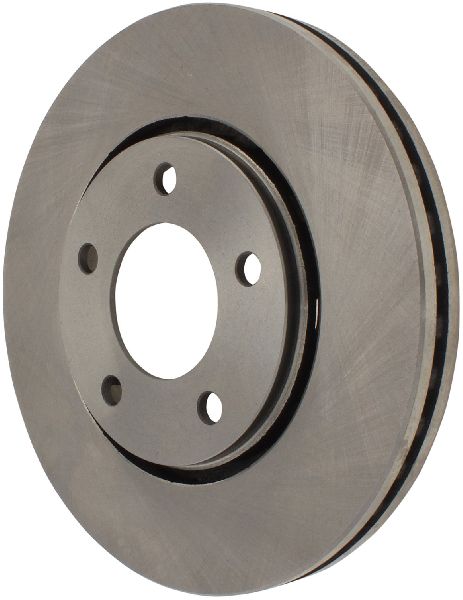
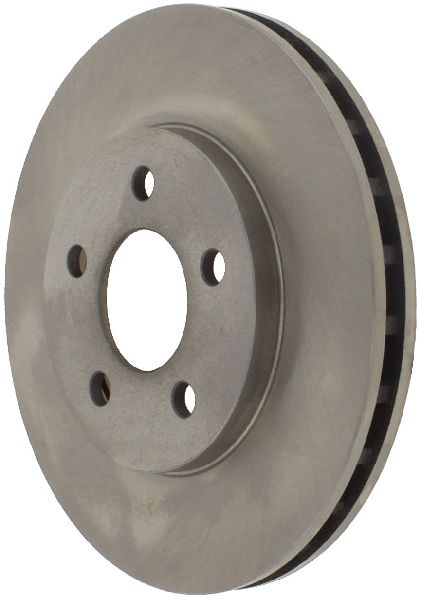
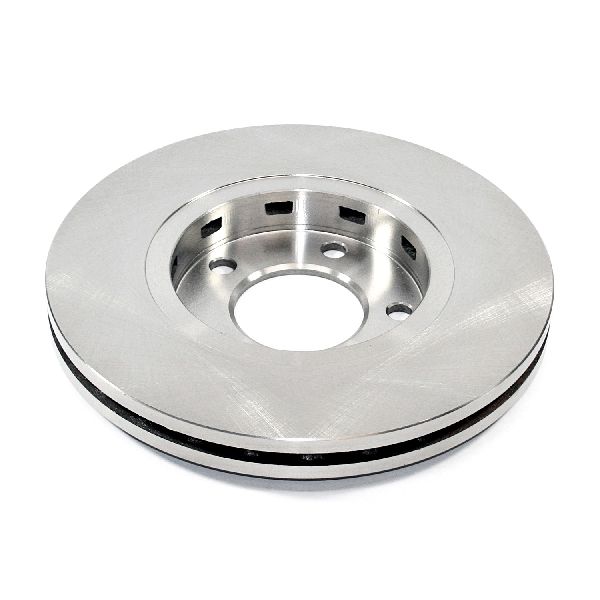
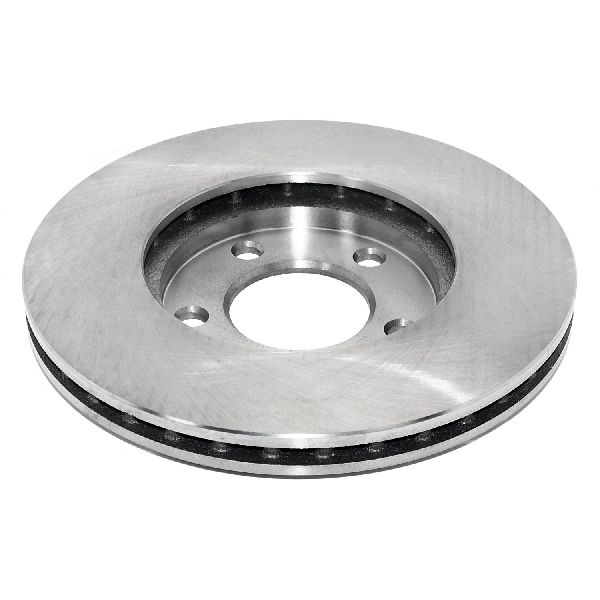
This is the best choice for most Voyager owners. These brands offer an excellent mix of durability, performance, and price. They are often made to meet or exceed the quality of the original parts. Look for brands like Centric, Raybestos, Bendix, Bosch, and ACDelco. Many of these brands offer coated rotors, which have a special finish to prevent rust on the non-contact areas, keeping them looking better for longer.
Performance / Heavy-Duty Brands
If you often tow a trailer, carry heavy loads, or live in a mountainous area, upgrading to a performance rotor is a wise investment. These rotors are designed to handle higher heat and provide better stopping power. Brands like Powerstop, EBC Brakes, and Hawk offer kits that often include drilled or slotted rotors and matching high-performance pads. Drilled and slotted rotors help vent hot gases and can improve braking in wet conditions, but for a daily-driven Voyager, a quality solid rotor is usually sufficient.
| Part Type | Estimated Cost Range (Per Rotor) |
|---|---|
| Economy Aftermarket | $40 - $70 |
| Daily Driver Aftermarket | $60 - $120 |
| Performance/Heavy-Duty Aftermarket | $100 - $340+ |
| Shop Labor (Per Axle) | $150 - $250 |
Known Issues, Recalls, and Service Bulletins
While there are no specific recalls for the disc brake rotors on the 2000-2004 Chrysler Voyager, owners have filed numerous complaints with the National Highway Traffic Safety Administration (NHTSA) about premature wear, grinding, and pulsation. There was a recall for certain aftermarket ACDelco master cylinders that could affect braking performance in cold weather. Additionally, a Technical Service Bulletin (TSB) was issued for some Chrysler vehicles regarding brake moan sounds, which advises replacing the rear pads and rotors. These common issues highlight the importance of choosing quality replacement parts.
Pro Tip: Always Replace Pads with Rotors
Never install new brake rotors without also installing a new set of brake pads. Old, unevenly worn pads will immediately damage the surface of your new rotors, leading to the same pulsation and noise issues you were trying to fix. It's a critical step for a successful brake job.
Frequently Asked Questions (FAQ)
Do I have to replace my rotors, or can they be resurfaced?
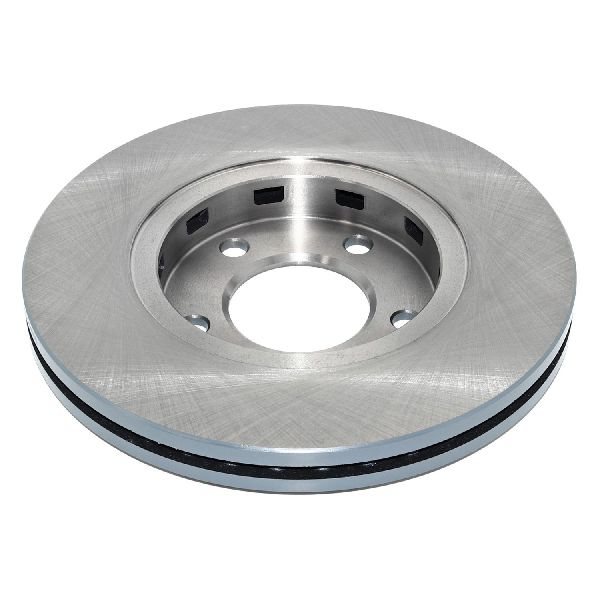
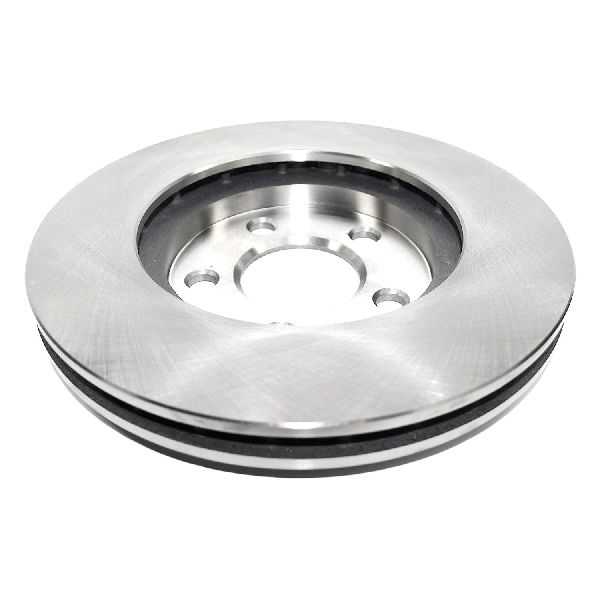
Resurfacing (also called machining or turning) shaves a thin layer of metal off the rotor to make it smooth again. While this can be an option, new rotors for the Voyager are often so affordable that replacement is the better choice. Resurfacing also makes the rotor thinner, which means it can't handle as much heat and may be more likely to develop pulsation issues again.
Should I get drilled or slotted rotors for my Voyager?
For most owners, a standard, solid (or "plain") rotor from a quality brand is all you need. Drilled and slotted rotors are designed for high-performance or heavy-duty use to dissipate heat faster. Unless you are frequently towing heavy loads or driving in very demanding conditions, they are not necessary and can sometimes be noisier than solid rotors.
Why do my new brakes still vibrate?
If you have new rotors and still feel a vibration, the most common cause is improper installation. If the wheel lug nuts are not tightened evenly and to the correct torque specification (100 ft-lbs for this van), it can distort the rotor. Another cause could be a sticking brake caliper that isn't releasing properly, causing the rotor to overheat.
Do I need to replace front and rear rotors at the same time?
No. You only need to replace rotors on the axle where they are worn. Brakes should always be replaced in pairs on the same axle (both front rotors or both rear rotors), but you do not need to do all four at once.
Technical Specifications
Wheel Lug Nut Torque: 100 ft. lbs.
We Have This Part in Stock

The information in this article is provided for general reference and educational purposes only. Vehicle specifications, procedures, and part compatibility can vary by production date, trim level, and region. Always consult your vehicle's factory service manual and verify part numbers before purchasing or performing repairs. Safety-critical components such as airbags, seat belts, and braking systems should be installed by a qualified professional.
- Chrysler Voyager:
- 🛍️ Shop This Part
- Signs of a Failing Disc Brake Rotor
- A Note on "Warping"
- Choosing the Right Aftermarket Rotors
- Economy Brands
- Daily Driver Brands (OEM Quality)
- Performance / Heavy-Duty Brands
- Known Issues, Recalls, and Service Bulletins
- Pro Tip: Always Replace Pads with Rotors
- Frequently Asked Questions (FAQ)
- 🎟️ Get 5% Off