

GMC Yukon 2002-2010 Mass Air Flow Sensor Replacement Guide
Experiencing rough idle, poor gas mileage, or stalling? Your Yukon's Mass Air Flow sensor could be the problem.
- A failing MAF sensor on a 2002-2010 Yukon commonly causes a Check Engine Light (P0101), rough idle, poor acceleration, and bad gas mileage.
- Replacement is a simple DIY task, usually taking less than 30 minutes with basic hand tools.
- For best results, choose a quality aftermarket brand like Delphi (an OEM supplier) or NGK, as some budget sensors can be unreliable.
- Before replacing, try cleaning the sensor with dedicated MAF cleaner; sometimes dirt, not failure, is the issue.
Is Your Yukon Running Rough? Check the MAF Sensor

If your 2002-2010 GMC Yukon is hesitating, getting bad gas mileage, or idling poorly, a faulty Mass Air Flow (MAF) sensor is a common suspect. This sensor is vital for maintaining the right air-fuel mixture, and when it fails, it can cause a range of noticeable problems. Fortunately, this is a repair most owners can handle themselves with basic tools.
Known Issues & Technical Service Bulletins (TSBs)
While no specific recalls exist for the MAF sensor on the 2002-2010 GMC Yukon, GM has issued related service bulletins. One important TSB warns that using an over-oiled aftermarket air filter 🎬 See how to replace both the sensor and the air filter. can contaminate the MAF sensor's sensitive wires, leading to incorrect readings and drivability problems. Repairs for this type of contamination are typically not covered under warranty. Other bulletins for similar GM trucks have pointed to issues like broken wires in the sensor's harness due to overtightened zip ties during assembly, which can cause an intermittent connection.
Symptoms of a Failing MAF Sensor on a 2002-2010 Yukon


A bad MAF sensor can trick the engine's computer, leading to several issues. Here’s what to look for:
- Check Engine Light: This is often the first sign. The computer will store a Diagnostic Trouble Code (DTC), most commonly P0101 (MAF Circuit Range/Performance), P0102 (MAF Circuit Low), or P0103 (MAF Circuit High).
- Rough Idle and Stalling: The engine may shake, sputter, or stall at stoplights because the air-fuel mixture is unstable.
- Hesitation and Jerking: When you press the gas, the Yukon might hesitate or jerk because the computer can't match the fuel delivery to the incoming air correctly.
- Poor Fuel Economy: If the sensor causes the engine to run rich (too much fuel), you'll find yourself at the gas station more often.
- Black Exhaust Smoke: This is a clear sign of an engine running rich, where unburned fuel is exiting through the exhaust.
Choosing the Right Aftermarket MAF Sensor

When replacing your Yukon's MAF sensor, you have a choice between OEM and a variety of aftermarket brands. While an OEM part from the dealer is an option, high-quality aftermarket parts can offer similar performance for less money.
OEM vs. Aftermarket Quality:
For a critical sensor like the MAF, quality matters. Some budget-friendly aftermarket sensors can have issues right out of the box, causing incorrect readings that lead to persistent driveability problems. However, reputable aftermarket brands provide reliable alternatives.
- Premium Aftermarket (e.g., Delphi, NGK/NTK): Delphi is often an original equipment manufacturer (OEM) for GM, meaning their parts are built to the same standards as the factory sensor. They are a trusted choice for reliability and accurate performance. NGK (under the NTK brand) is another well-regarded name in engine sensors.
- Standard Aftermarket (e.g., Spectra, Walker Products, Standard Ignition): These brands offer a balance of quality and value. They are generally more affordable than premium options and are a popular choice for DIY repairs. However, experiences can be mixed, with some users reporting inconsistent performance compared to OEM or premium brands.
- Budget-Friendly Options: While the lowest-priced options can be tempting, they carry a higher risk of being poorly calibrated, which can fail to solve the original problem or create new ones.
Pro Tip: Try Cleaning it First
Sometimes, the MAF sensor's wires are just dirty, not broken. Before buying a new one, try cleaning it with a dedicated MAF sensor cleaner spray. Do not use brake cleaner or other harsh chemicals, as they can damage the delicate sensor elements. If cleaning doesn't solve the issue, replacement is the next step.
🎬 Watch this video to learn how to safely clean your sensor.Cost of Replacing a GMC Yukon MAF Sensor
The total cost depends on whether you do it yourself or go to a repair shop. The part itself is the main expense.
| Part/Service | Estimated Cost |
|---|---|
| New Aftermarket MAF Sensor | $71 - $190 |
| New OEM (ACDelco) MAF Sensor | $150 - $350 |
| Shop Labor | $45 - $100 |
| Total (DIY) | $71 - $190 |
| Total (at a Shop) | $206 - $412 |
Frequently Asked Questions (FAQ)
Can I drive my Yukon with a bad MAF sensor?
Yes, but it's not recommended for long. Your vehicle may enter a "limp mode" with reduced power. Continuing to drive can lead to poor fuel economy, potential stalling in traffic, and could eventually damage your catalytic converters from an overly rich fuel mixture.
Is replacing the MAF sensor on a 2002-2010 Yukon a DIY job?
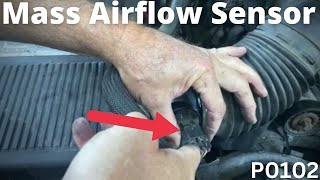
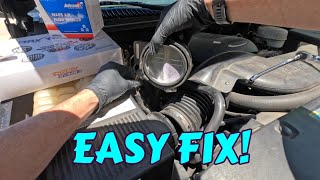
Absolutely. The MAF sensor is located on the air intake tube between the air filter box and the engine. It's typically held in place by hose clamps and is easily accessible. The replacement involves unplugging the electrical connector, loosening the clamps, swapping the sensor, and reconnecting everything. The whole job usually takes less than 30 minutes.
🎬 Watch: Step-by-step guide to cleaning or replacing your Yukon's MAF sensor.Do I need to disconnect the battery to replace the MAF sensor?
Yes, it is highly recommended. Disconnecting the battery for about 15 minutes before installing the new sensor helps clear the old sensor's learned data from the engine computer (PCM). This allows the computer to properly adapt to the new sensor's readings once you reconnect the battery and start the engine.
What if the Check Engine Light is still on after replacing the MAF sensor?
First, ensure you cleared the diagnostic codes with a scanner after installation. If the light returns, double-check for vacuum leaks in the air intake hose between the sensor and the engine, as an unmetered air leak can trigger the same codes. Also, inspect the wiring and connector for damage. If you used a budget-tier sensor, it's possible the new part is faulty.
Helpful Videos
Technical Specifications
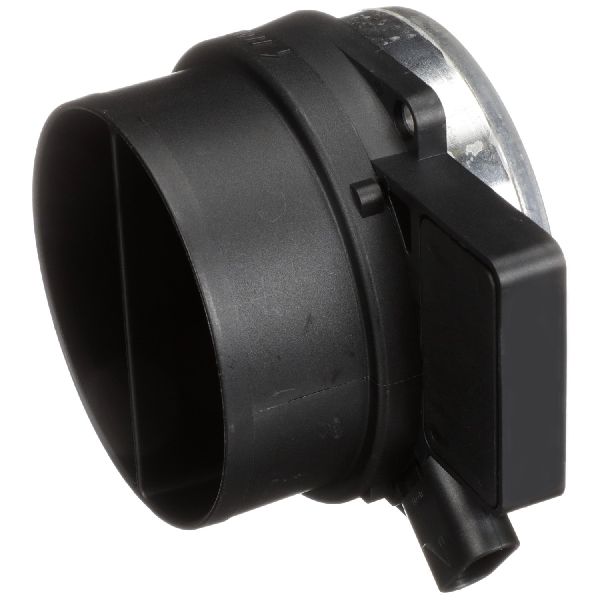
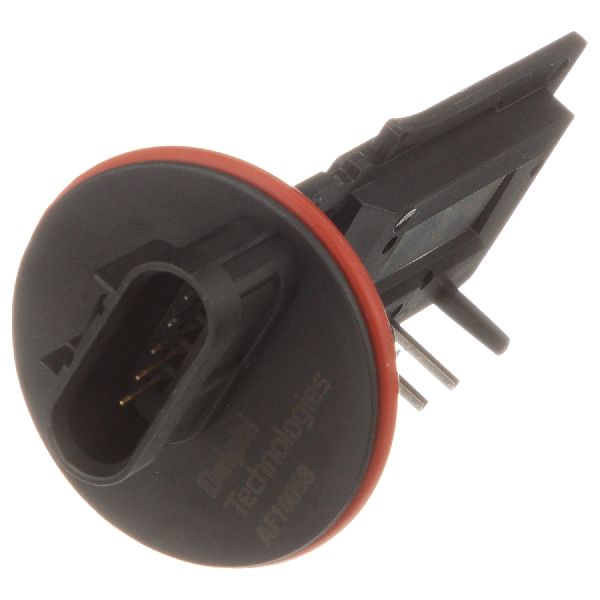
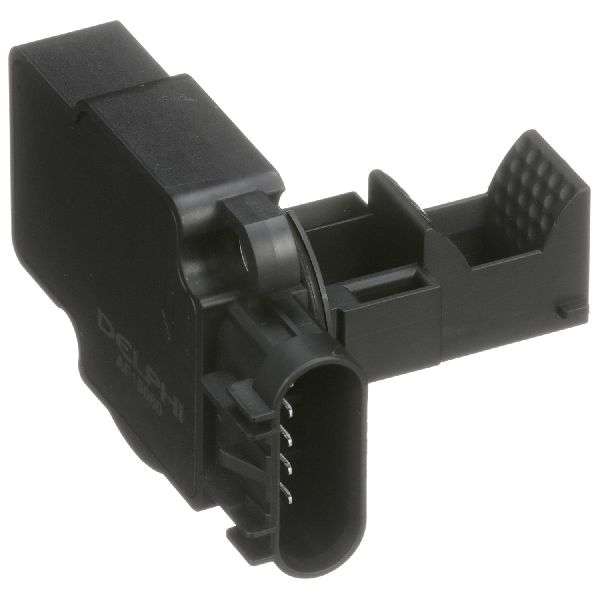
OEM Part Numbers: 15865791 12576410 213-4222 AF10043 12671620 12711405 15900023 AF10058
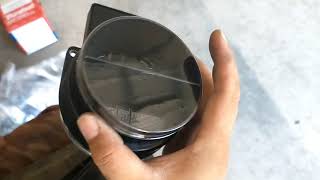
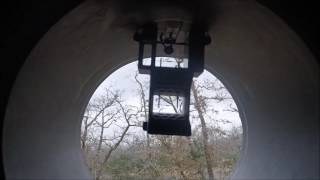
Hot-wire type sensor, typically with a 5-pin electrical connector that includes an integrated Intake Air Temperature (IAT) sensor. Mounts directly into the air intake duct between the air filter housing and the throttle body.
We Have This Part in Stock



The information in this article is provided for general reference and educational purposes only. Vehicle specifications, procedures, and part compatibility can vary by production date, trim level, and region. Always consult your vehicle's factory service manual and verify part numbers before purchasing or performing repairs. Safety-critical components such as airbags, seat belts, and braking systems should be installed by a qualified professional.
- GMC Yukon:
- 🎬 Helpful Videos
- 🛍️ Shop This Part
- Is Your Yukon Running Rough? Check the MAF Sensor
- Known Issues & Technical Service Bulletins (TSBs)
- Symptoms of a Failing MAF Sensor on a 2002-2010 Yukon
- Choosing the Right Aftermarket MAF Sensor
- Pro Tip: Try Cleaning it First
- Cost of Replacing a GMC Yukon MAF Sensor
- Frequently Asked Questions (FAQ)
- 🎟️ Get 5% Off