

2020-2025 Corvette C8 Antenna Guide: GPS, XM, and Radio Reception Problems
Diagnose and fix poor radio reception, GPS signal loss, and other common antenna-related faults on your C8 Corvette.
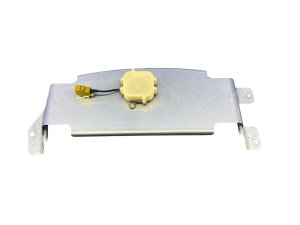
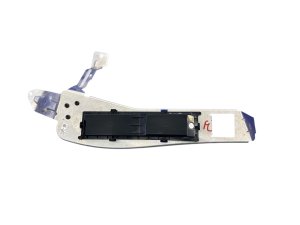
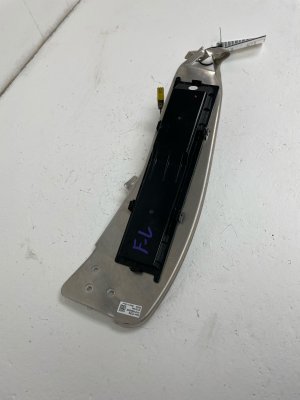
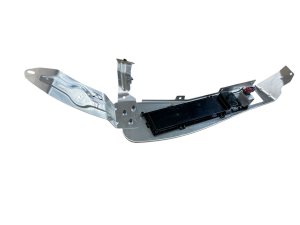
- The main antenna for GPS and SiriusXM (part 85547220, replacing 84734245) is located inside the car, under the speaker grille between the seats.
- Symptoms are usually signal-related, such as poor XM reception or GPS errors, not a complete failure of all radio functions.
- Replacement is a DIY-friendly job but requires careful use of plastic trim tools to avoid damaging the interior 'waterfall' console.
- Before replacing hardware, perform a vehicle power cycle (turn off, open/close door, wait 3 mins) to rule out a simple software glitch.
Symptoms of a Failing C8 Corvette Antenna

Antenna issues on the C8 Corvette typically manifest as signal degradation rather than a complete, sudden failure. Because the car uses multiple antennas for different systems, you might experience a problem with one function while others work perfectly.
- Poor or No Satellite Radio (SiriusXM) Reception: This is one of the most common symptoms. The audio may cut out frequently, especially in open areas where it should be strong, or the infotainment screen may display messages like "No Signal" or "Antenna Not Detected".
- GPS Navigation Errors: The GPS may show your vehicle's location incorrectly, lose its signal entirely, or be slow to update. This can also affect features that rely on GPS data, such as the front-lift memory function.
- Weak AM/FM Radio Reception: While less common, you might notice that local AM or FM stations that should be strong come in with static or fade in and out. Some owners have reported poor AM reception specifically.
- OnStar or 4G LTE Connectivity Problems: Issues with the car's built-in Wi-Fi hotspot or OnStar services can sometimes be traced back to a faulty cellular antenna.
Pro Tip: Before assuming the antenna has failed, try a simple system reset. Turn the vehicle off, open and close the driver's door, and wait at least three minutes before restarting the car. This power cycle can sometimes resolve temporary software glitches that mimic hardware failure.
Known Issues, TSBs, and Recalls

As of early 2026, there are no specific recalls or widespread Technical Service Bulletins (TSBs) directly targeting the main satellite/GPS antenna assembly on the 2020-2025 Corvette. However, some related issues have been noted:
- Software Updates: Some infotainment glitches, including those affecting navigation and radio functions, have been addressed by GM through over-the-air (OTA) or dealer-installed software updates. A total loss of audio is often linked to a failed amplifier, not the antenna itself, and has been the subject of service bulletins.
- Recalls: While numerous recalls have been issued for the C8 Corvette, none are for the radio or navigation antennas. Recalls have addressed issues like seat belt retractors, airbag lights, and front trunk lid software. 🎬 Watch: A complete breakdown of 2020-2026 C8 Corvette recalls
Buying a Used 2020-2025 Corvette Antenna

A used OEM antenna can be a cost-effective solution, offering the same performance and fit as a new part. Given the interior location of the main GPS/XM antenna, it is less susceptible to weather damage than an external unit. Here’s what to check:
- Verify the Part Number: The most critical step is to match the part number. The primary satellite/GPS antenna is GM part number 84734245, which was later superseded by 85547220. Ensure the part you are buying is one of these two numbers.
- Inspect the Connectors: Check that all electrical connector pins are straight, clean, and free of any corrosion. The plastic connector housings should be intact with no cracks or broken locking tabs.
- Examine the Housing: Look for any cracks, scuffs, or signs of impact on the plastic housing. While it's an interior part, damage could indicate it was removed carelessly or came from a vehicle involved in a significant collision.
- Check the Wiring Pigtail: If the antenna comes with any attached wiring, inspect it for cuts, abrasions, or poorly repaired sections.
- Source Vehicle Information: If possible, obtain the VIN of the donor car. This allows you to verify the vehicle's year and options package to ensure compatibility and check its history for flood or fire damage, which would make the part unusable.
Cost Comparison
Prices for the C8 Corvette's main satellite/GPS antenna (85547220) can vary significantly. Aftermarket options are not common for this specific integrated component.
| Part Type | Estimated Price Range |
|---|---|
| New OEM | $100 - $180 |
| New Aftermarket | Not Generally Available |
| Used OEM | $35 - $75 |
| Shop Labor Cost | $150 - $300 |
Replacement Information

Replacing the main satellite/GPS antenna in a C8 Corvette is a moderately difficult job that requires careful removal of interior trim.
- Location: The antenna is located inside the cabin, underneath the center speaker grille on the "waterfall" section between the seats.
- Difficulty: 3 out of 5. The process is feasible for a DIY mechanic with patience and the right tools, but it involves delicate trim pieces that can be easily broken.
- Tools Required: You will need a set of non-marring plastic trim removal tools to avoid scratching the console and dashboard surfaces.
- Procedure Overview: The speaker grille cover on the waterfall must be carefully pried upwards to release its retaining clips. Access may require moving the seats fully forward. Once the grille is removed, the antenna module is visible and can be unbolted and its electrical connectors disconnected. Installation is the reverse of removal. 🎬 See this walkthrough for removing the waterfall and speaker cover
Warning: The plastic clips holding the waterfall speaker grille are tight. Use steady, even pressure with a trim tool to release them. Pulling too hard or in the wrong spot can break the clips or the grille itself.
Frequently Asked Questions (FAQ)
My C8's GPS is not working, but the radio is fine. Is it the antenna?
It could be. The part number 84734245 / 85547220 serves as the antenna for both GPS and satellite radio. A failure within the antenna assembly could affect one service but not the other. However, you should first check for any available software updates from GM, as GPS issues can sometimes be software-related.
Where are the different antennas located on a C8 Corvette?
The C8 has several antennas. The main one for GPS and SiriusXM is under the waterfall speaker grille between the seats. Antennas for 4G/OnStar cellular communication are located in the front fender wells. AM/FM radio antennas are often integrated into other components, such as the rear window defroster grid or side mirrors, a common practice in modern vehicles.
Do I need to program the car after replacing the antenna?
No, a new antenna assembly does not typically require any special programming or calibration. It is a plug-and-play component. After installation, you may need to send a refresh signal to your SiriusXM radio subscription via their website or by phone to re-authorize the service.
Can bad window tint cause poor radio reception in a C8?
Yes, it's possible. If the AM/FM antenna is integrated into the rear glass, using a metallic-based window tint can interfere with radio signals. If your reception problems started after getting your windows tinted, the tint film is a likely culprit.
Helpful Videos


Technical Specifications
OEM Part Numbers: 84734245 85547220
Function: GPS Navigation and Satellite Radio (SiriusXM)
We Have This Part in Stock

The information in this article is provided for general reference and educational purposes only. Vehicle specifications, procedures, and part compatibility can vary by production date, trim level, and region. Always consult your vehicle's factory service manual and verify part numbers before purchasing or performing repairs. Safety-critical components such as airbags, seat belts, and braking systems should be installed by a qualified professional.
- Chevrolet Corvette: