

Audi Audio System Failure (2002-2017): MMI, Amplifiers, and Component Protection Explained
A comprehensive guide to diagnosing and fixing common audio problems in Audi A3, A4, S4, A5, Q5, R8, and more, from silent speakers to 'Component Protection Active' warnings.
- Most audio failures are caused by a break in the MOST fiber-optic loop; use a bypass loop tool to diagnose the faulty module.
- Amplifiers are the most common failure point, usually due to water damage in the trunk from clogged sunroof drains or bad seals.
- Any used or new replacement module (amplifier, radio, etc.) will trigger 'Component Protection' and MUST be adapted by an Audi dealer or specialist.
- Always match part numbers exactly, paying attention to the sound system type (Standard, Bose, B&O) and vehicle body style (Sedan, Avant, etc.).
Symptoms of Audio System Failure


Because Audi's audio components work together in a networked loop, a single failed part can cause a variety of symptoms. Here are the most common signs of a problem:
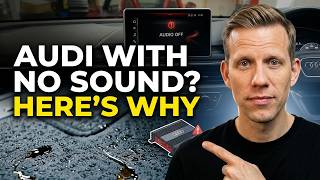
- No Sound From Speakers: The MMI screen may work perfectly, but you get no audio from any source (radio, CD, Bluetooth). This often points to a failed amplifier or a break in the MOST fiber-optic loop.
- Black, Frozen, or Rebooting MMI Screen: The central display may be completely black, stuck on the Audi logo, or constantly restart. This can be caused by a failure in the main MMI head unit or any other critical module on the MOST loop, which prevents the system from initializing.
- "Component Protection Active" Message: This message appears on the MMI screen after a module like the amplifier or radio unit has been replaced. It's an anti-theft feature that disables the module's full functionality until it's matched to the vehicle by a dealer or specialist.
- Intermittent Audio or Crackling: Sound may cut in and out, or you might hear static and popping. This can be caused by a failing amplifier, a poor electrical connection, or a shorted speaker.
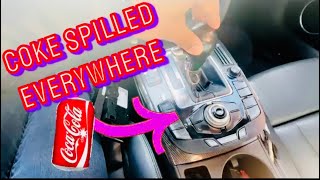
- Sticky or Unresponsive MMI Control Buttons: The buttons and control knob in the center console can become unresponsive or sticky, often due to liquid spills. This can make it impossible to navigate menus or control audio functions.
- Burning Smell: A distinct burning smell from the trunk or cabin is a serious sign of an electrical failure within the amplifier or another module and should be addressed immediately.
Diagnosing the Problem: The MOST Fiber-Optic Loop
Most audio issues in these Audis (particularly 2009 and newer models) are related to the MOST fiber-optic network. All the main audio components are connected in a series, like old-fashioned Christmas lights. If one module in the loop fails, the entire chain is broken, and the system won't work.
The most effective way for a DIYer to find the broken link is by using a MOST loop bypass adapter. This simple and inexpensive tool allows you to systematically bypass each component in the audio system. Here’s how it works:
- Locate the audio components. The amplifier and radio tuner are typically found in the trunk, on the left side behind the trim panel. Other modules might be in the glove box (CD changer) or behind the dash.
- Unplug the fiber-optic connector from a module (e.g., the amplifier).
- Plug the MOST loop bypass adapter into the connector you just removed. This completes the circuit, taking the module out of the loop.
- Turn on the ignition and see if the audio system comes back to life. If it does, you've found your failed component.
- If the system still doesn't work, reconnect the original module and move to the next one in the chain (e.g., the radio tuner), repeating the process until you isolate the faulty part.
Pro Tip: Before starting complex diagnostics, always perform a soft reset of the MMI system. Press and hold the power/volume knob for at least 10-15 seconds until the screen reboots. This can sometimes resolve software glitches that cause unresponsiveness or connectivity issues.
Common Failure Points and Known Issues
Amplifier Failure (Standard, Bose, and Bang & Olufsen)
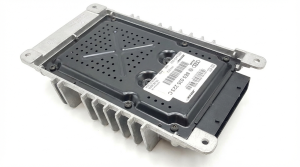
The amplifier is the most common component to fail, primarily due to its location. In most sedans and SUVs like the A4, S4, A5, and Q5, the amp is mounted in the left rear of the trunk. This area is highly susceptible to water intrusion from clogged sunroof drains, leaking taillight seals, or damaged window seals. A water-damaged amplifier is often the cause of sudden, complete audio failure.
🎬 See this walkthrough on replacing a water-damaged amplifier.- Vehicle Specifics: In the A5, the amplifier and navigation modules are on the driver's side in the trunk. In Q-series SUVs, they are often on the passenger side.
- System Variants: These vehicles were offered with Standard, Bose, or Bang & Olufsen (B&O) sound systems. The amplifiers are not interchangeable. You must replace a failed amp with one from the exact same system type.
MMI Control Unit Failure
The MMI control panel in the center console is prone to failure from liquid spills. Coffee, soda, or even cleaning products can seep into the buttons and onto the circuit board, causing sticky keys, incorrect inputs, or complete failure. In some cases, the circuit board can be carefully removed and cleaned with electrical contact cleaner, but often the entire unit needs to be replaced.
🎬 Watch: How to fix sticky MMI console buttons after a spill.Warning: The audio systems in these vehicles are complex. The provided part numbers cover a wide range of components, platforms, and years. For example, 8E- part numbers are for the 2002-2008 A4/S4 generation, while 8T- and 8R- numbers are for the 2009-2017 A4/A5/Q5 generation. Always verify the part number from your original unit before purchasing a replacement.
Buying a Used Audio System Component
Buying a used OEM audio module can save you hundreds or even thousands of dollars compared to a new part from a dealer. However, there are critical factors to consider to avoid buying a part that won't work.
- Component Protection (CP): This is the single most important factor. Component Protection is an anti-theft system that links modules like the amplifier, radio, and MMI unit to the car's VIN. If you install a used part, the system will detect the mismatch and trigger CP, disabling most functions (like audio output). You will see a "Component Protection Active" message on the MMI screen. CP can only be removed by an Audi dealer or a qualified independent shop with online access to Audi's servers (ODIS). This cannot be bypassed with DIY tools like VCDS. Factor the cost of this service (typically 1-2 hours of labor) into your budget.
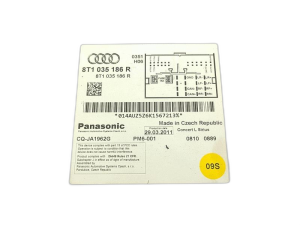
- Part Number Matching: You must match the part number exactly. Amplifiers for Standard, Bose, and B&O systems are different. Amplifiers for sedans vs. wagons (Avant) or convertibles are often different. There are also different part numbers for different regions (North America, Europe, etc.). Do not buy a part that is "close enough."
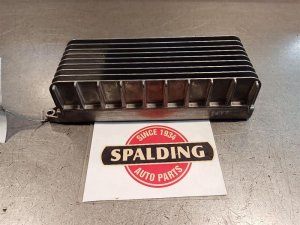
- Physical Inspection: When buying a used amplifier, inspect it carefully for signs of water damage. Look for corrosion on the casing, pins, and connectors. A chalky white or green residue is a clear red flag. Do not buy a part that shows any signs of moisture exposure.
- Why Used OEM is Often Better: For these integrated systems, a used OEM part that is properly coded to your vehicle is almost always a better choice than a new aftermarket unit. Aftermarket head units often require complex wiring adapters, may not integrate with steering wheel controls perfectly, and can cause issues with the MOST fiber-optic network.
Cost Comparison for a Replacement Amplifier (B8 Platform, e.g., 2010 A4/A5)
| Part Type | Estimated Cost | Notes |
|---|---|---|
| New OEM Amplifier (Dealer) | $1,200 - $2,000+ | Price varies by system (Bose, B&O). Includes dealer installation and CP removal. |
| Used OEM Amplifier | $150 - $500 | Requires exact part number match. Must budget for CP removal. |
| Remanufactured/Repaired Original Unit | $200 - $600 | Your original unit is repaired. Avoids CP issues. |
| Shop Labor (Installation & CP Removal) | $200 - $400 | 1-2 hours for installation plus 1 hour for Component Protection removal at a dealer or specialist. |
Frequently Asked Questions (FAQ)
Does a replacement audio module need to be programmed?
Yes, almost always. Any key module (amplifier, radio, MMI unit) will trigger Component Protection, which requires an Audi dealer or specialist with online access to remove. Even if CP is not an issue, the module may need to be coded using a tool like VCDS to tell it about the vehicle's specific configuration (e.g., sedan vs. wagon, number of speakers).
Can I remove Component Protection myself?
No. Component Protection removal requires a special online connection to Audi's factory servers to verify the part and match it to your car's VIN. This is not something that can be done with DIY scan tools or by independent shops that lack this specific online capability.
Why is there no sound but the MMI screen works?
This is a classic symptom of a failed amplifier or a break in the MOST fiber-optic loop after the MMI head unit. The MMI unit itself is working, but the signal is not reaching the amplifier, or the amplifier itself has failed (often due to water damage or internal electronic failure). Use a MOST loop bypass tool to test the amplifier first.
My MMI screen is black. What should I check first?
First, check the fuses for the infotainment system, which are often in a panel in the trunk. Second, try a hard reset by holding the volume knob for 10-15 seconds. If neither of those work, the issue is likely a failed module on the MOST loop (like the MMI unit itself or the radio tuner) that is preventing the entire system from booting up. Diagnosing this will require using a MOST loop bypass tool to find the faulty component.
Helpful Videos
Technical Specifications
OEM Part Numbers: 4G0035050E 4G0035080E 4G0035080G 4G0035082E 4G0035082G 8E0035111D 8E5035223 8E5035223B 8E5035223C 8E5035223D 8P1862336 8P1862336A 8R0035223G 8R1035186H 8T0035223A 8T0035223AB
System architecture is based on a MOST (Media Oriented Systems Transport) fiber-optic bus. Different tiers of audio were available: Standard (non-amplified or basic amp), Bose (premium amplified), and Bang & Olufsen (premium amplified with DSP).
We Have This Part in Stock

The information in this article is provided for general reference and educational purposes only. Vehicle specifications, procedures, and part compatibility can vary by production date, trim level, and region. Always consult your vehicle's factory service manual and verify part numbers before purchasing or performing repairs. Safety-critical components such as airbags, seat belts, and braking systems should be installed by a qualified professional.
- Audi A4:
- Audi S4:
- Audi A5:
- Audi Q5:
- Audi SQ5:
- Audi RS4:
- Audi A3:
- Audi Allroad:
- Audi R8:
- Audi RS5:
- Audi S5:
- Audi TT:
- Audi A6:
- Audi S6:
- 🎬 Helpful Videos
- 🛍️ Shop This Part
- Symptoms of Audio System Failure
- Diagnosing the Problem: The MOST Fiber-Optic Loop
- Common Failure Points and Known Issues
- Buying a Used Audio System Component
- Cost Comparison for a Replacement Amplifier (B8 Platform, e.g., 2010 A4/A5)
- Frequently Asked Questions (FAQ)
- 🎟️ Get 5% Off