

2011-2017 Audi A5, A6, Q5 & More: Glove Box CD Changer Failure and Component Protection
This guide covers the common failures of the glove box mounted 6-disc CD changer and explains the critical 'Component Protection' system you must deal with after replacement.
- A failed CD changer can cause the entire MMI infotainment system to go black or stop working.
- Replacing this part requires a mandatory trip to a dealer or specialist to remove 'Component Protection' — a used unit will not work without this programming step.
- Diagnosis can be done by a DIYer using an inexpensive fiber optic bypass loop to isolate the failed component.
- The cheapest fix for a dead MMI caused by the CD changer is to permanently install a bypass loop and forego using CDs.
Is Your Audi MMI Screen Black? The Glove Box CD Changer Might Be Why


If the MMI (Multi Media Interface) screen in your 2012-2013 Audi A6, 2015-2017 Audi A5, 2011-2017 Audi Q5, 2015-2017 Audi S5, 2015-2017 Audi SQ5, 2015 Audi RS5, 2013 Audi S7, or 2012-2013 Audi A7 Quattro has suddenly gone black, is stuck in a reboot loop, or has no sound, a failed glove box CD changer is a common cause. Because this unit is part of a fiber optic loop, its failure can take the whole system down. This guide will help you diagnose the problem, understand the replacement process, and navigate the critical post-installation programming required.
Symptoms of a Failing Audi CD Changer
Failure of this module can present in two ways: problems with the CD changer itself, or problems with the entire MMI system.
- Total MMI System Failure: The most dramatic symptom is a complete MMI system shutdown. The screen may be black and refuse to turn on, or it may constantly reboot. You may also experience a total loss of audio from all sources (radio, navigation, etc.). This happens because the CD changer has failed electronically, creating a break in the MOST fiber optic loop that connects all the media components.
- "Device Fault" Message: The MMI screen may display a "Device Fault" error when you try to select the CD changer.
- Mechanical Failure: The unit may make grinding or clicking noises, refuse to accept or eject discs, or indicate that no discs are present when the magazine is full. Using homemade CDs with paper labels is a known cause of mechanical jams.
- Blinking Lights: The indicator lights on the front of the CD changer may blink erratically.
- No Power: The lights on the unit may not illuminate at all, indicating a loss of power to the unit itself.
How to Diagnose the Problem
If your entire MMI system is dead, you need to determine which component on the fiber optic loop has failed. The most effective DIY method is using a fiber optic bypass loop.
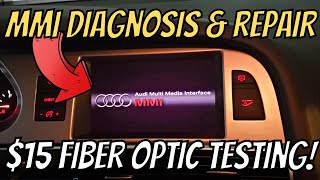
🎬 Watch: A DIY guide to Audi MMI diagnosis and fiber optic testing- Purchase a MOST Bypass Loop: These are inexpensive tools, sometimes called "lollipop testers," available online. They allow you to complete the fiber optic circuit while removing one component from it.
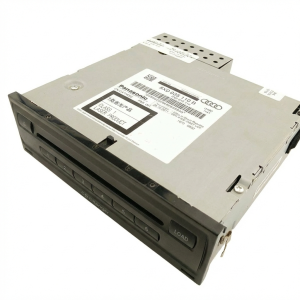
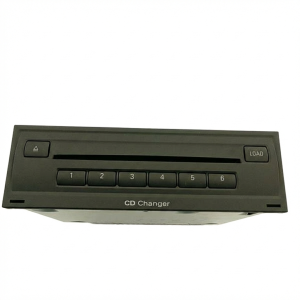
- Access the CD Changer: Open the glove box. The CD changer is the unit with the disc slots.
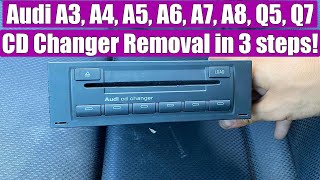
- Remove the Unit: You will need a set of radio removal keys (often sold as Metra 86-9001). Insert the keys into the two horizontal slots on the face of the unit until they click. This releases the internal clips, and you can then pull the unit out of the glove box. 🎬 See this walkthrough on how to remove the glove box CD changer
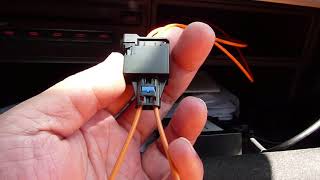
- Install the Bypass Loop: Disconnect the main wiring harness from the back of the CD changer. This harness contains both power wires and the fiber optic cable (typically a pair of orange fibers with a black connector). Carefully separate the fiber optic connector from the main plug. Plug the bypass loop into this fiber optic connector, completing the circuit. 🎬 Watch: How to use an optical loop to isolate broken MMI devices
- Test the System: Turn on the ignition. If the MMI screen powers on and the radio starts working, you have confirmed that the CD changer was the cause of the failure. If the system is still dead, the failure is with another module (like the amplifier or radio tuner, often located in the trunk), and you will need to repeat this bypass process on each module until the system powers on.
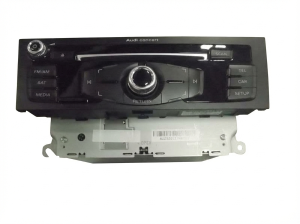
Warning: Before starting, verify your vehicle is equipped with the glove box mounted CD changer. Some models used a dash-mounted player which is not the same part. This guide only applies to the glove box unit with part number 8X0035110B or similar.
Buying a Used Audi CD Changer: The Component Protection Trap
This is the most important part of this guide. You cannot simply swap in a used CD changer and expect it to work. Audi uses an anti-theft system called Component Protection (CP) on most of its electronic modules.
- What is Component Protection? When a module like this CD changer is installed in a vehicle at the factory, it is electronically "married" to that car's unique Vehicle Identification Number (VIN).
- What Happens When You Install a Used Part? When you install a used CD changer from another vehicle, your car's central gateway module detects that the component is from a different VIN. It will then activate Component Protection.
- Symptoms of Active CP: The MMI will display a message like "Component Protection active," and the CD changer will have limited or no functionality. You may get sound for only a few seconds, or none at all.
How to Remove Component Protection
Component Protection must be removed online by connecting to Audi's factory servers. This pairs the "new" used part to your vehicle's VIN.
- Audi Dealer: Any Audi dealer can perform this service. They will connect their ODIS diagnostic system to your car and run the adaptation routine. This typically costs the equivalent of one hour of shop labor.
- Specialized Independent Shop: Some independent European auto repair shops have the licensed tools (like ODIS with GEKO online access) and subscriptions to perform this service. This can be a more cost-effective option than the dealer.
- DIY Tools: Standard DIY tools like VCDS (VAG-COM) cannot remove Component Protection. Some advanced, often cloned, tools claim to, but results can be unreliable and may cause further issues. It is strongly recommended to have this done by a dealer or a qualified specialist.
Pro Tip: When calling a dealer or shop for a quote, tell them you need to "remove Component Protection on a replacement CD changer." This will help you get an accurate price. Expect to pay for about one hour of labor.
Cost Comparison
| Part or Service | Estimated Cost | Notes |
|---|---|---|
| New OEM CD Changer | $800 - $1,150 | Purchased from an Audi dealer. Still requires CP removal. |
| Used OEM CD Changer | $50 - $200 | Widely available from online sellers and salvage yards. The most common choice. |
| Remanufactured OEM CD Changer | $250 - $400 | A used unit that has been repaired and tested. A good alternative to used. |
| Shop Labor (Installation) | $50 - $100 | Physical installation is very simple and takes less than 30 minutes. |
| Shop Labor (Component Protection Removal) | $150 - $250 | This is a separate programming step. It is mandatory for a used part to function correctly. |
Known Issues, TSBs, and Recalls
There are no known recalls for this specific CD changer. One informational Technical Service Bulletin (TSB 91 13 91 / 2031367) was issued to address a non-issue: on MMI 3G+ systems, the changer will not automatically advance to the next disc if the "Repeat" function is enabled in the settings. This is normal operation and not a fault. Other MMI-related TSBs exist for software updates to fix various bugs, but none point to a widespread manufacturing defect in the CD changer itself.
Frequently Asked Questions (FAQ)
Can I replace the CD changer myself?
Yes, the physical replacement is very easy for a DIYer. It requires a set of radio removal keys and takes only a few minutes. However, the unit will not work correctly until you have the Component Protection removed by a dealer or specialist shop.
What is Component Protection?
It's an anti-theft system used by Audi. Electronic parts are tied to the original car's VIN. When you install a used part, the system locks it until an authorized technician with online access to Audi's servers can "adapt" the new part to your car's VIN.
My whole MMI screen is black. How do I know it's the CD changer?
You can't know for sure without diagnosis. The easiest way is to use a fiber optic bypass loop. You disconnect the CD changer's fiber optic plug and install the loop. If the rest of your MMI system comes back to life, the CD changer is the faulty part.
Can I just leave the CD changer out and use a bypass loop permanently?
Yes. If you don't use CDs, you can install a fiber optic bypass loop on the CD changer's connector and tuck it behind the glove box. This will restore the rest of your MMI system's functionality and is the cheapest possible fix. You will obviously lose the ability to play CDs.
Do I need to match the part number exactly?
Yes, it is highly recommended to match the OEM part number 8X0035110B (or a compatible variant) to ensure proper communication with your vehicle's MMI system. While other changers might physically fit, they may not work correctly.
Helpful Videos


Technical Specifications
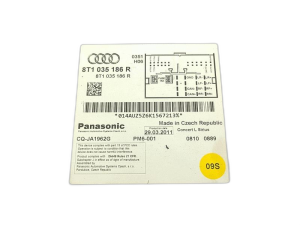
OEM Part Numbers: 8X0035110B 8X035110B
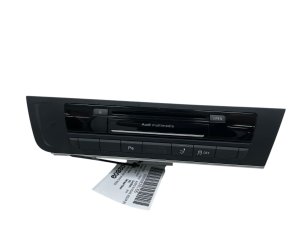
Glove box mounted 6-disc CD changer for MMI 3G/3G+ systems. Connects via MOST fiber optic bus.
We Have This Part in Stock

The information in this article is provided for general reference and educational purposes only. Vehicle specifications, procedures, and part compatibility can vary by production date, trim level, and region. Always consult your vehicle's factory service manual and verify part numbers before purchasing or performing repairs. Safety-critical components such as airbags, seat belts, and braking systems should be installed by a qualified professional.
- Audi A6:
- Audi A5:
- Audi Q5:
- Audi S5:
- Audi SQ5:
- Audi RS5:
- Audi S7:
- Audi A7 Quattro:
- 🎬 Helpful Videos
- 🛍️ Shop This Part
- Is Your Audi MMI Screen Black? The Glove Box CD Changer Might Be Why
- Symptoms of a Failing Audi CD Changer
- How to Diagnose the Problem
- Buying a Used Audi CD Changer: The Component Protection Trap
- Cost Comparison
- Known Issues, TSBs, and Recalls
- Frequently Asked Questions (FAQ)
- 🎟️ Get 5% Off