

Audi MMI Audio System Failures: A Guide for A4, A5, Q5, Q7 & More (2007-2018)
Diagnosing and fixing common audio system problems like a black screen, no sound, or rebooting loops in many popular Audi models.
- The most common failure is the trunk-mounted amplifier, often due to water damage from clogged sunroof drains. Always fix the leak before replacing the amp.
- A black screen or no sound is typically caused by a break in the fiber optic (MOST) loop. A single failed module (like the amp) can disable the entire system.
- Any used replacement audio module (amplifier, radio, etc.) will trigger 'Component Protection' and require a visit to an Audi dealer or specialist for programming to restore sound.
- Diagnose the system using a fiber optic bypass loop to isolate the faulty module before buying parts.
Understanding Your Audi's MMI System: 2G vs. 3G/3G+

Before diagnosing any audio issue, it's crucial to identify which MMI system your vehicle has, as component compatibility and failure modes differ. The vehicles covered in this guide primarily use the MMI 2G High, MMI 3G, and MMI 3G+ systems.
| MMI System | Vehicle Models & Years (Approximate) | Key Identifiers |
|---|---|---|
| MMI 2G High | 2007-2009 Audi Q7, 2009-2010 A4, 2008-2009 A5, 2005-2009 A6 | Features a 6-disc CD changer in the dash or glovebox. No joystick on the central control knob. Often has a red-and-black themed interface. |
| MMI 3G / 3G+ | 2010-2016 Audi A4/S4/allroad, 2010-2017 A5/S5/RS5, 2009-2017 Q5, 2010-2015 Q7, 2012-2018 A6/S6 | MMI controls are near the gear shifter. The central control knob often has a joystick function. Supports SD cards for media. The software version in the settings menu will start with 'BNav', 'HNav', or 'HN+'. |
Common Symptoms of Audio System Failure

Because of the interconnected nature of the MMI system, a variety of problems can arise from a single faulty component.
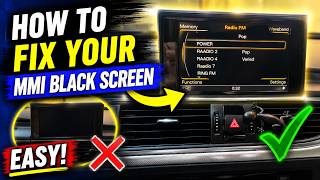
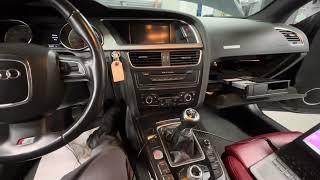
- Black or Blank MMI Screen: The screen may fail to turn on, or it might show the Audi startup logo and then go black. This can be caused by a failed module breaking the fiber-optic loop or a fault in the screen's power supply wiring itself.
- No Sound from Speakers: The MMI display may appear to function normally, but there is no audio from any source (radio, CD, Bluetooth). This is a classic symptom of a failed amplifier or an active "Component Protection" lock on a replaced unit.
- Sound from Only One Side: Audio may play only from the driver's side or passenger's side speakers. This often points to a failing amplifier, sometimes triggered by a firmware update or the beginning of water damage.
- MMI System Randomly Reboots: The system gets stuck in a continuous loop, powering on and immediately restarting. This can be a software issue or a sign of a failing main unit.
- Popping, Cracking, or Static Noises: Loud, unwanted noises from the speakers often indicate an internal failure of the amplifier.
Diagnosing the Problem: The Fiber Optic Loop


The most effective way to diagnose a dead MMI system is to test the MOST fiber optic loop. Since all modules are connected in a series, like old-fashioned Christmas lights, one bad module breaks the entire circuit. A simple and inexpensive fiber optic bypass loop is the essential tool for this job.
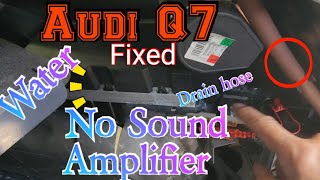
🎬 Watch: How to use a bypass loop to find faulty modules.- Locate the Audio Modules: The most common modules are the amplifier and radio tuner, typically located in the trunk, on the left side behind a trim panel. 🎬 See this walkthrough on locating and replacing the Q7 amplifier. This is true for the Q5, Q7, A4, A5, and A6 models.
- Bypass Each Module: Unplug the fiber optic connector from a module (e.g., the amplifier). Plug the bypass loop into the connector you just removed from the harness. This effectively removes the module from the circuit and closes the loop.
- Test the System: Turn the ignition on and see if the MMI screen and controls come back to life. If they do, you have found your faulty module. If not, reconnect the first module and move on to the next one in the loop (like the radio tuner or CD changer) and repeat the process.
Pro Tip: Before starting complex diagnostics, always try a simple MMI system reset. On most models, you can do this by pressing and holding a combination of three buttons on the center console (e.g., the main control knob, the top-right function button, and the 'Menu' button simultaneously). This can sometimes resolve software glitches.
Most Common Point of Failure: The Amplifier and Water Damage
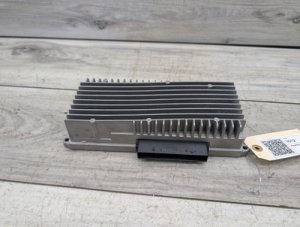
The single most common cause of audio system failure in these Audis is a water-damaged amplifier. In models like the Q5, Q7, A4, and A5, the amplifier is mounted in the rear quarter panel area, a spot vulnerable to water intrusion from clogged sunroof drains or leaking rear window washer lines. Water drips onto the amplifier, shorting out the electronics and breaking the MOST loop, which often results in a black screen and no sound.
Warning: Before replacing a water-damaged amplifier, you MUST find and fix the source of the leak. Failure to do so will cause the replacement amplifier to fail as well.
Buying a Used Audi Audio System Component
Purchasing a used audio module is a cost-effective repair strategy, but it comes with a critical warning that you must understand before buying.
The #1 Issue: Component Protection (CP)
Audi uses an anti-theft system called Component Protection (CP). This system electronically links modules like the amplifier, radio, and MMI head unit to the vehicle's original VIN. When you install a used part, the system detects the VIN mismatch and activates CP. This will put the part in a restricted mode. For audio components, this almost always means you will have no sound, even if the rest of the MMI system appears to work.
- CP Removal is NOT a DIY Job: Component Protection cannot be removed with standard tools like VCDS or OBDEleven.
- Dealer or Specialist Required: To make a used part fully functional, it must be adapted to your vehicle by an Audi dealer or a qualified independent specialist who has the official ODIS software and an online connection to Audi's factory servers. They will 'register' the used part to your car's VIN, removing the protection.
- Budget for Programming: Factor in the cost of CP removal when buying a used part. Call your local dealer or specialist for a quote beforehand. This service can cost anywhere from $150 to $300 or more.
Inspection and Compatibility
- Match Part Numbers Exactly: There are many variations of these modules. The only way to ensure compatibility is to match the OEM part number from your original unit to the used one you are buying.
- Inspect for Water Damage: When buying a used amplifier, look for any white, chalky residue or corrosion on the casing and connectors. This is a clear sign of past water damage, and you should reject the part.
- Verify System Type: Ensure the part is from a vehicle with the same sound system (Standard, Bose, or Bang & Olufsen) and MMI generation (2G, 3G, 3G+) as yours. A B&O amplifier will not work in a car with the standard system.
Cost of Replacement
| Part/Service | Estimated Cost |
|---|---|
| New OEM Amplifier (Dealer) | $1,200 - $1,800+ |
| Used OEM Amplifier | $200 - $500 |
| New OEM MMI Head Unit (Dealer) | $2,500 - $5,000+ |
| Used OEM MMI Head Unit | $300 - $700 |
| Shop Labor (Diagnosis & Replacement) | $200 - $400 (1.5-3 hours) |
| Component Protection Removal (Dealer/Specialist) | $150 - $300 |
Costs are estimates and can vary based on location, vehicle model, and specific part.
Frequently Asked Questions (FAQ)
Can I replace just one faulty speaker?
Yes, individual speakers can be replaced. If only one speaker is crackling or silent, the issue is likely the speaker itself and not the main MMI system. Door panel removal is required to access and replace door speakers.
Why is my MMI screen black but the radio still plays?
This often points to a problem specifically with the display unit or its wiring, not the entire MMI system. On some models, particularly the A6, the wiring harness for the retractable screen can fray and break over time, causing a loss of power to the screen while the rest of the system functions. This can often be repaired by soldering the broken wires.
🎬 Watch: Step-by-step guide to fixing an Audi A6 black screen.Do I need special tools to remove the MMI head unit?
Yes, to remove the main MMI unit from the dashboard (the part with the CD/SD card slots), you will need a set of radio removal keys. These are inexpensive tools that slide into slots on the face of the unit to release the locking tabs.
What is the difference between a Bose and a Bang & Olufsen (B&O) amplifier?
They are different premium audio options with different power outputs, speaker configurations, and internal processing. The amplifiers are not interchangeable. You must replace your amplifier with one from an identical sound system. A B&O amp will have the Bang & Olufsen logo on it.
Helpful Videos

Technical Specifications
OEM Part Numbers: 4E0035541E 4E0035541EX 4E0035541P 4E0035541PX 4E0035541S 4E0035541SX 4E0910541F 4E0910541M 4F0035080 4F0035080A 4F0035080AX 4F0035080C 4F0035082A 4F0035082C 4G0035080G 4G0035082G 4L0919609M
System architecture is based on a Media Oriented Systems Transport (MOST) fiber optic bus. Different modules exist for standard, Bose, and Bang & Olufsen (B&O) sound systems and are not interchangeable.
We Have This Part in Stock
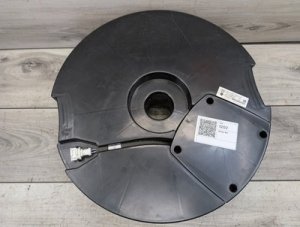
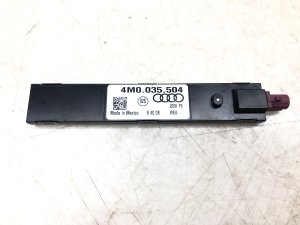

The information in this article is provided for general reference and educational purposes only. Vehicle specifications, procedures, and part compatibility can vary by production date, trim level, and region. Always consult your vehicle's factory service manual and verify part numbers before purchasing or performing repairs. Safety-critical components such as airbags, seat belts, and braking systems should be installed by a qualified professional.
- Audi Q7:
- Audi A4:
- Audi A5:
- Audi Q5:
- Audi S5:
- Audi A6:
- Audi allroad:
- Audi RS5:
- Audi S4:
- Audi S6:
- Audi A7:
- Audi A8:
- Audi Q3:
- Audi RS7:
- Audi S7:
- Audi S8:
- Audi SQ5:
- Volkswagen Touareg:
- 🎬 Helpful Videos
- 🛍️ Shop This Part
- Understanding Your Audi's MMI System: 2G vs. 3G/3G+
- Common Symptoms of Audio System Failure
- Diagnosing the Problem: The Fiber Optic Loop
- Most Common Point of Failure: The Amplifier and Water Damage
- Buying a Used Audi Audio System Component
- The #1 Issue: Component Protection (CP)
- Inspection and Compatibility
- Cost of Replacement
- Frequently Asked Questions (FAQ)
- 🎟️ Get 5% Off