

2021-2025 Mustang Mach-E Audio System: Solving Glitches, No-Sound Issues, and Replacement Programming
This guide explains common audio problems, the difference between the standard and B&O systems, and the critical programming steps required when replacing a module.
- A replacement audio module (ACM) is NOT plug-and-play; it absolutely requires professional programming to your vehicle's VIN.
- Many common audio problems (no sound, one-sided audio) are software glitches that can be fixed with a SYNC system reset or a 12V battery disconnect.
- You must match the part number exactly when buying a used module and ensure it comes from a vehicle with the same sound system (Standard or B&O).
- The total cost of replacement using a used part will include the part itself plus $250-$500 for installation and mandatory programming.
Known Issues, TSBs, and Common Problems

The audio system in the Mustang Mach-E is highly dependent on software. Many reported issues are not due to hardware failure but are software glitches that can often be resolved with a system reset or an update.
- Software Glitches: Owners frequently report intermittent issues like no audio from one side of the vehicle, poor sound quality described as "tinny" or like an "AM radio," or a complete loss of sound. These problems can often be temporarily fixed by restarting the SYNC system (holding the volume down and next track buttons on the steering wheel for 10 seconds) or, in more persistent cases, by disconnecting the 12V battery for several minutes to perform a hard reset on the modules.
- Apple CarPlay / Android Auto Issues: A common complaint is intermittent loss of audio or connectivity with wireless Apple CarPlay and Android Auto. This can sometimes be resolved by toggling the connection off and on in the phone settings on the SYNC screen.
- Technical Service Bulletins (TSBs): Ford has issued TSBs to address various SYNC 4A system performance and stability problems. TSB 25-2049, for example, addresses intermittent reboots, wireless connectivity problems, and no-audio/static concerns, which requires a dealer to reprogram the APIM (Accessory Protocol Interface Module). Another notice, SSM 50739, points to software in the DSP (Digital Signal Processor) for issues of no sound and no communication with the ACM or DSP, recommending a hard reset and module reprogramming.
- Hardware Failure: While less common than software bugs, complete hardware failure of the ACM or amplifier can occur. This can lead to a total loss of audio, navigation, and may generate communication error codes (U-codes) related to the MOST bus, the vehicle's media network. In one instance, a dealer took over a month to replace a faulty ACM because software updates repeatedly failed on the new module.
Symptoms of a Failing Audio System

Diagnosing an audio issue can be tricky due to the mix of software and hardware components. Here are the most common symptoms:
- No sound from any source: The screen works, you can select radio stations or a Bluetooth source, but no audio comes from the speakers. Warning chimes may also default to a basic sound from the instrument cluster.
- Intermittent audio or sound from only one side: The speakers on the left or right side of the car may randomly stop working. This is often a software glitch fixed by a SYNC reset.
- Poor or distorted sound quality: Audio may sound tinny, garbled, or full of static. This has been linked to software updates and may affect B&O systems more frequently.
- Popping or crackling noises: Loud pops or static, especially on startup, can indicate a problem with the amplifier or ACM.
- "Hardware Problem" message on screen: A specific error message, particularly related to SiriusXM, can indicate a definitive failure of the ACM.
- Communication DTCs: Diagnostic trouble codes like U1084, U0237, or U0238 may be stored, indicating a loss of communication with the ACM or DSP module.
Standard vs. B&O Premium Sound System

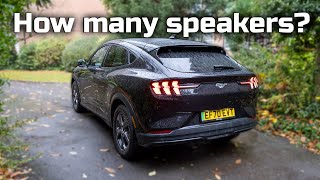
The Mustang Mach-E is available with two distinct audio systems, and their components are not interchangeable. The premium option is a 10-speaker, 560-watt B&O (Bang & Olufsen) sound system. It's crucial to identify which system your vehicle has before purchasing a replacement part.
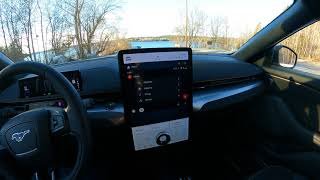
- How to Identify: The most obvious sign of the B&O system is the branding on the speaker grilles. 🎬 Watch: A detailed review of the B&O 10-speaker system You can also check your vehicle's original window sticker or specifications.
- Component Differences: The B&O system includes a separate DSP/amplifier and different speakers, including a subwoofer. The standard system has fewer speakers and is powered directly by the ACM. The wiring and software configuration for each system are different.
Warning: You cannot upgrade from the standard system to the B&O system by simply swapping the ACM or amplifier. The conversion is complex and requires additional speakers, wiring harnesses, and extensive vehicle reprogramming.
🎬 See: Audio review and comparison of the B&O upgradeProgramming and Calibration Requirements

Critical: A replacement Audio Control Module (ACM) or amplifier MUST be programmed to your vehicle's specific VIN and configuration. This is not a plug-and-play part.
When a new or used audio module is installed, it must be configured using a process called Programmable Module Installation (PMI). This process downloads the vehicle-specific data from Ford's servers and writes it to the new module. Without this step, the module will not function correctly, if at all.
- Who can program the module?
- Ford Dealerships: They have the required diagnostic tools (FDRS - Ford Diagnostic & Repair System) to perform the PMI process.
- Qualified Independent Shops: Some independent repair shops with advanced diagnostic scan tools and subscriptions to Ford's software may be able to program the module.
- Advanced DIY (FORScan): It may be possible for an experienced DIY mechanic to program a used module using software like FORScan, but this requires a high level of technical skill and the correct OBD-II adapter. It is not recommended for beginners.
- Anti-Theft: The programming process links the module to the vehicle's network, acting as a form of component protection. An unprogrammed module will not work.
Buying a Used Mach-E Audio System
Purchasing a used OEM audio module can be a cost-effective solution, but careful verification is essential to avoid buying an incompatible part.
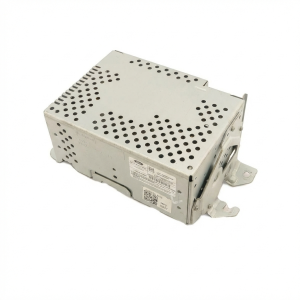
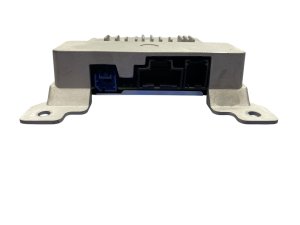
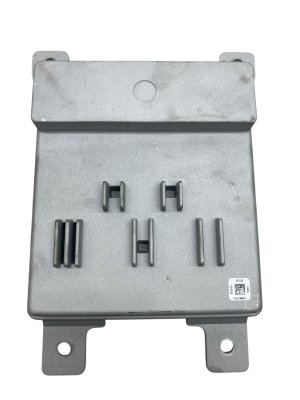
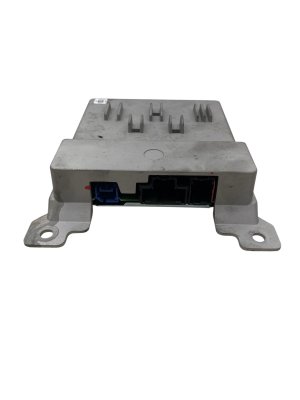
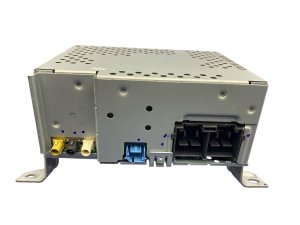
- Match the Part Number Exactly: This is the most important rule. The part number is printed on a sticker on the module's housing. Compare the part number from your original unit to the one you intend to buy. Even a single letter difference can indicate an incompatible hardware or software version.
- Confirm the Sound System: Ensure the donor vehicle had the same audio system as yours (Standard or B&O). A module from a B&O-equipped car will not work in a car with the standard system, and vice-versa.
- Inspect for Damage: Check the used part for any physical damage, especially to the connectors. Look for any signs of water intrusion or corrosion, which can cause permanent damage to electronic components.
- Factor in Programming Costs: Remember that the price of the used part is not the total cost. You must budget for the labor and cost of programming, which can range from $100 to $300 or more at a dealership or independent shop.
- Why Used OEM is a Smart Choice: For a complex, integrated component like the Mach-E's ACM, a used OEM part is often the best option outside of a new dealer part. Aftermarket equivalents are generally not available. A used OEM module, when correctly programmed, will restore original functionality without the high cost of a new unit.
Cost of Replacement
The cost to replace an audio module in a Mach-E can vary significantly based on the part source and labor rates.
| Item | Estimated Cost |
|---|---|
| New OEM Module (Dealer) | $600 - $1,200+ |
| Used OEM Module | $350 - $500 |
| Shop Labor (Installation & Programming) | $250 - $500 |
| Total Estimated Cost (Used Part) | $600 - $1,000 |
Frequently Asked Questions (FAQ)
Can I just swap an audio module from another Mach-E into my car?
No. The module is tied to the original vehicle's VIN and options. A replacement module, even from an identical vehicle, must be professionally reprogrammed to work in your car.
My audio just stopped working. Do I need a new module?
Not necessarily. Many audio issues on the Mach-E are software-related. Before assuming the hardware has failed, try a SYNC system reset by holding the 'volume down' and 'next track' buttons on the steering wheel for about 10 seconds until the screen reboots. If that doesn't work, a 12V battery disconnect for 10-15 minutes can perform a hard reset on the modules and often restores sound.
Is the audio module (ACM) the same as the SYNC module (APIM)?
No, they are separate components. The APIM (Accessory Protocol Interface Module) is the computer that runs the SYNC 4A software and drives the large touchscreen. The ACM (Audio Control Module) is the unit that handles the radio tuners and processes the audio signals to send to the speakers. While they work together, a failure in one does not always mean the other has failed.
Where is the Audio Control Module (ACM) located?
The ACM is located deep within the dashboard, typically behind the glove box area or low in the center stack. Official Ford procedures for replacement are complex and may suggest removing the entire dashboard. However, some skilled technicians have found ways to access and replace it by removing trim panels, the glove box, and the accelerator pedal.
Helpful Videos
Technical Specifications
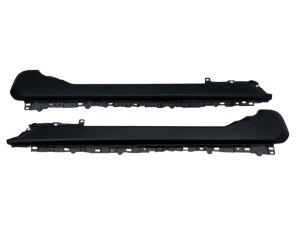
OEM Part Numbers: LJ8T-18D890-DHC LJ8T-18D890-DHD LJ8T-18K810-AHG LJ8T-18K810-AHJ LJ8T-18K810-AHK LJ8T-18K810-DHK LJ8T-18T806-AE LJ8T-18T806-AN LJ8T18D890 LJ8T18D890DHB LJ8T18D890DHD LJ8T18K810AHJ LJ8T18K810AHK LJ8T18T806AE LJ8T18T806AF LJ8T18T806AG LJ8Z18K810E
Integrates with SYNC 4A system. Controls AM/FM, SiriusXM, Bluetooth, Apple CarPlay, Android Auto. Available for standard and premium B&O 10-speaker systems.
We Have This Part in Stock

The information in this article is provided for general reference and educational purposes only. Vehicle specifications, procedures, and part compatibility can vary by production date, trim level, and region. Always consult your vehicle's factory service manual and verify part numbers before purchasing or performing repairs. Safety-critical components such as airbags, seat belts, and braking systems should be installed by a qualified professional.
- Ford Mustang Mach-E: