

2019-2025 Ford Ranger Audio System: Solving Black Screens, Failures, and Programming
From black screens to B&O amplifier failures, this guide covers the common problems and critical compatibility checks for your Ranger's audio system.
- Programming is mandatory for nearly all replacement audio modules (APIM and ACM); a simple swap will not work.
- You must identify your specific system (4.2" screen, 8" screen, or B&O premium) before buying parts, as components are not interchangeable.
- Many common issues like black screens and no sound are caused by hardware failure in the APIM or ACM, not just software glitches.
- A soft reset (holding Power + Seek Up) can fix temporary issues and should always be the first troubleshooting step.
Audio System Variants in the 2019-2025 Ford Ranger

Before diagnosing issues or buying parts, you must identify which audio system your Ranger has. Compatibility is extremely limited, and parts from different systems are not interchangeable.
- Base Audio (XL Trim): Typically features a simple AM/FM radio with a small display and fewer speakers.
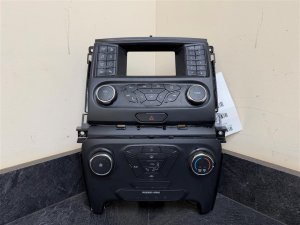
- SYNC 3 with 4.2-inch Screen (XLT Base): An intermediate system with a 4.2-inch color display. The control panel integrates radio and manual climate controls.
- SYNC 3 with 8-inch Touchscreen (XLT Mid/Lariat): The most common setup, featuring a large touchscreen that controls audio, climate, navigation (if equipped), and phone integration like Apple CarPlay and Android Auto.
- B&O Premium Sound System (Lariat Luxury/Optional): This system uses the 8-inch touchscreen but adds a dedicated external amplifier, a subwoofer, and higher-quality speakers. B&O components are not compatible with standard systems.
Common Problems and Symptoms of Failure

Audio system issues in the Ranger can range from simple software glitches to complete hardware failure. Many symptoms point to a failing Audio Control Module (ACM) or SYNC module (APIM).
- No Sound: The screen works and shows that music is playing, but no audio comes from the speakers. This often points to a failed ACM or, in B&O systems, a failed amplifier.
- Black or Frozen Screen: The main display screen is black, frozen, or stuck on the Ford logo. This is a very common symptom of a failing APIM module.
- Loud Popping or Static: A loud pop or crackle may be heard at startup or intermittently, often followed by a total loss of sound. This is a classic sign of internal component failure in the ACM or amplifier.
- Unresponsive Controls: The physical buttons or touchscreen stop responding, even though the display may still be on.
- Bluetooth/Apple CarPlay/Android Auto Issues: The system may fail to connect to phones, or connections may drop frequently.
- System Reverts to FM Radio: Upon starting the truck, the system defaults to an FM station instead of the last used source, like SiriusXM or Bluetooth.
- System Resets Itself: The system may randomly perform a master reset, losing presets and paired phones.
Pro Tip: Before assuming hardware failure, try a soft reset. Press and hold the Power button and the Seek Up (>>) button at the same time for about 5-10 seconds until the screen goes black. This reboots the system and can resolve many temporary software glitches without erasing your settings.
Known Issues, TSBs, and Recalls

Ford has issued several Technical Service Bulletins (TSBs) related to the SYNC 3 system in the Ranger.
- TSB 20-2363: This bulletin addresses a wide range of SYNC 3 performance issues, including frozen/unresponsive touchscreens, a solid blue screen, Wi-Fi connection messages, and Apple CarPlay not launching. The fix is to update the APIM software, which can often be done by a dealer without replacing the module.
- SSM 52293: For 2024 models, this addresses concerns where the center display screen goes black or parts of the screen turn black.
- SSM 47844: A bulletin for 2019 Rangers regarding a persistent "Network Connection Needed" Wi-Fi message.
As of late 2025, there have been no major recalls specifically for audio system hardware failure, though some recalls for the 2025 model year mention instrument panel configuration issues that could affect display information.
Programming and Installation Requirements

Warning: Nearly all major audio system components require programming to the vehicle's VIN. A used APIM (SYNC Module) or ACM (Radio Module) will not function correctly if you simply swap it in.
When a major audio component like the APIM or ACM is replaced, it must be programmed to match your truck's specific features, such as screen size, climate controls, steering wheel controls, backup camera, and premium sound options. Failure to program a replacement module can lead to a host of problems.
- Features not working (e.g., climate controls, navigation, steering wheel buttons).
- Incorrect operation (e.g., a backup camera that thinks it's in a different vehicle).
- Complete failure of the unit to power on.
Who can program the module?
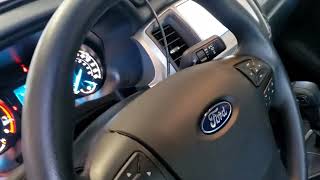
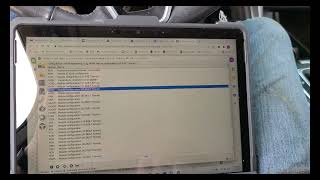
- Ford Dealer: A dealer can always perform the programming using their Ford Diagnostic & Repair System (FDRS). 🎬 Watch: How to update the APIM software using FDRS This is the most reliable, but also the most expensive, option.
- Independent Shops: Many independent repair shops that specialize in electronics have the tools to program Ford modules.
- DIY with FORScan: For advanced DIY mechanics, a tool called FORScan, combined with a compatible OBD adapter, can be used to program modules. This involves downloading your vehicle's original "As-Built" data from Ford's website and writing it to the new module. 🎬 See this guide on reprogramming the APIM for GPS fixes While powerful, this can be complex and carries the risk of damaging the module if done incorrectly.
Buying a Used Ford Ranger Audio System
Buying a used audio component can save you hundreds of dollars, but it requires careful attention to detail to ensure you get the right part.
- Identify Your System First: Before you shop, know exactly what you have. Is it the 4.2-inch or 8-inch screen? Do you have the B&O premium sound? The easiest way to tell if you have the B&O system is by looking for the B&O logo on the speaker grilles on the A-pillars.
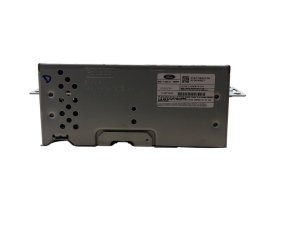
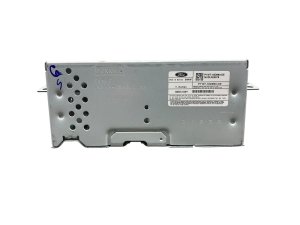
- Match Part Numbers EXACTLY: The most critical step. Ford uses many visually identical units with different internal software. The part number on your original unit MUST match the part number on the replacement. The part number is typically on a sticker on the back or side of the module. Do not rely on visual appearance alone.
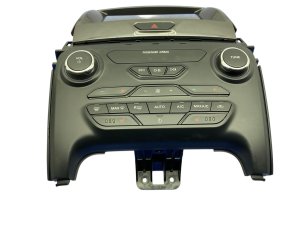
- Verify Features: For control panels, ensure the replacement has the exact same buttons as your original unit (e.g., with or without heated seats, with or without rear defrost).
- Budget for Programming: Assume that any used electronic module you buy will need to be programmed. Factor in the cost of a dealer visit or paying a specialized shop. Some eBay sellers offer to pre-program modules to your VIN for an extra fee, which can be a convenient option.
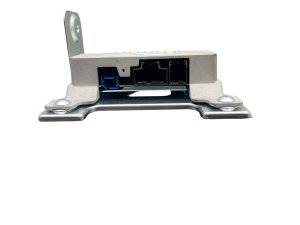
- Inspect Connectors: When you receive the part, check all electrical connector pins to ensure they are straight and free of corrosion. Look for any signs of water damage or physical impact.
Cost of Replacement (Estimated)
| Part/Service | Estimated Cost |
|---|---|
| New OEM APIM Module (SYNC Brain) | $700 - $1,500 |
| New OEM ACM (Radio/Audio Module) | $600 - $1,200 |
| New Aftermarket Head Unit (T-Style Radio) | $600 - $1,500 |
| Used OEM APIM or ACM | $150 - $500 |
| Used OEM B&O Amplifier | $100 - $300 |
| Shop Labor (Physical Swap) | $100 - $250 |
| Dealer Programming Service | $150 - $300 |
Frequently Asked Questions (FAQ)
Can I upgrade from the 4.2-inch screen to the 8-inch SYNC 3 system?
Yes, this is a popular but involved upgrade. It requires not just the screen and module, but also a new dash bezel, wiring harnesses, and programming. Several companies sell complete, pre-programmed kits for this conversion, which is the recommended route for most DIYers.
My screen is black but the radio still plays. What's wrong?
This could be an issue with the screen itself or the APIM module that sends the video signal. A common cause is a failing APIM. A soft reset (holding Power + Seek Up) is the first thing to try. If that doesn't work, the system will need further diagnosis.
Do I really need to program a replacement radio module?
Yes, absolutely. The Audio Control Module (ACM) and SYNC Module (APIM) are tied to the vehicle's specific configuration. A non-programmed module will result in missing features or may not work at all. The only exception is if you send your original module out for repair and have it returned; in that case, it retains its original programming.
Can I replace the B&O amplifier with a standard one?
No. The B&O system uses a digital audio signal bus (A2B) that is completely different from the standard system. The amplifier, speakers, and wiring are not interchangeable with the non-B&O setup. If you are upgrading a B&O system, you must use components specifically designed to interface with the A2B system.
Helpful Videos
Technical Specifications
OEM Part Numbers: KB3T-18E245-SB3ENX KB3T-18E245-SC3ENX KB3T-18E245-SD3ENX KB3T-18E245-SF3ENX KB3T18E243JC3JA6 KB3T18E243JD3JA6 KB3T18E243JE3JA6 KB3T18E245SB3ENX KB3T18E245SC3ENX KB3T18E245SD3ENX KB3T18E245SF3ENX KB3T19980UE3JA KB3Z-19980-UB KB3Z18842JA KB3Z18842SC N1WT-18K810-DH P1WT-18D890-DE
System options include a 4.2-inch display, an 8-inch SYNC 3 touchscreen, and a premium B&O system with an external DSP amplifier using a digital A2B bus.
We Have This Part in Stock

The information in this article is provided for general reference and educational purposes only. Vehicle specifications, procedures, and part compatibility can vary by production date, trim level, and region. Always consult your vehicle's factory service manual and verify part numbers before purchasing or performing repairs. Safety-critical components such as airbags, seat belts, and braking systems should be installed by a qualified professional.
- Ford Ranger:
- 🎬 Helpful Videos
- 🛍️ Shop This Part
- Audio System Variants in the 2019-2025 Ford Ranger
- Common Problems and Symptoms of Failure
- Known Issues, TSBs, and Recalls
- Programming and Installation Requirements
- Buying a Used Ford Ranger Audio System
- Cost of Replacement (Estimated)
- Frequently Asked Questions (FAQ)
- 🎟️ Get 5% Off