

2018-2021 Honda Clarity Audio System: Solving Glitches and Replacement Guide
This guide explains common audio system failures in the 2018-2021 Honda Clarity, clarifies the critical differences between trim levels, and details the anti-theft and programming steps required for replacement.
- This audio unit is ONLY for non-Touring models. The Touring trim uses a different, incompatible part.
- A replacement unit will require programming by a dealer or specialized shop to link it to your car's VIN for full functionality.
- Common failure symptoms include a black screen, freezing, and random reboots, which are well-documented for this era of Honda infotainment systems.
- Aftermarket replacement is not a viable option due to deep system integration, making a used OEM unit the best choice.
Crucial Compatibility Warning: This audio receiver, identified by part numbers like 39101-TRW-A01 and 39101-TRW-A22, is ONLY for Honda Clarity models that are NOT the Touring trim level. The Touring trim features a premium 10-speaker audio system with a factory navigation system and uses a different, incompatible audio unit. Always verify your vehicle's trim package before ordering a replacement.
Symptoms of a Failing Audio System
The audio system in the Honda Clarity, like many infotainment units from this era, can suffer from a range of electronic issues. While some are minor glitches, others can point to a hardware failure within the main unit.
- Blank or Black Screen: The most common and frustrating symptom is the screen failing to turn on or suddenly going black while driving.
- Freezing or Unresponsive Touchscreen: The system may lock up on the Honda logo or another screen, becoming completely unresponsive to touch inputs.
- Constant Rebooting: The unit may power cycle randomly, making it impossible to use any of its functions for more than a few moments.
- Apple CarPlay / Android Auto Disconnects: The phone projection feature may frequently disconnect, even with a high-quality cable.
- Backup or LaneWatch Camera Failure: If the backup camera or LaneWatch side camera fails to display, the fault is often with the head unit itself, not the cameras. The head unit processes and displays the video feed.
- Popping or Crackling Sounds: Some owners of similar Honda systems have reported audio quality issues like popping sounds, which can be related to loose internal connections or software bugs.
Initial Diagnostic Steps
Before assuming the unit is broken, try these simple steps:
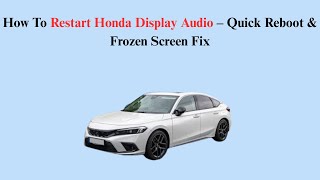
- System Reboot: Press and hold the audio system's power button for a few seconds. This can sometimes resolve temporary software glitches. 🎬 Watch: Quick reboot steps for a frozen Honda display screen
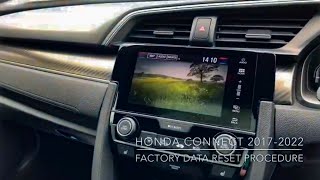
- Hard Reboot: Disconnecting the vehicle's 12-volt battery for several minutes can force a complete reset of the system. Note that this will likely trigger the anti-theft system, and you will need the radio code to unlock it.
- Check Audio Settings: If you have no sound from the rear speakers, check the 'Fade' setting in the audio menu to ensure it's not set all the way to the front.
Known Issues, TSBs, and Recalls
While there are no specific recalls for the audio system on the 2018-2021 Clarity Plug-In Hybrid, the symptoms of freezing and blank screens are well-known across many Honda models from the same period. A 2019 class-action lawsuit addressed these infotainment problems in the Odyssey, Passport, and Pilot models, highlighting that the issues were widespread. Honda has also issued software-related recalls for Clarity Fuel Cell models, but these do not pertain to the audio unit in the more common Plug-In Hybrid.
Buying a Used Audio System
Due to the high cost of a new OEM unit and the inability to use aftermarket replacements, a used OEM audio system is the most practical solution for a failed unit. However, careful purchasing is essential.
- Verify the Part Number: You MUST match the part number to your vehicle's trim. For non-Touring models, look for 39101-TRW-A01 or the superseding part number 39101-TRW-A22. Do not purchase a unit from a Touring model (e.g., 39101-TRW-A76), as it will not work correctly.
- Physical Inspection: Check for cracks on the screen, damage to the casing, and most importantly, ensure all connector ports on the back are clean and free of bent or broken pins.
- Ask About the VIN: While not always possible, getting the VIN of the donor vehicle can sometimes help a dealer with the programming process.
- Anti-Theft Code: The anti-theft code is tied to the radio unit itself. While you can retrieve it later using the serial number, it's a good sign if the seller can provide it.
Pro Tip: A used OEM unit is superior to trying to fit an aftermarket radio. The Clarity's audio system is deeply integrated with vehicle functions. Aftermarket units lack the proper dash kits and wiring adapters, and would result in the loss of steering wheel controls, camera displays, and vehicle settings menus.
Anti-Theft and Programming Requirements
There are two security layers to understand when replacing this part.
1. The Anti-Theft Code
This is a simple 5-digit code designed to deter theft. It is required anytime the unit loses power, such as after a battery change or upon installation. If you install a used unit, it will ask for its original code. You can obtain this code from a Honda dealer or online service by providing the radio's serial number. 🎬 Learn how to retrieve your radio code for free online To get the serial number, you may need to turn the unit on and press and hold presets 1 and 6.
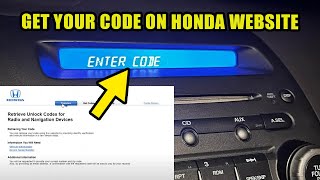
🎬 See how to find and enter your Honda radio code2. System Programming (VIN Lock)
This is the more complex issue. Modern vehicle modules are often 'locked' to the original vehicle's VIN. Simply entering the anti-theft code may restore basic radio functions, but full integration with cameras, steering wheel controls, and vehicle settings may not work. A replacement audio unit, even a used OEM one, will likely need to be programmed to the new vehicle's VIN. This process requires a dealer or a well-equipped independent shop with a J2534 pass-thru device and a subscription to Honda's service software. Do not expect a used unit to be fully plug-and-play.
Cost of Replacement
Costs can vary significantly based on the source of the part and labor rates.
| Item | Estimated Cost |
|---|---|
| New OEM Unit (Dealer) | $2,200 - $3,400+ |
| Used OEM Unit (Recycled) | $115 - $400 |
| Shop Labor (Installation & Programming) | $200 - $400 |
Frequently Asked Questions (FAQ)
Does this audio system need to be programmed?
Yes, almost certainly. While a simple anti-theft code is needed to enable the radio after power loss, a replacement unit needs to be programmed to the vehicle's VIN to ensure all features like cameras and vehicle settings work correctly. This typically requires a trip to a Honda dealer or a specialized repair shop.
Can I upgrade my base Clarity with a Touring model's navigation unit?
No, this is not recommended and is unlikely to work. The Touring model has a different amplifier and a 10-speaker system, compared to the base 8-speaker system. The wiring and software are different, and the units are not interchangeable.
Will I need an anti-theft code for my replacement radio?
Yes. The code is tied to the radio, not the car. You will need the code for the specific used unit you are installing. You can get the code from a dealer by providing them with the radio's serial number.
Why did my backup camera and LaneWatch™ stop working?
If your audio display is also malfunctioning (black screen, freezing), the problem is almost always the audio head unit. The head unit processes and displays the camera feeds. A failure of the head unit will prevent the camera images from being shown, even if the cameras themselves are fine.
Helpful Videos
Technical Specifications
OEM Part Numbers: 39101-TRW-A01 39101-TRW-A01M1 39101-TRW-A22
8-inch touchscreen display, 180-watt amplifier, 8-speaker system (non-Touring).

The information in this article is provided for general reference and educational purposes only. Vehicle specifications, procedures, and part compatibility can vary by production date, trim level, and region. Always consult your vehicle's factory service manual and verify part numbers before purchasing or performing repairs. Safety-critical components such as airbags, seat belts, and braking systems should be installed by a qualified professional.
- Honda Clarity: