

2017-2023 Honda Ridgeline Audio System: Solving Popping, Crackling & Connectivity Issues
This guide covers the common audio problems in the second-generation Honda Ridgeline, from speaker popping to system programming and anti-theft codes.
- A widespread popping/crackling noise is likely caused by a faulty wiring harness connection, which is covered by Honda recall 23V-431.
- Audio components are not interchangeable between standard (Sport, RTL) and premium (RTL-E, Black Edition) sound systems.
- Replacement head units require an anti-theft code, which can be retrieved for free from Honda's website using the VIN and radio serial number.
- A replacement amplifier or head unit will likely require programming by a Honda dealer to function correctly with the vehicle.
Symptoms of a Failing Audio System

Problems with the Ridgeline's audio system can range from minor annoyances to complete failure. Many issues are linked to software glitches or a faulty wiring harness rather than a complete component failure.
Popping, Crackling, or Static Noises
This is one of the most widely reported issues. Owners describe loud, intermittent popping or crackling sounds from the speakers, which can occur on any audio source. These noises are often linked to a poor connection in the MOST bus network, which connects the head unit to the amplifier and other components. The issue can be more frequent on hot days, suggesting a thermal component to the failure. In some cases, the noise precedes a total loss of audio.
No Sound from Speakers
The head unit may appear to be working correctly—displaying radio stations or song information—but no audio comes from any speaker. This can be caused by a failed internal amplifier in the head unit, a separate failed amplifier on models equipped with one, or a communication breakdown on the MOST bus network. Sometimes the audio will return after the vehicle has been off for a period of time.
Blank or Flickering Display Screen
The center display may go blank, flicker, or freeze while the audio continues to play. This is another symptom often tied to the faulty MOST bus network connection, which was the subject of a recall. The system may also reboot intermittently or get stuck on a loading screen.
Bluetooth, Apple CarPlay, or Android Auto Issues
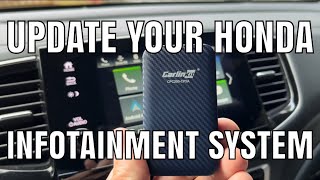
Difficulty pairing a phone, frequent disconnections, or no audio during calls or media playback through a connected device are common complaints. These are often software-related. Owners report that using genuine Apple cables and ensuring both the phone and the vehicle's infotainment software are up to date can sometimes help. In some cases, a factory data reset of the infotainment system is required to resolve persistent connectivity problems.
🎬 Watch: How to perform a factory data reset on your infotainment system.'CODE' Displayed on Screen
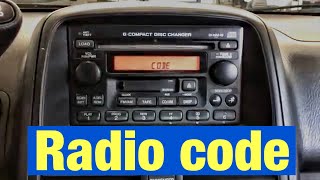
After the vehicle's battery has been disconnected or replaced, the radio may display the word 'CODE' and refuse to function. This is the anti-theft system, which requires a specific code to unlock the unit. This is a normal security feature, not a sign of failure.
Known Issues, Recalls, and Technical Service Bulletins (TSBs)

Recall: MOST Bus Communication Failure (NHTSA Campaign ID: 23V-431)
Honda issued a major recall for over 1 million vehicles, including some Ridgeline models, for a faulty MOST communication coaxial cable. The improperly manufactured cable terminals could deform, leading to a poor connection. Warning signs of this issue include popping or crackling sounds from the speakers and a flickering display. The primary safety risk cited was the potential for the rearview camera to fail, but the faulty connection is also the root cause of many audio system complaints. The fix involves a dealer installing an improved cable harness and a cover to ensure a solid connection.
Recall: Rearview Camera Harness (NHTSA Campaign ID: 22V-867)
For 2017-2019 Ridgeline models, a recall was issued because the wiring harness for the rearview camera could break from the stress of opening and closing the tailgate. While primarily affecting the camera, this highlights the potential for wiring issues in the vehicle.
Owner Complaints and Lawsuits
Numerous owners have filed complaints and joined class-action lawsuits regarding the popping and crackling noises, alleging the infotainment systems are defective. Many of these issues are traced back to the MOST bus network problems.
Buying a Used Ridgeline Audio System

When purchasing a used audio component for your 2017-2023 Ridgeline, compatibility is the most important factor. Mismatched parts will not work correctly, if at all.
Warning: A replacement amplifier or head unit may require programming by a Honda dealer to function. This is a common requirement for modern vehicle electronics to ensure they communicate with the vehicle's other modules.
Verifying Compatibility
- Match Part Numbers: The surest way to ensure compatibility is to match the OEM part number from your old unit to the replacement.
- Trim Level Matters: The audio systems are different between trim levels. The standard system (Sport, RTL) uses a 200-watt, 7-speaker setup, while the premium system (RTL-E, Black Edition) has a 540-watt, 8-speaker setup. Components are not interchangeable.
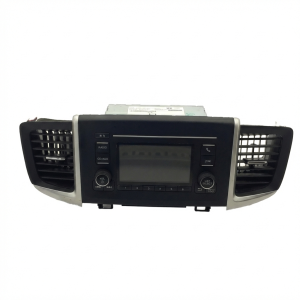
- Navigation vs. Non-Navigation: Head units for vehicles with and without factory navigation are different and cannot be swapped.
- Check Connectors: Physically inspect the connectors on the replacement unit to ensure they match your vehicle's wiring harness.
Anti-Theft Codes
If you are replacing the head unit, you will likely need an anti-theft code to unlock it after installation. You can retrieve this code in a few ways:
- Check the Glove Box: Sometimes a sticker with the 5 or 6-digit code is placed inside the glove box.
- Retrieve from the Unit: With the radio asking for the code, press and hold presets 1 and 6, then turn the ignition to the 'ON' position. The radio's serial number should display.
- Honda's Website: You can enter your vehicle's VIN and the radio's serial number on Honda's official radio code lookup site (radio-navicode.honda.com) to get the unlock code for free. 🎬 See this walkthrough on finding and resetting your radio's anti-theft code.
Cost to Replace Ridgeline Audio Components
Prices can vary significantly based on the specific component and whether you choose new or used parts. Labor for replacement typically involves removing dashboard trim and can take 1-2 hours.
| Part | New OEM (est.) | Used OEM (est.) | New Aftermarket | Shop Labor (est.) |
|---|---|---|---|---|
| Head Unit / Display | $800 - $1,800+ | $250 - $700 | $300 - $1,000+ | $150 - $300 |
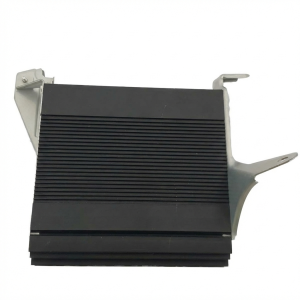
| Amplifier (Standard or Premium) | $530 - $775 | $100 - $350 | N/A (OEM integration required) | $100 - $200 |
| Satellite Radio Tuner | $510 | $75 - $200 | N/A | $100 - $200 |
Frequently Asked Questions (FAQ)
Does a replacement Honda Ridgeline audio system need to be programmed?
Yes, it is highly likely. Modern Honda audio components, especially amplifiers and head units, are often tied to the vehicle's VIN and specific options. A replacement unit, particularly an amplifier, may need to be programmed by a Honda dealership or a qualified independent shop with Honda-specific diagnostic tools to communicate with the vehicle.
Why is my Ridgeline's audio making a loud popping or crackling noise?
This is a very common problem related to a faulty connection in the Media Oriented Systems Transport (MOST) bus network. Honda issued a recall (NHTSA 23V-431) to fix this issue, which involves installing an improved wiring harness. If your vehicle exhibits this symptom, check with a Honda dealer to see if the recall has been performed.
Can I install a premium audio amplifier in my Ridgeline that came with the standard system?
No, this is not a plug-and-play swap. The standard and premium audio systems use different wiring harnesses, head units, and speaker configurations. Attempting to install a premium amplifier on a standard system will not work and could damage the components.
My audio volume drops whenever there is a lot of bass. Is my amplifier failing?
This is likely not a failure, but a feature of the factory sound processing. Many owners report that the stock system aggressively reduces overall volume during bass-heavy passages to prevent speaker distortion and damage. This is built into the head unit's software and is not something that can be easily disabled without replacing the head unit and/or adding an aftermarket digital signal processor (DSP).
Helpful Videos
Technical Specifications
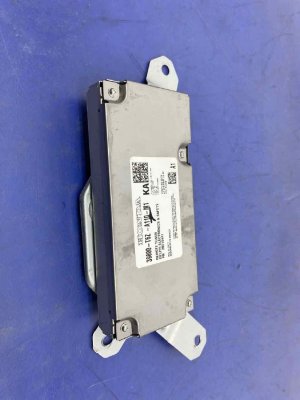
OEM Part Numbers: 39100-T6Z-A01 39171-T6Z-A01 39171-T6Z-A11 39186-T6Z-A11 39800-T6Z-A11 39800-T6Z-A110 39800-T6Z-A01 39100-T6Z-A11 39186-T6Z-A01
Standard System: 200 Watts, 7 speakers. Premium System: 540 Watts, 8 speakers. System uses a Media Oriented Systems Transport (MOST) bus for component communication.
We Have This Part in Stock

The information in this article is provided for general reference and educational purposes only. Vehicle specifications, procedures, and part compatibility can vary by production date, trim level, and region. Always consult your vehicle's factory service manual and verify part numbers before purchasing or performing repairs. Safety-critical components such as airbags, seat belts, and braking systems should be installed by a qualified professional.
- Honda Ridgeline:
- 🎬 Helpful Videos
- 🛍️ Shop This Part
- Symptoms of a Failing Audio System
- Popping, Crackling, or Static Noises
- No Sound from Speakers
- Blank or Flickering Display Screen
- Bluetooth, Apple CarPlay, or Android Auto Issues
- 'CODE' Displayed on Screen
- Known Issues, Recalls, and Technical Service Bulletins (TSBs)
- Recall: MOST Bus Communication Failure (NHTSA Campaign ID: 23V-431)
- Recall: Rearview Camera Harness (NHTSA Campaign ID: 22V-867)
- Owner Complaints and Lawsuits
- Buying a Used Ridgeline Audio System
- Verifying Compatibility
- Anti-Theft Codes
- Cost to Replace Ridgeline Audio Components
- Frequently Asked Questions (FAQ)
- 🎟️ Get 5% Off