

2009-2015 Hyundai Sonata Audio Systems: Solving No Sound & Bluetooth Issues
This guide explains common audio system failures, compatibility problems, and replacement requirements for the 2009-2015 Hyundai Sonata.
- Compatibility is critical: The 2009-2015 range covers three different Sonata generations. You must match your replacement unit to your car's specific year, sound system (base vs. premium Infinity), and navigation features.
- No sound is a common issue: If the radio display works but there's no audio, first check the fuses (for both radio and amp), then try a battery reset. If you have the Infinity system, the external amplifier is a likely culprit.
- Programming is not required: Unlike many modern cars, a replacement audio unit for this Sonata generation generally does not need to be programmed to the vehicle's VIN by a dealer.
- Check part numbers: The most reliable way to ensure compatibility is to match the OEM part number from your original unit to the replacement part.
Generational Differences and Key Model Years

The 2009-2015 year range for the Hyundai Sonata spans three distinct generations, which is a primary source of confusion when replacing audio system components. It is critical to identify your specific model year and system before purchasing a part.
- 2009-2010 (NF Generation): These models have a completely different dashboard and wiring architecture compared to later years. Parts are generally not interchangeable with 2011+ models.
- 2011-2014 (YF Generation): This is the core generation for this guide. Most audio problems and part variations relate to these years. This generation introduced new head units, including optional touchscreen navigation and the premium Infinity sound system.
- 2015 (LF Generation / YF Hybrid): This year is particularly confusing. The all-new LF generation Sonata was introduced with its own unique audio systems. However, the previous YF generation continued to be sold as the 2015 Sonata Hybrid. Many audio components for the 2015 Hybrid are shared with 2011-2014 models, not the new 2015 non-hybrid Sonata. Always verify if a part is for a Hybrid or non-hybrid 2015 model.
Common Failure Symptoms


Sonata audio systems from this era can exhibit several common problems. Diagnosis often starts by determining if the issue is with the head unit, the amplifier (if equipped), or wiring.
No Sound From Speakers
The most common complaint is the radio turning on, displaying stations or media information, but producing no sound. This can be caused by a few different issues:
- Software Glitch: The system can simply freeze. A common first step is to perform a reset. You can try the small reset button near the CD slot (if equipped), or disconnect the negative battery terminal for 15 minutes to perform a hard reset.
- Blown Fuse: Check the fuses for both the radio/audio system and the amplifier (on premium models). There is typically a fuse in the interior fuse panel and another for the amplifier in the trunk or under the hood.
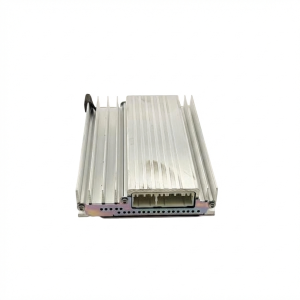
- Failed Amplifier: On models with the Infinity premium sound system, the external amplifier is a frequent point of failure. If the radio appears to work but there is no sound, the amplifier is a primary suspect. It is typically located in the trunk on the passenger side. Some owners have success simply unplugging the main connector to the amplifier, waiting a few minutes, and plugging it back in to reset it.
Bluetooth Connectivity Problems
Many owners report issues with pairing phones, connections dropping, or the system being stuck on "Initializing Bluetooth." This is often a software issue within the head unit itself. Early Android and iPhone models had known compatibility issues. While a system reset can sometimes help, if the problem persists after software updates and resets, the Bluetooth module inside the head unit may be failing.
Screen is Blank, Frozen, or Unresponsive
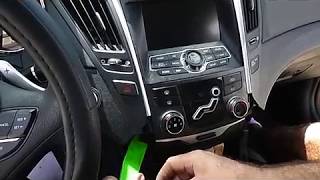
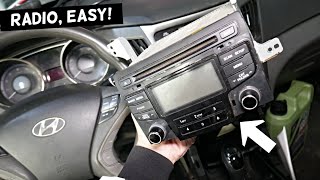
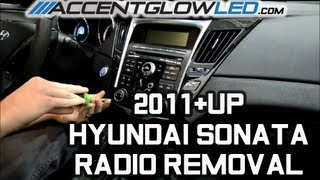
A blank or frozen touchscreen or display indicates a problem with the head unit itself. This can be a software crash, which a reset might fix, or a hardware failure of the display or mainboard. 🎬 Watch this walkthrough for replacing a non-working radio unit. If physical buttons also stop responding, it points to a more serious internal failure of the head unit.
Known Issues, TSBs, and Recalls

While there are no widespread recalls specifically for the entire audio system on 2009-2015 Sonatas, there are related service campaigns and TSBs (Technical Service Bulletins).
- Software Updates: Hyundai has released numerous software updates over the years to address issues with Bluetooth compatibility, navigation glitches, and other system bugs. Before replacing a unit for software-related problems, check with a dealer if any updates are available for your VIN.
- Anti-Theft Software Upgrade: Certain base-model Sonatas from 2011-2019 with a key-to-start ignition (not push-button) are part of a major anti-theft service campaign. This software update is for the vehicle's immobilizer system, not the audio system, but it's a critical update for affected vehicles.
Warning: The initial data provided for this guide included several buyer warnings. These are critical for anyone purchasing a replacement part. Pay close attention to compatibility with the premium Infinity sound system, Navigation vs. Non-Navigation, and the specific model year splits for Hybrid vs. Non-Hybrid vehicles, especially in 2014 and 2015.
Buyer's Guide: Choosing the Right Used Sonata Audio System

Buying a used audio system can save a significant amount of money, but it's essential to get an exact match to avoid frustration. Incompatibility is the single biggest issue.
Step 1: Identify Your Vehicle's EXACT System
Before you shop, you must know what's in your car. Check the following:
- Generation: Is your Sonata a 2009-2010 (NF), 2011-2014 (YF), or 2015 (LF/YF Hybrid)?
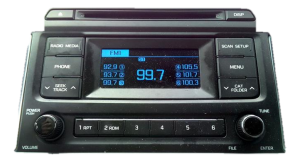
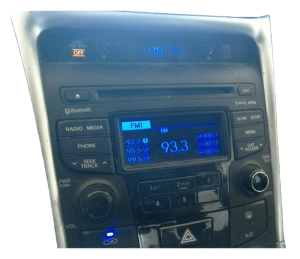
- Sound System: Do you have the standard (base) audio or a premium system? Look for "Infinity" or "Dimension" logos on the speaker grilles or the head unit itself. If you're unsure, check for the presence of an external amplifier, usually in the trunk. A replacement base radio will not work correctly with a premium amplifier, and vice-versa.
- Navigation: Does your car have the large touchscreen with a factory navigation system? Navigation and non-navigation units have different wiring and are not interchangeable.
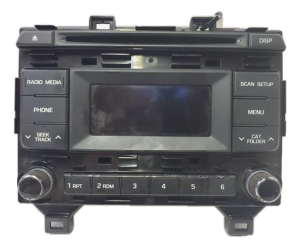
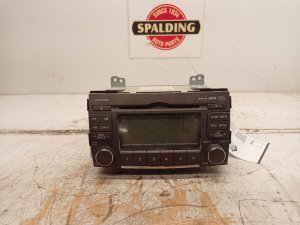
- Part Number: The most reliable method is to remove the existing unit and get the part number directly off the label. 🎬 See how to remove the radio to check your part number. Match this number to the used part you intend to buy.
Step 2: Programming and Anti-Theft
For the 2009-2015 Sonata, the audio systems generally do not require VIN programming or flashing by a dealer upon replacement. They are not tied to the vehicle's immobilizer system. However, some units may have an anti-theft code that needs to be entered if the unit loses power. This code is sometimes on a sticker in the glove box or owner's manual. If the code is lost, a dealer can retrieve it, or there are online services and DIY tricks available. For the most part, if you are swapping a like-for-like unit, it should be plug-and-play.
Step 3: What to Inspect on a Used Unit
- Connectors: Check for any bent or corroded pins on the rear connectors. Damage here can cause intermittent issues or a complete failure to power on.
- Screen Condition: On touchscreen models, inspect for scratches, delamination (bubbling), or dead pixels.
- Button and Knob Function: Ensure all buttons press cleanly and knobs turn without sticking.
Cost Comparison
| Part Type | Estimated Cost |
|---|---|
| New OEM (Non-Nav Radio) | $600 - $900+ |
| New OEM (Nav Radio) | $1,900+ |
| New Aftermarket (Double DIN) | $250 - $700 |
| Used OEM (Recycled) | $75 - $350 |
| Shop Labor for Installation | $100 - $250 |
Frequently Asked Questions (FAQ)
Does a used Hyundai Sonata radio need to be programmed by a dealer?
No, for the 2009-2015 model years, the audio systems are generally not VIN-locked and do not require dealer programming. They are considered plug-and-play as long as you are replacing your unit with an identical part number. Some may require an anti-theft code, but this is separate from VIN programming.
How can I tell if I have the premium Infinity sound system?
The easiest way is to look for the "Infinity" logo on the door speaker grilles or the head unit faceplate. You can also check for the presence of a factory amplifier, which is typically located behind the trim panel on the passenger side of thetrunk.
My radio turns on but there's no sound. What should I check first?
First, check the audio and amplifier fuses. If the fuses are good, try a system reset by disconnecting the car's battery for 15 minutes. If you have the premium Infinity system and neither of those steps work, the external amplifier is the most likely cause of the failure.
Can I install a navigation radio in my Sonata that came with a non-navigation radio?
This is not a simple plug-and-play swap. The wiring harnesses, antenna connections (for GPS), and dashboard bezel are different. While it is possible with extensive modification and additional parts, it is a complex and expensive conversion. It is much more practical and cost-effective to replace your unit with the same type that was originally equipped in the vehicle.
Helpful Videos

Technical Specifications
OEM Part Numbers: 00201F211A4X 00201F211C4X 961703Q000 961703Q0004X 961703Q0004XFL 96170C2000 96170C20004X 961803Q000 961803Q0004X 961803Q000XX1 961803Q001 961803Q800 961803Q8004X 961853K100 961853K1004N 961903Q700
Varies significantly by trim and options. Key variations include standard audio, premium Infinity audio with external amplifier, Dimension premium audio, and systems with or without touchscreen navigation.
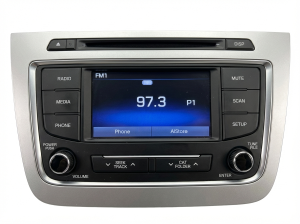
We Have This Part in Stock

The information in this article is provided for general reference and educational purposes only. Vehicle specifications, procedures, and part compatibility can vary by production date, trim level, and region. Always consult your vehicle's factory service manual and verify part numbers before purchasing or performing repairs. Safety-critical components such as airbags, seat belts, and braking systems should be installed by a qualified professional.
- Hyundai Sonata:
- 🎬 Helpful Videos
- 🛍️ Shop This Part
- Generational Differences and Key Model Years
- Common Failure Symptoms
- No Sound From Speakers
- Bluetooth Connectivity Problems
- Screen is Blank, Frozen, or Unresponsive
- Known Issues, TSBs, and Recalls
- Buyer's Guide: Choosing the Right Used Sonata Audio System
- Step 1: Identify Your Vehicle's EXACT System
- Step 2: Programming and Anti-Theft
- Step 3: What to Inspect on a Used Unit
- Cost Comparison
- Frequently Asked Questions (FAQ)
- 🎟️ Get 5% Off