

2013-2024 Hyundai Sonata Audio Systems: Rebooting, Black Screens, and Replacement Guide
This guide covers the common audio and infotainment system failures in the 2013-2024 Hyundai Sonata, including generation-specific issues, part number compatibility, and programming requirements.
- Part number compatibility is critical. You must match the part number from your original unit exactly.
- Units for Navigation, Non-Navigation, and Premium Audio (Bose/Infinity) systems are NOT interchangeable.
- Common failures include black screens, constant rebooting, and unresponsive touchscreens. A simple reset may temporarily fix software glitches.
- A replacement used OEM unit may require programming by a Hyundai dealer to function correctly with your vehicle's specific options.
Generational Differences: YF, LF, and DN8

The 2013-2024 model years span three distinct Hyundai Sonata generations, each with a different audio system. These systems are not interchangeable, so it's critical to identify your vehicle's generation before purchasing a replacement part.
- 2013-2014 (YF Generation, facelift): These models feature older infotainment systems. Common issues often relate to touchscreen calibration or basic 🎬 Watch: How to perform a Hyundai touch screen calibration connectivity problems.
- 2015-2019 (LF Generation): This generation introduced more modern head units with larger screens and Apple CarPlay/Android Auto. These units are known for issues like rebooting loops, black screens, and touchscreen failures. The provided OEM part numbers starting with 'C2' (e.g., 96160-C2000) are specific to this generation.
- 2020-2024 (DN8 Generation): The latest generation features wide-screen displays and more integrated systems. Common problems can include software glitches, black screens, and issues with the premium Bose audio system. Part numbers starting with 'L0' or 'L5' (e.g., 96160-L0200) belong to this era.
Common Symptoms of a Failing Audio System


A failing Sonata audio system can manifest in several ways. While some are minor annoyances, others can disable key features like the backup camera.
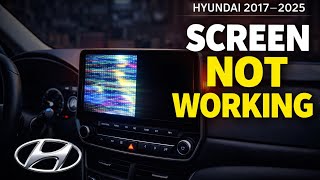
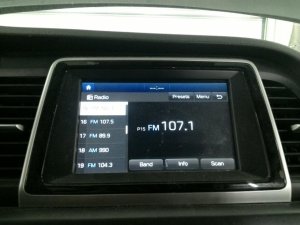
- Black or Blank Screen: The screen may go completely black, sometimes with the button backlights still on. You might still hear audio, but have no display or control. This can be caused by an internal failure of the unit or a loose coaxial cable connection behind the display.
- Constant Rebooting or Freezing: The system gets stuck in a boot loop, repeatedly showing the Hyundai logo before restarting. This has been linked to software glitches, sometimes related to the HD Radio signal. 🎬 See this walkthrough for fixing blank or rebooting screens
- Unresponsive Touchscreen: The screen displays correctly, but does not respond to touch, or the touch is inaccurate. This can sometimes be fixed with a system reset or screen recalibration, but may also indicate a hardware failure.
- No Audio Output: The head unit appears to function correctly, but there is no sound from any source. This could be the head unit, a blown fuse, or a problem with the external factory amplifier if equipped.
- Connectivity Problems: Bluetooth, Apple CarPlay, or Android Auto may fail to connect or disconnect randomly. Software updates often address these issues.
Pro Tip: Before assuming the head unit is bad, try a soft reset. On most models, you can press a small, recessed reset button with a paperclip or pen. On others, pressing and holding the power/volume knob for 10-15 seconds will force a reboot. This simple step 🎬 Watch: A mechanic's guide to fixing common Hyundai audio issues can often resolve temporary software glitches.
Known Issues, TSBs, and Recalls

While there are no major safety recalls for the audio units themselves, Hyundai has issued numerous Technical Service Bulletins (TSBs) to address common problems.
- Software Updates: Hyundai frequently releases software updates to fix bugs related to system stability, connectivity, and performance. TSBs like 24-01-045H-1, 23-01-010H, and others provide dealers with updated software for various audio and navigation systems.
- Rebooting Loop Fix: Some owners of 2016-2019 models found that a constant rebooting loop was caused by an issue with the HD Radio data stream. Disabling the HD Radio feature in the settings, if accessible, was found to be a temporary fix.
- Black Screen (Loose Cable): A TSB was issued for some models where a flickering or black screen is caused by a loose coaxial cable connection at the back of the monitor. The fix involves using a special tool to adjust the cable shield for a tighter fit.
Buying a Used Hyundai Sonata Audio System

Purchasing a used OEM audio system can be a cost-effective solution, but careful verification is essential to avoid incompatibility issues. This is the most critical part of the replacement process.
1. Match the Part Number EXACTLY
This is the most important rule. Hyundai uses many different head units that look identical but are not interchangeable. Differences in wiring, software, and internal components mean a mismatched part number will likely not work correctly, if at all. Always get the part number from your original unit before ordering a replacement.
2. Verify Compatibility Features
The existing buyer warnings highlight several common compatibility traps:
- Navigation vs. Non-Navigation: Units for vehicles with factory navigation are not compatible with those without it, and vice-versa. The wiring harnesses and connections to other vehicle modules (like the GPS antenna) are different.
- Premium vs. Standard Audio: Sonatas can be equipped with a standard audio system or a premium one (often branded Infinity or Bose). Head units designed for premium systems with an external amplifier will not work in a car with the standard system.
- Market (US vs. Canadian): There can be differences in features like satellite radio (SiriusXM) between US and Canadian market vehicles.
- Hybrid Models: Hybrid Sonatas may have specific head units with different software to display hybrid-related information.
3. Programming and Anti-Theft
Many modern head units are tied to the vehicle's electronics. While some owners have reported success with a simple plug-and-play swap, many others state that dealer programming is required. This is not always a traditional anti-theft code, but rather a configuration process to make the unit communicate correctly with the car's other systems. One owner reported a quote of $150 for programming from a dealership. Be prepared for the possibility that a used unit may need to be programmed by a Hyundai dealer or a qualified technician with specialized equipment to ensure full functionality.
4. Physical Inspection
When buying a used unit, inspect it for:
- Screen Condition: Check for deep scratches, cracks, or signs of delamination (where the top layer of the screen peels or bubbles).
- Connectors: Ensure all connector ports on the back are clean and free of bent or broken pins.
- Warranty Seals: Many sellers place warranty stickers over the seams of the unit. If these are broken, it may indicate the unit was opened and potentially tampered with.
Cost Breakdown
Prices can vary significantly based on the generation, features (like navigation), and condition.
| Part Type | Estimated Cost | Notes |
|---|---|---|
| New OEM | $700 - $3,400+ | Very expensive. A new unit for a newer model can cost thousands. |
| Used OEM | $100 - $450 | A popular and cost-effective option. Prices depend on generation and features. |
| New Aftermarket | $150 - $600+ | Options range from basic units to large Android-based touchscreens. May require installation kits and wiring adapters. |
| Shop Labor (Replacement) | $150 - $300 | Typically 1-2 hours of labor. Does not include programming costs. |
| Shop Labor (Programming) | $100 - $200 | If required, this is often a separate charge from the physical installation. |
Frequently Asked Questions (FAQ)
Does a replacement Hyundai Sonata radio need to be programmed?
It might. While some owners report successful plug-and-play swaps with identical part numbers, many replacement OEM units require programming by a Hyundai dealership or a specialized technician to configure them to the specific vehicle's options. It's best to assume a dealership visit may be necessary for full functionality.
Can I upgrade my base model radio to a factory navigation unit?
This is generally not feasible. The wiring harnesses, antenna connections, and integration with other vehicle systems are different between navigation and non-navigation models. It is far more complex than simply swapping the head unit. An aftermarket unit with navigation is a more practical upgrade path.
My screen is black but the radio still plays. What's the problem?
This common issue points to a failure in the display portion of the unit, not the entire radio. It could be a loose internal or external cable, or a failure of the LCD screen itself. Sometimes a hard reset can fix it temporarily, but often the unit needs to be repaired or replaced.
Can I fix an unresponsive touchscreen myself?
You can try a few things first. A system reset is the easiest first step. For some older models with inaccurate touch, there is a hidden diagnostic menu to recalibrate the screen. You can also try gently cleaning the edges of the screen with compressed air to dislodge any debris that might be interfering with the touch sensors. If these steps don't work, the touch digitizer has likely failed, requiring replacement of the screen or the entire unit.
Helpful Videos
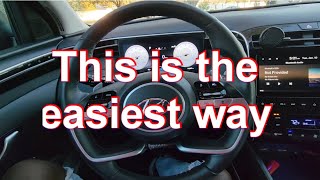
Technical Specifications
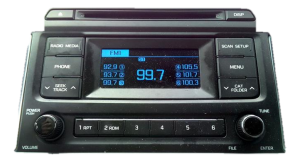
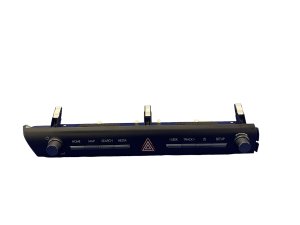
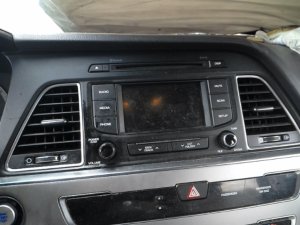
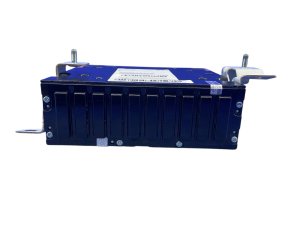
OEM Part Numbers: 96160-C2000 96160-C20004X 96160-C2UB0-4X 96160-L0200-NVC 96160-L5700-SSW 96160-L5700SSW 96160C2000 96160C2UA0 96160C2UA04X 96160C2UB0 96160C2UB04X 96160L0200 96160L0400 96160L0400NVC 96160L5700
System specifications vary by trim and year. Key variants include screen size (e.g., 8-inch, 10.25-inch), presence of built-in Navigation, and compatibility with standard or premium (Bose/Infinity) amplified sound systems.
We Have This Part in Stock

The information in this article is provided for general reference and educational purposes only. Vehicle specifications, procedures, and part compatibility can vary by production date, trim level, and region. Always consult your vehicle's factory service manual and verify part numbers before purchasing or performing repairs. Safety-critical components such as airbags, seat belts, and braking systems should be installed by a qualified professional.
- Hyundai Sonata:
- 🎬 Helpful Videos
- 🛍️ Shop This Part
- Generational Differences: YF, LF, and DN8
- Common Symptoms of a Failing Audio System
- Known Issues, TSBs, and Recalls
- Buying a Used Hyundai Sonata Audio System
- 1. Match the Part Number EXACTLY
- 2. Verify Compatibility Features
- 3. Programming and Anti-Theft
- 4. Physical Inspection
- Cost Breakdown
- Frequently Asked Questions (FAQ)
- 🎟️ Get 5% Off