

2014-2021 Hyundai Tucson Radio Problems: Black Screens, No Sound, and Replacement Guide
This guide covers common audio system failures in the 2014-2021 Hyundai Tucson, from blank screens and connectivity issues to the critical steps for choosing a compatible used replacement.
- You MUST match the OEM part number from your original radio exactly. Compatibility depends on navigation, premium audio, and screen size.
- The 2014-2021 period covers two different generations (2014-15 and 2016-21) with completely different radio systems.
- Common failures like a black screen or connectivity issues can often be fixed with a soft reset or a software update from a dealer.
- A replacement radio for a 2016-2021 model will likely require programming by a dealer or qualified shop to work correctly in your vehicle.
Understanding the 2014-2021 Tucson Audio Systems: Two Generations
The 2014-2021 Hyundai Tucson spans two distinct vehicle generations, each with different audio system technology. It is crucial to identify your vehicle's generation before diagnosing issues or buying a replacement part.
Second Generation (2014-2015)
These models feature more basic audio units. The standard system is a non-touchscreen radio with a single CD player and Bluetooth. An optional upgrade was a head unit with a small color touchscreen for navigation. These systems are relatively straightforward and less integrated than their successors. Common part numbers for this era begin with prefixes like 96150-2S....
Third Generation (2016-2021)
Starting in 2016, the Tucson received a major interior update with a modern infotainment system. These head units are more complex and come in several variations:
- 5-inch Touchscreen: A base-level color touchscreen radio without navigation.
- 7-inch Touchscreen: The most common unit, featuring Apple CarPlay and Android Auto but typically without built-in factory navigation.
- 8-inch Touchscreen: Found on higher trims, this unit includes factory navigation and often pairs with a premium Infinity-branded audio system and an external amplifier.
Part numbers for this generation often begin with prefixes like 96160-D3... or 96560-D3.... Failures in these systems are more common due to their increased software complexity.
Symptoms of a Failing Hyundai Tucson Audio System
Audio system problems can range from a minor annoyance to a complete loss of function. Here are the most common symptoms reported by owners.
1. Black or Blank Screen
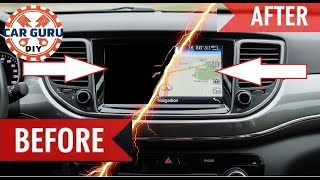
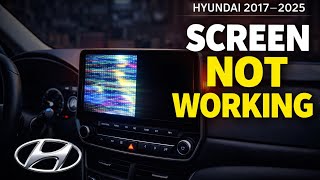
This is the most prevalent issue, especially on 2016 and newer models. The screen may go completely black, but you might still hear audio from the radio or a connected device. In some cases, the backup camera may still display when the vehicle is in reverse, but the screen remains unresponsive to touch. 🎬 Watch: Troubleshooting a black or unresponsive touch screen This can be caused by a software glitch, an internal hardware failure, or a loose connection.
Pro Tip: Before assuming the unit is broken, try a soft reset. With the vehicle running, press and hold the volume/power knob for 10-15 seconds until the Hyundai logo appears. 🎬 Watch: How to revive a dead Tucson infotainment screen This reboots the system and can resolve temporary software freezes.
2. No Sound or Intermittent Audio
The head unit appears to be working correctly—you can change stations and see what's playing—but no sound comes from the speakers. This can happen on all inputs (AM/FM, Bluetooth, CarPlay). The cause can be a software issue, a faulty head unit, or, on models with premium sound, a failed external amplifier. A Technical Service Bulletin (TSB) was issued for 2016-2017 models where the instrument cluster would stop communicating with the amplifier, causing a loss of sound.
3. Apple CarPlay or Android Auto Constantly Disconnects
For 2016-2021 models, frequent disconnection of Apple CarPlay or Android Auto is a common complaint. The connection may drop randomly, requiring you to unplug and reconnect your phone. This is often caused by a faulty USB port, a bad cable, or a software bug in the head unit. Hyundai has released software updates to address these connectivity issues.
4. System Freezes or Reboots Randomly
The infotainment system may become unresponsive to touch, or it might restart on its own while you are driving. This points to a software conflict or a developing internal hardware problem. A system reset may temporarily fix it, but if it happens frequently, the unit may be failing.
5. Bluetooth and USB Connectivity Problems
The system may fail to recognize devices plugged into the USB port, or it may be unable to pair with a phone via Bluetooth. Sometimes, deleting the phone from the car's memory and forgetting the car in the phone's Bluetooth settings, then re-pairing, can solve the problem.
Known Issues, TSBs, and Service Campaigns
Hyundai has acknowledged several audio and electrical system issues through Technical Service Bulletins (TSBs) and service campaigns.
- TSB 24-BE-003H: Addresses flickering or black screens on some newer Tucson models. The cause is identified as a poor coaxial cable connection behind the display. The fix involves a technician adjusting the cable shield for a tighter fit.
- TSB for No Sound (2016-2017): A bulletin was released for an issue where the instrument cluster would not send the correct signal to the external amplifier, resulting in no audio. The fix requires reprogramming the instrument cluster software.
- Service Campaign TBW (24-01-045H): This is a software update for certain Display Audio and Navigation units to improve stability and fix bugs, including those related to Apple CarPlay connectivity.
- ABS and Trailer Hitch Recalls: While not directly related to the radio itself, numerous electrical recalls exist for the Tucson, including for the ABS module causing a fire risk and for faulty trailer hitch wiring. These highlight the sensitivity of the vehicle's overall electrical system.
Warning: An ABS module recall (NHTSA Campaign 195) for 2016-2021 models advises parking the vehicle outside due to a fire risk. Ensure this recall has been performed on your vehicle.
Buying a Used Audio System: A Buyer's Guide
Replacing a failed audio unit with a used OEM part is a cost-effective solution, but careful verification is required to ensure you get the right one. New OEM units can be prohibitively expensive, often costing over $1,900.
1. Match the Part Number EXACTLY
This is the most important rule. Different part numbers look identical but have different internal software or hardware to support features like navigation, premium audio, or Blue Link. Do not buy a unit based on appearance alone. The part number is printed on a sticker on the radio's chassis. You must remove the original unit to find its part number.
2. Verify Key Features
When searching for a replacement, confirm that it matches your vehicle's original specifications:
- Navigation vs. Non-Navigation: A navigation unit will not work correctly in a car originally equipped with a non-navigation radio, and vice-versa.
- Amplified vs. Non-Amplified: Does your Tucson have the premium Infinity or Bose sound system? If so, it has an external amplifier, and you need a radio designed to work with it.
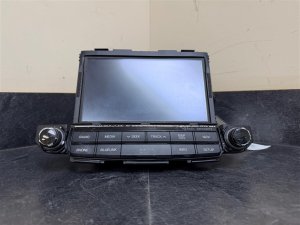
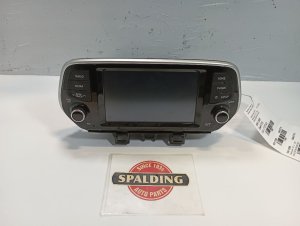
- Screen Size: Ensure the screen size (5", 7", or 8") matches your original unit.
- Blue Link: If your vehicle has the Blue Link telematics system, you need a compatible radio.
3. Physical Inspection
When you receive the used unit, inspect it for:
- Screen Condition: Check for deep scratches, delamination (bubbling), or discoloration.
- Control Knobs: On some models, the rubberized finish on the volume and tuning knobs is known to peel. This is a cosmetic issue but can be an indicator of high use.
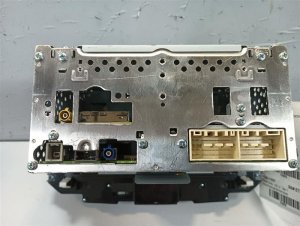
- Connectors: Ensure none of the connector ports on the back are damaged or have bent pins.
Programming and Installation
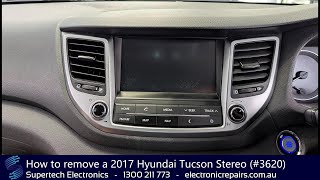
Physically swapping the radio is straightforward for a DIYer with basic tools. It involves removing the dash trim around the unit, unscrewing four bolts, and disconnecting the wiring harnesses. 🎬 See this walkthrough on how to remove the stereo However, the electronic side can be more complex.
Warning: Many replacement audio units for the 2016-2021 Tucson may require programming by a Hyundai dealership or a qualified independent shop with a J2534 pass-thru tool. The radio may be locked, display an error message, or have limited functionality until it is programmed to your vehicle's VIN.
Cost Comparison for a Replacement Audio System
| Part Type | Estimated Cost |
|---|---|
| New OEM | $700 - $2,000+ |
| Used OEM | $150 - $500 |
| New Aftermarket (Head Unit Only) | $250 - $600 |
| Shop Labor (Installation) | $100 - $250 |
| Shop Labor (Programming) | $100 - $200 |
Frequently Asked Questions
Do I need a code to unlock a replacement radio?
For the 2014-2021 Tucson, there is typically no unlock code. Instead, newer units are often linked to the vehicle's VIN and may require dealer programming to function.
Can I upgrade my base model radio to a factory navigation unit?
This is not a simple plug-and-play swap. It often requires different wiring harnesses, a GPS antenna, and extensive programming. It is generally more practical and affordable to install an aftermarket head unit with navigation capabilities.
Will my steering wheel controls work with a replacement radio?
If you replace your unit with an identical OEM part number, the steering wheel controls should work automatically after installation or programming. If you install an aftermarket radio, you will need a special wiring interface adapter (like a PAC RP4.2-HY11) to retain steering wheel control functionality.
My screen is black but the radio plays. Is it broken?
Not necessarily. First, try a soft reset by holding the power knob for 15 seconds. If that doesn't work, the issue could be a software glitch that a dealer update can fix, or a loose display cable as described in TSB 24-BE-003H. If neither of those solutions work, the display portion of the unit has likely failed.
Helpful Videos
Technical Specifications
OEM Part Numbers: 961502S330 961502S330TJN 961502S330TJP 96160-D3810 96160-D3810-ZL5 96160D3100 96160D31004X 96160D3810 96160D3810ZL5 96180D3100 96180D31004X 96560D3210 96560D32104X 96560D3211 96560D32114X 96160-2S160TAP
Varies by unit. Systems include non-touch, 5-inch, 7-inch, and 8-inch touchscreen displays. Supports AM/FM, Satellite Radio (subscription required), CD, MP3, Bluetooth, Apple CarPlay, and Android Auto depending on the specific model and trim.
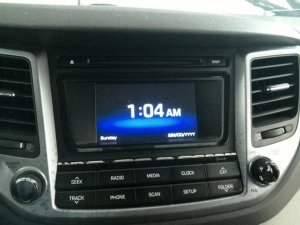
We Have This Part in Stock

The information in this article is provided for general reference and educational purposes only. Vehicle specifications, procedures, and part compatibility can vary by production date, trim level, and region. Always consult your vehicle's factory service manual and verify part numbers before purchasing or performing repairs. Safety-critical components such as airbags, seat belts, and braking systems should be installed by a qualified professional.
- Hyundai Tucson:
- 🎬 Helpful Videos
- 🛍️ Shop This Part
- Understanding the 2014-2021 Tucson Audio Systems: Two Generations
- Second Generation (2014-2015)
- Third Generation (2016-2021)
- Symptoms of a Failing Hyundai Tucson Audio System
- 1. Black or Blank Screen
- 2. No Sound or Intermittent Audio
- 3. Apple CarPlay or Android Auto Constantly Disconnects
- 4. System Freezes or Reboots Randomly
- 5. Bluetooth and USB Connectivity Problems
- Known Issues, TSBs, and Service Campaigns
- Buying a Used Audio System: A Buyer's Guide
- 1. Match the Part Number EXACTLY
- 2. Verify Key Features
- 3. Physical Inspection
- Programming and Installation
- Cost Comparison for a Replacement Audio System
- Frequently Asked Questions
- 🎟️ Get 5% Off