

Mazda Infotainment Failures: Fixing Screens, CMUs & Audio for Mazda 3, CX-5 & More (2012-2024)
A complete guide to diagnosing and repairing the most common audio and infotainment system problems in many 2012-2024 Mazda vehicles, from faulty touchscreens and failing amplifiers to rebooting control units.
- The most common failures are the main computer/CMU (reboot loops), the touchscreen ('ghost touch'), and the external Bose amplifier (no sound).
- When buying a used replacement module (CMU, TAU, or amplifier), you MUST match the part number from your original unit exactly to ensure compatibility.
- In many cases, a replacement CMU or amplifier with a matching part number is plug-and-play and does NOT require expensive dealer programming.
- A cheap and effective fix for 'ghost touch' is to simply disconnect the touchscreen's data cable and rely only on the commander control knob, which remains fully functional.
Understanding the Components of Your Mazda's Infotainment System
Before diagnosing a problem, it's important to know the key players in your Mazda's infotainment system. A failure in one component can often look like a problem with another.
- Connectivity Master Unit (CMU): This is the central computer for the Mazda Connect system. Located behind the dashboard, it runs the software for the screen, processes inputs from the commander knob and touchscreen, and manages features like Bluetooth, navigation, and vehicle settings. Failures here cause freezing, rebooting, or black screens.
- Tuner and Amplifier Unit (TAU): This module, often located in the passenger-side footwell area, is the actual radio receiver. In vehicles without the premium Bose system, it also contains the amplifier that powers the speakers.
- Center Display Screen: The screen itself. The most common failure is not the display panel but the touch-sensitive layer on top of it (the digitizer), which leads to erratic behavior.
- Commander Switch: The rotary knob and buttons in the center console. This is the primary way to control the system, especially if the touchscreen is disabled or malfunctioning.
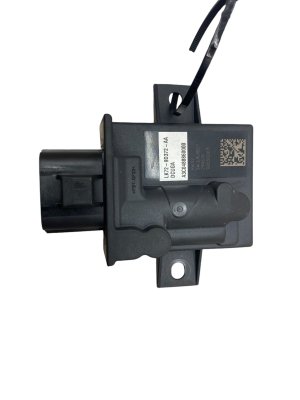
- Bose® Amplifier: On vehicles with the optional Bose sound system, a separate, powerful amplifier is used. This unit is a common failure point that can result in no sound, popping, or loud squealing noises.
Common Failure Symptoms and Diagnostic Clues
Diagnosing infotainment issues starts with matching the symptom to the most likely failed component.
Symptom: System Constantly Rebooting, Freezing, or Black Screen
Likely Cause: Connectivity Master Unit (CMU) Failure
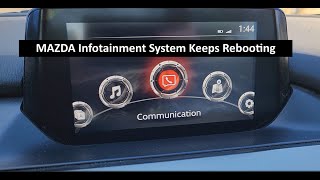
If your screen is stuck in a loop showing the Mazda logo, freezes on a menu, or is completely black, the CMU is the most probable culprit. These symptoms are often caused by software corruption, failing internal memory (eMMC flash storage), or a hardware fault on the CMU's circuit board. Sometimes, a corrupted navigation SD card can also trigger these issues; as a first step, try removing the nav SD card (if equipped) and see if the system stabilizes.
🎬 See this step-by-step guide to replace a rebooting CMUSymptom: "Ghost Touch" or Unresponsive Touchscreen
Likely Cause: Center Display Screen Failure
This is one of the most well-known issues, particularly on 2014-2018 models. The screen registers phantom touches, randomly changing settings, making calls, or switching menus. This is caused by a failure of the screen's touch-sensitive digitizer, often due to heat or moisture causing corrosion. Mazda issued warranty extensions (like program SSPB6 for the 2014-2016 Mazda3) for this issue on certain models. A diagnostic trouble code (DTC) of B108E:04 is often stored when this fault occurs.
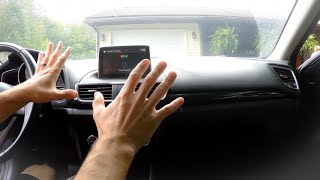
Pro Tip: A free and effective temporary fix for "ghost touch" is to disable the touchscreen entirely. By carefully removing the dashboard trim and disconnecting the small ribbon cable for the touch digitizer, you can stop the phantom inputs. The entire system remains perfectly controllable using the commander knob and buttons in the center console.
🎬 Watch: How to disable the touchscreen ribbon cable to fix ghost touchSymptom: No Audio, Loud Popping, or High-Pitched Squeal
Likely Cause: Bose® Amplifier Failure (on equipped models)
In vehicles with the premium Bose sound system, a sudden loss of all audio, intermittent sound, or loud, unpleasant noises from the speakers usually points to a failed external amplifier. The head unit may appear to be working perfectly, but no sound comes out. This is often due to a failure of the digital signal processor (DSP) chip on the amplifier's main board. For non-Bose systems, a total loss of audio is more likely related to the Tuner and Amplifier Unit (TAU).
Symptom: Unresponsive or Free-Spinning Commander Knob
Likely Cause: Commander Switch Failure
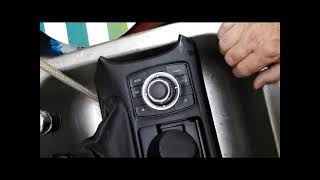
If the rotary knob in your center console spins freely, feels loose, or its button presses don't register on screen, the switch assembly itself has likely failed internally. This is a mechanical failure and requires replacing the switch unit.
🎬 Watch: How to replace the center console commander switchProgramming and Installation Requirements
This is the most critical area for anyone buying a used module. Fortunately, Mazda made this process easier than many other manufacturers.
Connectivity Master Unit (CMU)
Good news for DIYers: In most cases, a replacement CMU does not require expensive dealer programming. When a new or used CMU is installed, it automatically reads the vehicle's configuration (e.g., Bose vs. non-Bose, navigation enabled, etc.) from the instrument cluster via the vehicle's data network. This process is called "automatic configuration." For the system to work correctly, you must install a replacement CMU with the exact same part number as the original. After installation, it is recommended to perform a factory reset from the system settings menu to complete the process.
Warning: While the CMU is plug-and-play for vehicle functions, it does not transfer Bluetooth pairing information. You will need to re-pair any phones after replacing the CMU.
Tuner (TAU) and Bose Amplifier
Like the CMU, the Tuner and Amplifier Unit (TAU) and the external Bose amplifier are generally plug-and-play, provided the part number of the replacement unit is an exact match to the original. If your vehicle has satellite radio, you will need to contact SiriusXM with the new Radio ID from the replacement TAU to transfer your subscription.
Buying a Used Mazda Audio System: What to Look For
Purchasing a used OEM module is a smart way to save hundreds of dollars. However, compatibility is everything. Follow these rules to ensure you get the right part.
- Match the Part Number Exactly: This is the golden rule. Do not buy a part that is "close" or from a similar vehicle. Remove your failed module and get the exact OEM part number printed on its label. A mismatched part number can result in features not working or the unit not powering on at all.
- Verify the Options: The same model year can have different modules for the Bose and non-Bose systems. When buying a CMU, TAU, or amplifier, ensure it came from a vehicle with the same audio system as yours. Sellers of used parts can often provide the VIN of the donor vehicle, which can be used to look up its original equipment.
- Inspect the Connectors: When the part arrives, check for any bent pins, corrosion, or damage to the connector housings. All pins should be straight and clean.
- For Screens, Ask About Condition: If buying a used display, ask the seller about any scratches, delamination (peeling), or cracks on the screen surface.
Cost of Replacement
Here is an estimated cost comparison for different components. Prices can vary significantly based on your specific vehicle and part number.
| Component | New OEM | Used OEM | Repair Service | Shop Labor (Install) |
|---|---|---|---|---|
| Connectivity Master Unit (CMU) | $1,000 - $1,500+ | $100 - $400 | $200 - $500 | $150 - $300 |
| Center Display Screen | $800 - $1,200 | $150 - $350 | $150 - $300 (for digitizer) | $100 - $250 |
| Bose Amplifier | $600 - $900 | $75 - $250 | $125 - $300 | $75 - $150 |
| Commander Switch | $200 - $400 | $50 - $150 | N/A | $100 - $200 |
Frequently Asked Questions (FAQ)
Do I need to take my car to the dealer if I replace the CMU?
Generally, no. If you replace your failed CMU with a used unit that has the exact same part number, it should be plug-and-play for core functions. The unit automatically configures itself to your car's options. You may need to perform a software update via USB for the latest features, which can often be done at home by following guides on owner forums.
My screen is acting crazy ("ghost touch"). Do I need a whole new system?
No, you usually just need to address the screen. The 'ghost touch' issue is almost always a failure of the touch-sensitive layer (digitizer) on the screen itself, not the main computer. You can replace the screen assembly, have the digitizer repaired, or simply disconnect the touch-screen data cable and use the commander knob exclusively.
Why did my radio stop working after changing the car battery?
Sometimes, a voltage spike or interruption from a battery change can cause the infotainment system's software to glitch and lock up. Before assuming a part has failed, try a soft reset. Press and hold the Mute + Nav + Back buttons simultaneously for about 10 seconds until the system reboots. If that doesn't work, disconnecting the battery again for 10-15 minutes can sometimes force a full reset of the modules.
What OBD-II codes are associated with audio system failures?
Standard engine code readers often won't see these codes. You need a scanner that can read Body (B) and Network (U) codes. Common ones include U0184 (Lost Communication With Radio), which points to a dead CMU or wiring issue, and B108E:04 (Touchscreen Fault), which is linked to the 'ghost touch' problem.
Helpful Videos


Technical Specifications
OEM Part Numbers: B44E-66-A20 BANF-66-9C0 BANF669C0C BANF669C0H BBM2-66-A20 BBM266A20 BBM4-66-A20 BBM466920A BBM466920B BBM466A20 BDGF669C0B BDGF669C0E BDGF669C0F BDGF669C0G BDGF669C0H
System consists of multiple components: Connectivity Master Unit (CMU), Tuner and Amplifier Unit (TAU), Center Display, and Commander Switch. System communicates over the vehicle's CAN bus network. Specific component specifications vary by vehicle model, year, and trim level (Bose vs. non-Bose).
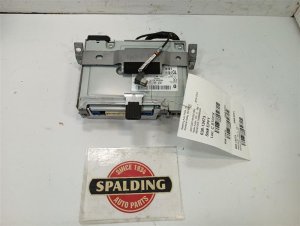
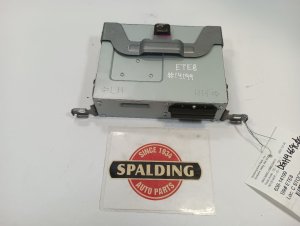
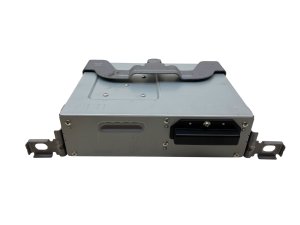
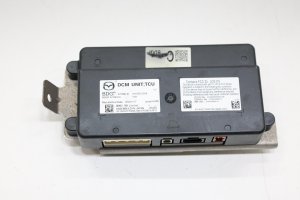
We Have This Part in Stock
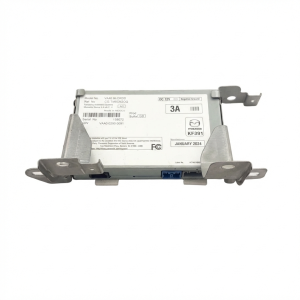

The information in this article is provided for general reference and educational purposes only. Vehicle specifications, procedures, and part compatibility can vary by production date, trim level, and region. Always consult your vehicle's factory service manual and verify part numbers before purchasing or performing repairs. Safety-critical components such as airbags, seat belts, and braking systems should be installed by a qualified professional.
- MAZDA 3:
- Mazda CX-30:
- MAZDA 6:
- Mazda CX-3:
- Mazda CX-5:
- Mazda CX-9:
- Mazda MX-30:
- Mazda MX-5 Miata:
- 🎬 Helpful Videos
- 🛍️ Shop This Part
- Understanding the Components of Your Mazda's Infotainment System
- Common Failure Symptoms and Diagnostic Clues
- Symptom: System Constantly Rebooting, Freezing, or Black Screen
- Symptom: "Ghost Touch" or Unresponsive Touchscreen
- Symptom: No Audio, Loud Popping, or High-Pitched Squeal
- Symptom: Unresponsive or Free-Spinning Commander Knob
- Programming and Installation Requirements
- Connectivity Master Unit (CMU)
- Tuner (TAU) and Bose Amplifier
- Buying a Used Mazda Audio System: What to Look For
- Cost of Replacement
- Frequently Asked Questions (FAQ)
- 🎟️ Get 5% Off