

Mazda Infotainment Failure: Fixing Ghost Touch, Reboots & No Audio (2010-2021)
This guide covers the common audio and infotainment system problems in the Mazda 3, 6, CX-5, and more, from failing screens to dead amplifiers.
- Many common issues like rebooting and ghost touch are covered by Mazda warranty extensions (CSP13 for the CMU, SSPB6 for some screens). Always check your VIN with a dealer before paying for repairs.
- "Ghost touch" is a failure of the screen, while rebooting/freezing is a failure of the computer (CMU) behind it. They are separate parts with different solutions.
- When buying a used replacement, matching the OEM part number exactly is critical for compatibility and to avoid programming issues.
- A constant reboot loop can often be fixed for free by simply removing a corrupted navigation SD card from the center console.
Understanding the Components of Your Mazda's Audio System
When your Mazda's radio or screen starts acting up, it's important to know that the problem could be with one of several different parts. Identifying the right one is key to a successful repair. This guide covers systems in the 2014-2021 Mazda 6, 2010-2018 Mazda 3, 2013-2020 Mazda CX-5, 2016-2017 Mazda CX-3, 2010-2012 Mazda CX-7, 2019-2020 Mazda CX-9, and 2018-2020 Mazda MX-5 Miata.
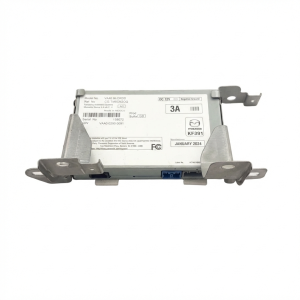
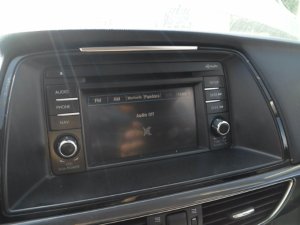
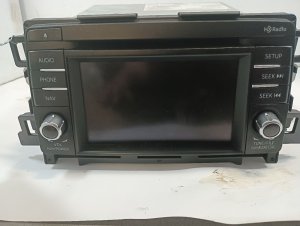
- Connectivity Master Unit (CMU): This is the computer that runs the Mazda Connect infotainment system. It's located behind the display screen. Failures here often cause software issues like rebooting, freezing, or a blank screen.
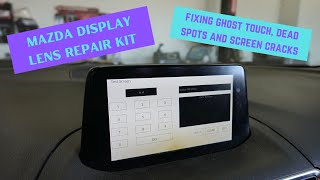
- Center Display Screen: This is the physical touchscreen. It is a separate part from the CMU. Its most common failures are physical: "ghost touch," delamination (peeling), or cracking.
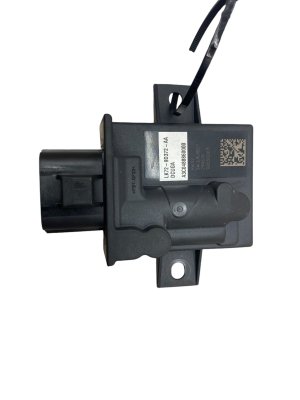
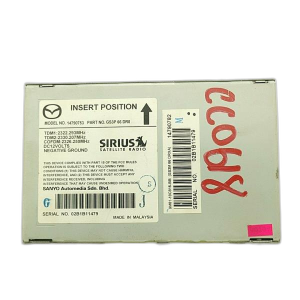
- Tuner and Amplifier Unit (TAU): In cars without the Bose system, this module handles AM/FM/satellite radio reception and powers the speakers. A bad TAU can lead to no sound.
- Bose Amplifier: Vehicles with the premium audio option have a separate Bose amplifier, usually located under the driver's or passenger's seat. When this amp fails, you'll get no sound from any speaker, even though the screen appears to be working fine.
- Commander Knob: The rotary controller and buttons on the center console. It can fail from wear or liquid spills, making it impossible to navigate the system menus without using the touchscreen.
Symptoms of a Failing Audio System
Problems with the Mazda infotainment system are widespread and well-documented. Here are the most common issues and what they usually point to.
1. Constant Rebooting or "Boot Loop"
The system gets stuck in a cycle where the Mazda logo appears, then the screen goes black, and the process repeats endlessly. This makes the radio, navigation, and backup camera unusable. This is almost always a problem with the Connectivity Master Unit (CMU) or its software. Common Causes:
- Corrupted Navigation SD Card: Before assuming the CMU is bad, try this simple test. Turn the car off, remove the navigation SD card from its slot (usually in the center console or armrest), and start the car again. If the rebooting stops, the SD card is corrupted and needs to be replaced. 🎬 Watch: How to diagnose a rebooting infotainment system
- Software Glitch: The CMU's internal software can become corrupted. In a widely reported incident in early 2022, an issue with image files broadcast by an NPR radio station caused many Mazda infotainment systems to enter a permanent boot loop.
- Failing CMU Hardware: The internal memory of the CMU can fail over time, similar to a computer's hard drive, leading to boot loops.
2. "Ghost Touch" and Phantom Inputs
The touchscreen acts as if it's being pressed when no one is touching it. This can cause it to randomly change radio stations, make calls, or alter navigation routes, creating a major distraction. This is a hardware failure of the screen itself, not the CMU. Common Causes:
- Digitizer Failure: The top layer of the screen that detects touch, called the digitizer, can corrode or delaminate from heat and humidity. This causes it to send false touch signals to the CMU. This issue is so common that Mazda issued a Special Service Program (SSPB6) to replace the screens on certain 2014-2016 Mazda 3 models.
3. Screen Delamination or "Spider Cracks"
The edges of the screen may look like they are peeling, bubbling, or developing a spider-web pattern of cracks under the surface. This is a physical breakdown of the adhesive layers in the display assembly, often made worse by heat cycles. While it may be cosmetic at first, it can eventually lead to ghost touch or total screen failure.
🎬 See this step-by-step screen delamination repair guide4. No Audio Output
The infotainment screen works perfectly—you can change stations and see music information—but there is no sound from any of the speakers. Common Causes:
- Bose Amplifier Failure: This is the most common cause in vehicles with the premium sound system. The Bose amplifier, located under a front seat, is prone to failure. Water damage from spills or floor moisture is a frequent culprit.
- Tuner and Amplifier Unit (TAU) Failure: In non-Bose cars, the integrated TAU may have failed.
- Software Glitch: In some cases, a software update for the tuner module can resolve a no-sound condition. A system reset may also temporarily restore sound.
Pro Tip: Before any repair, try a soft reset. Press and hold the Mute + Nav + Back buttons simultaneously for about 10-20 seconds until the system reboots. This can sometimes clear temporary software glitches causing freezing or connectivity issues.
Known Issues, TSBs, and Warranty Extensions
Mazda has acknowledged several of these widespread issues and, in some cases, has offered relief to owners outside of the standard warranty. Before paying for any repairs, always contact a Mazda dealer with your VIN to check for open recalls or warranty extensions.
- Customer Service Program (CSP13): This is a limited warranty extension for the Connectivity Master Unit (CMU) that covers issues like rebooting and freezing. It applies to a wide range of models, including the 2014-2018 Mazda 3, 2016-2021 Mazda 6, 2016-2021 CX-3, 2016-2020 CX-5, 2016-2020 CX-9, and 2016-2023 MX-5 Miata. Diagnosis under this program should be free, and if the CMU is found to be faulty, it may be replaced at no cost.
- Special Service Program (SSPB6): This program extended the warranty to 7 years (unlimited mileage) for the center display screen on certain 2014-2016 Mazda 3 vehicles to address the "ghost touch" problem.
- TSBs for Screen Repair: Mazda has issued technical service bulletins (e.g., TSB 09-037/21 for Mazda 6, 09-003/22 for CX-5) acknowledging screen delamination and ghost touch. These bulletins instruct technicians to replace the screen's digitizer using a repair kit, rather than replacing the entire expensive display unit. 🎬 Watch: How to fix a ghost touch screen
Warning: The warranty extensions (like CSP13) typically cover the CMU (for rebooting/freezing) but NOT the display screen (for ghost touch/cracking). While diagnosis should be free, the dealer may state that a screen replacement is not covered under the CMU warranty. However, some owners have successfully argued for coverage.
Buying a Used Audio System: What to Look For
Given the high cost of new components from a dealer, buying a quality used OEM part is often the most cost-effective solution. Here’s what you need to know.
Compatibility is Everything
You cannot mix and match audio components. A successful replacement depends on getting the exact right part for your vehicle's specific configuration.
- Match the Part Number: The single most important step is to match the OEM part number. You will likely need to remove the defective unit from your dash to find the number printed on its label. A used CMU or amplifier with the same part number is highly likely to be plug-and-play.
- Bose vs. Non-Bose: Amplifiers and head units are different between the standard audio system and the premium Bose system. They are not interchangeable.
- Check System Features: Head units (CMUs) are often specific to vehicles with or without navigation, the number of speakers (e.g., 11-speaker system), and screen size. Ensure the donor vehicle had the same options as yours.
Physical Inspection
When buying a used module, inspect it for:
- Screen Condition (for Displays): Check for any signs of delamination, deep scratches, or cracks.
- Connectors: Make sure all connector pins are straight and free of corrosion.
- Water Damage (for Amplifiers): Bose amps are often mounted on the floor and are susceptible to water damage. Look for any signs of corrosion or water stains on the casing. A water-damaged amplifier is usually not repairable.
Programming and Installation Requirements
One of the biggest questions buyers have is whether a replacement module needs to be programmed by a dealer.
- Connectivity Master Unit (CMU): In many cases, a used CMU with a matching part number is plug-and-play. Basic functions like radio and Bluetooth should work immediately. Some advanced features or vehicle settings may require configuration, which can sometimes be done with advanced DIY tools like FORScan, but a dealer visit is generally not required for the main functions to operate.
- Amplifiers (Bose and Standard): These are typically plug-and-play. They are not VIN-locked and do not require programming.
- Display Screen: A replacement screen is plug-and-play and does not require programming.
DIY Fix for Ghost Touch: If you're dealing with ghost touch and don't want to replace the screen, you can permanently disable the touch function. This involves disassembling the unit to unplug the small ribbon cable for the touchscreen digitizer. The system can then only be controlled with the commander knob, but it completely stops the phantom inputs.
Cost of Replacement (2026 Estimates)
| Component | New OEM (Dealer) | Used OEM (Online/Salvage) | Shop Labor |
|---|---|---|---|
| CMU / Head Unit | $1,500 - $2,300+ | $75 - $200 | $150 - $300 |
| Center Display Screen (Full Assembly) | $1,000 - $1,500+ | $100 - $250 | $100 - $250 |
| Bose Amplifier | $800 - $1,200 | $150 - $350 | $80 - $150 |
| Screen Digitizer Repair Kit | N/A | $30 - $50 | $200 - $400 (if shop will do it) |
Frequently Asked Questions (FAQ)
My screen is cracking and touching things on its own. Do I need a whole new radio?
No, almost certainly not. The screen and the radio computer (CMU) are separate parts. The "ghost touch" and cracking issue is a failure of the display screen's top layer. You can replace just the screen assembly or, for a much cheaper fix, a DIY-friendly digitizer repair kit is available that replaces only the faulty layer.
Can I upgrade my standard radio to a Bose system by swapping parts?
This is not a simple plug-and-play swap. The Bose system uses a different amplifier, different speakers with specific impedance, and additional wiring. While technically possible, it would be a complex and expensive project requiring significant modification to the vehicle's wiring harness.
Do I have to go to the dealer to replace my CMU?
For a straightforward replacement, no. If you buy a used CMU with a part number that matches your original unit, it should work upon installation for most features. You will not be locked out by an anti-theft system. However, if you install a unit with a different part number or from a different model, you may need a dealer or a specialist with tools like FORScan to configure it correctly.
Why did my radio stop working after the car battery died or was replaced?
These systems do not use a traditional radio code. However, a power loss can sometimes cause the system's software to glitch. The first step is to try a soft reset by holding the Mute, Nav, and Back buttons for 10-20 seconds to force a reboot. If that doesn't work, the issue may be more serious, but it is not related to an anti-theft code.
Helpful Videos

Technical Specifications
OEM Part Numbers: DB4G669C0 DB4G669C0A G46D66A20 G46D66A20A GBEF-66-A20B GBEF66A20 GBEF66A20A GDDL669C0 GHP966920A GJE8-66-920 GJE866920 GJS166DV0A GJS166DV0B GJS266DJ0B GJS266DV0 BBM466920 BHY1-61-1JZ GRY7-61-1JZ K1Y3-61-1JZ
System consists of multiple components: Connectivity Master Unit (CMU), Center Display Screen, Tuner/Amplifier Unit (TAU), and optional external Bose Amplifier. Compatibility is dependent on trim, model year, and factory options (Bose vs. non-Bose, Navigation).
We Have This Part in Stock


The information in this article is provided for general reference and educational purposes only. Vehicle specifications, procedures, and part compatibility can vary by production date, trim level, and region. Always consult your vehicle's factory service manual and verify part numbers before purchasing or performing repairs. Safety-critical components such as airbags, seat belts, and braking systems should be installed by a qualified professional.
- Mazda 6:
- Mazda 3:
- Mazda CX-5:
- Mazda CX-3:
- Mazda CX-7:
- Mazda CX-9:
- Mazda MX-5 Miata:
- 🎬 Helpful Videos
- 🛍️ Shop This Part
- Understanding the Components of Your Mazda's Audio System
- Symptoms of a Failing Audio System
- 1. Constant Rebooting or "Boot Loop"
- 2. "Ghost Touch" and Phantom Inputs
- 3. Screen Delamination or "Spider Cracks"
- 4. No Audio Output
- Known Issues, TSBs, and Warranty Extensions
- Buying a Used Audio System: What to Look For
- Compatibility is Everything
- Physical Inspection
- Programming and Installation Requirements
- Cost of Replacement (2026 Estimates)
- Frequently Asked Questions (FAQ)
- 🎟️ Get 5% Off