

2015-2016 Nissan GT-R Audio System: The Critical Mid-Year Change and Programming You Can't Ignore
This guide details the essential compatibility warnings and mandatory dealer programming required when replacing the audio system in your 2015-2016 GT-R.
- A replacement audio unit MUST be electronically configured to the car by a Nissan dealer using their CONSULT-III Plus tool.
- The configuration process requires saving settings from the OLD unit first; if your unit is completely dead, this may not be possible.
- 2015 and early 2016 models (built before May 2015) use a different system than later 2016+ models; they are not interchangeable.
- Common failure symptoms include a black screen, system freezing, and no audio, often accompanied by a U1000 communication code.
Symptoms of a Failing GT-R Audio System
When the audio control unit in a 2015-2016 GT-R begins to fail, it can present a variety of frustrating issues. Recognizing these symptoms can help you determine if the head unit is the source of the problem.
- Black or Blank Screen: The most common failure is a screen that goes completely black. The audio might still play, but you will have no visual display for navigation, radio stations, or the multi-function performance meters.
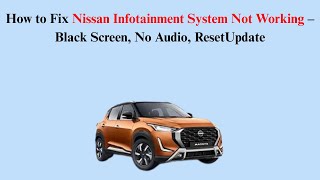
- Freezing or Unresponsive Controls: The system may freeze on the Nissan logo or become completely unresponsive to button presses or touchscreen inputs. Sometimes, a soft reset by pressing and holding the power button for 10-15 seconds 🎬 Watch: How to reset and fix a black infotainment screen can temporarily fix this.
- Intermittent Audio or No Sound: You may experience sound cutting in and out, or a complete loss of audio from all speakers.
- Bluetooth Connectivity Problems: The unit may fail to pair with phones, or the connection may drop frequently.
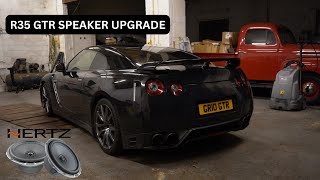
- Rattling or Blown Door Speakers: While not a head unit failure, a very common issue on the R35 GT-R is the failure of the front lower Bose door speakers, which can produce rattling or distorted sound. 🎬 See this walkthrough for upgrading your R35 front door speakers
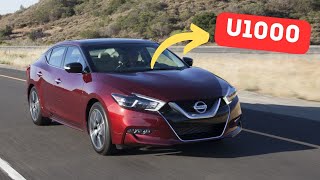
- Check Engine Light with U1000 Code: A failing audio unit can disrupt the vehicle's Controller Area Network (CAN bus), a communication system between modules. This can trigger a U1000 CAN Communication code and illuminate the check engine light. This code often points to a bad ground connection or a faulty module. 🎬 Learn more about diagnosing the Nissan U1000 communication code
Compatibility Warning: The 2015 model year was the last to use this specific audio system architecture. The 2017 GT-R, which began production in 2016, introduced a completely redesigned interior with a new 8-inch screen and different control layout. This means some vehicles with a 2016 model year title may have the newer system if they were produced later in the year. The provided OEM part numbers 25915JF34A and 25915JF34B are for 2015 models and early 2016 models manufactured on or before April 30, 2015. Always verify your vehicle's production date, found on the driver's side door jamb sticker, before ordering.
Programming and Installation: A Dealer Visit is Required
Replacing the AV Control Unit in a 2015-2016 GT-R is NOT a plug-and-play procedure. This is the most critical factor for anyone considering this repair.
Configuration with CONSULT-III Plus
According to Nissan Technical Service Bulletin NTB15-075a, a specific configuration process must be performed when the AV Control Unit is replaced. This procedure requires a Nissan-specific diagnostic tool called CONSULT-III Plus. The process involves connecting the tool to the vehicle, saving the configuration data from the original (old) unit, installing the replacement unit, and then writing the saved configuration to the new part.
Important: If your original audio unit is completely dead and cannot communicate with the diagnostic tool, the dealer may not be able to retrieve the necessary configuration file. This can prevent the successful installation of a replacement unit. Discuss this possibility with the service department before purchasing a used part.
Anti-Theft Security Code
Like many Nissan vehicles, the GT-R's audio system is likely equipped with an anti-theft security code. After installation or if the battery is disconnected, the unit may lock itself and require a 4-digit PIN to function. This code is typically on a card included with the owner's manual. If lost, a Nissan dealer can retrieve it with the vehicle's VIN and proof of ownership.
Buying a Used 2015-2016 GT-R Audio System
Given the high cost of a new unit, a used OEM audio system is the most practical solution for most owners. However, the mandatory programming makes the process more complex. Here’s what you need to know:
- Verify the Part Number: Double-check that the part number on the used unit matches your original. The primary numbers are 25915JF34A and 25915JF34B.
- Factor in Dealer Costs: You MUST budget for a visit to a Nissan dealer or a specialized independent shop with a CONSULT-III Plus tool for configuration. This is not an optional step.
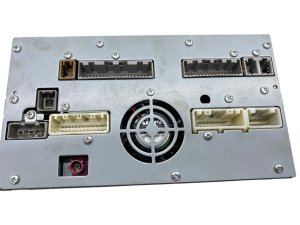
- Condition is Key: Inspect photos for any damage to the screen, such as scratches or delamination (a peeling or bubbling effect). Ensure all buttons are intact and the connectors on the back are not damaged.
- Seller Reputation: Purchase from a reputable auto recycler that offers a warranty. This protects you if the unit is dead on arrival or has undisclosed issues.
- Why Used OEM is a Good Choice: For a complex, integrated system like this, a used OEM unit is superior to most aftermarket options. It ensures all factory functions, including the critical multi-function display meters, work as intended. Aftermarket systems often struggle to replicate this deep integration, and many require extensive custom wiring.
Cost Comparison
The cost to replace the GT-R audio system can vary significantly based on the path you choose.
| Part/Service | Estimated Cost |
|---|---|
| New OEM Unit | $3,000 - $5,000+ |
| Used OEM Unit | $400 - $800 |
| Aftermarket Head Unit Kit | $1,500 - $2,500+ |
| Shop Labor (Replacement) | $200 - $400 |
| Shop Labor (Programming/Configuration) | $150 - $300 |
Frequently Asked Questions (FAQ)
Does a replacement audio unit need to be programmed?
Yes, absolutely. According to Nissan TSB NTB15-075a, the replacement AV Control Unit must be configured to the vehicle using the Nissan CONSULT-III Plus diagnostic tool. This is not optional.
Can I install a used GT-R radio myself?
You can perform the physical installation, which involves removing dashboard trim panels to access and swap the unit. However, you will still need to take the vehicle to a dealer or qualified specialist for the final electronic configuration.
What is the difference between the 2015 and later 2016 GT-R audio systems?
The 2015 and early 2016 models use the system described in this guide. The 2017 model year (which started production in 2016) received a major interior update, including a larger 8-inch screen, fewer buttons, and a new control knob on the center console. The two systems are not interchangeable.
My screen is black. Do I have to replace the whole unit?
First, try a soft reset by holding the power/volume knob for 10-15 seconds. If that doesn't work, the issue could be the screen itself or the main control unit. In many cases, the entire unit must be replaced. A U1000 communication code often accompanies this failure, which can also be caused by a bad ground wire, so it's worth checking electrical connections first.
Helpful Videos

Technical Specifications
OEM Part Numbers: 25915JF34A 25915JF34B
Bose Premium Audio System with Navigation, integrated Multi-Function Display (MFD) controller.
We Have This Part in Stock

The information in this article is provided for general reference and educational purposes only. Vehicle specifications, procedures, and part compatibility can vary by production date, trim level, and region. Always consult your vehicle's factory service manual and verify part numbers before purchasing or performing repairs. Safety-critical components such as airbags, seat belts, and braking systems should be installed by a qualified professional.
- NISSAN GT-R: