

2013 Ram 1500, 2500, 3500, 4500 & 5500 Uconnect 8.4 RA4 Radio Failures
A deep dive into the common failures, replacement warnings, and repair options for the 2013 Ram Uconnect 8.4-inch RA4 navigation system.
- This RA4 Navigation radio is ONLY a direct replacement for 2013 Ram trucks that already have the same RA4 navigation system.
- The most common failure is screen delamination ("bubbling") which causes "ghost touches." This can often be fixed by replacing only the screen/digitizer, not the whole radio.
- Replacing a failed RA4 with a used RA4 is plug-and-play and does not require dealer programming, but you may need an anti-theft code.
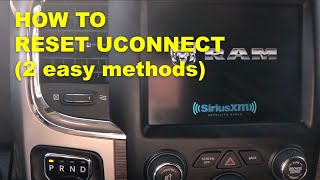
- Before replacing a dead unit, check all related fuses (including one on the firewall) and try a soft reset by holding the volume and tuner knobs.
Symptoms of a Failing Uconnect 8.4 RA4 Radio
A failing Uconnect RA4 radio in a 2013 Ram 1500, 2500, 3500, 4500, or 5500 can present a variety of frustrating issues. These problems can range from minor glitches to a complete system failure that impacts other vehicle functions.
Screen and Touch-Related Failures
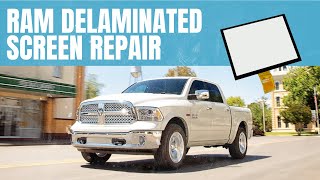
- Screen Delamination or "Bubbling": This is one of the most common physical failures. The adhesive between the outer touch layer (digitizer) and the inner LCD screen can break down over time, especially with heat and sun exposure. This creates unsightly air bubbles or streaks that look like leaking glue.
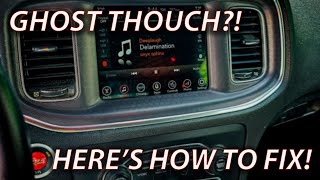
- "Ghost Touch" or Phantom Presses: As the screen delaminates, it can cause the system to register random, phantom touches. This can lead to the radio changing stations, making random phone calls, or altering climate control settings without any user input.
- Unresponsive Touchscreen: The screen may become partially or completely unresponsive to touch, making it impossible to control any of its functions. This can be due to delamination or internal hardware failure.
Software and Performance Issues
- Black or Blank Screen: The radio may fail to power on, displaying only a black screen. Sometimes this is intermittent, while other times it is a permanent failure.
- Freezing or Locking Up: The system may freeze on the Ram logo startup screen or become completely unresponsive during operation.
- Slow or Laggy Response: The unit may become extremely slow to respond to button presses or screen touches.
- Constant Re-booting: The radio may get stuck in a continuous loop of shutting down and restarting.
- Loss of Presets: The system may fail to save radio station presets or paired Bluetooth devices after the truck is turned off.
- Navigation Errors: The GPS may show the vehicle's location incorrectly, sometimes by hundreds of miles, or fail to acquire a satellite signal.
Connectivity and Other Problems
- Bluetooth Connection Failure: The unit may refuse to pair with phones or frequently drop the connection.
- USB Ports Not Working: The USB ports may stop charging devices or fail to read media from a USB drive.
- Battery Drain: In some cases, a faulty radio can fail to shut down properly with the ignition, leading to a parasitic drain that can kill the battery.
Pro Tip: Before assuming the radio is dead, try a soft reset. With the vehicle running, press and hold the volume and tuner knob buttons down at the same time for 10-20 seconds. The screen should flash and the system will reboot. Also, check for a loose connector under the driver's side dash, as this has been known to cause intermittent power issues.
Known Issues, TSBs, and Recalls
The 2013 Ram trucks and their Uconnect systems were subject to several software updates and one major security recall.
- NHTSA Recall 15V-467 (Chrysler R40): This critical recall addressed a software vulnerability that could allow unauthorized remote access to vehicle control systems through the radio's cellular connection. The fix was a software update, which Chrysler provided via a mailed USB drive or dealer installation. Most vehicles should have received this update, but it's a crucial point to verify.
- Technical Service Bulletin (TSB) 08-049-13 REV. F: This bulletin was released to address a long list of customer complaints for 2013-2014 Ram trucks with RA3 and RA4 radios. The issues included radio resets, screen lockups, blank screens, incorrect compass direction, navigation errors (including showing the vehicle in San Antonio, TX), battery drain, and loss of presets. The solution was a software update performed by the dealer.
Buying a Used Uconnect 8.4 RA4 Radio
Buying a used RA4 radio can be a cost-effective solution, but it comes with significant risks and compatibility traps. This is NOT a simple plug-and-play part.
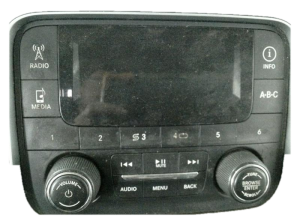
Warning: This RA4 radio (with Navigation) is a direct replacement ONLY for vehicles that were originally equipped from the factory with the same RA4 navigation system. It is NOT a direct upgrade for trucks with the base radio, the 5.0-inch screen (RA2), or the 8.4-inch non-navigation radio (RA3). While complex conversion harnesses and modules exist, they are not a simple swap.
Compatibility and Programming
- Direct Swap: If you are replacing a broken RA4 with another RA4, it is a direct, plug-and-play swap. No dealer programming is required for the radio to function.
- Anti-Theft Codes: These radios are often linked to the original vehicle's VIN. When installed in a new vehicle, the radio may display an "Enter Anti-Theft Code" message. While some online services or dealers may provide this code for a fee or for free, it's not guaranteed. It is best to get the code from the seller if possible.
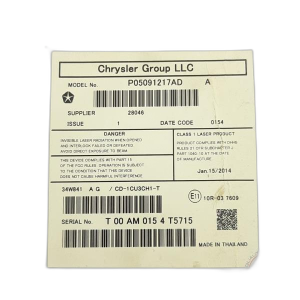
- Verify the Part Number: Ensure the part number on the used unit matches one of the known compatible numbers: 05091051AD, 05091051AJ, 05091051AK, or 5091051AG. The easiest way to tell an RA4 from an RA3 is the port for the GPS antenna on the back.
What to Inspect
- Screen Condition: Inspect the screen closely for any signs of bubbling, delamination, or deep scratches. Press gently on the corners and edges to see if any liquid-like movement occurs under the surface.
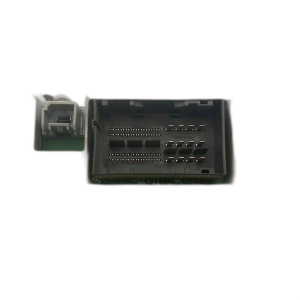
- Connectors: Check that all connectors on the back of the unit are intact and not damaged.
- Source Information: If possible, get the VIN of the vehicle the radio came from. This can be helpful for obtaining an anti-theft code if needed.
Replacement and Repair Options
DIY Screen Replacement
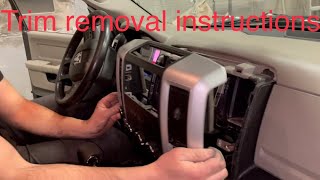
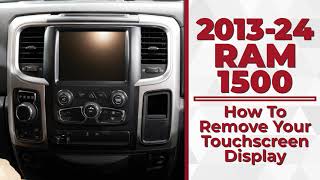
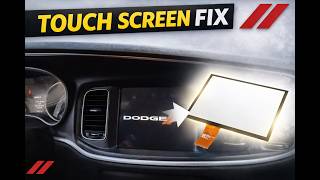
For issues of screen delamination and ghost touch, it is possible to replace only the screen and digitizer assembly, rather than the entire radio unit. This is a delicate repair that involves disassembling the radio but can save hundreds of dollars. The process involves removing the dash bezel, unscrewing the radio, and then carefully separating the radio chassis to access and replace the screen assembly.
Cost Comparison
The cost to fix a failed Uconnect RA4 can vary dramatically depending on the solution you choose.
| Replacement/Repair Option | Estimated Cost |
|---|---|
| New OEM Unit (from dealer) | $1,600 - $2,100+ |
| Used OEM Unit (from salvage yard) | $300 - $600 |
| New Aftermarket Head Unit (e.g., Kenwood, Pioneer) | $400 - $700+ (plus installation kits and labor) |
| Screen/Digitizer Replacement Kit (DIY) | $50 - $150 |
| Professional Repair Service (mail-in) | $400 - $700 |
| Shop Labor for Replacement | $100 - $250 |
Frequently Asked Questions
Can I upgrade my 2013 Ram's 5.0-inch (RA2) or non-nav 8.4-inch (RA3) radio to this RA4 navigation unit?
No, not directly. It is not a plug-and-play swap. Upgrading requires a special conversion wiring harness, a different HVAC control module, and potentially dealer programming to get all features to work. It is a complex and expensive conversion.
Does a replacement RA4 radio need to be programmed by the dealer?
If you are replacing a broken RA4 with another used RA4, it does not require dealer programming to function. It is a direct swap. However, you may need an anti-theft code to unlock it. You will also need to call SiriusXM to transfer your subscription to the new radio's ID.
My screen is bubbling and has "ghost touch." Do I need a whole new radio?
Not necessarily. This common problem is caused by the failure of the digitizer (the outer touch-sensitive layer). You can often fix this by replacing just the screen and digitizer assembly, which is much cheaper than replacing the entire radio unit. This can be a DIY repair for those comfortable with electronics, or you can use a mail-in repair service.
My radio screen is black and completely dead. What should I check first?
First, try a soft reset by holding the volume and tuner knobs for 20 seconds. If that doesn't work, check the radio-related fuses in the main fuse box. There is also a known inline fuse on the firewall near the brake booster that can cause this issue. Finally, check for loose electrical connectors under the driver's side dashboard.
Helpful Videos
Technical Specifications
OEM Part Numbers: 05091051AD 05091051AJ 05091051AK 5091051AG
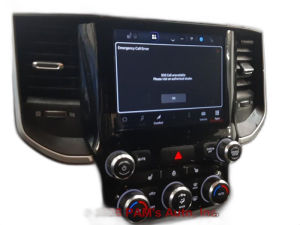
Uconnect 8.4AN (RA4) with 8.4-inch touchscreen and integrated GPS Navigation.
We Have This Part in Stock

The information in this article is provided for general reference and educational purposes only. Vehicle specifications, procedures, and part compatibility can vary by production date, trim level, and region. Always consult your vehicle's factory service manual and verify part numbers before purchasing or performing repairs. Safety-critical components such as airbags, seat belts, and braking systems should be installed by a qualified professional.
- Ram 3500:
- Ram 2500:
- Ram 1500:
- Ram 4500:
- Ram 5500:
- 🎬 Helpful Videos
- 🛍️ Shop This Part
- Symptoms of a Failing Uconnect 8.4 RA4 Radio
- Screen and Touch-Related Failures
- Software and Performance Issues
- Connectivity and Other Problems
- Known Issues, TSBs, and Recalls
- Buying a Used Uconnect 8.4 RA4 Radio
- Compatibility and Programming
- What to Inspect
- Replacement and Repair Options
- DIY Screen Replacement
- Cost Comparison
- Frequently Asked Questions
- 🎟️ Get 5% Off