

2011-2020 Subaru Legacy & Outback Audio System Failures and Replacement Guide
This guide covers common audio and infotainment problems in the 2011-2020 Subaru Legacy and Outback, from simple radio failures to widespread Starlink screen issues.
- Compatibility is critical. You must match the system type (Base, Harman Kardon, or Navigation) and the 'Face ID' number on the front of the unit.
- 2015-2020 models with Starlink infotainment are known for widespread failures like 'ghost touch' and freezing, leading to a class-action lawsuit.
- Replacing a failed unit with a used OEM unit of the exact same type is a plug-and-play job that does not require dealer programming or security codes.
- Upgrading from a base model to a factory navigation or Harman Kardon unit is not feasible due to major wiring differences.
Key Generation Differences
The audio systems in these vehicles are split into two distinct generations, each with its own set of common problems and replacement considerations.
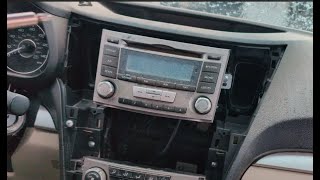
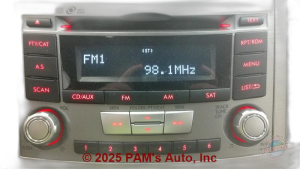
- 2011-2014 (Legacy Gen 5 / Outback Gen 4): These models use more conventional head units made by Clarion, Fujitsu Ten, and Panasonic. Systems are divided into base audio, premium Harman Kardon (HK) audio, and optional navigation units. Problems are typically simpler, such as CD player malfunctions, screen failures on navigation models, 🎬 Watch this step-by-step 2010-2014 radio removal guide. or loss of sound due to amplifier issues.
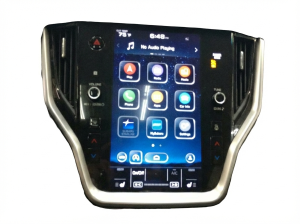
- 2015-2020 (Legacy Gen 6 / Outback Gen 5): These years feature the Harman-made Starlink infotainment system. While more feature-rich, these units are known for significant reliability issues, including screen delamination, phantom (ghost) touches, system freezing, constant rebooting, and complete failure. These widespread problems led to a class-action lawsuit.
Common Symptoms of a Failing Audio System
Audio system failures can range from a minor annoyance to a complete loss of function that can even affect other vehicle systems.
- Phantom or "Ghost" Touches: The screen registers touches that aren't happening, causing random menu changes, unwanted calls, and erratic behavior. This is a hallmark failure of 2015+ Starlink systems.
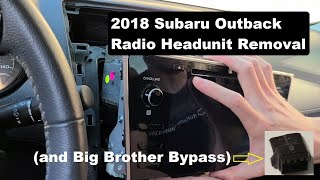
- Screen Delamination or Bubbling: The top layer of the touchscreen separates, creating bubbles and making the screen difficult to use. This is common on 2018 and newer models. 🎬 See how to remove a 2018-2019 head unit.
- No Sound: The head unit appears to function, but no audio comes from the speakers. This can be caused by a failed internal amplifier, a separate Harman Kardon amplifier failure, or a blown fuse. In some 2011 models, a continuously blowing 25-amp audio fuse often points to a shorted amplifier under the driver's seat.
- System Freezing or Rebooting: The unit becomes unresponsive or gets stuck in a continuous restart loop. This was a primary complaint in the Starlink class-action lawsuit.
- Blank or White Screen: The display goes completely blank, white, or black, even though audio may still play. This can indicate an internal failure of the head unit.
- Bluetooth Connectivity Issues: The system fails to pair with phones or constantly drops the connection.
- Backup Camera Failure: When the head unit fails, it often takes the backup camera display with it.
Warning: The audio system is more than just a radio. In 2015-2020 models, it integrates with vehicle settings and the EyeSight driver-assist system. A malfunctioning head unit can be a significant distraction and, in some cases, may affect the functionality of safety features.
Known Issues, Recalls, and Technical Service Bulletins (TSBs)
Starlink Infotainment Lawsuit
A major class-action lawsuit was settled regarding defective Harman Gen 3 Starlink head units in various Subaru models, including the 2018 Legacy and Outback. The lawsuit alleged these systems were prone to freezing, unresponsiveness, backup camera failure, and other issues that created a safety concern. A settlement provided an extended warranty (5 years / 100,000 miles) and reimbursement for some repairs. A second lawsuit was filed for similar issues on 2019-2023 models, including the Legacy and Outback.
Technical Service Bulletins (TSBs)
Subaru has issued numerous TSBs to address audio system problems, primarily through software updates.
- TSB 15-240-19R: Addresses issues with the Harman audio amplifier in 2018-2022 models, including no audio output, intermittent maximum volume, and buzzing or crackling sounds. The fix involves replacing the amplifier.
- TSB 15-261-20R & 15-270-20R: These bulletins provide procedures for updating the firmware on Gen 4 Denso infotainment systems (2020-2022 models with the 11.6-inch screen) via USB or Firmware-Over-The-Air (FOTA) to fix bugs and lag.
- TSB 15-211-17R (and related): Part of a series of updates for the Harman Gen 3.0 head units (approx. 2017-2018 models) to address various functional errors.
Owners can sometimes perform these updates themselves, but many are designed to be done by a dealer. A software update can often resolve glitches, but it will not fix hardware failures like screen delamination or internal shorts.
Buying a Used Audio System for Your Subaru Legacy or Outback
Buying a used OEM audio unit can be a cost-effective solution, especially for older models or base systems. However, compatibility is critical.
Compatibility is Everything: You cannot easily swap between system types. A base model radio will not work in a car with the Harman Kardon system, and a navigation unit will not work in a car that wasn't originally equipped with it. The vehicle's wiring harness is different for each system type.
How to Ensure Compatibility
- Identify Your System: Check if your car has the Harman Kardon (HK) system. Look for HK logos on the door speakers or head unit. If you have a large touchscreen with a map function, you have a navigation unit. If you have neither, you have the base audio system.
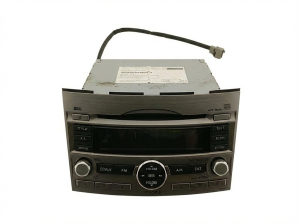
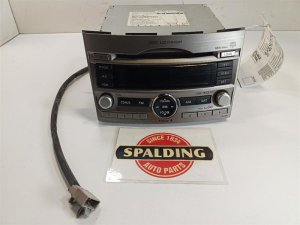
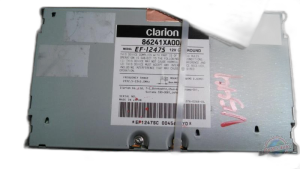
- Match the Face ID: Most Subaru head units have a small ID code printed on the front face, often near the CD slot or a knob. Examples include 'CB826UL' for a base Clarion unit or 'FB876US' for a Fujitsu Ten navigation unit. You must match this Face ID number to ensure the replacement unit has the same features and connectors as your original.
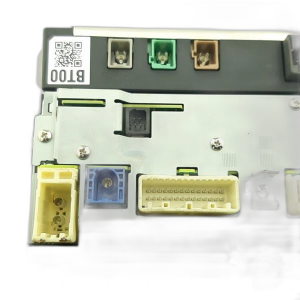
- Inspect the Connectors: When buying, compare a photo of the back of the used unit with your original unit if possible. The number and layout of the connectors must be identical.
Why Choose a Used OEM Unit?
- Plug-and-Play Installation: For a like-for-like swap (matching Face ID and system type), the installation is plug-and-play. No special wiring is needed.
- No Security Codes: Unlike many other brands, Subaru head units are generally not tied to a specific vehicle with an anti-theft code. A used unit should work immediately upon installation.
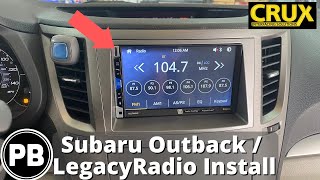
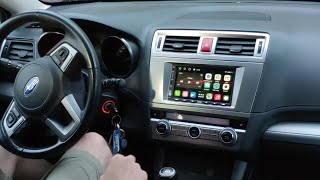
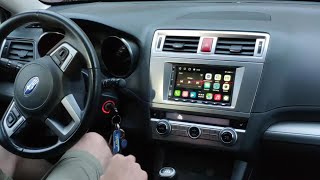
- Retained Functionality: Steering wheel controls, backup camera, and other integrated features will work seamlessly, without the need for expensive adapter modules like the iDatalink Maestro required for aftermarket units. 🎬 Watch this aftermarket radio installation walkthrough.
Programming and Installation
For a direct swap of a failed unit with a functioning used unit of the same model, no programming or dealer visit is required. The systems are not linked to the vehicle's VIN and do not have an anti-theft immobilizer link that needs to be reset. This makes replacement a feasible DIY job for many owners.
However, if you are attempting to upgrade (e.g., from a base radio to an aftermarket navigation unit), significant work is involved. This often requires custom wiring harnesses, antenna adapters, and interface modules (like a Maestro) to retain features like steering wheel controls and the backup camera. Aftermarket installation in a car with the Harman Kardon system is particularly complex due to the external amplifier.
Cost Comparison
| Part Type | Estimated Cost |
|---|---|
| New OEM Head Unit | $1,200 - $2,000+ |
| New Aftermarket Head Unit (Parts Only) | $250 - $800+ |
| Used OEM Head Unit | $150 - $500 |
| Shop Labor for Replacement | $150 - $300 |
Note: Aftermarket installations often require additional parts like wiring harnesses, dash kits, and steering wheel control interfaces, which can add $100-$300+ to the total cost.
Frequently Asked Questions (FAQ)
Will I need a security code if I install a used radio?
No. Subaru audio systems from this era are not typically protected by security codes. A compatible used unit should work immediately after being connected.
Can I upgrade my base radio to a factory navigation or Harman Kardon unit?
This is not recommended and is very difficult. The wiring harnesses are different between the base, Harman Kardon, and navigation systems. It would require extensive, complex, and costly modifications to the vehicle's wiring to make it work. It is much more practical to install an aftermarket unit if you want to add features like navigation.
My touchscreen is acting crazy ("ghost touch"). Do I need a whole new radio?
Yes, most likely. The "ghost touch" issue is caused by a hardware failure in the touchscreen digitizer. While some specialized repair services exist, the most common and reliable fix is to replace the entire head unit. Software updates will not fix this problem.
Is it difficult to replace the radio myself?
For a direct swap, the replacement is relatively easy for a DIYer with basic tools. It involves removing trim panels around the unit, unscrewing four screws holding the radio in place, and disconnecting the wiring harnesses. The process typically takes 1-2 hours.
Helpful Videos
Technical Specifications
OEM Part Numbers: CB826UL FE688US PE658U1 PE669U1 PF-3689 FB856UM FB876US FT0086A PE627U1 86201-AL85A 86201AJ61A 86201AJ62A 86201AJ65A 86201AJ66A 86201AL62A
System types include Base Audio (Clarion, Panasonic), Premium Audio (Harman Kardon amplifier), and Navigation (Fujitsu Ten, Clarion). Later models (2015+) use Harman-made Starlink systems. 2020+ models may use Denso systems.
We Have This Part in Stock

The information in this article is provided for general reference and educational purposes only. Vehicle specifications, procedures, and part compatibility can vary by production date, trim level, and region. Always consult your vehicle's factory service manual and verify part numbers before purchasing or performing repairs. Safety-critical components such as airbags, seat belts, and braking systems should be installed by a qualified professional.
- Subaru Legacy:
- Subaru Outback:
- 🎬 Helpful Videos
- 🛍️ Shop This Part
- Key Generation Differences
- Common Symptoms of a Failing Audio System
- Known Issues, Recalls, and Technical Service Bulletins (TSBs)
- Starlink Infotainment Lawsuit
- Technical Service Bulletins (TSBs)
- Buying a Used Audio System for Your Subaru Legacy or Outback
- How to Ensure Compatibility
- Why Choose a Used OEM Unit?
- Programming and Installation
- Cost Comparison
- Frequently Asked Questions (FAQ)
- 🎟️ Get 5% Off