

Prius & Prius Prime Audio System Guide: Solving Screen & Sound Issues (2018-2025)
Diagnose common audio failures and learn how to choose the correct used replacement screen, avoiding costly compatibility mistakes with JBL, navigation, and screen size options.
- You must distinguish between 4th Gen (2018-2022) and 5th Gen (2023-2025) models; their audio systems are not interchangeable.
- Compatibility is critical: You MUST match your original unit's sound system (JBL vs. standard) and screen size to ensure a replacement will work.
- Many common issues like random reboots and freezing may be fixed by a software update from a dealer (per TSB T-SB-0045-22), potentially avoiding costly replacement.
- All replacement units (new or used) will likely require a "VIN Synchronization" with Toyota's Techstream software to restore full functionality, especially for Connected Services.
A Critical Distinction: 4th Gen (2018-2022) vs. 5th Gen (2023-2025)
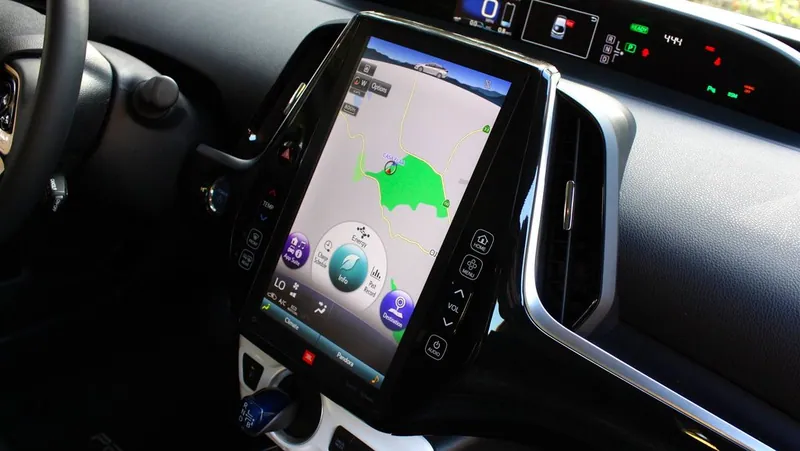
Before diagnosing or replacing your audio system, it's essential to identify your vehicle's generation. The audio systems are completely different between these two groups and are not interchangeable.
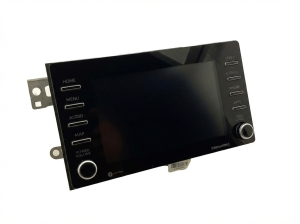
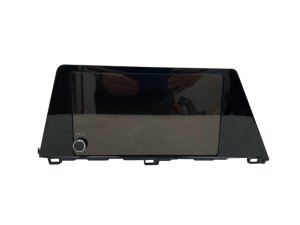
- 4th Generation (2018-2022 Prius, 2019-2022 Prius Prime, 2019-2020 Prius AWD-e): These models typically feature a 7-inch touchscreen or a large, vertically-oriented 11.6-inch screen (primarily on Prius Prime). They run on Toyota's Entune 3.0 software platform.
- 5th Generation (2023-2025 Prius & Prius Prime): These models feature a standard 8-inch or an optional 12.3-inch landscape-oriented touchscreen. They run the newer Toyota Audio Multimedia interface.
Warning: The year ranges covered in this guide span two different vehicle generations. Parts are NOT cross-compatible. Always confirm your vehicle's model year before sourcing a replacement part.
Common Failure Symptoms

Most audio system issues in these Prius models are software-related, but they can mimic hardware failure. Before assuming the unit is broken, try a simple soft reset.
Pro Tip: To perform a soft reset, press and hold the power/volume knob for about 10-12 seconds until the Toyota logo appears on the screen. 🎬 Watch this quick video to see the soft reset process. This can resolve many temporary glitches like freezing or connectivity issues and can be done while driving.
- Constant Rebooting or Boot Loop: The unit repeatedly shows the Toyota logo, shuts down, and restarts. This makes using any audio or navigation function impossible and is often linked to a software bug.
- Black or Unresponsive Screen: The screen may go completely black while the side button lights remain on, or it may freeze and not respond to touch. Sometimes audio continues to play, but control is lost.
- No Sound or Distorted Audio: The head unit appears to work, but no sound comes from the speakers. This can be caused by a failure of the unit's internal amplifier (on standard systems) or an issue with the external JBL amplifier.
- Bluetooth & Smartphone Connection Failures: The system may struggle to pair with a phone, drop connections, or have no audio during calls despite being connected.
- App or Feature Failures: On older models, you may see messages like "Maps not installed" or find that apps on the screen are grayed out and fail to install. Note that the Entune App Suite was discontinued in late 2023, so some of these features may no longer be supported.
Known Issues, Recalls, and Technical Service Bulletins (TSBs)
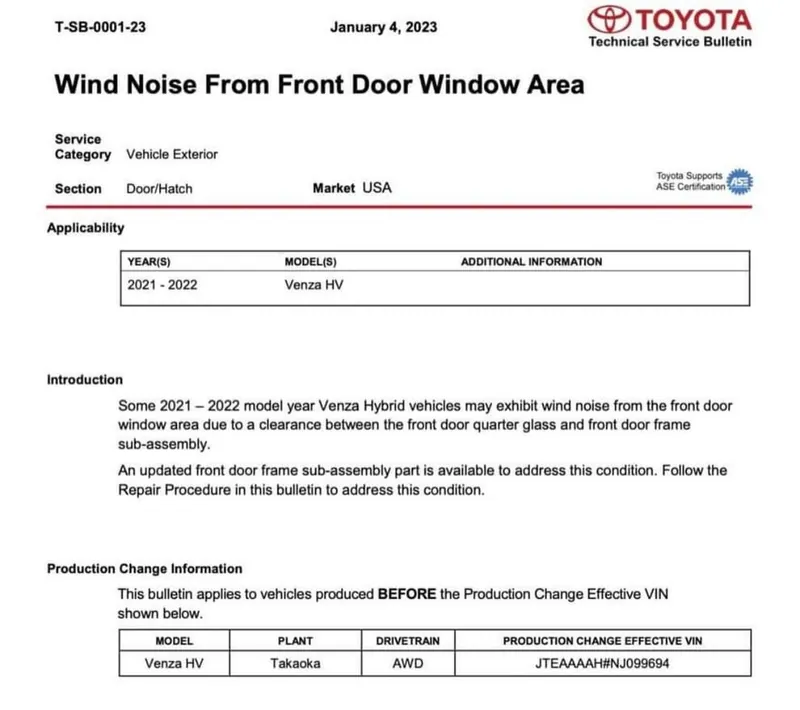
For many of the common software-related problems, Toyota has issued Technical Service Bulletins (TSBs) that allow dealers to update the system's software. If your car exhibits symptoms like random reboots or freezing, a software update might be the fix instead of a full hardware replacement.
- TSB T-SB-0045-22: This bulletin supersedes a previous TSB and provides a software update to fix numerous issues, including intermittent reboots (especially with an iPhone connected) and the screen freezing during calls.
- General Software Glitches: Owners of 2023 and newer models have also reported random reboots and connectivity issues with the new Toyota Audio Multimedia system. In some cases, disconnecting the 12V battery for 30 minutes to force a hard reset has resolved these issues.
As of early 2026, there are no widespread recalls specifically for the main audio head unit in these vehicles.
Buying a Used Toyota Prius Audio System: A Step-by-Step Guide
Purchasing a used OEM audio unit can save you thousands of dollars compared to a new one from a dealer. However, compatibility is extremely complex. Follow these steps carefully to ensure you get the right part.
- Confirm Vehicle Generation and Screen Size: First, determine if you have a 4th Gen (2018-2022) or 5th Gen (2023-2025) Prius. Then, identify your screen size: 7-inch, 8-inch, 11.6-inch (vertical), or 12.3-inch (horizontal). A unit from a different generation or with a different screen size will not work.
- Identify Your Sound System (JBL vs. Standard): This is the most critical compatibility check. Look for a 'JBL' logo on your speaker grilles or on the face of the head unit itself.
- Standard System: The amplifier is built into the head unit.
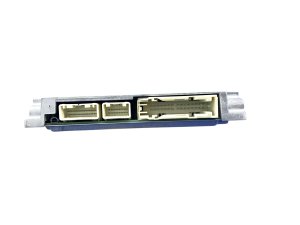
- JBL System: Uses a separate, external amplifier. The head units are NOT interchangeable. A JBL head unit installed in a non-JBL car will result in non-working volume controls.
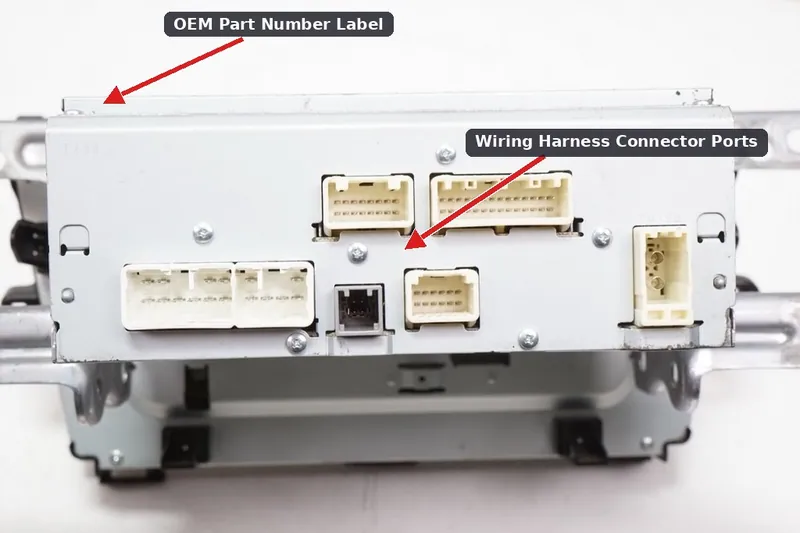
- Match the OEM Part Number: The surest way to guarantee compatibility is to match the part number from your original unit. This is typically found on a sticker on the metal housing of the radio. You will need to remove the unit to see this.
- Key Part Numbers for 5th Gen (2023-2025) 12.3-inch Screens:
- 86100-47850: For vehicles with the standard 6-speaker sound system (e.g., Prius XLE). This is the correct unit to use if upgrading an LE model.
- 86100-47860: For vehicles with the premium JBL sound system (e.g., Prius Limited). Do NOT use this in a non-JBL car.
- Key Part Numbers for 4th Gen (2018-2022) Screens:
- 86140-47271: Fits many 2018-2020 Prius, Prius AWD-e, and Prius Prime models, typically with the 7-inch screen.
- 86140-47620: Fits 2020-2022 models, often with the 8-inch screen.
Programming and Installation
Replacement of the audio head unit is a feasible DIY project for those comfortable with removing interior trim panels. It typically involves using plastic trim tools to unclip the dashboard surround and removing four 10mm bolts holding the unit in place.
Programming Required: All replacement audio units, whether new or used, may require a "VIN sync" or initialization procedure using Toyota's Techstream diagnostic software. While some units may be plug-and-play for basic audio functions, features like Connected Services will not work until the unit is properly registered to the vehicle's VIN. In some cases, a dealer visit may be necessary to restore full functionality.
Estimated Costs
The cost difference between new and used OEM units is significant, making a used part a very attractive option.
| Part Source | Estimated Cost |
|---|---|
| New OEM (Dealer) | $4,000 - $12,000+ |
| New Aftermarket | $400 - $1,500 (Varies by features) |
| Used OEM (Salvage) | $300 - $2,000 (Depending on screen size and condition) |
| Shop Labor for Installation | $150 - $350 |
Frequently Asked Questions (FAQ)
Can I upgrade my 8-inch screen to the 12.3-inch screen?
Yes, on the 2023-2025 models, this is a popular and feasible upgrade. It is considered a plug-and-play swap, but you MUST use the correct part number. For a base (LE) model with the standard sound system, you need part number 86100-47850 from an XLE trim. Using the JBL version (86100-47860) will result in the volume knob not working.
Does a replacement radio need to be programmed by the dealer?
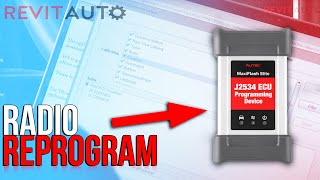
It's highly likely. While the radio may power on and play audio, full functionality, especially for connected services, requires a VIN synchronization using Toyota's specific software. Some independent shops with the right tools (like Autel J2534 with a TIS subscription) may be able to perform this, 🎬 See how to reprogram a replacement radio using the Autel J2534. but a dealer is the most certain option.
Why did my radio screen go black but I can still hear music?
This usually points to one of three issues: a software glitch, a failure of the display screen itself, or a loose connection behind the unit. First, try a soft reset by holding the power knob for 10-12 seconds. If that doesn't work, the unit may need to be inspected for loose cables or replaced.
Will a JBL head unit work in my car with a standard sound system?
No, they are not interchangeable. The JBL system uses an external amplifier, and its head unit is designed to send signals to that amp. A standard system has the amplifier inside the head unit. If you install a JBL unit in a non-JBL car, you will have issues like the volume controls not working.
Helpful Videos
Technical Specifications
OEM Part Numbers: 86100-47850 86100-47860 86140-47271 86140-47620 86140-47770 86140-47A70 8614047A70 86280-47120
Screen Sizes: 7-inch, 8-inch, 11.6-inch (vertical), 12.3-inch (horizontal). Sound Systems: Standard (internal amplifier) or Premium (external JBL amplifier). Software: Entune 3.0 (2018-2022), Toyota Audio Multimedia (2023-2025).
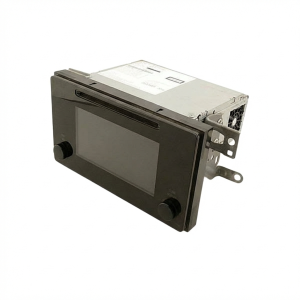
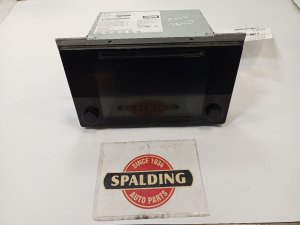
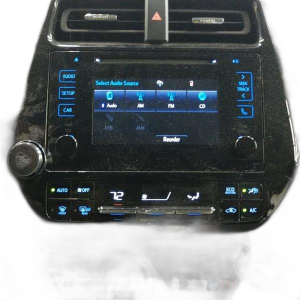
We Have This Part in Stock

The information in this article is provided for general reference and educational purposes only. Vehicle specifications, procedures, and part compatibility can vary by production date, trim level, and region. Always consult your vehicle's factory service manual and verify part numbers before purchasing or performing repairs. Safety-critical components such as airbags, seat belts, and braking systems should be installed by a qualified professional.
- Toyota Prius:
- Toyota Prius Prime:
- Toyota Prius AWD-e:
- 🎬 Helpful Videos
- 🛍️ Shop This Part
- A Critical Distinction: 4th Gen (2018-2022) vs. 5th Gen (2023-2025)
- Common Failure Symptoms
- Known Issues, Recalls, and Technical Service Bulletins (TSBs)
- Buying a Used Toyota Prius Audio System: A Step-by-Step Guide
- Programming and Installation
- Estimated Costs
- Frequently Asked Questions (FAQ)
- 🎟️ Get 5% Off