

2016-2024 Toyota Sienna Audio System: Solving Reboots, No Sound & JBL vs. Standard Systems
This guide explains the critical differences between the standard and JBL premium audio systems and helps you diagnose common failures like a blank screen or intermittent sound.
- The single most important factor when replacing an audio component is identifying if your Sienna has the standard system or the premium JBL system. They are not interchangeable.
- Most used OEM replacement head units are plug-and-play and do not require dealer programming or anti-theft codes.
- Common failures like random rebooting are often software-related and may be fixed with a hard reset or a software update from a dealer, potentially avoiding the cost of a replacement unit.
- If you have no sound but the screen works, check the audio-related fuses first. On JBL-equipped models, a failed amplifier is a common cause of total sound loss.
Variant Differences: Standard vs. Premium JBL Audio
Before troubleshooting or buying a replacement audio component for your 2016-2024 Sienna, you must first identify which system your vehicle has. The standard and JBL systems use different head units and amplifiers that are not interchangeable. Installing the wrong component will result in it not working.
- Standard Audio: This system typically comes with 6 or 8 speakers and is found on lower trim levels.
- JBL Premium Audio: This is a 12-speaker, 1200-watt system that includes an external amplifier and a subwoofer. It is standard on Woodland Edition, Limited, and Platinum trims, and was an option on XLE and XSE models.
How to Identify Your System
The easiest way to tell which system you have is to look for the JBL logo. Check these locations:
- On the front door speaker grilles.
- On the face of the head unit itself, often near the screen or CD slot.
- The presence of a factory subwoofer in the rear cargo area is also a strong indicator of a JBL system.
Warning: The head units for JBL and non-JBL systems have different outputs and are not compatible with each other. You must match the part number from your original unit and ensure the replacement is from a vehicle with the same type of audio system.
Symptoms of a Failing Audio System
Audio system problems in the Sienna can range from minor annoyances to complete failure. Here are the most common issues owners report:
- System Randomly Reboots or is Stuck in a Boot Loop: The screen may show the Toyota logo and then turn off and on repeatedly. This can be caused by a software glitch, and sometimes may be temporarily resolved by deleting all personal data and paired Bluetooth devices.
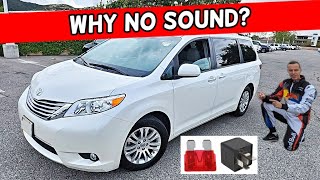
- No Sound From Speakers: 🎬 See this guide on why your Sienna has no sound The head unit appears to be working correctly (the screen is on, you can change sources), but there is no audio output from any speaker. This can be caused by a failed amplifier (in JBL systems), a bad speaker shorting the system, or an internal failure in the head unit.
- Intermittent Audio: The sound may work when the vehicle is first started but cuts out after the van has been turned off and on again. Some owners notice this issue is more frequent in warmer weather.
- Frozen or Unresponsive Touchscreen: The display is stuck on a single screen, like the Toyota emblem, and does not respond to touch.
- Bluetooth Connectivity Issues: Problems pairing a phone, or the connection frequently drops.
- Specific Speakers Not Working: Sound may cut out from one or more speakers, indicating either a wiring issue or a failed speaker.
Known Issues, TSBs, and Recalls
While there are no major recalls specifically for the entire audio system on 2016-2024 Siennas, Toyota has issued Technical Service Bulletins (TSBs) for related issues.
- TSB #T-SB-0039-19 Rev: Released in February 2020 for some 2019-2020 Sienna vehicles, this TSB addresses issues with the Audio Plus or Premium Audio systems where Toyota Apps may fail to launch or other software-related glitches occur.
- TSB #T-TT-0578-19 Rev: This bulletin addresses Bluetooth connectivity concerns, such as difficulty pairing a phone or intermittent connection failures when starting the vehicle.
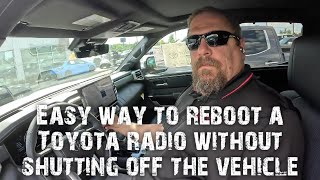
Owners have frequently reported software-related problems, especially the rebooting issue. In many cases, a software update from a Toyota dealer may resolve these problems. For persistent rebooting, some have found temporary fixes like putting the vehicle in reverse with the ignition on (but engine off) for several minutes to force a system reset.
Programming and Anti-Theft Requirements
Pro Tip: For most 2016-2024 Toyota Sienna models, a used, replacement OEM radio is plug-and-play and does not require special programming or a dealer visit. Toyota systems of this era generally do not use anti-theft codes that need to be entered after a power loss or replacement.
Unlike many other manufacturers, Toyota head units are not typically tied to a specific vehicle's VIN. This makes swapping a used unit relatively straightforward. As long as you match the part number and the audio system type (JBL or non-JBL), the replacement unit should function correctly upon installation. You will not need a locksmith or special programming tools.
Buying a Used Toyota Sienna Audio System
Purchasing a used OEM audio system is a cost-effective way to restore factory functionality. Given the high cost of new units, a recycled part offers significant savings.
1. Verify Compatibility Above All Else
- JBL vs. Standard: This is the most critical check. Re-confirm which system your Sienna has. A JBL head unit will not work with a standard system's wiring, and vice-versa.
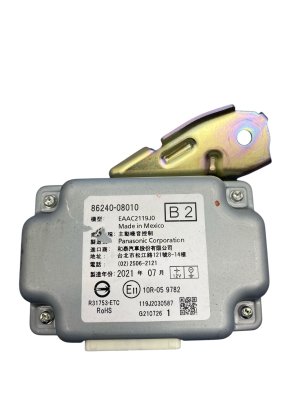
- Match Part Numbers: The best practice is to remove your existing unit and match the OEM part number on the sticker exactly. There are many part numbers for these systems, and even small differences can indicate an incompatible unit.
2. Physical Inspection
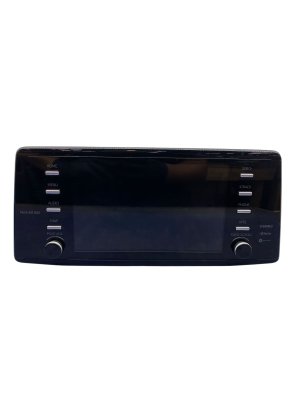
- Screen Condition: Check for deep scratches, delamination (peeling), or cracks on the touchscreen.
- Connectors: Ensure all connector ports on the back of the unit are clean and free of bent or broken pins.
- Buttons and Knobs: Make sure all physical controls move freely and are not stuck or broken.
3. Why Used OEM is Often Better Than Aftermarket
While aftermarket radios from brands like Pioneer or Kenwood can offer more features, they often require complex wiring adapters, dash kits, and can result in the loss of factory features like steering wheel controls, backup camera integration, or specific vehicle settings unless expensive additional modules are purchased. A used OEM unit is designed to be a direct fit and maintain all original functionality seamlessly.
| Part Type | Estimated Cost |
|---|---|
| New OEM Head Unit | $1,500 - $5,600+ |
| Used OEM Head Unit | $300 - $800 |
| New Aftermarket Head Unit | $250 - $1,000+ (plus installation accessories) |
| Shop Labor for Replacement | $150 - $300 |
Frequently Asked Questions (FAQ)
Do I need a code to unlock a used Sienna radio?
No, Toyota audio systems from this generation do not typically use anti-theft codes. A replacement unit should work immediately after being connected.
Can I upgrade my standard audio system to the premium JBL system?
This is not a simple plug-and-play upgrade. It would require changing the head unit, adding the external JBL amplifier, changing most of the vehicle's speaker wiring, and replacing all the speakers. It is a complex and expensive conversion that is generally not practical.
My radio screen is stuck rebooting. Do I need a new radio?
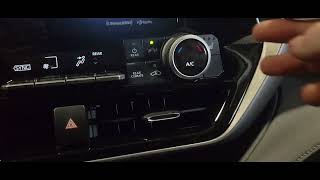
Not necessarily. First, try a hard reset by pressing and holding the power/volume knob for about 5 seconds until the screen reboots. If that doesn't work, try disconnecting the vehicle's battery for 15 minutes. Finally, check with a Toyota dealer for any available software updates, as this is a known software issue. A new unit is typically the last resort.
Why is there no sound from my speakers?
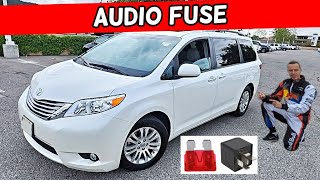
The most common causes for no sound are a blown fuse, a faulty amplifier (on JBL systems), or an internal failure of the head unit. Start by checking the fuses labeled 'RAD' or 'AUDIO' in the fuse boxes inside the cabin and under the hood. 🎬 Watch: How to find the audio fuse on your Sienna If the fuses are good and you have a JBL system, the amplifier is the next most likely culprit.
Helpful Videos
Technical Specifications
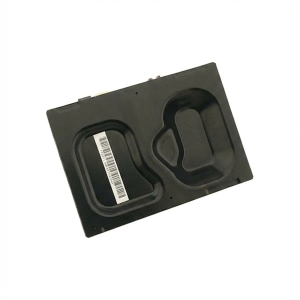
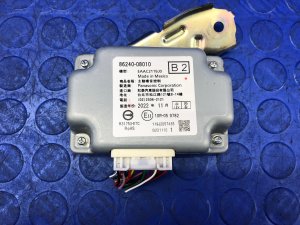
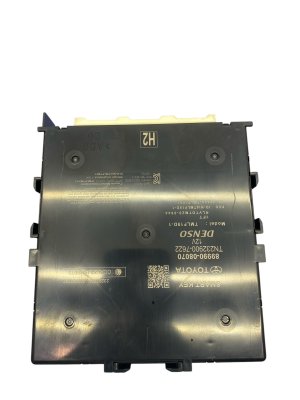
OEM Part Numbers: 86140-08050 86140-08280 86140-08281 86140-08282 86140-08420 86140-08530 86140-08531 8614008050 8614008530 8614008531 86240-08010 8624008010 86280-08070 8628008070 86140-08110 86140-08120 86140-08200 86140-08180
Varies by system. JBL Premium system is a 12-speaker, 1200-watt system with an external amplifier and QuantumLogic Surround Sound.
We Have This Part in Stock

The information in this article is provided for general reference and educational purposes only. Vehicle specifications, procedures, and part compatibility can vary by production date, trim level, and region. Always consult your vehicle's factory service manual and verify part numbers before purchasing or performing repairs. Safety-critical components such as airbags, seat belts, and braking systems should be installed by a qualified professional.
- Toyota Sienna:
- 🎬 Helpful Videos
- 🛍️ Shop This Part
- Variant Differences: Standard vs. Premium JBL Audio
- How to Identify Your System
- Symptoms of a Failing Audio System
- Known Issues, TSBs, and Recalls
- Programming and Anti-Theft Requirements
- Buying a Used Toyota Sienna Audio System
- 1. Verify Compatibility Above All Else
- 2. Physical Inspection
- 3. Why Used OEM is Often Better Than Aftermarket
- Frequently Asked Questions (FAQ)
- 🎟️ Get 5% Off