

2002-2004 VW Beetle Radio: Your Guide to 'SAFE' Mode and Monsoon Audio Issues
A definitive guide to diagnosing common failures, understanding the critical anti-theft code, and choosing the right used Monsoon radio for your 2002-2004 Volkswagen Beetle.
- This radio is ONLY for Beetles with the Monsoon premium audio system; it will not work with the standard system.
- A replacement radio is useless without its unique 4-digit anti-theft code to unlock it from "SAFE" mode.
- For 2004 models, this part only fits vehicles with a VIN up to 410660.
- No sound from a working head unit usually points to a problem with the separate Monsoon amplifier, not the radio itself.
Key Compatibility Warnings

Warning: Before purchasing a replacement radio, you must verify two critical details. Failure to do so will result in a part that does not work in your vehicle.
- Monsoon System Required: This factory radio is exclusively for vehicles equipped with the premium Monsoon audio system. It will not work in a Beetle with the standard, non-amplified audio system. Check your vehicle's original specifications or look for Monsoon branding on the door speaker grilles.
- 2004 VIN Split: For 2004 models, this radio unit is only compatible with vehicles with a Vehicle Identification Number (VIN) up to 410660. If your 2004 Beetle's VIN is higher than this, you will need a different radio. This is likely due to a mid-year change in the vehicle's wiring or data communication system.
Symptoms of a Failing Beetle Audio System

Problems with the audio system can stem from the head unit in the dash or the separate Monsoon amplifier. Here are the most common symptoms to help you diagnose the issue.
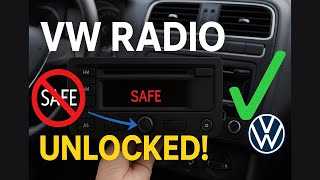
Radio Display Shows "SAFE"
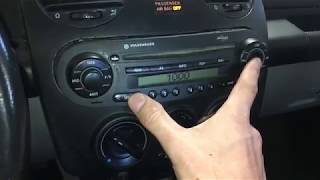
This is the most common issue owners face. "SAFE" mode is an anti-theft feature that activates whenever the radio loses power from the car's battery. This can happen during a battery replacement, if a fuse blows, or when the radio is unplugged for any reason. The radio is not broken, but it is locked and will not function until you enter a unique 4-digit security code.
🎬 Watch: How to get your code and exit SAFE modeNo Sound From Any Speakers
If the radio appears to power on (display lights up, shows stations) but you get no sound, the problem could be the external Monsoon amplifier. The amplifier may have failed, its fuse may have blown, or in the case of convertible models, it may have been damaged by water from a leaking top. It can also be a wiring issue between the head unit and the amplifier.
CD Player Malfunctions
Many owners report issues with the single-CD player. Common problems include the unit refusing to accept or eject a disc, or making grinding noises. Sometimes, disconnecting the car's battery for about 10 minutes can reset the mechanism and cause it to eject a stuck CD upon reconnection. Several services offer mail-in repairs specifically for failed CD drives.
Display is Blank or Dim
A completely blank screen when the car is on suggests a lack of power to the head unit. The first step is to check the radio fuse in the vehicle's fuse panel. If the fuse is good, it could be a wiring problem or an internal failure of the head unit itself. Fading or missing pixels on the display are also a sign of an aging, failing unit.
Parasitic Battery Drain
In some cases, a faulty Monsoon amplifier can fail to shut down properly when the car is turned off, leading to a slow drain on the battery. This issue is particularly common when an aftermarket radio has been installed without the correct wiring adapter, but it can also happen with the factory system.
Known Issues, TSBs, and Recalls
As of early 2026, there are no specific recalls or Technical Service Bulletins (TSBs) from the National Highway Traffic Safety Administration (NHTSA) for the audio system in 2002-2004 Volkswagen Beetles. While recalls exist for other components on these vehicles, such as the brake light switch and airbag sensors, the radio itself has not been subject to a safety recall.
Buying a Used 2002-2004 Beetle Audio System

Buying a used OEM radio can be a cost-effective solution, but it comes with a significant risk if you are not careful. The anti-theft code is the single most important factor.
Critical Warning: The Anti-Theft Code
A used radio without its corresponding 4-digit security code is essentially a paperweight. It will enter "SAFE" mode upon installation and will be unusable. Many sellers on platforms like eBay will explicitly state "NO CODE" in the listing. Do not buy a radio unless the seller guarantees that the correct code is included.
How to Get a Lost Radio Code
If you acquire a radio without a code, there are a few options, but they require effort:
- Contact a VW Dealer: A Volkswagen dealership's parts department can look up the code for you. You will need to provide the radio's 14-digit serial number (which starts with "VWZ") and likely the car's VIN and proof of ownership.
- Online Code Services: Several third-party websites can generate the code based on the radio's serial number for a fee.
In both cases, you must first remove the radio from the dashboard to read the serial number from the sticker on its metal casing.
Physical Inspection
When inspecting a used unit, check for:
- Clean Display: Look for scratches or signs of delamination on the screen.
- Functional Buttons: Press all the buttons and turn the knobs. They should move freely without sticking.
- Intact Connectors: Check the rear of the unit to ensure none of the connector ports are damaged.
Replacement Process and Programming

Replacing the head unit is a straightforward DIY job for most owners. No special electronic programming or dealer visit is required, aside from entering the anti-theft code.
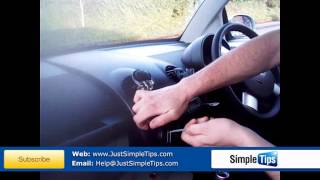
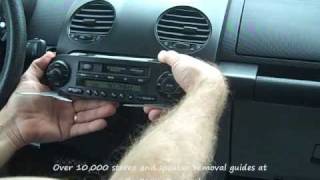
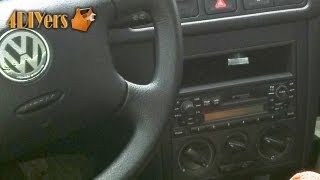
Pro Tip: You will need a set of VW/Audi radio removal tools (also called DIN keys). These are two thin, flat metal keys that slide into the slots on the face of the radio to release the internal clips, allowing you to pull the unit out. 🎬 See this walkthrough on how to remove the radio They are inexpensive and widely available online.
Step-by-Step Overview
- Disconnect the Battery: To be safe, disconnect the negative terminal of your car's battery.
- Insert Removal Tools: Slide the radio removal keys into the horizontal slots on the left and right sides of the radio faceplate until you hear or feel a click.
- Extract the Radio: The keys will now act as handles. Pull them to slide the radio out of the dashboard.
- Disconnect Wiring: Carefully unplug the wiring harnesses and the antenna cable from the back of the old radio.
- Connect New Radio: Plug the harnesses and antenna into the replacement unit and slide it into the dash until it clicks into place.
- Enter the Security Code: Reconnect the car battery. Turn on the radio. It will display "SAFE". Follow the procedure to enter the 4-digit code. If an incorrect code is entered twice, the radio may lock for an hour before you can try again.
Cost Comparison
Prices can vary based on condition and availability. Here are some typical cost estimates:
| Part Type | Estimated Cost | Notes |
|---|---|---|
| New OEM | $500+ (if available) | Extremely difficult to find new. Likely discontinued. |
| New Aftermarket | $120 - $300 | Requires installation kits and a special adapter for the Monsoon system. |
| Used OEM | $50 - $150 | High risk. Price is highly dependent on whether the security code is included. |
| Remanufactured / Repaired | $150 - $250 | A good option for fixing specific issues like a broken CD player. |
| Shop Labor | $100 - $180 | Typically around 1 hour of labor for a direct swap. |
Frequently Asked Questions (FAQ)
Does a replacement VW Beetle radio need to be programmed by a dealer?
No, these specific 2002-2004 radios do not require dealer programming or flashing. The only step required after installation is to manually enter the correct 4-digit anti-theft code to unlock the unit from "SAFE" mode.
How do I find the anti-theft code for a used radio?
The best-case scenario is that the seller provides it. If not, you must remove the radio using special tools, find the 14-digit serial number on the unit's chassis, and then either contact a VW dealer or use an online code-finding service to get the code. There is no other way to bypass this security feature.
Can I install an aftermarket radio with the factory Monsoon amplifier?
Yes, but it requires a specific wiring harness adapter. This adapter correctly routes the audio signals and, crucially, includes the circuitry needed to tell the factory Monsoon amplifier to turn on. Simply cutting and splicing wires will likely result in the amplifier not powering on, leading to no sound.
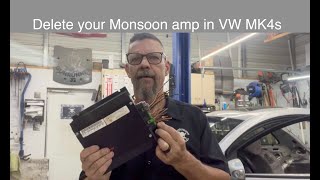
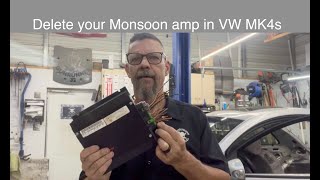
🎬 Learn how to bypass the factory Monsoon amplifierMy radio turns on, but there's no sound. What's wrong?
This is a classic symptom of a problem with the external Monsoon amplifier. Check the fuse for the amplifier first. If the fuse is good, the amplifier itself may have failed or there could be a wiring issue between the radio and the amp. In convertible models, water damage to the amplifier is a common cause.
Helpful Videos
Technical Specifications
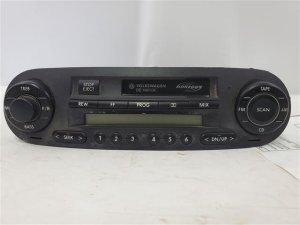
OEM Part Numbers: 1C0035157D 09352219 12206529
Designed for Volkswagen's Monsoon amplified audio system. Features an anti-theft system requiring a 4-digit security code.
We Have This Part in Stock

The information in this article is provided for general reference and educational purposes only. Vehicle specifications, procedures, and part compatibility can vary by production date, trim level, and region. Always consult your vehicle's factory service manual and verify part numbers before purchasing or performing repairs. Safety-critical components such as airbags, seat belts, and braking systems should be installed by a qualified professional.
- Volkswagen Beetle:
- 🎬 Helpful Videos
- 🛍️ Shop This Part
- Key Compatibility Warnings
- Symptoms of a Failing Beetle Audio System
- Radio Display Shows "SAFE"
- No Sound From Any Speakers
- CD Player Malfunctions
- Display is Blank or Dim
- Parasitic Battery Drain
- Known Issues, TSBs, and Recalls
- Buying a Used 2002-2004 Beetle Audio System
- How to Get a Lost Radio Code
- Physical Inspection
- Replacement Process and Programming
- Step-by-Step Overview
- Cost Comparison
- Frequently Asked Questions (FAQ)
- 🎟️ Get 5% Off