

2005 Audi A6 & A6 Quattro Body Control Module: Symptoms, Programming, and Replacement
This guide covers common failures, part number confusion, and the critical programming steps required for the Body Control Module in your 2005 Audi A6 or A6 Quattro.
- A replacement BCM (J519) is NOT plug-and-play; it requires mandatory programming by a dealer or specialist to remove 'Component Protection'.
- When buying a used module, you MUST match the OEM part number exactly (e.g., 4F0907279 followed by a letter).
- Water intrusion from a leaking windshield or clogged drains is the #1 cause of failure; inspect any used part for corrosion.
- The total replacement cost includes the part plus separate labor for both the physical installation and the specialized programming.
Symptoms of a Failing Body Control Module
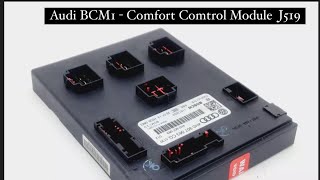
A faulty Body Control Module (BCM), or J519 module, in a 2005 Audi A6 can cause a cascade of frustrating electrical issues. Because it controls so many different systems, symptoms can be widespread and appear random. One of the most common causes of failure is water damage, often from a leaking windshield seal or clogged sunroof drains that allow 🎬 Watch: How to find and clear blocked drain holes water to drip onto the module under the driver's side dash.
- Erratic or Non-Functioning Lights: One of the most common signs is problems with the exterior lights. You may notice that headlights, turn signals, or taillights on one side of the car stop working, flicker, or stay on constantly.
- Parasitic Battery Drain: If your battery repeatedly dies overnight for no apparent reason, the BCM may be the culprit. A faulty module can fail to enter its low-power "sleep mode," causing a continuous power draw that drains the battery.
- Malfunctioning Accessories: Power windows that won't open or close, door locks that don't respond to the key fob, or windshield wipers that operate on their own are all classic symptoms of a BCM failure.
- Dashboard Warning Lights: A failing BCM can lose communication with other computers in the car, triggering a variety of warning lights on the instrument cluster, sometimes resembling a "Christmas tree" effect.
- Communication Fault Codes: When scanned with a proper diagnostic tool like VCDS, the most definitive sign is a communication error. The code U0140 - Lost Communication With Body Control Module is a strong indicator that the J519 module is faulty or offline. You may also find various faults stored within the "09-Cent. Elect." module address.
Known Issues and Part Number Verification
While there are no specific recalls for the 2005 Audi A6's J519 module, the C6 platform is known for issues with water leaks in the plenum chamber and around the windshield that can lead to the failure of sensitive electronics located inside the cabin.
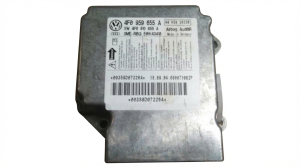
Part Number Warning: The Body Control Module (J519) should not be confused with other modules. Some of the part numbers initially provided in our database, such as 4F0959655B, are for the Airbag Control Module, not the BCM. The correct part number for the J519 Vehicle Electrical System Control Module in a 2005 A6 will typically start with 4F0907279 or 4F0907289, followed by a letter suffix. It is absolutely essential to match the part number from your original module exactly when sourcing a replacement.
Programming, Security, and Component Protection
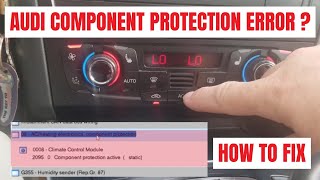
This is the most critical information for anyone replacing this module. A new or used BCM for a 2005 Audi A6 is NOT a plug-and-play part. It is integrated into Audi's anti-theft system called Component Protection (CP).
- What is Component Protection? It is a security feature that links electronic modules to the vehicle's unique Vehicle Identification Number (VIN). If you install a module from another car, the system detects the mismatch and activates Component Protection, severely limiting the part's functionality. For the BCM, this means lights, wipers, and other systems it controls will not work correctly.
- Removing Component Protection: This is a dealer-level procedure. It requires a special diagnostic tool (like ODIS) with a live internet connection to Audi's factory servers to authorize the "new" module for 🎬 Watch: How a specialist removes Component Protection using ODIS your vehicle's VIN. Most independent shops cannot perform this function unless they have invested in these specific tools and subscriptions.
- Module Coding: After Component Protection is removed, the module must still be "coded." This process tells the BCM which options your specific car has (e.g., xenon vs. halogen headlights, rain sensor, etc.). This is done using a tool like VCDS (VAG-COM) by copying the "long coding" string from the original module and writing it to the replacement. If the original module is too damaged to be read, the coding may need to be reconstructed based on the car's features.
Pro Tip: Some specialized services offer to "clone" your original BCM. This involves transferring the security and coding data from your old, faulty module to a used, functional one. This can be a great option as the cloned module is then plug-and-play, avoiding the need for a trip to the dealer for Component Protection removal. This requires sending both your original and the donor module to the service provider.
Buying a Used Body Control Module for Your 2005 A6
Given the high cost of a new module and the mandatory programming, a used OEM part is often the most cost-effective solution. Here’s what to look for:
- Match the Part Number Exactly: This is non-negotiable. The base number (e.g., 4F0907279) and the letter suffix must be identical to your original module. Different letters can indicate different hardware or software intended for different vehicle options.
- Inspect for Physical Damage: Since water damage is a leading cause of failure, carefully inspect the used module's case and connector pins. Look for any signs of white or green corrosion, water stains, or a burnt smell. A module from a car with a known water leak is a bad risk.
- Factor in Programming Costs: Remember that the price of the used part is not the final cost. You must budget for either Component Protection removal by a dealer/specialist or a cloning service. Call local European auto specialists or your dealer beforehand to get a quote for this service.
- Why Used OEM is a Good Choice: For a complex electronic part like this, a used OEM module that has been verified to work is often more reliable than a new, unproven aftermarket part (which are rare for this specific module anyway). It was designed by Audi for your vehicle and, once programmed, will function exactly as intended.
Cost Breakdown for 2005 Audi A6 BCM Replacement
The total cost can vary significantly based on the path you choose for parts and programming.
| Item | Estimated Cost | Notes |
|---|---|---|
| New OEM Module | $600 - $900+ | Often must be special-ordered from a dealer and may be difficult to find. |
| Used OEM Module | $50 - $150 | Widely available from online sellers and auto recyclers. |
| Remanufactured/Repaired | $200 - $400 | Cost to have your original unit repaired or cloned by a specialist service. |
| Shop Labor (Physical Swap) | $125 - $200 | Typically 1-1.5 hours of labor to access and replace the module under the dash. |
| Shop Labor (Programming) | $150 - $400 | Cost for Component Protection removal and coding at a dealer or specialist. |
Frequently Asked Questions (FAQ)
Where is the Body Control Module located on a 2005 Audi A6?
The BCM (J519) is located under the driver's side of the dashboard, to the left of the steering column. Access requires removing the lower dash trim panel.
🎬 See this walkthrough on how to remove the J519 moduleCan I replace the BCM myself?
The physical replacement is a feasible DIY job for someone comfortable working in tight spaces under the dashboard. However, the car will not be fully functional until the module is professionally programmed. You can swap the part yourself and then drive the car (if possible) to a dealer or specialist for the final programming steps.
Does a used BCM need to be programmed?
Yes, absolutely. Due to Audi's Component Protection anti-theft system, any used BCM must be adapted to your car's VIN by a dealer or a specialist with the correct online tools. It is not a plug-and-play part.
What is the difference between Component Protection removal and coding?
They are two separate steps. Component Protection removal is the security adaptation that pairs the module to your car's VIN (dealer/specialist required). Coding is the process of configuring the module to work with your car's specific features, like headlights and wipers (can be done with tools like VCDS).
Helpful Videos




Technical Specifications
OEM Part Numbers: 4F0907279 4F0907279A 4F0907279B 4F0907279C 4F0907279D 4F0907279E 4F0907279F 4F0907279G 4F0907279J 4F0907279K 4F0907279L 4F0907279M 4F0907279N 4F0907289E
Audi System Designation: J519, Vehicle Electrical System Control Module. Location: Under driver's side dashboard, left of steering column.
We Have This Part in Stock

The information in this article is provided for general reference and educational purposes only. Vehicle specifications, procedures, and part compatibility can vary by production date, trim level, and region. Always consult your vehicle's factory service manual and verify part numbers before purchasing or performing repairs. Safety-critical components such as airbags, seat belts, and braking systems should be installed by a qualified professional.
- Audi A6:
- Audi A6 Quattro:
- 🎬 Helpful Videos
- 🛍️ Shop This Part
- Symptoms of a Failing Body Control Module
- Known Issues and Part Number Verification
- Programming, Security, and Component Protection
- Buying a Used Body Control Module for Your 2005 A6
- Cost Breakdown for 2005 Audi A6 BCM Replacement
- Frequently Asked Questions (FAQ)
- 🎟️ Get 5% Off