

2019 Edge & 2020 Transit Connect SYNC 3 Module Failure: A Guide to Black Screens and Programming
This in-depth guide explains the common failures of the SYNC 3 APIM module in the 2019 Ford Edge and 2020 Ford Transit Connect, covering symptoms, recalls, and replacement options.
- The part that fails is the APIM (Accessory Protocol Interface Module), not the BCM. It's the computer for the SYNC 3 system.
- A replacement APIM MUST be programmed to your vehicle's VIN. Buy a pre-programmed used unit or be prepared to program it yourself with FORScan.
- Common symptoms include a black screen, constant rebooting, and backup camera failure. Software updates should be attempted before hardware replacement.
- A DIY replacement with a pre-programmed used OEM module is the most cost-effective solution, saving over $1000 compared to a dealer repair.
Is it a Body Control Module or an APIM?

It's important to clarify a common point of confusion. The part that controls the SYNC 3 infotainment system is the Accessory Protocol Interface Module (APIM), not the Body Control Module (BCM). The BCM handles body electronics like power windows, locks, and lighting. The APIM is the dedicated computer for your touchscreen, managing everything from radio and navigation to the backup camera display. If your problems are with the center screen, the APIM is almost always the component at fault.
Symptoms of a Failing APIM Module

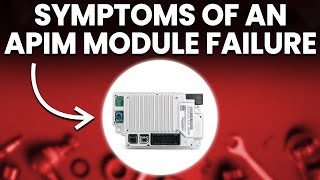
A failing APIM in your 2019 Ford Edge or 2020 Ford Transit Connect can cause a variety of frustrating issues. Symptoms often start intermittently and become more persistent over time. 🎬 Watch: Three key symptoms of a failing APIM module Before assuming the module is dead, try a soft reset by holding the Power and Seek Right buttons for 10 seconds until the system reboots. If that doesn't work, a master reset from the settings menu (if accessible) is the next step. If problems continue, you may have a hardware failure. Look for these common signs:
🎬 Watch: How to diagnose and fix common Sync issues- Black or Blank Screen: The most frequent symptom is a screen that goes completely black and unresponsive.
- Constant Rebooting or Freezing: The system may get stuck in a continuous boot loop, or freeze on the Ford logo.
- Unresponsive Touchscreen: The screen may be on but won't respond to touch, or the response is extremely slow.
- Backup Camera Issues: The backup camera might not appear when in reverse, show a blue or distorted screen, or stay on even when you're driving forward.
- Bluetooth and Wi-Fi Problems: You may experience frequent Bluetooth disconnections, an inability to pair your phone, or non-functional Wi-Fi.
- Navigation and GPS Failure: The GPS may show the wrong location or lose signal entirely.
- Loss of Audio or Climate Control: On-screen climate controls may become unresponsive, and audio from any source might cut out.
Known Issues, TSBs, and Recalls

Software glitches are a common cause of SYNC 3 problems, and Ford has issued several Technical Service Bulletins (TSBs) and recalls to address them. Many issues that seem like hardware failure can sometimes be fixed with a software update.
- NHTSA Recall (Software Error): A major recall was issued for a wide range of Ford vehicles, including the 2019-2020 Edge and 2018-2022 Transit Connect, for SYNC 3 software that could cause a blank or frozen backup camera image. The fix is a free software update performed by a dealer.
- TSB 20-2363: This bulletin addresses numerous SYNC 3 performance concerns on 2019-2020 Edge and Transit Connect models, among others. Symptoms include a frozen or blank screen, unresponsive touchscreen, Apple CarPlay issues, and faulty voice prompts. The recommended fix is to update the APIM software, as Ford noted that many modules were being replaced when only a software update was needed.
- TSB 20-2255: Similar to the above, this TSB covers a range of SYNC 3 performance issues like display problems, inoperative navigation, and slow system response that can be corrected by a software update.
Pro Tip: Before paying for a replacement module, check with a Ford dealer to see if any open recalls or TSBs apply to your vehicle's VIN. A simple software update could resolve your issue at a much lower cost, and may even be covered under warranty or a recall campaign.
Buying a Used APIM Module: What You Need to Know

Buying a used OEM APIM is a popular and cost-effective way to fix a failed SYNC 3 system, but it requires careful attention to detail. This is the most critical part of the process.
Warning: You cannot simply swap an APIM from another vehicle and expect it to work. The module MUST be programmed to your vehicle's specific VIN and factory options.
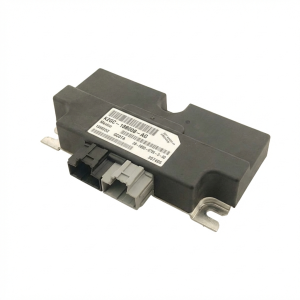
- Verify the Part Number: Match the part number on your original APIM to the replacement unit. Common base part numbers are 14G371. The prefix and suffix (e.g., K2GT-, -JBB) are also important. The part numbers listed, such as K2GT-14G370-JBB and 4U5T-14G371-BJA, are valid APIM numbers.
- Programming is Mandatory: An unprogrammed APIM will result in missing or non-functional features like the backup camera, climate controls, or steering wheel controls. You have a few options for programming:
- Pre-Programmed Sellers: Many online sellers of used APIMs offer to pre-program the module to your VIN before shipping. This is often the easiest, most plug-and-play solution for DIY installation.
- DIY with FORScan: If you are technically inclined, you can program a used module yourself. This requires an OBDII adapter (like OBDLink MX) and a computer with FORScan software. You will need to download your vehicle's original "As-Built" data from Ford's service website and write it to the new module.
- Dealer Programming: A Ford dealer can program a new or used APIM using their Integrated Diagnostic Software (IDS), but this will add significant labor cost.
- Inspect for Damage: When buying a used part, check for any physical damage, especially to the connectors. Avoid modules from vehicles with flood or collision damage.
- Beware of Clones: The market is flooded with cheap Chinese knock-off APIMs. Stick to genuine used OEM parts from reputable sellers to ensure compatibility and quality. A genuine OEM part will have Ford branding and part numbers.
Replacement Cost Comparison
The cost to replace a failed APIM can vary dramatically depending on the path you choose. Dealer replacement is the most expensive, while a DIY approach with a used part offers significant savings.
| Part/Service | Estimated Cost | Notes |
|---|---|---|
| New OEM APIM (Part Only) | $800 - $1,200+ | Price from a Ford dealership parts counter. |
| Used OEM APIM (Pre-Programmed) | $250 - $500 | Common price from online retailers and eBay sellers. |
| Remanufactured OEM APIM | $280 - $450 | Professionally repaired and tested units. |
| Shop Labor (Replacement & Programming) | $250 - $500+ | Typically 2-4 hours of labor at a dealership or independent shop. |
| Total Dealer Replacement Cost | $1,000 - $2,500+ | Includes new OEM part, labor, and programming. |
Frequently Asked Questions (FAQ)
Does a used APIM module need to be reprogrammed?
Yes, absolutely. A replacement APIM must be programmed with your vehicle's VIN and specific configuration data (known as "As-Built" data). Without programming, features like your backup camera, climate control, and steering wheel controls will not work correctly. Many online sellers offer pre-programming services.
Can I replace the APIM module myself?
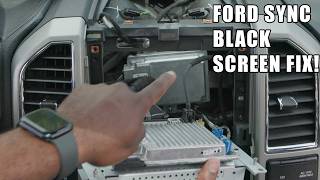
Yes, the physical replacement is a straightforward DIY job for many people. It typically involves removing some dash trim panels to access the module, which is mounted to the back of the 8-inch touchscreen. The entire process can often be done in under an hour with basic tools. 🎬 See this walkthrough for replacing a blacked-out APIM module The main challenge is ensuring the module is programmed correctly.
Will a bad APIM drain my car battery?
Yes, a faulty APIM can sometimes cause a parasitic battery drain. If the module fails to shut down properly when the vehicle is turned off, it can continue to draw power, leading to a dead battery after a day or two.
Can I upgrade from SYNC 2 to SYNC 3 by just swapping the APIM?
No, upgrading from the older MyFord Touch (SYNC 2) system to SYNC 3 requires more than just the APIM. You also need the SYNC 3 compatible touchscreen, a new GPS antenna, and sometimes a new USB hub for Apple CarPlay and Android Auto to function.
Where is the APIM located on the 2019 Edge and 2020 Transit Connect?
On most Ford vehicles with SYNC 3, including the Edge, the APIM is a small silver box mounted directly to the back of the 8-inch touchscreen display. On the Transit, it may be located behind the glovebox. Access requires removing the trim around the screen and unbolting the screen assembly.
Helpful Videos

Technical Specifications
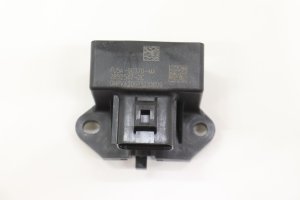
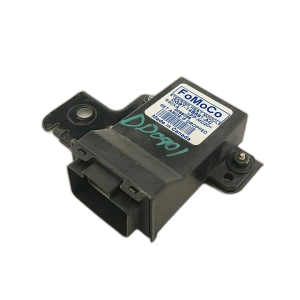
OEM Part Numbers: 4U5T-14G371-BJA 4U5T14G371BJA K2GT-14G370-JBB K2GT14G370JBB 4U5T-14G371-GJA KU5Z-14G371-BDF
The APIM is the computer module for the Ford SYNC 3 system. It interfaces with the vehicle's CAN bus to control the touchscreen, audio, navigation, voice recognition, and smartphone integration. Part numbers vary based on navigation vs. non-navigation and memory size (e.g., 16GB, 32GB, 64GB).
We Have This Part in Stock

The information in this article is provided for general reference and educational purposes only. Vehicle specifications, procedures, and part compatibility can vary by production date, trim level, and region. Always consult your vehicle's factory service manual and verify part numbers before purchasing or performing repairs. Safety-critical components such as airbags, seat belts, and braking systems should be installed by a qualified professional.
- Ford Edge:
- Ford Transit Connect: