

Audi Overhead Console & HomeLink Guide (2016-2026): Fixing Sunroof, SOS & Light Failures
Your definitive guide to diagnosing, replacing, and buying a used overhead console for the Audi A3, S3, RS3, A4, A5, A6, TT, Allroad, and e-tron.
- The most common failures are an inoperative sunroof switch (especially on A3/S3) and an 'SOS Malfunction' warning on newer models.
- Compatibility is critical when buying used. You must match the part number and verify features like sunroof type, SOS button, and body style (Coupe vs. Sedan vs. Convertible).
- For HomeLink issues, the problem may not be the overhead console; on many Audis (A4/A5/Q7), the transmitter module is located behind the front bumper.
- Replacement is a manageable DIY task, but be prepared to use significant force with trim tools to release the strong metal clips holding the console to the headliner.
Symptoms of a Failing Overhead Console


Problems with the overhead console can range from minor annoyances to critical safety system warnings. Because several different components are integrated into this single area, failures can manifest in various ways.
1. Sunroof or Convertible Top is Unresponsive
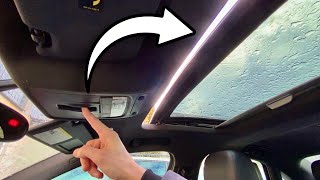
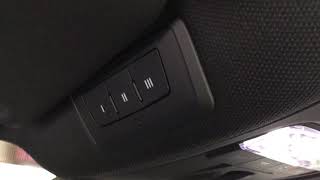
This is one of the most common failures, especially in the A3, S3, and RS3 models. You may find the panoramic sunroof switch does nothing when you try to open, close, or tilt the glass. Often, the cause is not the roof motor itself, but a small plastic component inside the switch mechanism that breaks. On Cabriolet and Roadster models, a similar failure can present as a "soft top cannot be used" error message, which may point to a faulty microswitch within the roof's latching mechanism housed in the console area.
Pro Tip: Before replacing parts, try resetting the sunroof. Press and hold the switch in the 'tilt up' or 'pull down' position for 15-20 seconds. The roof may cycle through a reset procedure which can sometimes resolve electronic glitches.
🎬 Watch: How to perform a sunroof calibration and reset.2. 'SOS Malfunction' Warning on Dash
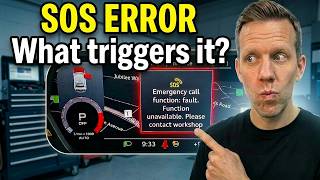
Newer Audi models are equipped with an 'e-call' or SOS system that can automatically contact emergency services after a crash. A common and frustrating issue is a persistent "Emergency call function: malfunction!" warning on the instrument cluster. This is frequently caused by the failure of a small, non-rechargeable backup battery located inside the telematics control unit (module J949), which is housed within the overhead console assembly. These batteries have a lifespan of 3-5 years, and their failure triggers the warning. While the car is still drivable, this critical safety feature is disabled.
🎬 See this breakdown of the most common SOS error causes.3. HomeLink Garage Door Opener Fails to Program or Work
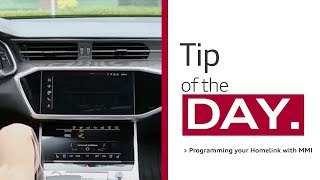
Another frequent complaint is the inability to program the HomeLink buttons, or they simply stop working. This can have several causes. The buttons themselves can fail, but a more common issue is an error during the programming sequence. On many models, radio frequency (RF) interference from other vehicle systems, particularly the Side Assist / Lane Change Assist, can prevent the HomeLink module from learning the remote's signal. In other cases, the HomeLink transmitter module itself may have failed.
4. Dome Lights or Map Lights are Dead
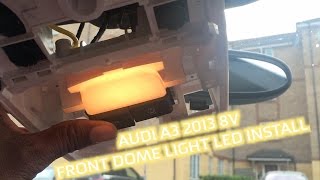
The interior map and dome lights may flicker, become dim, or stop working entirely. If changing the bulb doesn't solve the problem, the issue is likely a fault in the console's internal circuit board or switch. In most cases, this requires the replacement of the entire overhead console assembly.
Buying a Used Overhead Console: What to Check

A used OEM overhead console is an excellent, cost-effective alternative to an expensive new part. However, Audi uses dozens of variations, and you must purchase the correct one for your vehicle's specific options. Mismatched parts will result in features that don't work or connectors that don't fit.
1. Match the Part Number EXACTLY
This is the most important rule. Do not buy a console based on looks alone. Find the part number on your original console (it's usually on a sticker on the top or side of the housing) and match it precisely. Part numbers like 8V0947135L6PS (for an A3) or 4K0947135AL6PS (for an A6/A7) have suffixes that encode color and features.
2. Verify Features and Options
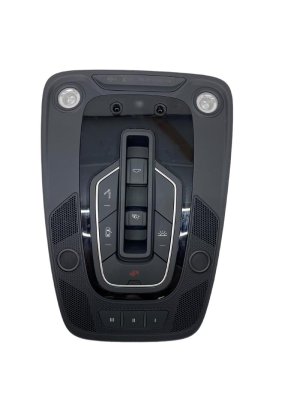
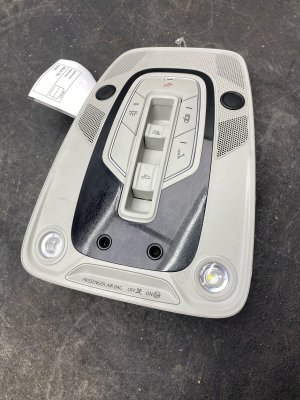
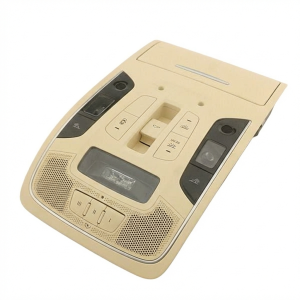
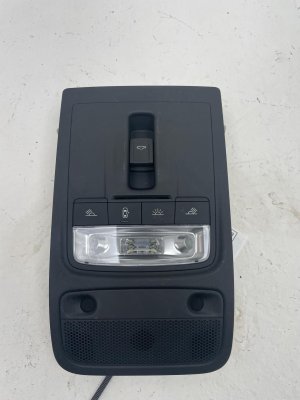
Before purchasing, visually confirm that the used part has the exact same buttons and functions as your original. Check for:
- Sunroof: Does your car have a panoramic roof, a standard sunroof, or no sunroof at all? The switch is different for each.
- Body Style: Consoles for Coupe, Sedan, and Cabriolet/Roadster models are often different shapes and are not interchangeable.
- SOS / e-call Button: Does your car have the emergency call system? If so, the replacement console must also have it.
- Interior Lighting Package: Some vehicles have an upgraded lighting package with more lights and features. The console for a base model will not work correctly.
- Color: Common colors include Black (Soul), Grey, and Beige. Ensure the color matches your headliner.
3. Inspect for Physical Damage
When you receive the used part, inspect it carefully. Check that all the plastic mounting tabs and metal clips are intact, as these are easily broken during removal. Test the feel of the buttons to ensure they click properly and are not sticky or broken.
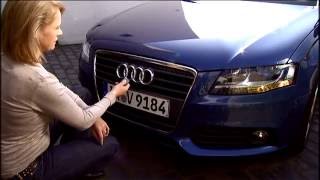
Warning: For HomeLink issues, the problem may not be the overhead console. On many Audi models like the A4, A5, Q5, and Q7, the actual HomeLink transmitter module is located behind the front bumper cover, not in the headliner. The buttons are in the console, but the 'brain' is up front. If your HomeLink doesn't work, you may need to replace this separate module (e.g., part number 4N0907410D).
Cost of Replacement Parts
Replacing an overhead console at the dealership can be expensive, primarily due to the high cost of new OEM parts. A used OEM part offers significant savings.
| Part Type | Estimated Cost |
|---|---|
| New OEM Overhead Console | $350 - $600 |
| New OEM HomeLink Module | $800 - $1,200 |
| Used OEM Overhead Console | $50 - $150 |
| Used OEM HomeLink Module | $45 - $120 |
| Shop Labor | $120 - $250 |
Replacement Overview & Difficulty

- Difficulty: 2/5 (for a direct console swap)
- Estimated Time: 0.5 Hours
- Tools Needed: Plastic trim removal tools, Torx screwdriver (T20/T25).
Replacing the overhead console is a feasible DIY job. The unit is held in place by strong metal spring clips and, on some models, one or two Torx screws. The screws are often hidden inside the sunglasses holder compartment.
The most challenging part of the removal is releasing the spring clips. You must use plastic pry tools to avoid damaging the headliner or the console itself. It often requires a significant and what feels like an uncomfortable amount of force to pop the console out, which can be unnerving the first time. Once it's unclipped, simply disconnect the one or two electrical harnesses and it's free. Installation is the reverse of removal—connect the wires and press firmly until the clips snap into place.
Frequently Asked Questions (FAQ)
My sunroof is stuck and the switch does nothing. What's the most likely cause?
For the A3/S3/RS3 family in particular, the most common cause is a broken sunroof switch in the overhead console. It is much more common for the switch to fail than the sunroof motor itself. Replacing the overhead console assembly with a known-good used unit is the most common fix.
Do I need to program a used overhead console?
For most functions, no. A replacement console with just lights and a sunroof switch is typically plug-and-play. However, if you are replacing a console because of an SOS malfunction warning, the main telematics module within it may require programming or calibration by a dealer or qualified specialist shop to fully resolve the error.
Why won't my HomeLink buttons program to my garage door?
The most common reason is radio frequency interference. If your vehicle has Side Assist, the system can interfere with the signal from your garage remote. A TSB was issued for this, and the workaround is to temporarily disable the system by pulling the correct fuse before attempting to program HomeLink. Once programmed, you can reinstall the fuse. Also, ensure you are following the two-step process for rolling code openers, which involves syncing with the 'Learn' button on the garage door motor unit itself.
Where is the HomeLink module actually located?
While the buttons are in the overhead console, the transmitter module on many models (including the A4, A5, Allroad, Q5, and Q7) is located behind the front bumper cover, near the grille. If you have programming issues that a fuse pull doesn't solve, or the system is completely dead, the fault may lie with this separate module, not the overhead console.
Helpful Videos

![How to Program Audi Homelink Garage Door Buttons [2016 Audi eTron Sportback]](https://img.youtube.com/vi/CTJKXjC8Q4c/mqdefault.jpg)
Technical Specifications
OEM Part Numbers: 4M0907410A 4N0907410 4N0907410A 4N0907410B 4N0907410C 4N0907410D 8V0947135 8V0947135L6PS 8V7947135 8V7947135AA 8V7947135AF 8V7947135M 4K0947135AL6PS
Varies by part. Consoles are specific to vehicle options including panoramic roof, standard sunroof, no sunroof, convertible top, interior lighting package, and SOS emergency call system.
We Have This Part in Stock

The information in this article is provided for general reference and educational purposes only. Vehicle specifications, procedures, and part compatibility can vary by production date, trim level, and region. Always consult your vehicle's factory service manual and verify part numbers before purchasing or performing repairs. Safety-critical components such as airbags, seat belts, and braking systems should be installed by a qualified professional.
- Audi A3:
- Audi S3:
- Audi RS3:
- Audi RS 3:
- Audi TT:
- Audi A4:
- Audi A5:
- Audi A6:
- Audi Allroad:
- Audi e-tron:
- Audi Q3:
- Audi Q5:
- Audi Q7:
- Audi Q8:
- Audi Q8 e-tron:
- Audi R8:
- Audi RS5:
- Audi S5:
- Audi SQ5:
- Audi TT RS:
- Audi TTS:
- 🎬 Helpful Videos
- 🛍️ Shop This Part
- Symptoms of a Failing Overhead Console
- 1. Sunroof or Convertible Top is Unresponsive
- 2. 'SOS Malfunction' Warning on Dash
- 3. HomeLink Garage Door Opener Fails to Program or Work
- 4. Dome Lights or Map Lights are Dead
- Buying a Used Overhead Console: What to Check
- 1. Match the Part Number EXACTLY
- 2. Verify Features and Options
- 3. Inspect for Physical Damage
- Cost of Replacement Parts
- Replacement Overview & Difficulty
- Frequently Asked Questions (FAQ)
- 🎟️ Get 5% Off