

2012-2021 Honda Civic Door Mirror: Navigating Generations, LaneWatch, and Body Styles
This guide covers the critical differences between 9th and 10th generation Civic mirrors, helping you find the exact part you need and avoid common compatibility traps.
- Crucially, you must identify if your Civic is a 9th Gen (2012-2015) or 10th Gen (2016-2021) as parts are not interchangeable.
- Verify your exact features before buying: Heated Glass, Turn Signal, and (for 10th Gen passenger side) LaneWatch Camera.
- Body styles matter: Mirrors for Sedans, Coupes, and Hatchbacks are not the same and will not fit properly on other styles.
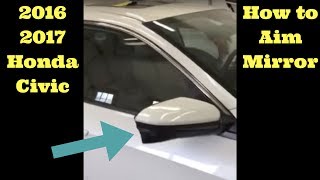
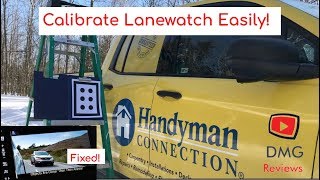
- If replacing a mirror with a LaneWatch camera, the new camera may require aiming/calibration by a professional to function correctly.
Key Differences: 9th Gen (2012-2015) vs. 10th Gen (2016-2021)
The single most important factor when replacing a Honda Civic door mirror is identifying the correct generation. The parts are not interchangeable between these two eras.
9th Generation Honda Civic (2012-2015)
Mirrors on the 9th generation Civic are relatively straightforward. All models feature power adjustment. Higher trim levels like the EX and EX-L may include heated glass and/or an integrated turn signal. These mirrors do not have the LaneWatch camera system. Compatibility is primarily determined by body style (Coupe vs. Sedan) and features (heated/non-heated, turn signal).
10th Generation Honda Civic (2016-2021)
The 10th generation introduced more complexity. In addition to different shapes for Sedan, Coupe, and Hatchback models, Honda added the LaneWatch™ side-view camera. This feature, standard on EX, EX-L, and Touring trims, places a small camera on the underside of the passenger-side mirror. When the right turn signal is activated, a live video feed of the blind spot is displayed on the car's main infotainment screen. This makes matching a 10th gen mirror much more challenging.
Warning: A mirror equipped with a LaneWatch camera has a different wiring harness and requires aiming/calibration after installation. You cannot add a LaneWatch mirror to a car that was not originally equipped with the feature, and a non-camera mirror will not work correctly on a car that expects one.
Symptoms of a Failing Door Mirror
Mirror failures can be electrical, mechanical, or physical. Here are the most common symptoms:
- Power Adjustment Fails: The mirror glass won't move, moves in the wrong direction, or moves on its own. This often points to a faulty adjustment switch in the driver's door or a bad motor inside the mirror housing.
- Heated Mirror Not Working: In cold or damp weather, the glass doesn't clear itself of fog or ice. This is usually caused by a failed heating element within the mirror glass or a blown fuse. You can test the heating element's contacts on the back of the glass with a multimeter; a working element will show resistance, while a broken one will show an open circuit.
- LaneWatch Camera Malfunctions (10th Gen): The infotainment screen shows a black screen, an error message, or nothing at all when the right turn signal is on. A common first step is to try rebooting the infotainment system by holding the audio power button for 5-10 seconds. If that doesn't work, the issue could be a loose connection or a failed camera.
- Vibrating Mirror Glass: The mirror glass shakes excessively at idle or highway speeds, making the reflection blurry and unusable. This can be caused by the adhesive failing between the glass and its plastic backing, or by loose screws at the base of the mirror assembly where it mounts to the door.
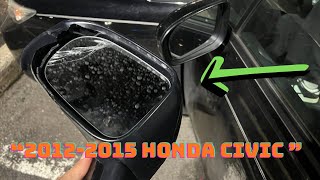
- Physical Damage: This includes cracked or broken glass, a damaged housing from an impact, or a broken-off mirror assembly.
Known Issues, Recalls, and TSBs
As of early 2026, there are no major safety recalls specifically for the door mirrors on 2012-2021 Honda Civics. Searches on the National Highway Traffic Safety Administration (NHTSA) database show recalls for this period related to other components like accessory wheels, but not the mirrors themselves.
Some owners of 10th and 11th generation Civics have reported issues with vibrating mirror glass, particularly on the driver's side. In some cases, dealers have replaced the mirror glass under warranty, suggesting a possible manufacturing issue with the adhesive. For cars out of warranty, tightening the assembly or replacing the mirror glass may be necessary.
Pro Tip: On some 10th generation models, a loose or wobbly mirror housing can be fixed by tightening Phillips head screws located at the base of the mirror's pivot point. This requires popping off the outer painted cover to access them.
Buying a Used 2012-2021 Civic Door Mirror
A used OEM mirror is often the best value, providing perfect fitment and correct electronic function without the high cost of a new dealer part. However, you must buy the correct one. Before purchasing, use this checklist:
- Verify Your Car's Generation: Is it a 9th Gen (2012-2015) or 10th Gen (2016-2021)?
- Identify the Body Style: Is it a Sedan, Coupe, or Hatchback? The mounting points and housing shapes are different.
- Check Your Features (The Critical Step):
- Heated Glass? Look for a small icon of a rectangle with wavy arrows on your existing mirror glass.
- Turn Signal? Is there an LED light strip on the outer edge of the mirror housing?
- LaneWatch Camera? (Passenger Side, 10th Gen ONLY) Look for a distinct camera bump on the underside of the passenger mirror housing.
- Match the Connector: Ask the seller for a photo of the electrical connector. Count the pins and compare the plug shape to your original mirror's harness to ensure all features will connect correctly.
Physical Inspection
When you receive the used mirror, inspect it carefully:
- Housing and Mounting Points: Check for any cracks, especially around the three mounting studs.
- Mirror Glass: Ensure there are no cracks or deep scratches. Check that the glass is firmly attached to its backing plate and doesn't feel loose.
- Electrical Connector: Look for any bent, broken, or corroded pins.
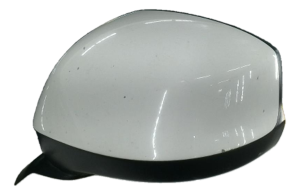
- Painted Cap: Many Civic mirrors have a separate, paint-to-match cap. Confirm if the used part includes the cap and if it's the correct color for your car. Sometimes, you can transfer the cap from your old mirror.
Replacement Overview
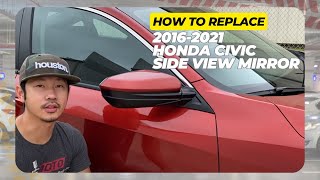
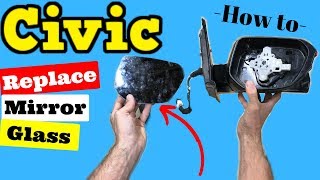
Replacing the door mirror on a 9th or 10th generation Civic is a very manageable DIY job.
- Difficulty: 2 out of 5
- Estimated Time: 0.5 - 1 hour
- Tools Needed: Phillips screwdriver, 10mm socket with extension, plastic trim removal tool.
Basic Steps:
- Remove the interior door panel. This typically involves removing a few screws (one behind the door handle, one in the armrest) and then using a trim tool to pop the panel's clips loose.
- Carefully peel back the plastic vapor barrier in the upper-front corner to access the mirror's connector and mounting nuts.
- Disconnect the electrical harness.
- While supporting the mirror from the outside, remove the three 10mm nuts holding it to the door.
- Install the new mirror in the reverse order. Be careful not to drop the nuts inside the door.
Cost Comparison
| Part Type | Estimated Price Range | Notes |
|---|---|---|
| New OEM | $200 - $750+ | Price depends heavily on features like LaneWatch and heating. |
| New Aftermarket | $40 - $150 | Quality can vary. May have issues with glass vibration or electronic function. |
| Used OEM | $75 - $300 | Often the best balance of cost and quality, provided you match the features exactly. |
| Shop Labor | $100 - $175 | Typically about one hour of labor. Calibration for LaneWatch may cost extra. |
Frequently Asked Questions (FAQ)
Can I upgrade to a mirror with heat or a turn signal?
Generally, no. If your Civic didn't come with heated mirrors or turn signals from the factory, the necessary wiring will not be present in your door harness. While it's technically possible to run new wires, it is a complex job.
Will a Coupe mirror fit my Sedan?
No. The mirror housings and mounting bases are shaped differently for Coupe, Sedan, and Hatchback models. You must buy a mirror that is specified for your exact body style.
Do I need to get my new mirror painted?
It depends. Many Honda Civic mirrors have a separate plastic cap on the back that is painted to match the car's body color. In many cases, you can carefully unclip the painted cap from your old, damaged mirror and snap it onto the replacement assembly. If the cap is damaged or the replacement mirror is a different color, you will need to have the part painted.
What is Honda LaneWatch and do I need to calibrate it?
LaneWatch is a camera system on the passenger mirror of many 2016-2021 Civics. If you replace a mirror that has this camera, it is recommended to have the camera's aim calibrated by a Honda dealer or a qualified shop. An uncalibrated camera may not display the blind spot view correctly.
Helpful Videos
Technical Specifications
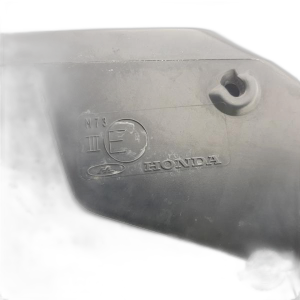
OEM Part Numbers: HO1321267 76258-TX6-A01 76200-TR0-A01 76200-TR3-A61ZA 76208-TBA-A01ZA 76208-TBA-A02ZA 76208-TGG-A11 76208-TR0-A01 76208-TR0-A11 76208-TR4-A21 76208-TR4-A31 76208-TR4-C01 76208-TR6-A11 76208-TR6-C01 76208-TS8-A01 76208-TBC-A03ZA 76208-TBG-A12ZA
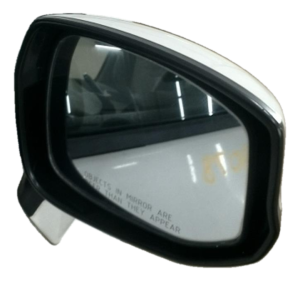
Feature combinations include: Power adjustable, Heated, Non-Heated, with Turn Signal, without Turn Signal, with LaneWatch Camera (10th Gen Passenger Side only), without LaneWatch Camera. Body styles include Sedan, Coupe, and Hatchback.
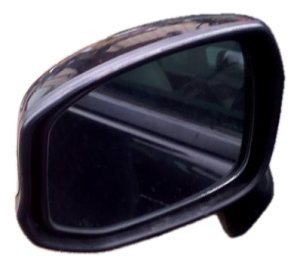
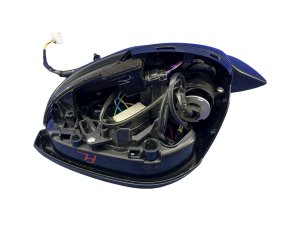
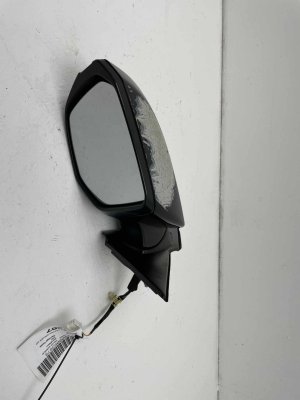
We Have This Part in Stock

The information in this article is provided for general reference and educational purposes only. Vehicle specifications, procedures, and part compatibility can vary by production date, trim level, and region. Always consult your vehicle's factory service manual and verify part numbers before purchasing or performing repairs. Safety-critical components such as airbags, seat belts, and braking systems should be installed by a qualified professional.
- HONDA CIVIC:
- Honda Civic:
- 🎬 Helpful Videos
- 🛍️ Shop This Part
- Key Differences: 9th Gen (2012-2015) vs. 10th Gen (2016-2021)
- 9th Generation Honda Civic (2012-2015)
- 10th Generation Honda Civic (2016-2021)
- Symptoms of a Failing Door Mirror
- Known Issues, Recalls, and TSBs
- Buying a Used 2012-2021 Civic Door Mirror
- Physical Inspection
- Replacement Overview
- Basic Steps:
- Cost Comparison
- Frequently Asked Questions (FAQ)
- 🎟️ Get 5% Off