

2022-2025 Kia Carnival Display Problems: 8-inch vs. 12.3-inch Screens, Blackouts, and Replacement Guide
This guide covers the critical differences between the Carnival's various screens, common failures like blackouts, and the essential steps for a successful replacement.
- There are four different, non-interchangeable display types: 8-inch main, 12.3-inch main, rear entertainment, and instrument cluster. You cannot upgrade from the 8-inch to the 12.3-inch screen.
- The most common failure is a blank or black screen, which can sometimes be fixed with a pinhole reset.
- A used replacement display will likely require programming by a Kia dealership to sync with your vehicle's VIN.
- A recall exists for the instrument panel display on some 2025-2026 models, but not for the main infotainment screen itself. Software TSBs address many connectivity issues.
Critical Compatibility Warning: Not All Screens Are the Same

Before diagnosing or buying a replacement display for a 2022-2025 Kia Carnival, you must identify which screen your vehicle has. There are four main types of displays, and they are not interchangeable. Ordering the wrong part will result in wasted time and money.
- 8-Inch Main Infotainment Display: Found on lower trim levels. It handles radio, media, and phone projection.
- 12.3-Inch Main Infotainment Display: Found on higher trim levels, this large widescreen unit offers more features, including built-in navigation. It uses a different wiring harness and software than the 8-inch model and cannot be used as an upgrade.
- Rear Seat Entertainment (RSE) System: An optional feature that includes two screens mounted to the back of the front seat headrests. These are separate from the main dashboard display and have their own part numbers, such as R0F58-AC101.
- Instrument Cluster Display: This is the screen behind the steering wheel. Lower trims have traditional analog gauges with a small central screen, while top trims feature a full 12.3-inch digital instrument cluster. This entire gauge pod assembly is a separate part from the center infotainment screen.
Warning: You cannot upgrade from the 8-inch display to the 12.3-inch display simply by swapping the screen. The systems use different modules, wiring, and programming. You must replace your failed unit with the exact same type that your vehicle was originally equipped with.
Symptoms of a Failing Infotainment Display

Failures in the Carnival's infotainment system can range from minor annoyances to a complete loss of function. Here are the most common symptoms reported by owners:
- Completely Black or Blank Screen: The most frequent complaint is a screen that fails to turn on, either intermittently or permanently. Sometimes it may come back on after the vehicle has been off for a while.
- Flickering, Lines, or Static: Before going completely black, the screen may flicker, display random lines, or show static.
- Unresponsive or Laggy Touchscreen: The display may power on, but it doesn't respond to touch, or the response is extremely slow. This can be a sign of a failing digitizer (the touch-sensitive layer).
- Ghost or Phantom Touches: The system acts as if someone is touching the screen, randomly changing settings or making selections. This is often caused by a breakdown of the screen's internal layers due to heat or humidity.
- Constant Re-booting: The system powers on, shows the Kia logo, and then immediately restarts in a continuous loop.
- Apple CarPlay / Android Auto Issues: Frequent disconnections or failure to launch phone projection are common software-related complaints.
- Bluetooth Connectivity Problems: Difficulty pairing a phone or maintaining a stable Bluetooth connection.
Known Issues, Recalls, and Technical Service Bulletins (TSBs)

While there are no major recalls for the main infotainment screens failing, Kia has issued several software updates and a recall for the related instrument panel display.
- Recall 26V046 (Kia SC361): This safety recall affects some 2025-2026 Carnival models. A software error can cause the instrument panel display (the screen behind the steering wheel) to go blank, preventing the driver from seeing the speedometer, warning lights, or tire pressure information. The remedy is a software update performed by a dealer or through an over-the-air (OTA) update.
- TSB ELE266: Addresses issues on the Rear Seat Entertainment (RSE) system where Netflix may not work or the Wi-Fi hotspot won't connect. This requires a specific software update at the dealership.
- TSB ELE303: For vehicles where the radio icons (AM/FM/SXM) become non-responsive. This is also fixed with a software update.
- TSB for Connectivity: Other TSBs have been released to improve the stability of Apple CarPlay, Android Auto, and general Wi-Fi functions.
- Service Action 593 (2025 Models): Some 2025 Carnivals may experience a parasitic battery drain. An OTA software update for the Central Communication Unit (CCU) is designed to fix this.
Troubleshooting Common Problems
If your screen is acting up, try these simple steps before assuming the hardware has failed.
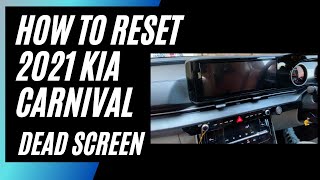
- Perform a Soft Reset: This is the most effective first step for a blank or frozen screen. Locate the small pinhole reset button, which is usually next to one of the physical volume or tuning knobs. With the vehicle on, use a paperclip or pen tip to press and hold the button for 5-10 seconds until the screen goes black and the system reboots. This forces the system to restart without erasing your settings. 🎬 Watch: How to perform a quick headunit reset for blackouts
- Check the Fuses: If the reset doesn't work, a blown fuse could be the culprit. The Carnival has fuse boxes in the engine bay and inside the cabin. Check your 🎬 Watch: Troubleshooting power issues with fuses and battery resets owner's manual for fuses labeled "Audio," "Display," or "Infotainment" and inspect them.
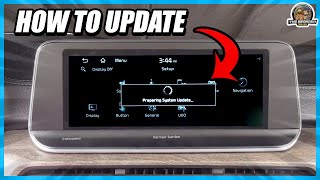
- Update Your Software: Many connectivity and performance issues can be resolved with a software update. You can download the latest software from Kia's official update website (update.kia.com) to a USB drive and install it yourself. 🎬 See this walkthrough on updating your Kia infotainment and GPS
Pro Tip: Before blaming the head unit for Apple CarPlay or Android Auto problems, always try a different, high-quality USB cable. The port marked with a data icon must be used for phone projection on the 12.3-inch screen.
Buying a Used Carnival Infotainment Display

Given the high cost of a new OEM display, a used unit from a reputable recycler is a cost-effective option. However, you must be extremely careful to ensure compatibility.
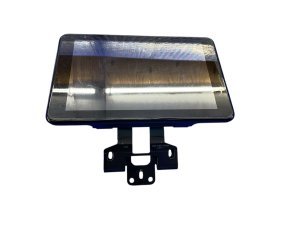
- Match Part Numbers Exactly: This is the most important rule. Find the part number on your original unit and buy one with the exact same number. A part number for the 12.3-inch display is 96525-R0100WK. Do not rely on visual appearance alone.
- Verify the Screen Type: Double-check that you are buying the correct part: the 8-inch main screen, the 12.3-inch main screen, or a rear entertainment screen. They are not interchangeable.
- Physical Inspection: When you receive the part, inspect the screen for any signs of delamination (bubbling under the glass), deep scratches, or cracks. Check that all mounting tabs and connectors are intact and undamaged.
- Be Prepared for Dealer Programming: Modern infotainment systems are often tied to a vehicle's VIN for anti-theft and feature activation. While not definitively confirmed by search results for this specific model, it is highly probable that a used display will need to be programmed by a Kia dealership to function correctly in your vehicle. Factor this potential cost and hassle into your decision.
- Why Used OEM is a Good Choice: Unlike cheap aftermarket Android head units, a used OEM screen ensures perfect fitment, retains all factory functions (like steering wheel controls and vehicle settings), and maintains the original look of the dashboard.
Replacement Cost Comparison
The cost to replace a Carnival's infotainment display varies significantly depending on the source of the part.
| Part Source | Estimated Cost | Notes |
|---|---|---|
| New OEM (12.3-inch) | $2,800 - $4,400 | Part only, purchased from a Kia dealership. |
| New OEM (Rear Screen) | $1,400 - $2,000 | For the dual headrest entertainment system (part R0F58-AC101). |
| Used OEM (12.3-inch) | $350 - $500 | Prices from online marketplaces like eBay. |
| Used OEM (Rear Screen) | $100 - $300 | Prices from online marketplaces like eBay. |
| Shop Labor | $200 - $400 | Estimated 1.5-2 hours of labor for replacement. |
Frequently Asked Questions (FAQ)
Can I upgrade my 8-inch screen to the 12.3-inch navigation screen?
No, this is not a feasible upgrade. The two systems use different main units, wiring harnesses, dashboard mounting points, and software. You must replace your screen with the same size that your Carnival was built with.
Does a used infotainment screen need to be programmed by the dealer?
It is very likely. Most modern infotainment systems are linked to the vehicle's VIN. While a used unit might power on, certain features or the entire system may be locked until it is programmed to your vehicle by a Kia dealership with the proper diagnostic tools.
My screen is black. How do I perform a reset?
Find the small pinhole reset button, usually located near the volume or tune knob. With the vehicle running, press and hold this button with a paperclip for about 10 seconds until the system reboots. This often fixes temporary software glitches causing a blank screen.
Why did my rear-facing car seat damage the rear entertainment screen?
This is a common complaint. The position and size of the factory Rear Seat Entertainment (RSE) screens make them prone to being scratched or hit by rear-facing child seats. Many owners choose to remove the screens or avoid this option entirely if they have young children in rear-facing seats.
Helpful Videos


Technical Specifications
OEM Part Numbers: 96525-R0100WK 96525R0100WK 94053-R0110 96525-R0000WK 96525R0000WK A9965AP510 MTXRSE150B R0F58-AC100 R0F58-AC101
Screen Sizes: 8-inch or 12.3-inch main display. 10.1-inch rear seat entertainment screens. Connectivity: USB, Bluetooth, Apple CarPlay, Android Auto.
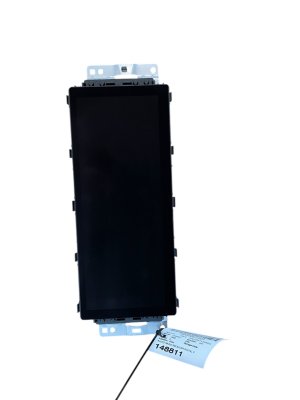
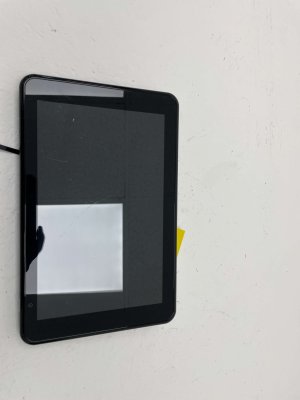
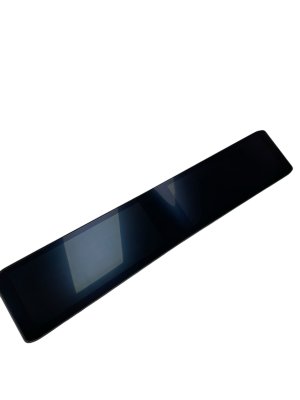
We Have This Part in Stock

The information in this article is provided for general reference and educational purposes only. Vehicle specifications, procedures, and part compatibility can vary by production date, trim level, and region. Always consult your vehicle's factory service manual and verify part numbers before purchasing or performing repairs. Safety-critical components such as airbags, seat belts, and braking systems should be installed by a qualified professional.
- Kia Carnival:
- 🎬 Helpful Videos
- 🛍️ Shop This Part
- Critical Compatibility Warning: Not All Screens Are the Same
- Symptoms of a Failing Infotainment Display
- Known Issues, Recalls, and Technical Service Bulletins (TSBs)
- Troubleshooting Common Problems
- Buying a Used Carnival Infotainment Display
- Replacement Cost Comparison
- Frequently Asked Questions (FAQ)
- 🎟️ Get 5% Off