

Jaguar & Land Rover 2013-2021 Infotainment Screen Failure: A Buyer's Guide
Diagnosing and replacing the lagging, freezing, or blank InControl Touch, Touch Pro, and Touch Pro Duo displays in popular Jaguar and Land Rover models.
- A replacement screen, new or used, MUST be programmed to the vehicle's VIN by a dealer or specialist with JLR software (SDD/Pathfinder). It is not plug-and-play.
- Many issues like freezing, lagging, and reboots are caused by software bugs. Check for available software updates before replacing the hardware.
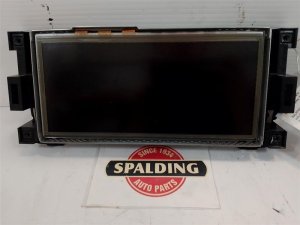
- There are three non-interchangeable systems: 8-inch InControl Touch, 10-inch InControl Touch Pro, and the dual-screen Touch Pro Duo. Verify which system your vehicle has before buying.
- When buying a used screen, match the part number from your original unit exactly and purchase from a seller who offers a warranty.
Infotainment System Variants: Which Screen Do You Have?

Before diagnosing or buying a replacement, it's critical to identify which infotainment system your vehicle is equipped with. These systems are not interchangeable. An upgrade from the 8-inch to the 10-inch system, for example, is not a simple plug-and-play swap due to differences in wiring, software, and mounting hardware.
| System | Screen Size(s) | Commonly Found In | Key Features |
|---|---|---|---|
| InControl Touch | 8-inch Touchscreen | Base models of Jaguar XE, XF, F-Pace; Land Rover Discovery Sport | Standard system with physical buttons flanking the screen for shortcuts. |
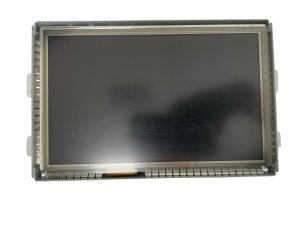
| InControl Touch Pro | 10-inch Widescreen | 2013-2019 Range Rover, 2014-2020 Range Rover Sport, 2017-2020 Discovery, 2017-2019 F-Pace, 2019-2021 F-Type, 2017-2020 XE, 2016-2020 XF, 2018-2019 XJ, 2018-2020 E-Pace | A significant upgrade with a larger, higher-resolution screen and more processing power. Often includes features like Apple CarPlay and Android Auto (on later model years or via a software update). |
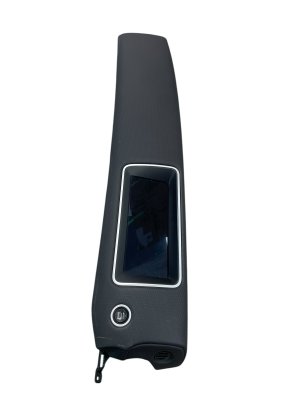
| InControl Touch Pro Duo | Dual 10-inch Touchscreens (Upper and Lower) | 2018+ Range Rover, Range Rover Sport, and Velar; may be found in other high-trim models. | The most advanced system, featuring an upper screen for media/navigation and a lower screen for climate and vehicle controls. The upper screen is tilt-adjustable. |
Known Issues, TSBs, and Recalls

The InControl Touch Pro and Touch Pro Duo systems are known for software-related problems. Jaguar Land Rover (JLR) has issued numerous Technical Service Bulletins (TSBs) to address these issues with software updates. A class-action lawsuit was even filed over the persistent problems, resulting in a settlement.
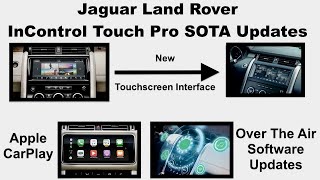
- Software Glitches: The most common source of problems is buggy software. Issues like freezing, slow response, and random reboots were so prevalent that JLR released multiple updates. TSBs like JTB00593NAS5 were specifically released to "enhance the robustness of a range of system features and functions." 🎬 Watch: How to update your InControl infotainment and vehicle software.
- Screen Flickering (TSB N155NAS): A service action was issued for some 2018 Range Rover and Range Rover Sport models where the screens would flicker or become inoperable, especially in cold weather. The fix was a software update for the display modules.
- Lower Screen Delamination (TSB LTB01160NAS3): On Touch Pro Duo systems, the lower 10-inch screen can delaminate, causing a distorted or bubbled appearance. A TSB was issued for 2018 Range Rover, Range Rover Sport, and Velar models to address this manufacturing defect.
- Connectivity Loss (3G Sunset): Some 2017 models rely on a 3G telematics module for connected services. As cellular carriers phase out 3G networks, these features may stop working.
Symptoms of a Failing Infotainment Display

Diagnosing a faulty infotainment screen is usually straightforward and based on observable symptoms. While internal module failures can cause these issues, the display assembly itself is a frequent culprit.
- Unresponsive or Frozen Screen: The display is stuck on a single image (like the Jaguar or Land Rover logo) or stops responding to touch inputs entirely.
- Blank or Black Screen: The screen fails to turn on, remaining black, even though you can hear audio or other systems seem to be working.
- Ghost Touches: The system acts as if it's being touched when it isn't, randomly changing settings, making calls, or switching menus. This is often due to a failing digitizer (the touch-sensitive layer).
- Lagging and Slow Response: Severe delays between touching an icon and the system responding. While software updates can help, it can also indicate failing hardware.
- Constant Rebooting: The system continuously restarts, often never fully booting up to the home screen.
- Screen Delamination: A visible bubbling, peeling, or separation of the screen layers, most common on the lower screen of Touch Pro Duo systems.
OBD-II codes specifically for a screen failure are not common. Problems are more likely to be logged as U-codes (network communication faults) or B-codes (body control module faults) that require specialized diagnostic tools to read.
Pro Tip: Before assuming the hardware is bad, try a system reboot. Press and hold the infotainment system's power button for 15-20 seconds until the screen goes blank and the logo reappears. This can temporarily resolve many software-related glitches.
Buying a Used Infotainment Display: What to Know

Given the high cost of a new OEM screen, a used unit from a reputable recycler is a popular choice. However, this is not a simple part to buy. Compatibility and post-installation requirements are critical.
- Match the Part Number EXACTLY: The most important step is to match the OEM part number from your original screen. Part numbers like C2D56665 (Jaguar) or GX63-19C299-AE (Land Rover) are specific to certain hardware and software configurations. Remove your old unit first to verify the number.
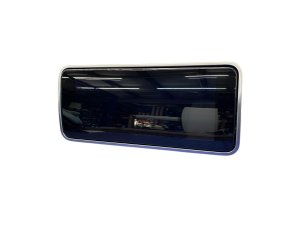
- Verify the System Type: Ensure you are buying the correct screen for your system—InControl Touch (8"), Touch Pro (10"), or Touch Pro Duo (Upper or Lower). They are not interchangeable.
- Inspect for Physical Damage: Check photos carefully for scratches, cracks, or signs of delamination/bubbling. Ask the seller for pictures of the screen powered on if possible.
- Budget for Professional Programming: This is not a plug-and-play part. A used display is configured to the donor vehicle's VIN and options (e.g., premium audio, navigation, rear entertainment). It MUST be reprogrammed to your vehicle's VIN using JLR-specific diagnostic software (SDD for pre-2017 models, Pathfinder for 2017+). Failure to do so will result in a non-working unit or missing features.
- Choose a Seller with a Warranty: Buy from a seller who offers a warranty. This protects you if the unit is dead on arrival or has hidden faults like intermittent ghost touching that weren't obvious at first.
Programming and Installation Requirements

Warning: A replacement infotainment screen, whether new or used, requires vehicle-specific programming to function. This is the most critical and often overlooked step of the repair.
- Dealer or Specialist Required: The programming must be done by a JLR dealership or an independent repair shop that has an active subscription to JLR's diagnostic software (SDD or Pathfinder) and the correct vehicle communication interface (VCI). Most general mechanics and DIYers do not have this expensive, specialized equipment.
- VIN Matching: The process involves loading your vehicle's Central Configuration File (CCF) into the replacement module. This file tells the screen what features your car has. Without this step, the screen won't know how to communicate with other systems in the car.
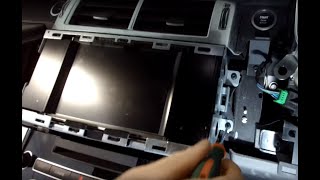
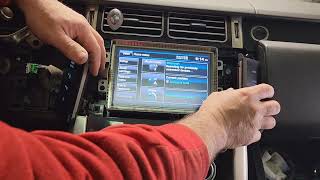
- Physical Installation: The physical swap is moderately difficult and can be done by a skilled DIYer. It involves carefully prying off dashboard trim panels to access the mounting screws for the screen. 🎬 See this walkthrough for removing the dashboard radio and display unit. However, the job is not complete until the software programming is done.
Cost Breakdown for Infotainment Display Replacement
The cost can vary significantly based on the screen type and the chosen repair path.
| Item | Estimated Cost | Notes |
|---|---|---|
| New OEM Display | $1,800 - $2,500 | Part only. For example, part number C2D56665 has an MSRP over $2,000. |
| Used OEM Display | $350 - $900 | Price depends heavily on condition, screen type (Duo screens are more expensive), and availability. |
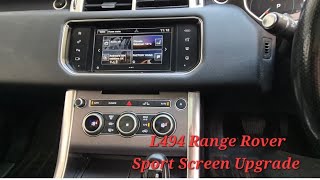
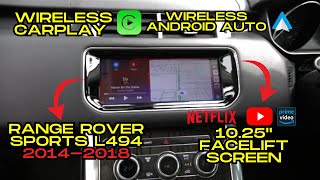
| Aftermarket Screen Upgrade | $800 - $1,300 | These are typically Android-based units that replace the factory screen. They may offer more features but can have their own bugs and integration issues. Not a direct OEM replacement. | 🎬 See how a 10.25-inch Android display looks after installation.
| Shop Labor (Installation & Programming) | $250 - $500 | Includes physical installation and the crucial software configuration. Programming alone can cost $150-$250. |
Frequently Asked Questions (FAQ)
Does a used infotainment screen need to be programmed?
Yes, absolutely. A replacement screen is tied to the original vehicle's VIN and optional features. It must be reprogrammed to your car using JLR's Pathfinder or SDD software to work correctly. This is not a plug-and-play part.
Can I upgrade my 8-inch InControl Touch screen to the 10-inch Touch Pro?
No, this is not a practical or recommended upgrade. The InControl Touch Pro system uses different wiring harnesses, control modules, and software architecture. It is not a direct swap.
My screen is just laggy. Do I need to replace it?
Not necessarily. Many performance issues like lag, freezing, and even CarPlay disconnects can be caused by outdated software. Before replacing hardware, check with a dealer or JLR specialist to see if there is a software update available for your vehicle. Some updates were even covered for free under a settlement agreement.
Can I just replace the touch-sensitive glass (digitizer)?
While aftermarket digitizers are sold online, this is a very difficult and delicate repair. The screen assembly is typically bonded together, and separating the layers without causing further damage is challenging. For most people, replacing the entire screen assembly is the more reliable and practical solution.
Why does my dealer warn they might 'brick' the module during a software update?
During a major software update, if the connection between the diagnostic tool and the car is interrupted, or if the vehicle's battery voltage drops too low, the update can fail. In rare cases, this can leave the module in an unrecoverable state, or 'bricked'. This is why updates should always be performed by a professional with a stable power supply connected to the vehicle.
Helpful Videos
Technical Specifications
OEM Part Numbers: C2D56665 GX63-19C299 GX63-19C299-AC GX63-19C299-AE GX6312C299 GX6319C299 GX6319C299AC GX6319C299AE FK6210E889AD GK62-10E889-AE GK6210E889AE GK6210E889AG HPLA-19C242-AC HPLA19C242AC JPLA-19C279-AD T2H14720 T2H1773 T2H21730 T2H24567 LR112397
Systems include the 8-inch InControl Touch, 10-inch InControl Touch Pro, and dual 10-inch InControl Touch Pro Duo. Requires programming via JLR SDD (pre-2017) or Pathfinder (2017+) software.
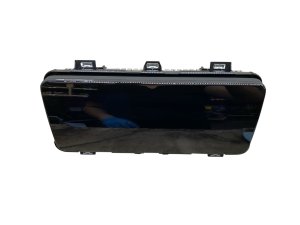
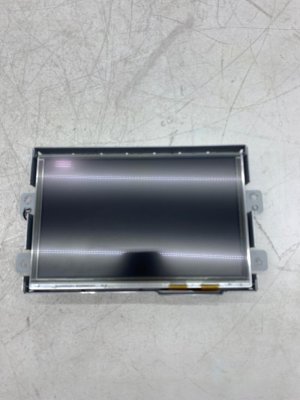
We Have This Part in Stock

The information in this article is provided for general reference and educational purposes only. Vehicle specifications, procedures, and part compatibility can vary by production date, trim level, and region. Always consult your vehicle's factory service manual and verify part numbers before purchasing or performing repairs. Safety-critical components such as airbags, seat belts, and braking systems should be installed by a qualified professional.
- Land Rover Range Rover Sport:
- Land Rover Range Rover:
- Jaguar E-Pace:
- Jaguar F-Pace:
- Jaguar F-Type:
- Jaguar XE:
- Jaguar XF:
- Jaguar XF Sportbrake:
- Jaguar XJ:
- Land Rover Discovery:
- Land Rover Discovery Sport:
- Land Rover Range Rover Evoque:
- 🎬 Helpful Videos
- 🛍️ Shop This Part
- Infotainment System Variants: Which Screen Do You Have?
- Known Issues, TSBs, and Recalls
- Symptoms of a Failing Infotainment Display
- Buying a Used Infotainment Display: What to Know
- Programming and Installation Requirements
- Cost Breakdown for Infotainment Display Replacement
- Frequently Asked Questions (FAQ)
- 🎟️ Get 5% Off