

2025 Nissan Kicks Infotainment Display: Screen Size, Blackouts & Programming
This guide covers the critical differences between the 7-inch and 12.3-inch screens, and why dealer programming is almost always required after replacement.
- This part ONLY fits the redesigned 2025 Nissan Kicks and is not compatible with older models.
- You MUST verify your screen size. Base 'S' trims use a 7-inch screen, while SV and SR trims use a 12.3-inch screen. They are not interchangeable.
- A replacement unit, new or used, MUST be programmed by a Nissan dealer with their CONSULT software to function correctly.
- A blank or black screen is a very common issue on these new models, often caused by a software glitch that may be fixable without replacing the unit.
Critical 2025 Redesign Information

The 2025 Nissan Kicks is a complete redesign. Parts from this model year are not compatible with any 2024 or older Kicks. This infotainment display is specifically for the new-generation 2025 model.
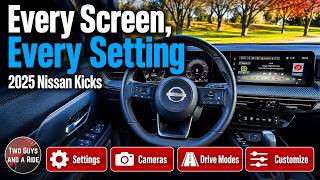
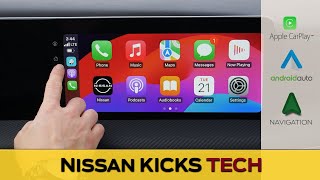
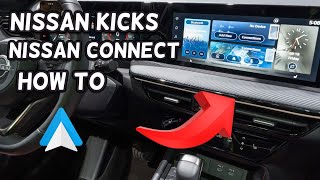
🎬 Watch: A complete guide to the 2025 Kicks tech and screensCompatibility Warning: The 2025 Kicks comes with two different screen sizes that are NOT interchangeable. Before purchasing, you must verify which system your vehicle has.
- S Trim: Equipped with a 7-inch touchscreen.
- SV and SR Trims: Equipped with a larger 12.3-inch touchscreen.
Installing a 12.3-inch screen in a vehicle originally equipped with a 7-inch screen is not a simple plug-and-play upgrade and is not recommended due to differences in wiring and required programming.
Symptoms of a Failing Infotainment Display

As a new model, the 2025 Kicks is already showing a distinct pattern of infotainment issues, primarily related to software glitches. Many owners have reported problems even on brand-new vehicles.
- Blank or Black Screen: The most common and frustrating issue reported by 2025 Kicks owners is the screen failing to turn on at all. The screen may be completely black and unresponsive, even though the vehicle drives normally. This has been reported to happen repeatedly on the same vehicle, sometimes requiring multiple dealer visits.
- System Freezing or Unresponsive: The display may freeze on a single screen or stop responding to touch inputs. This can sometimes be temporarily fixed by restarting the vehicle.
- Constant Reboots: The unit may randomly shut down and restart on its own while driving. This is often a software stability issue.
- Apple CarPlay / Android Auto Disconnecting: Frequent disconnections or failure for the phone to connect wirelessly are common complaints. While sometimes caused by the phone or cable, it is often a bug within the infotainment software itself.
- Backup Camera Failure: A specific known issue is the screen remaining blank when the vehicle is put in Reverse, preventing the backup camera image from displaying. This was the subject of a software-related recall.
Troubleshooting Tip: The Soft Reset
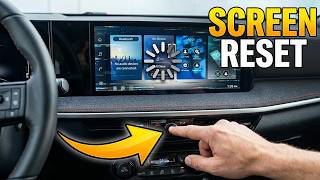
Pro Tip: Before taking it to a shop, try a soft reset. With the vehicle running, press and hold the power/volume knob for 10-20 seconds. The screen should go blank and the Nissan logo will appear as the system reboots. This can clear temporary software glitches and is the first thing a technician will try.
🎬 See how to perform a quick reboot on your media screenKnown Issues, Recalls, and TSBs

Recall for Backup Camera Software
Nissan issued a recall for some 2025 Kicks vehicles due to a software error that could cause the backup camera display to not appear when in reverse. The remedy is a free software update performed by a Nissan dealer. If you are experiencing this specific issue, contact a dealer with your Vehicle Identification Number (VIN) to see if your car is covered.
Early Owner Complaints
Forums and social media show a significant number of early 2025 Kicks owners experiencing total screen blackouts that require dealer intervention. In many cases, dealers perform a "hard reset," but some units have required complete replacement under warranty. This indicates that early production units may have software stability problems.
Programming and Calibration: A Dealer Visit is Required

Replacing an infotainment display in a modern Nissan is not a simple swap. The unit must be electronically configured to the specific vehicle it is installed in.
- VIN Linking: The infotainment unit is linked to the vehicle's original VIN and its specific set of features (e.g., Bose audio, Around View Monitor). A used unit will retain the configuration of its donor vehicle.
- Dealer Programming: To ensure all features work correctly, a replacement display—even a used OEM one—must be programmed by a Nissan dealer using their proprietary diagnostic software, known as CONSULT-III Plus. This process configures the unit to the new vehicle's VIN and options.
- Anti-Theft: While not a traditional immobilizer component, the integration with the vehicle's systems means an unprogrammed unit will not function correctly. Full functionality of all features is only possible after dealer programming.
- Independent Shops: While some specialized independent shops may have J2534 pass-through tools and a subscription to Nissan's diagnostic software (NERS), it is not common. For a guaranteed successful installation, a Nissan dealer is the most reliable choice.
Buying a Used 2025 Kicks Infotainment Display
Given the high cost of a new unit, a used OEM display is a great value. However, you must be extremely careful to buy the correct part and understand the necessary next steps.
Warning: The part number 24809-7LG2A listed in some databases is incorrect. This part is a "MASK TACHOMETER," which is a piece of plastic trim, not the display itself.
Inspection Checklist:
- Verify the Screen Size: This is the most important step. You MUST confirm if you need the 7-inch (S trim) or 12.3-inch (SV/SR trims) version. They are not interchangeable. Ask the seller for a photo of the part with a tape measure for confirmation.
- Confirm the Part Number: For the 12.3-inch screen, look for part number 28091-7LA0A or its updated version, 28091-7LA0B. The part is often described as a "Display Unit-Av" or "Radio Control Unit."
- Inspect for Physical Damage: Check for deep scratches on the screen, cracks in the housing, or broken connector ports. Minor scuffs may be acceptable, but any damage to the screen surface itself is a red flag.
- Budget for Programming: Remember that the price of the used part is not your final cost. You MUST factor in the additional cost of having a Nissan dealer program the unit to your vehicle. Call your local dealer for a quote on programming a customer-supplied infotainment unit before you buy.
Replacement Cost Comparison
Prices can vary by location and supplier. The costs below are estimates to help you understand the potential savings of buying a used part. Dealer programming is an additional cost.
| Part Type | Estimated Cost |
|---|---|
| New OEM (12.3-inch) | $1500 - $2500+ |
| New Aftermarket | Not Yet Available |
| Used OEM (12.3-inch) | $400 - $800 |
| Shop Labor (Physical Swap) | $100 - $250 |
| Dealer Programming | $150 - $300 |
Frequently Asked Questions (FAQ)
Can I upgrade my 7-inch screen to the 12.3-inch screen?
This is not a recommended or simple upgrade. It would involve changing not only the display unit but also potentially the wiring harness, dashboard trim, and require extensive, complex programming by a specialist. It is far more practical and cost-effective to find a vehicle originally equipped with the larger screen.
My screen is black. Do I need to replace it?
Not necessarily. First, try a soft reset by holding the power/volume knob for 10-20 seconds. If that doesn't work, the issue could be a software glitch that the dealer can fix with an update, especially if your backup camera is also not working. Given the widespread reports of this issue on new 2025 models, it should be investigated by a dealer under warranty if applicable.
Can I install a used display myself?
The physical installation is relatively easy for a DIY mechanic; it involves removing trim panels and four screws. However, the unit will not be fully functional until it is programmed by a Nissan dealer. You can perform the physical swap yourself to save on labor, but you will still need to drive the vehicle to the dealership to have the programming completed.
What OBD-II codes are associated with a bad infotainment display?
A failing infotainment display often does not set a typical "P" (Powertrain) code that a basic scanner can read. Failures are more likely to be logged as "U" (Network Communication) codes, indicating a loss of communication between the display and other modules. In many cases, like a completely blank screen, there may be no fault code stored at all.
Helpful Videos


Technical Specifications
OEM Part Numbers: 28091-7LA0A 28091-7LA0B
Screen Sizes: 7-inch (S Trim), 12.3-inch (SV, SR Trims)

The information in this article is provided for general reference and educational purposes only. Vehicle specifications, procedures, and part compatibility can vary by production date, trim level, and region. Always consult your vehicle's factory service manual and verify part numbers before purchasing or performing repairs. Safety-critical components such as airbags, seat belts, and braking systems should be installed by a qualified professional.
- Nissan Kicks:
- 🎬 Helpful Videos
- Critical 2025 Redesign Information
- Symptoms of a Failing Infotainment Display
- Troubleshooting Tip: The Soft Reset
- Known Issues, Recalls, and TSBs
- Recall for Backup Camera Software
- Early Owner Complaints
- Programming and Calibration: A Dealer Visit is Required
- Buying a Used 2025 Kicks Infotainment Display
- Inspection Checklist:
- Replacement Cost Comparison
- Frequently Asked Questions (FAQ)
- 🎟️ Get 5% Off