

2024-2026 Tesla Model 3 'Highland' Center Display: Replacement, Programming, and Cost
Replacing the central screen in the updated 'Highland' Model 3 requires a mandatory software procedure by Tesla, making DIY replacement complicated.
- This display fits ONLY the 2024-2026 Tesla Model 3 'Highland' and is not compatible with earlier models.
- Replacement is NOT plug-and-play; a software reinstallation by a Tesla Service Center is mandatory for the screen to function.
- Tesla Service may refuse to program a used part that you provide, so consult them before buying a used screen.
- Driving with a non-functional screen is unsafe as it removes the speedometer, gear indicator, and other critical controls.
Function and Role in the Vehicle

The center display in the 2024-2026 Tesla Model 3 'Highland' is the command center for nearly every vehicle function. Unlike traditional cars with physical buttons and gauges, the Model 3 consolidates these controls into a single touchscreen interface. This includes essential driving information like speed and gear selection, as well as comfort features like climate and media. The 'Highland' update introduced a slightly larger usable screen area by reducing the bezel size and also integrated a faster processor. It even contains the primary gear shifter, accessible by swiping on the screen, although backup gear selector buttons are located on the overhead console in case of screen failure.
Known Issues and Symptoms of Failure

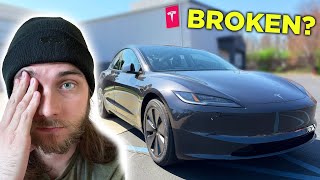
As the Model 3 'Highland' is a relatively new vehicle, long-term failure trends are still emerging. 🎬 Watch an owner's experience with early hardware failures and glitches. However, early owner reports and common issues from previous Tesla models provide some insight into potential problems.
Common Failure Symptoms:
- Total Blackout: The screen fails to turn on, leaving the driver without a speedometer, gear selector, or any vehicle controls. This can sometimes be intermittent or occur after a software update.
- Unresponsive Touch: The display is on, but does not register touch inputs, preventing control of any functions.
- Software Glitches: The system may become slow, freeze, or reboot unexpectedly. Owners have reported issues with cameras or Autopilot features failing to work, which can be tied to the infotainment computer.
- Visual Artifacts: Dead pixels, lines on the screen, or yellowing around the edges (a common issue on older Tesla screens) can occur.
- Buzzing Noise: Some owners have reported a faint, constant buzzing sound from underneath the screen, which Tesla service has sometimes identified as normal noise from the fan-driven interior temperature sensor.
Recalls and Technical Service Bulletins (TSBs)
As of early 2026, several recalls have been issued for the 2024 Model 3, though most are addressed via over-the-air (OTA) software updates. One notable recall that could affect the display's function is for a potential loss of the rearview camera image due to a computer circuit board issue. Always check the NHTSA website with a vehicle's VIN for the most current and specific recall information.
Important: A non-functioning center display renders the vehicle unsafe to drive. You will not have access to your speed, gear status, or critical safety warnings.
Replacement and Programming

Physically replacing the screen is straightforward for a technician or experienced DIYer. It involves removing a few trim pieces and unbolting the display assembly. However, the critical step is the software configuration that must happen after installation.
Software Reinstallation is Required
A used or new screen is not plug-and-play. After the hardware is installed, the vehicle's software must be reinstalled or reconfigured to recognize the new display. Tesla's official service manual explicitly lists "Reinstall software" as the final step. This process pairs the new hardware to the car's vehicle identification number (VIN) and configuration.
Pro Tip: This software pairing procedure requires access to Tesla's proprietary diagnostic software, known as Toolbox. Currently, this is only available to Tesla Service Centers and a limited number of authorized repairers. An independent shop or DIY mechanic cannot complete this final, essential step.
One eBay seller of used 'Highland' displays explicitly notes: "Tesla will not install or program any used parts." While this is a common policy to encourage buying new parts, it highlights the challenge. If you install a used screen yourself, you will still need to have the car towed to a Tesla Service Center for the software pairing, and they may be unwilling to perform the service on a part they did not supply.
Buying a Used 2024-2026 Model 3 Display

Given the programming challenges, buying a used display requires careful consideration.
- Compatibility: Ensure the part is from a 2024-2026 'Highland' Model 3. The part numbers 1673288-20-B and 1756566-00-D are associated with this generation. Screens from earlier 2017-2023 models are not compatible.
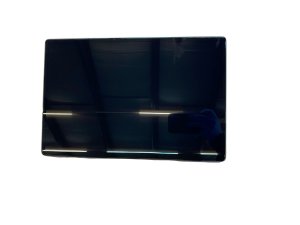
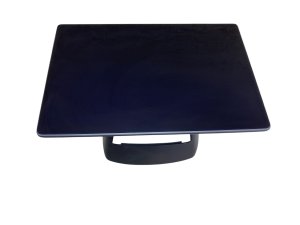
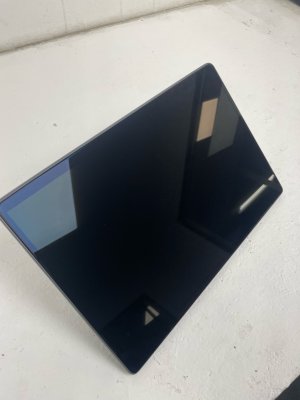
- Physical Inspection: Since you are primarily buying the physical screen, inspect it carefully for deep scratches, cracks, delamination (separation of screen layers), or damage to the connectors.
- Understand the Process: Acknowledge that the purchase price is for the hardware only. You must factor in the cost and logistics of getting a Tesla Service Center to perform the software installation. Discuss the possibility with your local Service Center before purchasing the part.
Cost Comparison
Prices can vary significantly based on location and availability.
| Part Type | Estimated Cost | Notes |
|---|---|---|
| New OEM (from Tesla) | $1,400+ | This is an estimated price for the part and labor, as reported by users. |
| Used OEM (Salvage/eBay) | $300 - $600 | Hardware only. Does not include mandatory programming. |
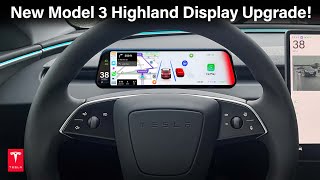
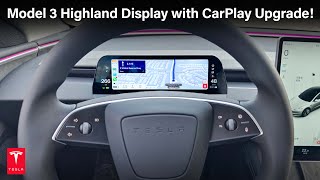
| New Aftermarket | Not Widely Available | OEM is the primary source. Some aftermarket screens exist but are typically for adding a driver-side display, not replacing the main unit. | 🎬 See how aftermarket displays can add Apple CarPlay to your Highland.
| Shop Labor (Installation Only) | $150 - $300 | This is for the physical swap only. Does not include software pairing. Tesla's official procedure quotes 0.18 hours for the task. |
Frequently Asked Questions
Can I replace a Model 3 Highland screen myself?
You can physically replace the screen, as the process is not mechanically difficult. However, you cannot complete the job, as the screen requires a software reinstallation using Tesla's proprietary tools to function. You will need to involve a Tesla Service Center.
Will a used screen work in my car?
A used screen will only work after it has been programmatically paired to your car by a Tesla Service Center. Be aware that some service centers may refuse to program a part that you supply.
Is it safe to drive with a black infotainment screen?
No. It is not safe to drive. A non-functional screen means you have no speedometer, no gear indicator, no climate controls, and no access to critical vehicle warnings.
What is the difference between the 'Highland' screen and older Model 3 screens?
The 2024+ 'Highland' screen has thinner bezels for more usable screen area, a faster processor, and different mounting/part numbers. It is not interchangeable with screens from 2017-2023 Model 3 vehicles.
Helpful Videos
Technical Specifications
OEM Part Numbers: 1673288-20-B 1756566-00-D
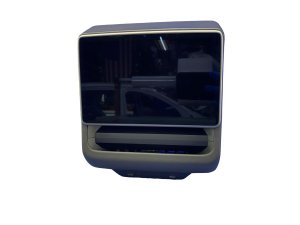
Screen Size: 15.4 inches Primary Functions: Speedometer, Gear Selector, Climate Control, Navigation, Media, Vehicle Settings
We Have This Part in Stock

The information in this article is provided for general reference and educational purposes only. Vehicle specifications, procedures, and part compatibility can vary by production date, trim level, and region. Always consult your vehicle's factory service manual and verify part numbers before purchasing or performing repairs. Safety-critical components such as airbags, seat belts, and braking systems should be installed by a qualified professional.
- Tesla Model 3:
- 🎬 Helpful Videos
- 🛍️ Shop This Part
- Function and Role in the Vehicle
- Known Issues and Symptoms of Failure
- Common Failure Symptoms:
- Recalls and Technical Service Bulletins (TSBs)
- Replacement and Programming
- Software Reinstallation is Required
- Buying a Used 2024-2026 Model 3 Display
- Cost Comparison
- Frequently Asked Questions
- 🎟️ Get 5% Off