

Volvo Sensus Display Problems: A Guide for XC60, S60, S90, V90 & XC90 (2016-2023)
Diagnose and fix a blank, freezing, or bubbling infotainment screen and understand the critical programming requirements before you buy a replacement.
- A replacement display (new or used) MUST be programmed to the vehicle by a dealer or a qualified shop with a Volvo VIDA subscription.
- Many common issues like a black screen or freezing can be temporarily fixed by performing a soft reset (holding the home button for 20-30 seconds).
- A bubbling or peeling screen is damage to the anti-glare coating and can often be fixed by removing the coating and applying a screen protector, avoiding a costly replacement.
- Buying a used display can save thousands, but it still requires professional programming, which adds several hundred dollars to the total cost.
Symptoms of a Failing Infotainment Display

Problems with the Volvo Sensus display can range from minor software glitches to complete hardware failure. Many symptoms can be intermittent, often triggered by temperature changes or remote starting the vehicle.
Software and Performance Issues
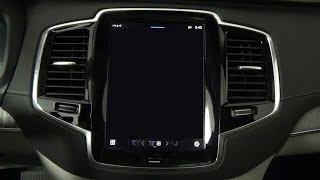
- Black or Blank Screen: The screen may go completely black, sometimes with only the top or bottom status bars visible. This is one of the most common complaints. Often, a system reset can temporarily restore function. 🎬 Watch: Troubleshooting steps for a blank Volvo center display
- System Freezing or Unresponsive: The display freezes and stops responding to touch inputs. This can happen mid-use, preventing you from changing the radio, navigation, or climate settings.
- Constant Rebooting: The system gets stuck in a boot loop, repeatedly showing the Volvo logo but never fully loading.
- Laggy or Slow Response: There is a noticeable delay between touching an icon and the system responding.
- "Ghost" or Phantom Touches: The screen acts as if it's being touched when it isn't, causing random menus to open or settings to change.
- Connectivity Failures: Bluetooth devices may fail to pair or disconnect randomly, and Apple CarPlay or Android Auto may not launch or work correctly.
- No Sound: In some cases, a display failure can lead to a total loss of audio from all sources, including radio, phone calls, and even turn signal clicks.
Physical Screen Failures
- Bubbling or Peeling Anti-Glare Coating: The screen develops bubbles, a cloudy appearance, or what looks like a peeling layer. This is damage to the factory anti-glare coating, often caused by UV sun exposure or the use of harsh chemical cleaners.
- Vertical or Horizontal Lines: The display shows persistent lines across the screen, indicating a failure of the LCD panel itself.
- Cracked or Physically Damaged Screen: The glass can be broken from an impact, which will require a full unit replacement or a new LCD panel.
Associated Diagnostic Trouble Codes (DTCs)
A failing infotainment display rarely generates a single, simple fault code like "Bad Screen." Instead, because it's a central communication hub, its failure typically causes a cascade of communication errors with other modules. An OBD-II scan will likely show multiple U-series (Network) or B-series (Body) codes. Common codes associated with these failures include:
U-Series Codes:Indicating a loss of communication between the infotainment module and other systems like the climate control module (e.g., U110400) or the main vehicle network.B-Series Codes:Body control codes related to switches or inputs that are routed through the display, such asB113081for invalid data from a light switch module.
Low battery voltage can also cause many of these symptoms, so it's important to ensure your vehicle's main and auxiliary batteries are in good health before condemning the display unit.
Known Issues, Recalls, and Technical Service Bulletins (TSBs)

Several official communications from Volvo and NHTSA address issues with the Sensus system.
- NHTSA Recall R10333 (Supersedes 25V-282): This major recall affects many 2021-2025 models, including the S60, XC60, S90, and V90. The issue is that the rearview camera image may not display when the vehicle is put in reverse. The fix is a software update performed by a dealer or via an over-the-air (OTA) update.
- NHTSA Recall (November 2018): This recall covered 2017-2019 models like the XC90, S90, V90, and XC60 for a software fault in the telematics system. In a crash, the GPS might not provide the vehicle's location to emergency responders. The remedy was a software upgrade.
- Technical Journal TJ 31863: For 2016-2017 XC90 models, this TSB addresses an issue where the navigation shows an incorrect vehicle position after a software update. The fix requires another, more current software package to be installed.
Pro Tip: Before assuming the hardware is bad, try a system reset. For most Sensus systems, press and hold the physical 'Home' button below the screen for about 20-30 seconds. The screen will enter cleaning mode, then go black and restart, showing the Volvo logo. This simple procedure can often resolve temporary software freezes and glitches.
Buying a Used Infotainment Display: What You MUST Know

Buying a used OEM display is a great way to save money, but there are critical factors to consider to avoid ending up with a part you can't use.
Warning: This part is NOT plug-and-play. Due to Volvo's anti-theft system, which links components to the car's VIN, a replacement display (new or used) must be programmed to the vehicle using specialized software. If you install a used screen without programming, it will typically turn on for a few seconds and then shut down, making it unusable.
Inspection and Compatibility
- Verify the Part Number: While many of these screens look identical, there can be minor hardware or software differences. Match the OEM part number from your original unit to the replacement part whenever possible. Known part numbers include 31444449, 31466836, 32218885, and 32315268, among others.
- Physical Inspection: Carefully inspect the used screen for any signs of delamination or bubbling on the anti-glare coating. Check the screen for deep scratches and ensure all mounting tabs and connector ports are intact and undamaged.
- Source a Reputable Seller: Buy from an auto recycler that offers a warranty and has good reviews. This provides some protection if you receive a defective part.
Programming and Installation

Physical installation is straightforward for a DIYer, but software programming is not.
Installation Steps
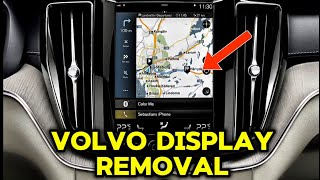
The replacement process generally involves using plastic trim tools and a T25 Torx driver to remove the surrounding trim and A/C vents to access the screen's mounting screws. The entire unit is then unbolted, disconnected, and removed.
🎬 See this walkthrough on how to remove the Sensus displaySoftware Programming (VIDA)
After the new or used display is installed, it must be paired with the vehicle. This requires Volvo's official diagnostic software, VIDA (Vehicle Information & Diagnostics for Aftersales).
- Dealer Programming: A Volvo dealership is the most reliable place to have this done. They will connect the car to their system, download the necessary software package from Volvo, and code the new module to your car's VIN. Expect to pay for one to two hours of labor for this service.
- Independent Shop Programming: A qualified independent European auto specialist may be able to perform the programming. They must have a legitimate, active subscription to VIDA and the correct diagnostic interface (DiCE tool). A 3-day VIDA subscription costs around $73, plus an additional fee of $15-$30 for the specific software download required for the module. Be sure to confirm they have this capability before having them attempt the repair. 🎬 Watch: Using VIDA and DICE to program Volvo modules
Cost of Replacement
The cost to fix a faulty Sensus display can vary dramatically depending on the solution you choose.
| Replacement Option | Estimated Cost | Notes |
|---|---|---|
| New OEM Unit (Dealer) | $1,500 - $2,800+ | This is for the part alone. A dealer part can have an MSRP over $1,500 plus a core charge. |
| Used OEM Unit | $125 - $300 | Sourced from online marketplaces or auto recyclers. Requires programming. |
| Aftermarket LCD Panel Only | $250 - $350 | For DIY repair of a screen with lines or touch issues, but where the main unit is still functional. Does not require programming. |
| Shop Labor (Installation & Programming) | $200 - $500 | Based on 2-3 hours of labor at a rate of $100-$200/hr. |
Frequently Asked Questions
Can I install a used infotainment display myself?
You can physically install the unit yourself with basic tools, but the vehicle will not be fully functional until the display is professionally programmed to your car's VIN by a dealer or a qualified independent shop with a VIDA subscription.
My screen is bubbling. Do I need to replace the whole unit?
Not necessarily. The bubbling is damage to the anti-glare coating. You can often fix this by carefully removing the rest of the damaged coating using a microfiber cloth and 70% isopropyl alcohol. Once the coating is removed, you can apply a high-quality, anti-glare screen protector to restore the finish and protect the screen.
Can I upgrade my Sensus screen to the newer Android Automotive version?
No, this is generally not feasible. The underlying hardware, wiring, and vehicle control modules are different between the Sensus and Android Automotive systems. While some aftermarket companies offer modules that add Android Auto/Apple CarPlay functionality, a full OEM system swap is not a supported upgrade path.
Why did my screen go black after a remote start?
This is a common issue reported by owners, particularly in colder weather. It is often related to software glitches or the system not waking up properly. A weak battery can make this problem worse. Often, the screen will come back on its own after the car has been shut off, locked, and allowed to sit for a while, or it can be fixed with a system reset.
Helpful Videos



Technical Specifications
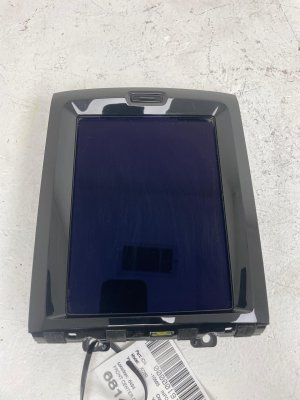
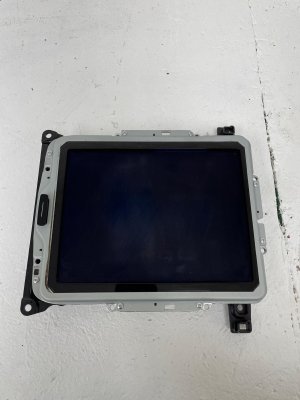
OEM Part Numbers: 31444449 31466836 31466837 32218885 32315268 32316244 36010243 36010535 36012498 36010873
9-inch vertical touch-sensitive LCD display for Sensus Infotainment System.
We Have This Part in Stock

The information in this article is provided for general reference and educational purposes only. Vehicle specifications, procedures, and part compatibility can vary by production date, trim level, and region. Always consult your vehicle's factory service manual and verify part numbers before purchasing or performing repairs. Safety-critical components such as airbags, seat belts, and braking systems should be installed by a qualified professional.
- Volvo XC60:
- Volvo S60:
- Volvo S90:
- Volvo V90:
- Volvo XC90:
- 🎬 Helpful Videos
- 🛍️ Shop This Part
- Symptoms of a Failing Infotainment Display
- Software and Performance Issues
- Physical Screen Failures
- Associated Diagnostic Trouble Codes (DTCs)
- Known Issues, Recalls, and Technical Service Bulletins (TSBs)
- Buying a Used Infotainment Display: What You MUST Know
- Inspection and Compatibility
- Programming and Installation
- Installation Steps
- Software Programming (VIDA)
- Cost of Replacement
- Frequently Asked Questions
- 🎟️ Get 5% Off