

Tesla Model S & Model X Instrument Cluster (2018-2025): Pre-Refresh vs. Refresh and Programming Guide
This guide clarifies the critical differences between the two distinct instrument clusters used from 2018-2025 and explains the mandatory programming required for any replacement.
- There are two different, non-interchangeable clusters: Pre-Refresh (2018-early 2021, vertical center screen) and Refresh (2021+, horizontal center screen).
- Any replacement cluster (new or used) is NOT plug-and-play and MUST be programmed to the car by Tesla or a qualified shop with Toolbox 3 software.
- The vehicle's mileage is NOT stored in the cluster; it will adopt the car's true mileage after programming.
- A blank screen is the most common symptom; always try a reboot and check the 12V battery before assuming the cluster hardware has failed.
A Critical Distinction: Two Clusters for 2018-2025 Models

The most important thing to understand when replacing the instrument cluster in a 2018-2025 Tesla Model S or Model X is that two completely different parts were used during this period. Installing the wrong one will not work.
Type 1: Pre-Refresh (Mid-2018 to Early 2021)
This instrument cluster is found in vehicles equipped with the Media Control Unit 2 (MCU2) but retaining the older interior style. These cars are identified by their large, vertical center touchscreen.
- Vehicle Years: Approximately March 2018 - Early 2021
- Identifying Feature: Vertical main infotainment screen.
- Cluster Appearance: A larger screen housed inside a more traditional, curved dashboard binnacle or hood.
- Known Part Numbers: 1447934-00-D, 1447934-00-E, 1004788-00-E.
Type 2: 'Refresh' or 'Palladium' (Early 2021 to 2025+)
In early 2021, Tesla launched the 'Refresh' Model S and Model X with a completely redesigned interior, often referred to as the 'Palladium' update. This included a new instrument cluster.
- Vehicle Years: Early 2021 - 2025+
- Identifying Feature: Horizontal (landscape) main infotainment screen and the 'yoke' or round steering wheel with touch-sensitive buttons.
- Cluster Appearance: A smaller, rectangular 12.3-inch screen that sits more exposed on the dashboard without a prominent hood.
Warning: These two types of instrument clusters are not interchangeable. You must purchase the correct type for your vehicle's specific interior design and production date.
Symptoms of a Failing Instrument Cluster

Failures are almost always electronic and often software-related. Before assuming the hardware is bad, always perform a soft reboot by holding down both scroll wheels on the steering wheel for 10-15 seconds. If that doesn't work, try an instrument cluster-specific reset by putting the car in Park and holding the two buttons above the scroll wheels for 15-30 seconds until the screen restarts.
- Blank or Black Screen: The most common failure. The screen may be black on startup or go blank intermittently while driving. This can sometimes be related to software bugs, extreme temperatures, or a failing 12V auxiliary battery.
- Frozen or Unresponsive Display: The cluster may get stuck on the Tesla logo or freeze, showing static information that doesn't update.
- Flickering or Distorted Graphics: The display may flicker, show corrupted graphics, or have lines running through it, indicating a hardware fault with the screen or its controller.
- Software-Induced Issues: Following a software update, you may notice issues like a misaligned Autopilot visualization. These are typically fixed in a subsequent patch and do not require hardware replacement.
Known Issues, Recalls, and Service Bulletins

While many screen issues are dismissed by service centers as pending software fixes, there has been one major recall affecting the instrument panel display.
- NHTSA Recall 24V051000: Issued in early 2024, this recall affected nearly all Tesla models, including the 2018-2024 Model S and Model X. The issue was that the font size for the Brake, Park, and ABS warning lights was too small, failing to comply with federal safety standards. This was corrected with an over-the-air (OTA) software update and does not require a part replacement.
- MCU1 eMMC Recall: While it applies to vehicles built before March 2018, it's worth noting that a major recall was issued for failing Media Control Units (MCU1) where the memory chip would wear out, causing black screens. The symptoms are very similar to cluster failure, so it's important to distinguish which screen is failing.
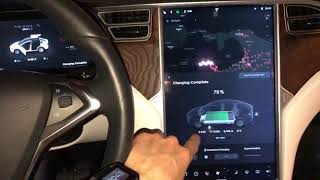
- Persistent Software Bugs: Many owners on forums report being told by Tesla Service that intermittent blank screens are a 'known firmware issue' with no immediate ETA for a fix, and the recommended solution is to reboot the screen when it happens. 🎬 Watch: A quick guide on how to reset your Tesla screens.
Pro Tip: If you experience an intermittent screen issue, press and hold the car icon on the main touchscreen to create a bug report with logs. This provides valuable data for technicians if you need to bring the car in for service.
Buying a Used Instrument Cluster: What You MUST Know

Buying a used OEM cluster is a cost-effective option, but it comes with a critical requirement. Failure to follow these steps will result in a part that does not work.
1. Verify the Physical Part
First, confirm if you have a Pre-Refresh (vertical center screen) or Refresh (horizontal center screen) model. Only buy a used cluster that came from the same type of vehicle. When you receive the part, inspect the screen for any deep scratches, delamination, or cracks. Check that the connectors on the back are clean and undamaged.
2. Programming is NOT Optional
A used instrument cluster is NOT a plug-and-play part. It is an electronic module that is cryptographically tied to the original vehicle's configuration. When installed in a new car, it will be 'locked' and will not function until it is provisioned to your car's VIN.
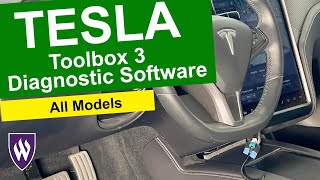
- This process requires Tesla's proprietary diagnostic software, known as Toolbox 3.
- The procedure involves having a technician connect to your vehicle, log into Tesla's service portal, and run a software routine to 'redeploy' or 'provision' the new module to your car.
- This means you must have the installation performed by a Tesla Service Center or a qualified independent repair shop that has a subscription to Tesla's diagnostic tools. You cannot do this at home.
3. Mileage is Not a Concern
The vehicle's mileage is not stored in the instrument cluster. It is stored in a separate, more secure module (often the Gateway). When a used cluster is successfully programmed to your car, it will automatically read and display the car's correct mileage. Therefore, the mileage of the donor vehicle is irrelevant.
Instrument Cluster Replacement Cost
The cost can vary significantly between doing the software configuration only versus a full hardware replacement at a service center.
| Item | Estimated Cost | Notes |
|---|---|---|
| New OEM (from Tesla) | $1,400+ | This is a reported price for hardware replacement and labor at a Tesla Service Center. |
| Used OEM (Pre-Refresh) | $150 - $300 | Part only. Prices from online marketplaces like eBay. |
| Used OEM (Refresh) | $250 - $500+ | Part only. As these are newer, they tend to be more expensive. |
| Shop Labor (Installation & Programming) | $250 - $500 | Labor to physically swap the part is low (under 1 hour), but the cost includes the specialized software session required for programming. |
Frequently Asked Questions (FAQ)
Can I install a used instrument cluster myself?
You can physically install the part, which is relatively simple. However, the car will not be fully functional until the cluster is electronically programmed to your vehicle's VIN using Tesla's proprietary software. This requires a trip to a Tesla Service Center or a specialized independent shop.
Does the mileage on the used cluster matter?
No. The mileage is not stored in the instrument cluster. The car's true mileage is stored in a different module. When the used cluster is properly programmed, it will adopt and display your car's correct mileage.
My screen is blank. Do I need a new cluster?
Not necessarily. First, try rebooting the screen by holding the two top buttons on the steering wheel for 30 seconds with the car in Park. Also, check the health of your 12V auxiliary battery, as a weak 12V battery can cause screen issues. If reboots don't work and the 12V battery is healthy, then a hardware failure is likely.
What's the difference between the Instrument Cluster and the MCU?
The Instrument Cluster is the screen behind the steering wheel that shows speed and driver information. The Media Control Unit (MCU) is the large center touchscreen that controls navigation, music, and climate controls. While they work together, they are separate parts.
Helpful Videos


Technical Specifications
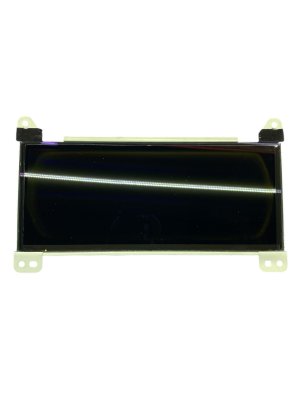
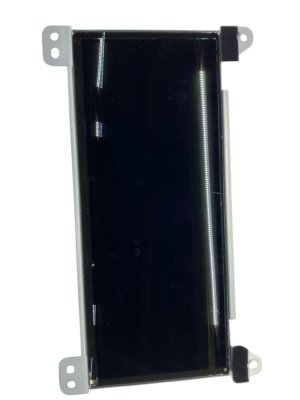
OEM Part Numbers: 1447934-00-D 1447934-00-E 1562948-99-D 156294899D 1562957-00-G 1562972-00-C 1562973-00-C 1836690-98-B 1004788-00-E
Display Size: 12.3 inches. Connection Type: Automotive Ethernet and FAKRA connectors.
We Have This Part in Stock
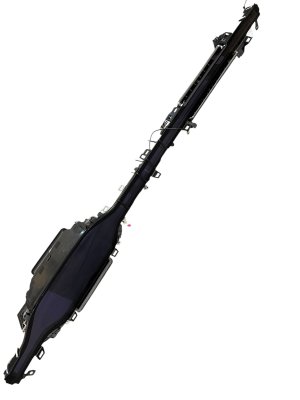
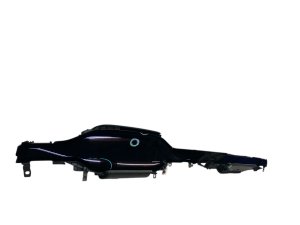
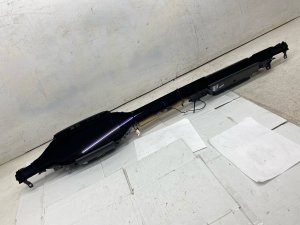

The information in this article is provided for general reference and educational purposes only. Vehicle specifications, procedures, and part compatibility can vary by production date, trim level, and region. Always consult your vehicle's factory service manual and verify part numbers before purchasing or performing repairs. Safety-critical components such as airbags, seat belts, and braking systems should be installed by a qualified professional.
- Tesla Model S:
- Tesla Model X:
- 🎬 Helpful Videos
- 🛍️ Shop This Part
- A Critical Distinction: Two Clusters for 2018-2025 Models
- Type 1: Pre-Refresh (Mid-2018 to Early 2021)
- Type 2: 'Refresh' or 'Palladium' (Early 2021 to 2025+)
- Symptoms of a Failing Instrument Cluster
- Known Issues, Recalls, and Service Bulletins
- Buying a Used Instrument Cluster: What You MUST Know
- 1. Verify the Physical Part
- 2. Programming is NOT Optional
- 3. Mileage is Not a Concern
- Instrument Cluster Replacement Cost
- Frequently Asked Questions (FAQ)
- 🎟️ Get 5% Off