

B0126 on 2024-2025 Chevrolet Traverse: Driver Monitoring Camera Fault Guide
On a 2024-2025 Chevrolet Traverse, code B0126 points to a fault with the Driver Monitoring Camera. This is a known issue, often requiring camera replacement and calibration by a dealer, as outlined in GM Technical Service Bulletin #PIC6556H. This problem is also seen on its platform mates (GMC Acadia, Buick Enclave) and other new GM vehicles like the Cadillac LYRIQ.
- B0126 on a 2024-2025 Traverse is a specific code for a Driver Monitoring Camera fault, not a generic sensor issue.
- This is a known issue on this new model and its platform mates, and GM has issued a TSB about it that covers multiple vehicle lines.
- The most common fix is replacing the camera module, which must be done by a professional service center because calibration is required.
- You can continue to drive the vehicle, but key safety features like Super Cruise will be disabled.
What's Unique About the 2024-2025 Chevrolet TRAVERSE
The 2024 Traverse introduced a completely redesigned platform (VSS-S, a C1XX successor) with more advanced driver-assistance systems (ADAS) like Super Cruise. This B0126 code is frequently reported by owners of these new models, suggesting an early production issue with the driver monitoring camera hardware or software. GM's issuance of a Preliminary Information bulletin so early in the vehicle's life cycle confirms they are aware of and tracking this specific camera fault across multiple new vehicle lines.
Diagnostic Flowchart
Tap your situation to follow the diagnostic path that matches what you're seeing on this vehicle.
Symptoms You May Notice
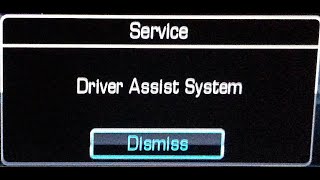
- "Service Driver Assist System" message on the instrument cluster.
- Super Cruise, lane-keep assist, and other camera-based safety functions are disabled or unavailable.
- A warning light for the driver assistance system is illuminated.
- OnStar button may show a solid red light.
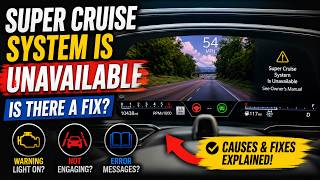
- Super Cruise system behaving erratically. 🎬 Watch: Troubleshooting steps when your Super Cruise system is unavailable. One owner on Reddit reported the system "took me off the highway almost into the woods" before the complete failure.
- Replacing other ADAS modules (e.g., front radar) 🎬 Watch: How to fix common GM driver assist haptic issues. when the fault is specific to the driver monitoring camera.
Most Likely Causes
- Internal Driver Monitoring Camera Failure 🔴 High Probability → Shop Video Camera A GM Technical Service Bulletin (PIC6556H) specifically instructs technicians to check the camera for this fault, and owner forums report frequent camera module replacements on new vehicles. [4, ⭐ MANUFACTURER TSB — highest authority] The issue is common enough to be reported across multiple GM brands using the same technology.
How to confirm: A GM-specific scan tool will show code B0126 with symptom byte 82. The dealer will follow the diagnostic procedure in TSB PIC6556H. An earlier version of the TSB (PIC6556B) notes that if the camera is disconnected and the code changes from 'current' to 'history', the camera is faulty.
Typical fix: Replacement of the driver monitoring camera module (located on the steering column), followed by professional calibration.
Est. part cost: $300-$500 - Software Glitch or Module Lock-up 🟡 Medium Probability As a new model with a completely new electronic architecture, software bugs are common. Some owners have reported temporarily fixing camera issues by pulling specific fuses or performing a full vehicle reboot (shutting off, exiting, and re-entering), which resets the module. TSB 20-NA-178 for other GM vehicles describes a similar issue where the Image Processing Module gets stuck in a reset state, which can be temporarily fixed by a power cycle and permanently fixed with a software update.
How to confirm: A system reset (either by disconnecting the battery or pulling the correct fuse) temporarily restores function. The fault will likely return. A dealer can check for pending software updates.
Typical fix: A temporary fix may be a module reset. The permanent fix is a software update performed by the dealership, if available.
Est. part cost: $0 - Wiring or Connector Issue ⚪ Low Probability While less common on a new vehicle, a loose connector or damaged wire can interrupt the camera's signal. Given the camera's location on the adjustable steering column, there is a small potential for wiring to be stressed over time.
How to confirm: Visually inspect the wiring and connector at the driver monitoring camera (typically on the steering column) for damage or a poor connection. A wiggle test on the harness while watching live data may reproduce an intermittent fault.
Typical fix: Repairing the damaged wire or reseating the connector.
Est. part cost: $0-$50
Diagnosis Steps
- Verify the complaint and check for any warning messages on the instrument panel.
- Scan the vehicle's modules with a professional scan tool capable of reading GM-specific body codes (e.g., GDS2).
- Confirm that B0126 is present, noting any symptom bytes (like '82').
- Check for the presence of any other DTCs. TSB #PIC6556H specifically applies when B0126 is set with no other codes. [⭐ MANUFACTURER TSB — highest authority]
- Visually inspect the driver monitoring camera lens on the steering column for any obstructions, like stickers, phone mounts, or debris.
- Inspect the electrical connector and wiring going to the camera for any signs of damage or looseness.
- If no physical issues are found, follow the diagnostic procedure outlined in TSB #PIC6556H, which may involve testing the module with GM's GDS2 diagnostic software.
- A diagnostic step from an earlier version of the TSB for a related vehicle involves disconnecting the camera. If the code changes from 'current' to 'history,' this confirms a faulty camera.
- If the camera module is determined to be faulty, replace it.
- Perform the required ADAS calibration for the new camera module using a scan tool and targets.
Parts You'll Likely Need
- Driver Monitoring Camera Module — This is the most common failure point for code B0126 on this vehicle, as identified by a manufacturer TSB and numerous owner reports. [1, 4, ⭐ MANUFACTURER TSB — highest authority]
Trusted brands: ACDelco, GM Genuine
OEM price range: $300-$500
Related Codes That Often Appear With This One
- B1DD0 SYM57 — This is another code related to the driver monitoring camera mentioned in the same GM TSB, PIC6556H. [⭐ MANUFACTURER TSB — highest authority]
- B1599 SYM 13 — A related DTC that can be set in the Image Processing Control Module alongside B0126, mentioned in an earlier version of the TSB (PIC6556C), indicating a potential camera or communication issue.
- U1614, U1615, U1616 — In related GM platforms, a software anomaly can cause the Image Processing Module to stop communicating on all CAN busses, causing other modules to set these loss of communication codes against it.
Technical Service Bulletins (TSBs) & Recalls
- PIC6556H: Instructs technicians to check the driver monitoring camera when code B0126 SYM82 or B1DD0 SYM57 is set with no other DTCs. This TSB is known to apply to multiple new GM vehicles, not just the Traverse. [⭐ MANUFACTURER TSB — highest authority, 1]
Platform-Specific Known Issues
- A known issue on 2024-2025 models where the driver monitoring camera fails, sometimes intermittently after about 20 minutes of driving, disabling Super Cruise and other safety functions.
- Owners have reported long waits for replacement camera modules, suggesting a possible parts backorder due to the frequency of the issue. One Reddit user noted their 2025 Traverse was in the shop since May awaiting parts for a panel light issue.
- Multiple owners on Reddit's r/ChevyTraverse report a variety of electronic 'quirks' on their new 2024/2025 models, including Super Cruise malfunctions, rough shifting, and touchscreen issues that require a full vehicle reboot to solve.
Scan Tool Commands That Help
- GDS2: SPS (Service Programming System) Programming — Required after replacing the Driver Monitoring System Camera or its parent control module (Image Processing Module) to load the correct software and calibrations onto the new part.
- GDS2: Camera Calibration/Learn — This function must be initiated after the camera module is replaced or if the windshield is replaced. It ensures the camera's view is correctly aligned with the vehicle's geometry for ADAS functions to work properly.
- GDS2: Clear DTCs — Used after programming and calibration are complete to clear all fault codes and verify the repair.
Wiring & Ground Locations
- Driver Monitoring System Camera Connector — On the steering column, connected to the camera module.. This is the primary connection point for the camera. A loose connection, pushed-out pin, or corrosion here can cause a loss of power, ground, or data signal, triggering B0126.
- G200 (Example from similar GM platform) — Typically located behind the instrument panel, to the right of the instrument cluster.. On other GM vehicles, G200 serves as a ground for steering wheel controls and various dash components. A poor ground at this location could potentially cause intermittent electronic issues for modules in the vicinity, including the driver monitoring camera. A technician can test for a good ground using a multimeter, looking for less than 1 ohm of resistance to the chassis.
Real Owner Repair Stories
- OnStar Community Forum user RandyF (2024 GMC Sierra Denali (platform mate with similar ADAS)) — None of the electronic Driver Assist safety features worked on the brand new truck.
❌ Tried (didn't work) Multiple visits to the dealer for diagnosis.
✅ What actually fixed it The issue was diagnosed as a faulty module, but the repair was pending due to the part being on backorder with no known delivery date for over three months. This highlights the parts availability issue for this common problem.
Helpful Videos

The information in this article is provided for general reference and educational purposes only. Vehicle specifications, procedures, and part compatibility can vary by production date, trim level, and region. Always consult your vehicle's factory service manual and verify part numbers before purchasing or performing repairs. Safety-critical components such as airbags, seat belts, and braking systems should be installed by a qualified professional.
- Chevrolet TRAVERSE:
- 🧭 Diagnostic Flowchart
- 🎬 Helpful Videos
- What's Unique About the 2024-2025 Chevrolet TRAVERSE
- Symptoms You May Notice
- Most Likely Causes
- Diagnosis Steps
- Parts You'll Likely Need
- Related Codes That Often Appear With This One
- Technical Service Bulletins (TSBs) & Recalls
- Platform-Specific Known Issues
- Scan Tool Commands That Help
- Wiring & Ground Locations
- Real Owner Repair Stories
- 🎟️ Get 5% Off