

B0770 on 2015-2016 GMC Canyon: "Service 4WD" Light and Switch Fixes
On a 2015-2016 GMC Canyon, code B0770 almost always points to a faulty or incorrect Transfer Case Select Switch. This is a known issue addressed by GM Technical Service Bulletin PIP5256B, which notes that some Canyons equipped with 'Auto 4WD' were mistakenly fitted with a switch lacking this option. Replacing the switch is the common fix, costing around $70-$95 for the part and is a simple DIY job.
- Code B0770 on a 2015-2016 GMC Canyon is almost certainly caused by the 4WD selector switch on the dashboard.
- The primary symptom is a "Service 4WD" warning light.
- A GM Technical Service Bulletin (PIP5256B) confirms this is a known issue, often due to the wrong part (one without an 'Auto' setting) being installed at the factory.
- The fix is to replace the switch with the correct part (GM #84254255), which is a very simple DIY repair for most owners, often taking less than 15 minutes.
- Before ordering a new switch, verify that your current switch has the 'Auto' 4WD position; if not, it's the wrong part and the definitive cause of the code.
What's Unique About the 2015-2016 Gmc CANYON
The 2015-2016 GMC Canyon and its sibling, the Chevrolet Colorado, are subject to a specific manufacturing issue outlined in GM's Technical Service Bulletin #PIP5256B. For the GMC Canyon, which is supposed to have an 'Auto' 4WD position (RPO NQ6), some vehicles were built with the incorrect switch that lacks this function (the switch for the Colorado's RPO NQ7 system). This mismatch directly triggers the B0770 trouble code because the TCCM is programmed for the 'Auto' switch and detects an open circuit for its indicator LED. This makes diagnosis unusually straightforward compared to other vehicles where this code might point to more complex wiring or module failures.
Diagnostic Flowchart
Tap your situation to follow the diagnostic path that matches what you're seeing on this vehicle.
Symptoms You May Notice
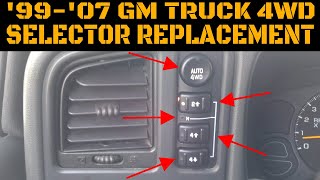
- "Service 4WD" message displayed on the instrument panel cluster (DIC). 🎬 Watch: Troubleshooting the Service 4WD message on GM trucks
- 4WD system is inoperative or stuck in one mode.
- Indicator lights on the 4WD switch do not illuminate or do not correspond to the selected mode.
- Inability to select 'Auto' 4WD because the physical switch position is missing.
- Vehicle may feel like it's jolting or binding during turns if stuck in a 4WD mode.
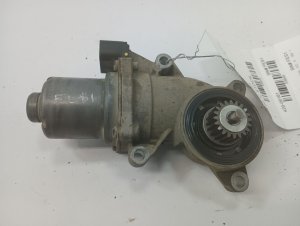
- Replacing the transfer case actuator/motor. While this part can fail, it typically produces different trouble codes (like C0321, C0396) and is a more expensive repair. The TSB for B0770 points specifically to the dash switch.
- Assuming a major mechanical failure in the transfer case. This code is electrical in nature and relates to the control circuit, not the internal mechanics of the transfer case.
- Unnecessarily replacing the TCCM. The module is rarely the point of failure for this specific code on this platform.
Most Likely Causes
- Incorrect or Faulty Transfer Case Select Switch 🔴 High Probability → Shop Transfer Case Motor A known issue documented in TSB #PIP5256B states that some vehicles were assembled with the incorrect switch, one without the 'Auto' 4WD position that the GMC Canyon is equipped to have. The incorrect switch is typically for the Chevrolet Colorado, which did not have the 'Auto' option in these years. Even with the correct part, the switch itself can fail internally over time.
How to confirm: Visually inspect the 4WD switch on the dashboard. For a GMC Canyon with the Autotrac (RPO NQ6) transfer case, it should have positions for 2WD, Auto, 4HI, and 4LO. If the 'Auto' position is missing, it is the incorrect part. If the switch is correct, a technician can test the switch's circuits for proper electrical signals, though failure is less common than the wrong part being installed.
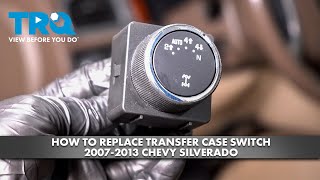
Typical fix: Replace the Transfer Case Select Switch with the correct OEM part (GM Part #84254255). The repair involves prying the old switch out of the dash with a trim tool, disconnecting the electrical connector, and plugging in the new switch. The process typically takes 10-15 minutes. 🎬 Watch: A quick walkthrough of the dash switch replacement process
Est. part cost: $70 - $95
Rare But Worth Checking
- Wiring Harness Damage: The wiring between the selector switch and the Transfer Case Control Module (TCCM) could be damaged, loose, or corroded. This is less common than a faulty switch but worth checking if a new switch doesn't solve the problem. A short to ground in the indicator light circuit can also trigger this code.
- Faulty Transfer Case Control Module (TCCM): → Shop Transfer Case Motor It is possible for the TCCM itself to fail, but this is rare. This should only be considered after the switch and wiring have been thoroughly checked and confirmed to be in good working order. In some cases, a simple reset by disconnecting the battery or the TCCM might temporarily resolve the issue, pointing towards a module glitch.
- Poor Ground Connections: First-generation Colorado/Canyon trucks were known for having poor ground splice packs under the hood that could cause various electrical issues. While less documented for the second generation, checking the main body and chassis grounds (like SP-105 and SP-106 on first-gen) is a valid step if other electrical gremlins are present. 🎬 See how to diagnose 4x4 issues on older Canyon models
Diagnosis Steps
- Scan the Transfer Case Control Module (TCCM) for diagnostic trouble codes.
- Confirm that B0770 is present. Note if B2725 is also stored.
- Visually inspect the 4WD selector switch on the dashboard. For a 2015-2016 GMC Canyon with Autotrac transfer case (RPO NQ6), it MUST have selections for 2WD, Auto, 4HI, and 4LO. If the 'Auto' position is missing, the incorrect switch is installed and must be replaced.
- If the correct switch is installed, use a trim removal tool to gently pry the switch assembly from the dashboard. Disconnect the electrical connector and inspect for corrosion or damage.
- If the switch is the correct part and the connector is clean, test the switch's electrical circuits according to the factory service manual to check for opens or shorts.
- Inspect the wiring harness and connector between the switch and the TCCM for any signs of damage, corrosion, or loose connections.
- If the switch and wiring are confirmed good, consider a TCCM reset by disconnecting the negative battery terminal for 30 minutes. If the problem persists, the final step would be to diagnose the TCCM itself, though this is the least likely point of failure.
Parts You'll Likely Need
- Transfer Case Select Switch (With Auto 4WD)
(OEM #84254255)— This is the direct cause of the B0770 code in the vast majority of cases for this vehicle, as identified by TSB PIP5256B. It is the correct switch that includes the 'Auto' 4WD position.
Trusted brands: ACDelco (Genuine GM), Dorman (901-381)
OEM price range: $85 - $130
Aftermarket price range: $65 - $90
Related Codes That Often Appear With This One
- B2725 — This code is also related to the transfer case shift control switch and is explicitly mentioned alongside B0770 in TSB #PIP5256B as a possible accompanying code, particularly on the Chevrolet Colorado when the wrong ('Auto' enabled) switch is installed.
Technical Service Bulletins (TSBs) & Recalls
- PIP5256B: Addresses a "Service 4WD" message with DTC B0770 or B2725. It explicitly states that for a GMC Canyon, the cause can be the installation of a switch without the 'Auto' position. It instructs technicians to verify the correct switch is installed before proceeding with other diagnostics and to replace it if incorrect.
Platform-Specific Known Issues
- A known manufacturing issue where some 2015-2016 GMC Canyon models were equipped with the incorrect 4WD selector switch from the factory (the switch for a Chevrolet Colorado), triggering code B0770.
- The issue is specific to GMC Canyons with the Autotrac (RPO NQ6) transfer case being fitted with a switch designed for the standard part-time (RPO NQ7) system.
Mechanic-Grade Diagnostic Values
- Transfer Case Selector Switch Return Voltage (at TCCM) — expected: Auto 4WD: ~4.66V, 2HI: ~2.02V, 4HI: ~3.04V, 4LO: ~1.51V. Failure: Voltage that is 0V, stuck on one value, or does not match the selected switch position indicates a faulty switch or wiring issue.
- Transfer Case Mode Switch Resistance (at switch connector) — expected: 2HI: ~1.5 kΩ, 4HI: ~660 Ω, 4LO: ~2.3 kΩ, Auto 4WD: ~65 Ω, No button pressed: ~9.1 kΩ. Failure: Readings that are open (OL), zero, or significantly outside these ranges indicate a failed resistor pack within the switch.
Scan Tool Commands That Help
- GDS2 / Tech 2: Transfer Case Control Module Output Controls — After verifying the switch is correct and appears functional, a technician can use the GM factory scan tool to directly command the transfer case to shift into different modes (2HI, 4HI, etc.). This bypasses the switch and helps determine if the fault lies with the switch/wiring or with the TCCM, encoder motor, or actuator.
Wiring & Ground Locations
- SP-106 (Splice Pack) — On first-generation trucks, this was located on the passenger side behind the engine airbox. While the exact location may differ slightly on the second-gen, its function is similar.. This ground splice pack is a known weak point and serves as a ground point for the Transfer Case Control Module (TCCM) and the selector switch. Corrosion or a poor connection here can cause various intermittent 4WD electrical faults, including DTCs.
- Transfer Case Selector Switch Connector — Directly behind the 4WD selector switch knob in the dashboard.. This 12-pin connector is the primary interface between the switch and the TCCM. A loose connection, corrosion on the pins, or a damaged wire at this connector will directly cause codes like B0770.
- Main Harness Connector (near battery) — On some similar GM models, a large inline harness connector near the driver's side battery is part of the 4WD control circuit.. Corrosion within this connector can interrupt the 5V reference or signal wires running to the transfer case position sensor and TCCM, causing intermittent failures and codes like C0392, which can sometimes accompany switch codes.
Real Owner Repair Stories
- YouTube Channel - 'Carbo's Garage' (2018 Chevrolet Colorado 4x4) — Service 4x4 message, no communication with the transfer case control module initially.
❌ Tried (didn't work) Scanning for codes initially failed due to no power at the TCCM.
✅ What actually fixed it The main power wire connection at the underhood fuse block was loose and corroded. Cleaning and tightening this connection restored power to the TCCM and allowed the 4WD system to function. - YouTube Channel - 'MotorCity Mechanic' (2018 Chevrolet Colorado 3.6L 4x4) — Service 4x4 message, code C0392-08 (Transfer Case Range Position Circuit Signal Invalid).
❌ Tried (didn't work) Initial checks of the sensor and module did not immediately reveal the problem's source.
✅ What actually fixed it The root cause was a heavily corroded inline harness connector located near the battery on the driver's side. The corrosion interrupted the signals between the TCCM and the transfer case position sensor. Cleaning the connector terminals resolved the issue.
OEM Part Supersession History
22752189, 23228433→84254255— Part has been updated by GM over time to integrate new materials or technologies.
Heads up: The critical factor is not the part number revision, but ensuring the switch has the 'Auto' 4WD position for a GMC Canyon with RPO NQ6. Using a switch without this position (for a Colorado NQ7) will cause code B0770.
Model Year Variations Within This Range
- 2015: The TSB PIP5256B specifically calls out the 2015 model year as being prone to having the incorrect switch installed from the factory. While it can affect 2016 models, the bulletin's primary focus is on 2015.
Helpful Videos

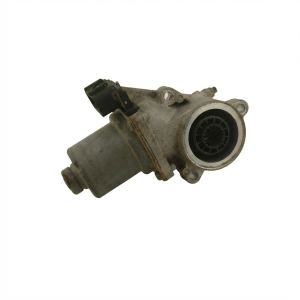
Used OEM Parts in Stock
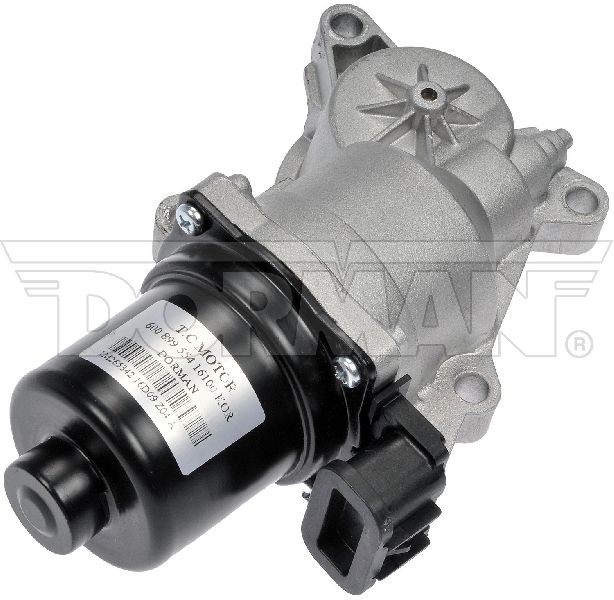
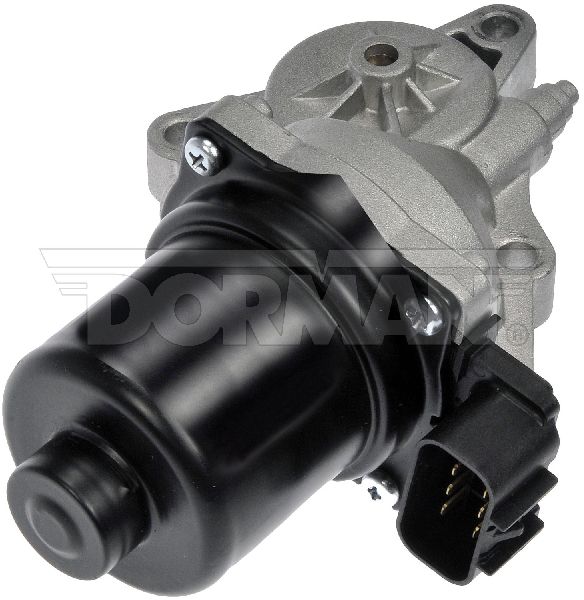
New Aftermarket Parts Available



The information in this article is provided for general reference and educational purposes only. Vehicle specifications, procedures, and part compatibility can vary by production date, trim level, and region. Always consult your vehicle's factory service manual and verify part numbers before purchasing or performing repairs. Safety-critical components such as airbags, seat belts, and braking systems should be installed by a qualified professional.
- Gmc CANYON:
- 🧭 Diagnostic Flowchart
- 🎬 Helpful Videos
- 🛍️ Shop This Part
- What's Unique About the 2015-2016 Gmc CANYON
- Symptoms You May Notice
- Most Likely Causes
- Rare But Worth Checking
- Diagnosis Steps
- Parts You'll Likely Need
- Related Codes That Often Appear With This One
- Technical Service Bulletins (TSBs) & Recalls
- Platform-Specific Known Issues
- Mechanic-Grade Diagnostic Values
- Scan Tool Commands That Help
- Wiring & Ground Locations
- Real Owner Repair Stories
- OEM Part Supersession History
- Model Year Variations Within This Range
- 🎟️ Get 5% Off