

B1000 on 2005-2009 GMC Savana: Meaning, Causes, and Fixes for ECU Faults
On a 2005-2009 GMC Savana, code B1000 indicates an internal failure in an electronic control module. If you hear a 'Phone Unavailable' message, the OnStar module has failed, as noted in GM TSBs. If the airbag light is on, the Airbag Control Module (SDM) is the likely culprit, often due to water damage under the driver's seat from tracked-in snow or rain, a well-documented issue on this platform.
- B1000 means a control module has failed, not a sensor.
- You MUST use a good scan tool to find out WHICH module is reporting the B1000 code.
- If you hear 'Phone Unavailable', the OnStar module is the problem. This is a known issue per GM TSBs.
- If the airbag light is on, the airbag module (SDM) is the problem, likely due to water damage under the driver's seat.
- Do not drive the vehicle if the airbag light is on, as the system is likely disabled.
What's Unique About the 2005-2009 Gmc SAVANA
For the GMC Savana and its platform-mate, the Chevrolet Express, B1000 is not a random code; it's most commonly associated with two specific, well-documented failures. First, as outlined in GM Technical Service Bulletins, an internal fault in the OnStar module (VCIM) is a primary cause, leading to a 'Phone Unavailable' message. [Bulletin #PIC3278F, #PIC3278G] Second, like other GM trucks from this period, the Airbag Control Module (SDM) is located under the driver's seat, making it extremely vulnerable to corrosion from water and snow tracked into the cabin. This water damage is a very common cause for a B1000 code and an illuminated airbag light on these vans.
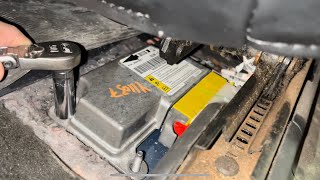
🎬 See how water damage causes this B1000 airbag code.Diagnostic Flowchart
Tap your situation to follow the diagnostic path that matches what you're seeing on this vehicle.
Symptoms You May Notice
- "Phone Unavailable" audio message from the OnStar system. [Bulletin #PIC3278F, #PIC3278G]
- Airbag warning light illuminated on the dashboard.
- OnStar system status light is red or off.
- In rare cases with a BCM failure, erratic behavior of power locks, interior lights, or other body functions.
- Inability to clear the B1000 code using a standard OBD-II scanner.
- Replacing random sensors without first identifying which module set the code. B1000 is a module fault, not a sensor fault.
- Replacing the BCM when the code is actually being set by the SDM (Airbag Module). A full-system scan is crucial to avoid this.
Most Likely Causes
- Internal Fault in OnStar Module (VCIM) 🔴 High Probability → Shop Telematics Interface Module This is a known issue documented by GM in multiple Technical Service Bulletins (TSBs) for this vehicle and year range. The 2G cellular network these modules relied on was decommissioned, rendering them obsolete and prone to software glitches.
How to confirm: Use a scan tool to confirm the B1000 code is originating from the OnStar/VCIM module. The presence of a 'Phone Unavailable' audio message is a strong indicator. [Bulletin #PIC3278F] The OnStar status light on the mirror may also be red or off.
Typical fix: Replace the OnStar module (VCIM). However, since the 2G network it uses is obsolete, many owners opt to simply disconnect the module to clear the code and prevent potential battery drain. The module is typically located behind the glove box. This disables all OnStar functions.
Est. part cost: $50-$150 for a used module - Internal Fault in Airbag Module (SDM) due to Water Damage 🔴 High Probability On many GM trucks and vans, the SDM is located on the floor under the driver's seat, where it is highly susceptible to water damage and corrosion from rain or snowmelt tracked in by the driver. The moisture wicks into the carpet padding and corrodes the module's casing and internal electronics over time.
How to confirm: Confirm with a scan tool that the B1000 code is from the SDM. Visually inspect the module under the driver's seat (may require seat removal) for signs of water intrusion, rust, or white/green corrosion on the case and connectors. The carpet underneath may feel damp.
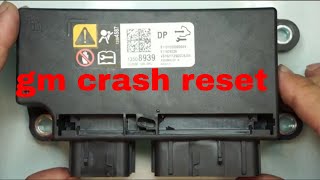
Typical fix: Replace the Sensing and Diagnostic Module (SDM). The replacement module must be programmed to the vehicle's VIN using a GM-specific tool like a Tech 2. Some owners protect the new module by placing it in a sealed plastic bag, leaving the connector area open for ventilation. Sending the original module to a third-party repair service to be reset can be a cheaper alternative if it hasn't sustained severe water damage.
Est. part cost: $80-$350 for a new or remanufactured module - Low Battery Voltage or Poor Ground Connection ⚪ Low Probability → Shop Vehicle Battery
How to confirm: Test the battery and charging system to ensure voltage is stable and above 12.4V with the engine off. A low voltage event during cranking can sometimes set a false B1000 code. Inspect the main battery terminals, chassis grounds, and the specific ground points for the BCM and SDM for tightness and corrosion.
Typical fix: Charge or replace the battery. Clean or repair corroded ground connections. After fixing the voltage issue, attempt to clear the code; it may not return.
Est. part cost: $0-$250
Rare But Worth Checking
- Body Control Module (BCM) Internal Fault: → Shop Body Control Module While less common than the OnStar or Airbag modules for this code, a BCM failure can trigger B1000. This would typically be accompanied by other strange electrical issues like malfunctioning lights, locks, or windows. A replacement BCM also requires programming.
Diagnosis Steps
- Connect a full-featured scan tool capable of reading codes from all vehicle modules (BCM, SDM, VCIM, etc.). Do not use a basic engine-only code reader.
- Identify which specific module has stored the B1000 code. This is the most critical step.
- If the code is from the OnStar (VCIM) module and you hear a 'Phone Unavailable' message, the module has failed per TSB PIC3278F. The module is located behind the glove box.
- If the code is from the Airbag (SDM) module and the airbag light is on, proceed to check the module for physical damage.
- Check and record the battery voltage. Ensure it is stable and within the correct operating range (typically >12.4V). Low voltage can sometimes trigger this code.
- If the SDM is the source, disconnect the negative battery terminal and wait at least 2 minutes. Then, physically inspect the module under the driver's seat for any signs of water damage, swelling, or corrosion on the case and connectors. Feel the carpet for dampness.
- Inspect the wiring and connectors leading to the faulting module for any visible damage, corrosion, or loose pins. Wiggling the connectors under the seat can sometimes reveal an intermittent connection issue.
- If all wiring and power/ground sources are good, the module itself is faulty and requires replacement and subsequent programming.
Parts You'll Likely Need
- Sensing and Diagnostic Module (SDM)
(OEM #12602801 (Verify by VIN))— This is the airbag control module. It is a common failure point if the airbag light is on with a B1000 code, often due to water damage from its location under the driver's seat.
Trusted brands: ACDelco, Dorman
OEM price range: $200-$350
Aftermarket price range: $100-$250 - Vehicle Communication Interface Module (VCIM) — This is the OnStar module. It is the most likely cause if the primary symptom is a 'Phone Unavailable' message, as documented in GM TSBs. [Bulletin #PIC3278F] Most owners disconnect it rather than replace it due to network obsolescence.
Trusted brands: ACDelco
OEM price range: $100-$250 (often sourced used)
Related Codes That Often Appear With This One
- U1500 — The official GM TSB for the OnStar module failure specifically mentions that B1000 may appear alongside U1500, which is a communication error code. [Bulletin #PIC3278F, #PIC3278G]
- B1001 — This code indicates an 'Option Configuration Error' and can appear after replacing an SDM or BCM if the new module is not correctly programmed to the vehicle's VIN and options.
Technical Service Bulletins (TSBs) & Recalls
- PIC3278F: Addresses an internal fault in the OnStar module causing a 'Phone Unavailable' message and codes U1500 or B1000.
- PIC3278G: An updated version of the same bulletin, confirming the OnStar module fault as the cause for code B1000.
Platform-Specific Known Issues
- GM Technical Service Bulletin PIC3278F and PIC3278G directly state that an internal fault in the OnStar module can cause a B1000 code along with a 'Phone Unavailable' message. [Bulletin #PIC3278F, #PIC3278G]
- The placement of the Sensing and Diagnostic Module (SDM) under the driver's seat in many GM trucks and vans of this era makes it highly prone to failure from corrosion caused by water intrusion. Owners report finding the module case rusted and the carpet underneath damp.
- A recall on similar GM trucks (09270-C) noted that significant snow/water entry could saturate the padding under the carpet, leading to corrosion and malfunction of the SDM, potentially causing inadvertent airbag deployment.
Hidden / Shadow Codes Worth Checking
- B1000:00: A generic 'ECU Performance' fault. This is a general indicator of an internal module problem. (see via A professional-grade scan tool like a GM Tech 2 or equivalent that can read manufacturer-specific symptom bytes.)
- B1000:35: ECU Performance ROM Integrity failure. This specifically points to a fault with the module's internal Read-Only Memory, confirming a hardware or software corruption issue. (see via A professional-grade scan tool like a GM Tech 2 or equivalent that can read manufacturer-specific symptom bytes.)
- B1000:39: ECU Performance Internal Electronic Failure. This indicates a general internal hardware failure within the module's circuitry. (see via A professional-grade scan tool like a GM Tech 2 or equivalent that can read manufacturer-specific symptom bytes.)
Scan Tool Commands That Help
- GM Tech 2 / GDS2 / Professional Equivalent (Autel, Snap-on): Setup New SDM / Configure New Module — This function must be performed after installing a brand new Sensing and Diagnostic Module (SDM). It programs the module with the correct software and calibration for the specific vehicle.
- GM Tech 2 / GDS2 / Professional Equivalent (Autel, Snap-on): Setup SDM Primary Key in BCM — After installing a new SDM, this procedure 'marries' the new airbag module to the Body Control Module (BCM). Failing to perform this step will typically set a B1001 communication code and the airbag light will remain illuminated.
Wiring & Ground Locations
- SDM Ground (G301) — For a 2006 model, G301 is located behind the left kick panel. GM's numbering convention places 'G3xx' grounds in the rear seat or cargo area of the vehicle.. A poor ground connection at this point can cause the SDM to malfunction or set false internal fault codes. While the module itself is the common failure, verifying this ground is a key diagnostic step.
- SDM Connector (C301) — This is the main electrical connector that plugs into the Sensing and Diagnostic Module (SDM) located under the driver's seat.. Corrosion from water intrusion frequently damages the pins on this connector as well as the module itself. Visual inspection of the connector pins for green or white corrosion is critical.
- BCM Location — The Body Control Module (BCM) is located under the dashboard, often on the passenger side.. In the rare event the B1000 code originates from the BCM, this is its physical location. It is also relevant because a new SDM must be electronically 'married' to the BCM using a scan tool.
Real Owner Repair Stories
- YouTube video on a 2007-2013 GM Truck (2007-2013 Chevrolet Silverado (similar GMT900 platform)) — Solid airbag warning light on the dash; scan revealed code B1000 'ECU Malfunction'.
❌ Tried (didn't work) The technician immediately suspected the SDM due to the common failure pattern on these trucks.
✅ What actually fixed it The technician removed the driver's seat and inspected the SDM. The module's metal case showed significant water damage and corrosion. Critically, the gel-like material sealing the circuit board was visibly raised and bubbled, indicating moisture had gotten underneath and corroded the internal electronics. Replacing the SDM and addressing the source of the water leak (a suspected door gasket) resolved the code.
Model Year Variations Within This Range
- 2003+: SDM modules are VIN-locked. If the vehicle has been in a collision that deployed airbags, the original module stores 'crash data' and locks itself. You cannot install a used SDM from another vehicle without getting a B1001 configuration error. The fix is to either send the original module to a service to have the crash data cleared or to install a brand new module and have it programmed to the vehicle's VIN.
- 2005-2009: SDM modules are not interchangeable across different GM models, even if they appear physically identical. For example, an SDM from a Yukon or Tahoe is not compatible with a Savana or Express van because it is calibrated for a different number and type of sensors and airbags (e.g., roof-mounted airbags in an SUV). Using the wrong module will result in a configuration error.
Helpful Videos



The information in this article is provided for general reference and educational purposes only. Vehicle specifications, procedures, and part compatibility can vary by production date, trim level, and region. Always consult your vehicle's factory service manual and verify part numbers before purchasing or performing repairs. Safety-critical components such as airbags, seat belts, and braking systems should be installed by a qualified professional.
- Gmc SAVANA:
- 🧭 Diagnostic Flowchart
- 🎬 Helpful Videos
- What's Unique About the 2005-2009 Gmc SAVANA
- Symptoms You May Notice
- Most Likely Causes
- Rare But Worth Checking
- Diagnosis Steps
- Parts You'll Likely Need
- Related Codes That Often Appear With This One
- Technical Service Bulletins (TSBs) & Recalls
- Platform-Specific Known Issues
- Hidden / Shadow Codes Worth Checking
- Scan Tool Commands That Help
- Wiring & Ground Locations
- Real Owner Repair Stories
- Model Year Variations Within This Range
- 🎟️ Get 5% Off