

B1000 on 2000-2004 GMC Yukon Denali: OnStar Module Fault Guide
On a 2000-2004 Yukon Denali, B1000 almost always means the OnStar module has an internal fault, often causing a 'Phone Unavailable' message. Since the analog OnStar service for this era is now defunct, the easiest and most common fix is to simply disconnect the module, which costs nothing in parts and stops the annoying audio message.
- For a 2000-2004 Yukon Denali, B1000 accompanied by a 'Phone Unavailable' message is almost certainly a failed OnStar module.
- The OnStar system in this vehicle is obsolete and no longer functional, regardless of the module's condition, due to the 2008 analog cellular network shutdown.
- Do not waste money replacing the OnStar module. The most effective and common solution is to physically disconnect it to stop the error message and prevent potential battery drain.
- The fault is minor and does not affect the vehicle's safety or drivability.
- While unlikely, if no 'Phone Unavailable' message is present, use a scan tool to confirm the B1000 code isn't coming from a different module (like the SDM for airbags or the BCM for body controls) before proceeding.
What's Unique About the 2000-2004 Gmc YUKON DENALI
While B1000 is a generic 'ECU Malfunction' code on many GM vehicles, its diagnosis on the GMT800 platform (which includes the 2000-2004 Yukon Denali) is almost always linked to the OnStar system. The key piece of context is that these vehicles used an early analog (1G/2G) version of OnStar. The cellular network required for this service was decommissioned around 2008, making the entire system obsolete and non-functional. Therefore, a B1000 fault from the OnStar module is a failure of a system that can no longer function anyway, making the repair decision straightforward.
Diagnostic Flowchart
Tap your situation to follow the diagnostic path that matches what you're seeing on this vehicle.
Symptoms You May Notice
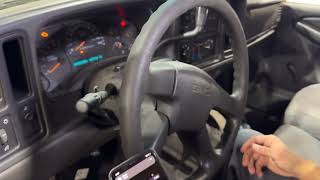
- Audible 'Phone Unavailable' message played through the vehicle's speakers, often interrupting the radio. [PIC3278F, PIC3278G, 3]
- OnStar system buttons (on the mirror or console) are unresponsive or flash.
- In some cases, a faulty module can cause a parasitic battery drain, leading to a dead battery if the vehicle sits for an extended period.
- A professional scan tool may report 'Lost Communication' with the Telematics or VCIM module.
- Replacing the radio or head unit. The OnStar audio message plays through the car's speakers, but the radio itself is not the source of the problem.
- Replacing the Body Control Module (BCM) without confirming it is the module that stored the B1000 code.
- Replacing the battery repeatedly to fix a parasitic drain without identifying the faulty OnStar module as the source of the drain.
Most Likely Causes
- Internal Failure of the OnStar Module (VCIM) 🔴 High Probability → Shop Telematics Interface Module As documented in GM TSBs PIC3278F and PIC3278G, these early OnStar units are known to fail internally due to age. The failure is often a hardware or internal memory error (ROM failure). The complete shutdown of the analog cellular network these units relied on can also contribute to the module setting fault codes.
How to confirm: The presence of the 'Phone Unavailable' audio message is the strongest indicator. A definitive test is to locate and disconnect the OnStar module; if the message stops and any related parasitic battery drain is resolved, the module is confirmed as the fault.
Typical fix: Disconnect the OnStar module's electrical connectors. Since the service is obsolete, replacement is not recommended or cost-effective. This is the community-accepted fix.
Est. part cost: $0 - Wiring or Connector Issue at the OnStar Module ⚪ Low Probability → Shop Telematics Interface Module The module is located deep within the dashboard, making it less susceptible to physical damage, but a loose connection is always possible over time.
How to confirm: After accessing the OnStar module, visually inspect its electrical connectors and the surrounding harness for signs of corrosion, moisture, or physical damage.
Typical fix: Clean the connectors or repair the damaged section of the wiring harness.
Est. part cost: $5-$25
Rare But Worth Checking
- Internal Failure of a Different Module (e.g., BCM, SDM): While the OnStar module is the most likely source, B1000 can be set by other modules. If you have an airbag warning light, the Sensing and Diagnostic Module (SDM), located under the driver's seat, could be the cause, often due to moisture damage from water intrusion. If you are experiencing bizarre, unrelated electrical issues (e.g., with power locks, interior lights, windows), the Body Control Module (BCM) could be at fault. A full-system scan with a tool like a GM Tech 2 is required to confirm which module is setting the code.
Diagnosis Steps
- Start the vehicle and listen for the 'Phone Unavailable' audio message. Its presence strongly points to the OnStar module. [PIC3278F, PIC3278G, 3]
- Use a professional-grade scan tool (e.g., GM Tech 2) that can read manufacturer-specific Body ('B') codes and communicate with all vehicle modules to see which one stored the B1000.
- Perform a full-system scan and identify the source module. On these trucks, it will most likely be the 'Vehicle Communication Interface Module' (VCIM) or 'Telematics' module.
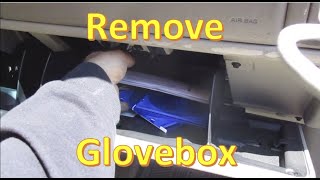
- Locate the OnStar module. On 2000-2002 GMT800 trucks and SUVs, it is mounted deep in the dashboard, typically behind the radio and below the HVAC controls. For the 2003-2004 models with the updated interior, the module is often located behind the glove box. Access requires removing the dash bezel and radio (for 2000-2002) or the glove box assembly (for 2003-2004).
- Visually inspect the module's connectors for any signs of corrosion, damage, or loose pins.
- The most practical and definitive step is to disconnect the main electrical connectors from the OnStar module. This will power it down permanently.
- Start the vehicle again and verify that the 'Phone Unavailable' message is no longer present. If you were experiencing a battery drain, monitor the vehicle for a few days to confirm the drain is gone. This confirms the faulty module was the cause.
Parts You'll Likely Need
- OnStar Module (Vehicle Communication Interface Module)
(OEM #15935016)— This is the component that fails internally, causing the code. However, replacement is NOT recommended as the service is obsolete for this vehicle year. The standard repair is to disconnect it. The part number is provided for identification purposes only.
Trusted brands: ACDelco
OEM price range: $200-$400 (Used/Remanufactured, if found)
Aftermarket price range: N/A
Related Codes That Often Appear With This One
- U1500 — This is a communication code that is often set along with B1000 when the OnStar module fails, as specifically noted in GM Technical Service Bulletin PIC3278F.
Technical Service Bulletins (TSBs) & Recalls
- PIC3278F: Documents that an internal fault in the OnStar module can cause a 'Phone Unavailable' message and set a B1000 or U1500 trouble code.
- PIC3278G: A later revision of the same bulletin, confirming the same issue for the 2000 model year and other vehicles on the platform.
- 03-08-46-004R: A bulletin detailing the part restriction and ordering process for VCIMs, confirming the various names for the module (Telematics, Communication Interface Module, etc.).
Platform-Specific Known Issues
- The primary issue for this vehicle is the obsolescence of the analog OnStar system. The 1G and 2G cellular networks these modules used were shut down nationwide starting in 2008. This means that even a perfectly functioning or new replacement module cannot connect to the OnStar network. Because of this, spending money to replace the module is pointless unless pursuing a 100% factory-correct restoration.
- The location of the module deep behind the radio makes access somewhat difficult, requiring the removal of the main dash bezel and the radio/HVAC control unit to reach the connectors for disconnection.
- A failing OnStar module is a well-known cause of parasitic battery drain on the GMT800 platform, sometimes drawing as much as 0.25-0.30 amps continuously. Owners often chase this drain by replacing batteries or alternators before identifying the true cause.
Hidden / Shadow Codes Worth Checking
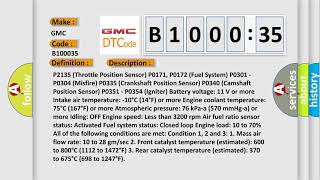
- B1000 35: ECU Performance ROM Failure. This specific symptom code, visible with a GM Tech 2 or similar advanced scanner, indicates the module's internal read-only memory has failed a checksum test. (see via GM Tech 2, or other professional scan tools capable of reading GM-specific body codes and their symptom bytes.)
- B1000 00: Electronic Control Unit (ECU) Performance with no additional information. This is the most generic form of the code, indicating the module detected an internal fault during its power-on self-test. (see via Most professional scan tools that can read 'B' codes.)
Scan Tool Commands That Help
- GM Tech 2 / GDS2: Read DTC Information — This is the essential first step. When diagnosing a B1000, the scan tool will display which specific module (e.g., VCIM, BCM, SDM) set the code. This is critical because B1000 is not specific to one module.
- GM Tech 2 / GDS2: BCM Relearn / Setup New BCM — This function is required if the BCM is identified as the source of the B1000 and must be replaced. The relearn procedure syncs the new module with the vehicle's security system (Passlock) and other components.
Wiring & Ground Locations
- VCIM (OnStar Module) — For 2000-2002 models, it is located behind the instrument panel, to the right of the steering column, often requiring radio removal to access. For 2003-2004 models with the updated interior, it is typically behind the glove box.. This is the most common source of code B1000. Knowing its location is required to perform the standard fix of disconnecting it.
- G201 — Located in the upper left corner of the instrument panel, near the driver-side A-pillar.. This is a primary instrument panel ground. A poor connection here can cause communication issues or erratic behavior from various dash-mounted modules, including the BCM, potentially leading to a B1000 code.
- G302 — Located under the passenger side of the instrument panel, often near the BCM.. This ground is often shared by the BCM and other nearby components. Corrosion or a loose connection at G302 is a known cause of various electrical issues and can cause the BCM to set internal fault codes like B1000.
- SDM (Airbag Module) — Located under the driver's seat or center console, bolted to the floor pan.. This is a rare but critical source for B1000. Its low-lying location makes it highly susceptible to moisture damage from floor leaks or spills, which can corrode the module and cause an internal failure, setting a B1000 and disabling the airbag system.
Real Owner Repair Stories
- Tahoe Yukon Forum (2005 Chevrolet Tahoe Z71 (GMT800 Platform)) — B1000 Symptom 35 (ECU Performance ROM Failure) and B1860 stored in the BCM. No check engine light or noticeable performance issues.
❌ Tried (didn't work) Clearing codes (they returned immediately), Checking ECU wiring harness under the hood
✅ What actually fixed it The user was advised that the BCM was beginning to fail internally and would eventually need replacement. The code itself was an early warning of an impending BCM failure, not a problem with the OnStar module. This highlights that while OnStar is the common cause, it is not the only one. - YouTube - Jeremy's Car Repair (2007-2013 Chevrolet Silverado (Later GMT900 Platform, but same principle)) — Solid airbag warning light on the dash. Scan revealed code B1000 from the SDM (Airbag Module).
❌ Tried (didn't work) Initial code clearing did not resolve the issue.
✅ What actually fixed it The SDM was located under the driver's seat. Upon removal, the module showed obvious signs of water damage and corrosion on the exterior and under the protective gel coating on the circuit board. Replacing the water-damaged SDM with a new one and having it programmed resolved the B1000 code and the airbag light. This demonstrates a critical edge case where B1000 indicates a safety system failure due to environmental factors.
When the Usual Fixes Don't Work
- While the vast majority of B1000 codes on this platform are caused by the obsolete OnStar module and fixed by disconnecting it, there are documented cases where the code originates from a more critical component. A forum user with a 2005 Tahoe (on the same GMT800 platform) traced a B1000 with symptom code 35 directly to an internal ROM failure in the Body Control Module (BCM). In another case involving an airbag light, a B1000 was caused by a water-damaged Sensing and Diagnostic Module (SDM) under the driver's seat. These instances serve as a critical reminder that a proper diagnosis with a scan tool that can identify the faulting module is essential before assuming it's the benign OnStar issue.
OEM Part Supersession History
12228130→12246820— This is the part number for the Airbag Sensing and Diagnostic Module (SDM). Part was updated by GM.
Heads up: Replacement of the SDM requires programming to the vehicle's VIN to ensure proper operation of the safety system. It is not a plug-and-play part.
Model Year Variations Within This Range
- 2000-2002: On early models with the original dashboard design, the OnStar VCIM is located deep within the center dash, behind and below the radio/HVAC control head.
- 2003-2004: Following the 2003 interior refresh, the OnStar VCIM was often relocated to a more accessible position behind the glove box assembly. This can make the process of disconnecting the module significantly easier on these later models.
Helpful Videos








The information in this article is provided for general reference and educational purposes only. Vehicle specifications, procedures, and part compatibility can vary by production date, trim level, and region. Always consult your vehicle's factory service manual and verify part numbers before purchasing or performing repairs. Safety-critical components such as airbags, seat belts, and braking systems should be installed by a qualified professional.
- Gmc YUKON DENALI:
- 🧭 Diagnostic Flowchart
- 🎬 Helpful Videos
- What's Unique About the 2000-2004 Gmc YUKON DENALI
- Symptoms You May Notice
- Most Likely Causes
- Rare But Worth Checking
- Diagnosis Steps
- Parts You'll Likely Need
- Related Codes That Often Appear With This One
- Technical Service Bulletins (TSBs) & Recalls
- Platform-Specific Known Issues
- Hidden / Shadow Codes Worth Checking
- Scan Tool Commands That Help
- Wiring & Ground Locations
- Real Owner Repair Stories
- When the Usual Fixes Don't Work
- OEM Part Supersession History
- Model Year Variations Within This Range
- 🎟️ Get 5% Off