

B1000 on 2000-2003 Oldsmobile Aurora: ECU Malfunction and OnStar Faults
On a 2000-2003 Oldsmobile Aurora, code B1000 typically indicates an internal failure of a control module. The most common culprit, cited in GM Technical Service Bulletins, is the OnStar module (VCIM), often accompanied by a 'Phone Unavailable' message. Since the analog OnStar network was shut down in 2008, the easiest fix is to simply disconnect the module. The code can also mean a failure of the Body Control Module (BCM) or Airbag (SDM) module, which requires a professional scan tool to differe
- B1000 on a 2000-2003 Aurora means a control module has failed an internal self-test.
- The most likely cause is a failed OnStar module, identified by a 'Phone Unavailable' message.
- A professional scan tool is needed to see which module (OnStar, BCM, or Airbag) set the code.
- If the airbag light is on with this code, the airbag system is disabled and requires immediate attention.
- For a failed OnStar module, the simplest and cheapest fix is to disconnect it, as the service is obsolete.
What's Unique About the 2000-2003 Oldsmobile AURORA
The Oldsmobile Aurora was a flagship luxury sedan for Oldsmobile, equipped with advanced electronics for its time, including the OnStar telematics system. The B1000 code is frequently tied to the failure of this early-generation OnStar module, which is now obsolete as the analog network it relied on was shut down in 2008. The provided NHTSA TSBs (PIC3278G, PIC3278F) directly confirm that an internal OnStar module fault can produce a B1000 code along with a 'Phone Unavailable' message, making this a well-documented issue for the platform. The OnStar module (VCIM) in the Aurora is located in the trunk, typically mounted to the back of the rear seat frame, making it accessible to disconnect. Unlike many GM vehicles with a single BCM under the dash, the Aurora uses a distributed system with a Dash Integration Module (DIM) and a Rear Integration Module (RIM) located under the rear package shelf.
Diagnostic Flowchart
Tap your situation to follow the diagnostic path that matches what you're seeing on this vehicle.
Generation note: The 2000-2003 range covers the beginning of the second generation (2001-2003). There was no 2000 model year for the Aurora. The provided TSBs reference the 2000 model year, likely because the underlying GM G-Body platform and components were used in other vehicles like the Pontiac Bonneville which was produced in 2000. The information is applicable to the entire 2001-2003 Aurora generation.
Symptoms You May Notice
- Audible 'Phone Unavailable' message from the car's speakers (specific to OnStar failure)
- Red or non-illuminated light on the OnStar rearview mirror
- Airbag warning light illuminated on the dashboard (if set by the SDM)
- Erratic behavior of interior electronics like power locks, windows, or lights (if set by the BCM).
- No noticeable symptoms other than the stored code
- Parasitic battery drain, causing a dead battery after the vehicle sits for a few days (if the OnStar module fails to 'sleep')
- Replacing the main Engine Control Module (ECM/PCM). B1000 is a body/network code, not a powertrain code. The ECM is rarely the cause.
- Replacing airbag impact sensors when the B1000 code is stored in the SDM itself, as the code points to an internal module fault, not a sensor fault.
Most Likely Causes
- Internal Failure of the OnStar Module (VCIM) 🔴 High Probability → Shop Telematics Interface Module The analog OnStar modules in these vehicles are old and prone to failure as they search for a defunct cellular network. The TSBs PIC3278G and PIC3278F directly cite this as a cause for B1000.
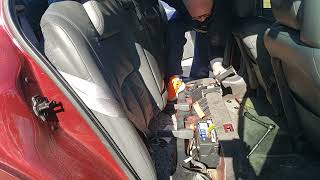
How to confirm: Listen for the 'Phone Unavailable' audio message. Use a scan tool to confirm the B1000 code originates from the Telematics/OnStar module. The module is located in the trunk, typically behind the trim on the passenger side, mounted to the rear seat frame.
Typical fix: Disconnect the OnStar module to prevent battery drain and clear the code. Since the original service is defunct, replacement is unnecessary. This is the most common and practical solution. 🎬 Watch this quick video on how to remove the OnStar module.
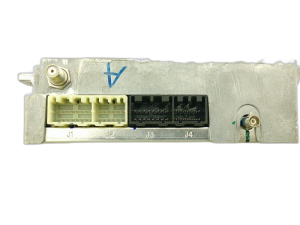
Est. part cost: $0 - Internal Failure of the Body Control Module (BCM) 🟡 Medium Probability → Shop Body Control Module The BCM controls many body electronic functions and can fail with age, leading to internal checksum errors. On the Aurora, this function is handled by the Rear Integration Module (RIM).
How to confirm: Use a scan tool to confirm the B1000 code originates from the BCM/RIM. Check for erratic operation of windows, locks, interior lights, or security system.
Typical fix: Replace the Body Control Module (RIM). 🎬 See this step-by-step guide for replacing the Aurora's RIM. This often requires programming the new module to the vehicle's VIN with a specialized tool like a Tech 2.
Est. part cost: $150-$300 - Internal Failure of the Airbag Module (SDM) ⚪ Low Probability Less common than OnStar or BCM failure, but the Sensing and Diagnostic Module can fail internally, setting a B1000 code and disabling the airbag system. This can be triggered by age, voltage spikes, or water intrusion.
How to confirm: The airbag warning light will be on. Use a scan tool to confirm the B1000 code originates from the SRS/SDM module. The module is often located under a seat or console.
Typical fix: Replace the Airbag Module. This is a critical safety component and should be replaced and programmed by a professional. There was also a recall (02V-222) for the driver's side airbag inflator on 2002-2003 models that could fracture.
Est. part cost: $200-$400
Rare But Worth Checking
- Poor Power or Ground Connection to a Module: Voltage fluctuations or a bad ground can sometimes corrupt a module's self-test and trigger a false B1000 code. Always check the battery, charging system, and main ground points before replacing an expensive module. Aurora owners have reported that adding a supplemental ground wire can stabilize system voltage and improve electronic performance.
- Water Intrusion: If a module, particularly an airbag module located under a seat or on the floor, is exposed to moisture from a leak, it can cause corrosion and internal failure.
Diagnosis Steps
- Connect a professional-grade OBD-II scanner capable of reading manufacturer-specific Body (B) codes and communicating with all modules.
- Scan all vehicle modules and identify which module is storing the B1000 code (e.g., VCIM, BCM, SDM).
- If the code is in the VCIM (OnStar), and you hear a 'Phone Unavailable' message, the module has failed. Locate the module in the trunk, typically mounted to the rear seat frame on the passenger side, and disconnect its two main electrical connectors.
- If the code is in the SDM (Airbag), the airbag light will be on. The system is disabled. Inspect the module (often under the driver's seat) and its connector for corrosion or damage, especially from water. If connections are good, the module likely needs replacement by a professional.
- If the code is in the BCM (on the Aurora, this is the RIM or DIM), check for other symptoms like malfunctioning lights, locks, or windows. Verify the module has stable power and ground before condemning it. The RIM is located under the rear package shelf.
- If the code is historical (not current), clear it and perform several ignition cycles. If it does not return, no immediate action may be needed. A past low-voltage event could have set a false code.
Parts You'll Likely Need
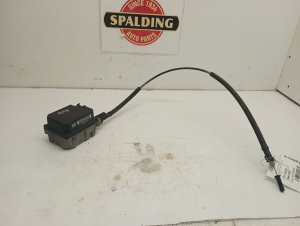
- OnStar Module (VCIM)
(OEM #23230482 (Superseded, check with dealer))— This is the most common cause according to TSBs. However, the part is typically disconnected rather than replaced, as the analog service is obsolete.
Trusted brands: ACDelco
OEM price range: $50-$200
Aftermarket price range: N/A - Body Control Module (BCM) — A potential cause if the code is isolated to the BCM and electrical accessories are malfunctioning.
Trusted brands: ACDelco, Dorman
OEM price range: $250-$400
Aftermarket price range: $150-$250
Related Codes That Often Appear With This One
- U1500 — The official TSBs (PIC3278G, PIC3278F) state that U1500 (a communication error) can be set alongside B1000 when the OnStar module fails internally.
Technical Service Bulletins (TSBs) & Recalls
- PIC3278G: Mentions that an internal fault in the OnStar module can produce a B1000 or U1500 DTC.
- PIC3278F: Contains the same information as PIC3278G, linking B1000 to a faulty OnStar module and a 'Phone Unavailable' message.
- 03-08-46-004S: Details the part restriction and ordering process for OnStar VCIMs, indicating they are a known replacement item requiring special authorization from GM.
Platform-Specific Known Issues
- The provided TSBs PIC3278G and PIC3278F specifically call out the OnStar module as a source for the B1000 code on this GM platform, often accompanied by a 'Phone Unavailable' message.
- The OnStar module (VCIM) is located in the trunk, mounted behind the trim panel on the passenger side, attached to the rear seat frame. This makes it relatively easy to access and disconnect.
- 2002-2003 models were part of NHTSA recall 02V-222 for a driver's side airbag inflator that could fracture on deployment. While not directly a cause of B1000, it highlights a critical safety issue with the SRS system that could be investigated at the same time if the SDM is suspected.
Mechanic-Grade Diagnostic Values
- System Voltage Stability at Idle — expected: Stable voltage around 14.0V with accessories on.. Failure: Voltage dropping to low 12V range at idle, causing lights to dim, indicates a potential grounding issue that could trigger false module codes.
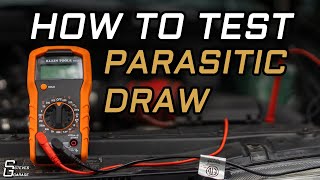
- Parasitic Battery Drain — expected: Below 30 mA after the vehicle's modules go to sleep (approx. 20-30 minutes).. Failure: A higher, persistent drain can indicate a module (like OnStar) is not sleeping, leading to a dead battery and low-voltage faults.
Hidden / Shadow Codes Worth Checking
- B1000 31: ECU General Checksum Problem. This indicates a data corruption error within the module's memory. (see via A professional scan tool like the GM Tech 2 is required to read these two-digit symptom bytes.)
- B1000 35: ECU Performance ROM Integrity. This indicates a failure in the module's permanent Read-Only Memory. (see via A professional scan tool like the GM Tech 2 is required to read these two-digit symptom bytes.)
- B1000 39: ECU Performance Internal Electronic Failure. This is a general hardware failure inside the module. (see via A professional scan tool like the GM Tech 2 is required to read these two-digit symptom bytes.)
Scan Tool Commands That Help
- GM Tech 2: Special Functions -> NEW BCM SETUP — This function is required after installing a new or replacement Body Control Module (or RIM on the Aurora) to program the vehicle's RPO codes and options into the new module.
- GM Tech 2 or equivalent: Theft Deterrent Relearn Procedure — After replacing the BCM/RIM, the Passlock security system must be synchronized with the new module. This is often a 30-minute key cycling procedure.
- GM Tech 2 or equivalent: Setup SDM — After a BCM/RIM replacement, the new module may need to be configured to communicate correctly with the existing Sensing and Diagnostic Module (Airbag). This clears codes like B1001 that can appear after a BCM swap.
Wiring & Ground Locations
- Rear Integration Module (RIM) — Located under the rear package shelf, accessible after removing the rear seat cushion and back.. This module performs many BCM functions on the Aurora. A B1000 code related to body electronics will originate here.
- G103 — Located on the cowl at the left rear of the engine compartment, above the brake booster.. This is a primary ground point for the SDM (Airbag Module) and BCM. Corrosion or a loose connection here can cause intermittent faults and false B1000 codes.
- G302 — Located under the left side of the rear seat cushion.. This is a key ground point for rear body electronics, including the Rear Integration Module (RIM). A poor connection can cause various electrical issues attributed to the RIM.
- G201 — Located behind the right kick panel in the passenger footwell.. This grounds several dash components. While less likely to be the primary cause for a BCM/RIM/SDM code, it's part of the overall ground integrity check.
Real Owner Repair Stories
- Aurora Club of North America (ACNA) Forum (Oldsmobile Aurora (2nd Gen)) — Dimming lights, voltage dropping from 14.8V to 12.3V at idle, sluggish throttle and transmission response.
✅ What actually fixed it The owner added a 24-inch supplemental ground wire from a strut mount stud to a coil pack bolt after cleaning the contact points. This stabilized the voltage at 14.0V+ at idle and resolved the issues. This demonstrates how poor grounds can cause voltage instability that might trigger module fault codes. - Toyota Tundra Forum (similar code behavior) (Toyota Tundra) — Airbag light on with code B1000 'Airbag ECU Malfunction'. No other codes present.
❌ Tried (didn't work) Unplugging and replugging connectors under the seat.
✅ What actually fixed it The owner removed the entire center console to access the main Airbag ECU. Unplugging and firmly re-seating the main connector (J46) at the ECU itself resolved the code. This suggests a loose connector pin at the module can mimic an internal failure. - ClubLexus Forum (similar code behavior) (Lexus IS250) — Persistent B1000 'Airbag ECU Malfunction' code after a minor incident. Airbag light was on.
❌ Tried (didn't work) Resetting the original airbag module., Replacing the airbag module with a used one from a wrecker.
✅ What actually fixed it A mechanic identified that the pins in the wiring harness connector for the airbag module were not making good contact. He used a tool to slightly expand the female pins in the connector to ensure a tight fit. This permanently resolved the B1000 code, proving the issue was a poor connection, not a faulty module.
OEM Part Supersession History
10383937, 25654376→21999382, 25719720, 25740048, 25742664, 25747388— Standard part revisions and updates by GM.
Heads up: These part numbers are for the Rear Integration Module (RIM), which acts as the BCM. While listed as interchangeable for the platform (including Bonneville/LeSabre), programming with a Tech 2 is required to configure the module for the specific options (RPOs) of the Aurora.
Model Year Variations Within This Range
- 2001-2003: The 2nd generation Aurora uses a distributed body control system, unlike many other GM cars. It has a Dash Integration Module (DIM) behind the dash and a Rear Integration Module (RIM) under the rear package shelf. A B1000 code related to body functions (lights, locks, windows) will likely point to one of these modules, most often the RIM. This differs from the 1st gen (1996-1999) Aurora, which had a more traditional BCM located in the driver's kick panel.
Helpful Videos
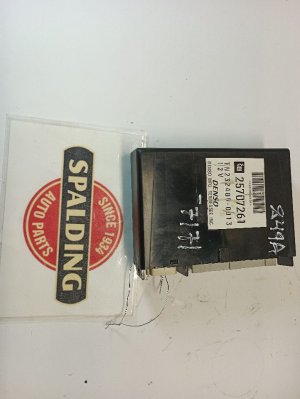
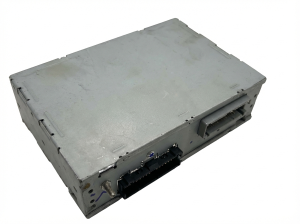
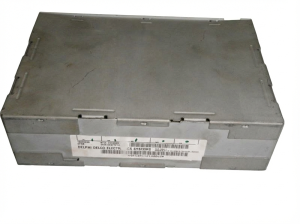
We Have This Part in Stock

The information in this article is provided for general reference and educational purposes only. Vehicle specifications, procedures, and part compatibility can vary by production date, trim level, and region. Always consult your vehicle's factory service manual and verify part numbers before purchasing or performing repairs. Safety-critical components such as airbags, seat belts, and braking systems should be installed by a qualified professional.
- Oldsmobile AURORA:
- 🧭 Diagnostic Flowchart
- 🎬 Helpful Videos
- 🛍️ Shop This Part
- What's Unique About the 2000-2003 Oldsmobile AURORA
- Symptoms You May Notice
- Most Likely Causes
- Rare But Worth Checking
- Diagnosis Steps
- Parts You'll Likely Need
- Related Codes That Often Appear With This One
- Technical Service Bulletins (TSBs) & Recalls
- Platform-Specific Known Issues
- Mechanic-Grade Diagnostic Values
- Hidden / Shadow Codes Worth Checking
- Scan Tool Commands That Help
- Wiring & Ground Locations
- Real Owner Repair Stories
- OEM Part Supersession History
- Model Year Variations Within This Range
- 🎟️ Get 5% Off