

B1402 on 2013-2014 Jaguar XJ: Causes for 'ECO Stop Inhibited' Message
On a 2013-2014 Jaguar XJ, code B1402 with an 'ECO Stop Inhibited' message is almost always caused by a software glitch in the Gateway Module (GWM). The fix is a dealer-installed software update, not a parts replacement. A loose ground or weak battery are less common but possible secondary causes.
- Code B1402 on a 2013-2014 XJ is most likely a software bug, not a failed part.
- The primary symptom is an 'ECO Stop Inhibited' message on the dash.
- The first step in any diagnosis must be to check if the Gateway Module (GWM) software update from TSB JTB00310NAS4 has been performed.
- Do not replace the Dual Battery Fuse Box or batteries without first performing the software update and checking the main battery ground (G4D178).
- This repair requires a Jaguar-specific diagnostic tool (SDD or Pathfinder) and cannot be fully completed with a standard OBD-II scanner.
What's Unique About the 2013-2014 Jaguar XJ
The X351 generation of the Jaguar XJ (2010-2019) incorporates a sophisticated dual-battery system to manage its ECO start/stop function. A small, secondary AGM battery powers vehicle electrics when the engine shuts off at a stop. This code, B1402-96, is a well-documented anomaly specific to how the vehicle's Gateway Module software monitors this dual-battery system for the 2013-2014 model years. Unlike many other trouble codes that point directly to a failed part, this one is most often a false alarm that requires a software correction rather than a hardware replacement. TSB SSM72087 explicitly states to update the GWM software *before* beginning any other DTC diagnosis for this reason.
Diagnostic Flowchart
Tap your situation to follow the diagnostic path that matches what you're seeing on this vehicle.
Symptoms You May Notice
- 'ECO Stop Inhibited' message displayed in the instrument cluster.
- Battery charge warning message may appear while driving.
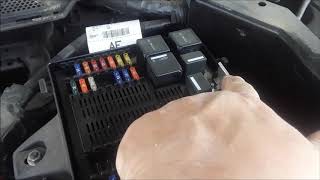
- The engine start/stop system will not function. 🎬 Watch: A quick guide to troubleshooting the ECO start/stop system.
- In some cases, the vehicle may experience an un-commanded shutdown after an ECO Stop event (if the system was working intermittently before failing completely).
- Replacing the Dual Battery Fuse Box (DBFB) without first performing the software update.
- Replacing the secondary or main battery without proper testing, when the issue is actually the GWM software or a loose ground.
- Replacing the alternator when a battery warning light appears alongside the ECO message, without first addressing the primary TSB.
Most Likely Causes
- Gateway Module (GWM) Software Update Needed 🔴 High Probability Jaguar identified a software bug in the GWM for 2013-2014 XJ (VIN V39427-V60850) and 2012-2013 XF models, issuing TSB JTB00310NAS4 to address it. The module falsely flags the B1402-96 DTC.
How to confirm: A Jaguar dealer or specialist must connect a diagnostic tool (SDD/Pathfinder) to check the GWM's current software version. The TSB requires SDD DVD135.01 v.145 or later.
Typical fix: Flash the Gateway Module with the updated software by running the 'Configure existing module – Gateway module' option in SDD. No parts are required.
Est. part cost: $0 - Loose or Corroded Main Negative Ground Cable 🟡 Medium Probability A separate Jaguar service bulletin (SSM71917) notes that the main negative ground cable can loosen, causing various electrical issues, including DTC B1402-96. These vehicles use an aluminum body, making solid, clean grounds critical.
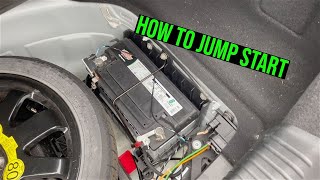
How to confirm: Inspect the main negative battery cable connection to the vehicle body. This ground stud is identified as G4D178 in Jaguar electrical diagrams. It is typically located in the trunk 🎬 See this video to locate the battery and jump-start points. near the battery. Check for looseness or corrosion.
Typical fix: Clean the contact surfaces of the ground cable eyelet and the body, then re-torque the ground stud fixing to the specified 13.5Nm.
Est. part cost: $0 - Weak or Failing Main/Secondary Battery ⚪ Low Probability → Shop Vehicle Battery Modern Jaguars are highly sensitive to battery voltage. A weak battery can cause numerous, seemingly unrelated electrical faults and warning messages. The ECO system in particular relies on both the main and a secondary battery being in excellent health.
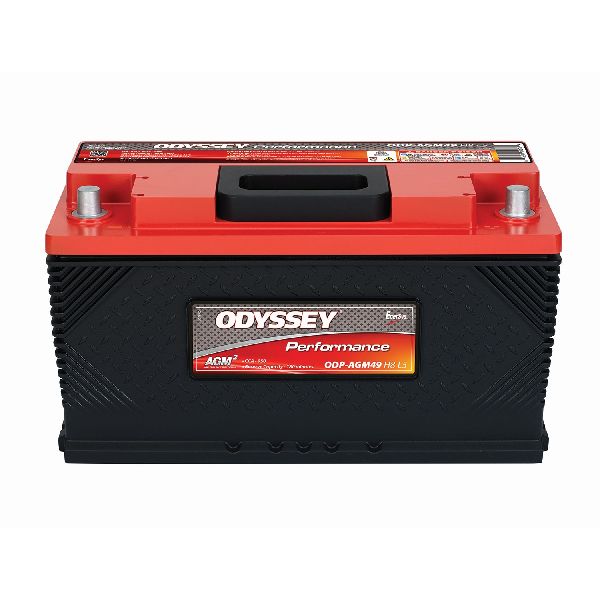
How to confirm: Use a professional-grade battery tester (like a Midtronics device) to check the state of health and state of charge for both the main (Group Size H7/94R AGM) and secondary (AGM, 12V 15Ah 200A) batteries. A simple voltage check is often insufficient.
Typical fix: Replace the failing battery. The secondary battery OEM part number is JDE32902. The Battery Monitoring System (BMS) must be reset using a Jaguar-specific tool after replacement to ensure proper charging and prevent future issues.
Est. part cost: $150-$450
Rare But Worth Checking
- Faulty Dual Battery Fuse Box (DBFB): → Shop Vehicle Battery While the code points directly to this part, it is rarely the actual cause. This should only be considered after the GWM software has been updated and all wiring/grounding has been confirmed to be correct. The part number is often C2Z23250 or CX23-14K131-BC.
- Wiring Harness Issue: A damaged or corroded wire between the GWM and the DBFB could cause a legitimate fault, but this is uncommon compared to the software issue. TSB SSM72087 suggests checking wiring integrity to the Dual Battery Module, DBFB, and secondary battery if the code persists after a software update.
Diagnosis Steps
- Connect a Jaguar Land Rover-approved battery power supply to maintain system voltage. 🎬 Watch: The correct method to jump-start or power your Jaguar.
- Connect the Symptom Driven Diagnostics (SDD) system (DVD135.01 v.145 or later) to the vehicle.
- Read the Diagnostic Trouble Codes (DTCs) from the Gateway Module (GWM).
- If B1402-96 is present, check if the vehicle falls within the TSB's VIN range (V39427-V60850 for XJ).
- Navigate to the 'Recommendations' tab in SDD and select the option to 'Configure existing module – Gateway module'.
- Run the software update procedure as prompted by the SDD. This is the fix outlined in TSB JTB00310NAS4.
- After the update, clear all DTCs. Cycle the ignition and start the engine.
- Listen in the trunk for the DBFB self-test; a successful test generates 4 audible clicks within 40-60 seconds of startup.
- If the code persists or the clicks are not heard, inspect the main negative battery ground connection (G4D178) for tightness (13.5Nm) and cleanliness.
- If the ground is good, perform a comprehensive test on both the main and secondary batteries using a Midtronics tester.
- Only if all the above steps fail to resolve the issue should you proceed with hardware diagnostics on the Dual Battery Fuse Box and its wiring harness.
Parts You'll Likely Need
- Gateway Module (GWM) Software Update — This is not a physical part, but a service. It is the most common fix for this specific code on this vehicle, as mandated by Jaguar's TSB JTB00310NAS4.
OEM price range: $150-$300 (Dealer Labor)
Aftermarket price range: N/A - Secondary Battery (Auxiliary)
(OEM #JDE32902 (supersedes T4A48375))— If the software update and ground check do not resolve the issue, a weak secondary battery is the next likely hardware culprit, as it's essential for the ECO start/stop system. It is an AGM type battery.
Trusted brands: Exide (OEM supplier), Varta
OEM price range: $150-$250
Aftermarket price range: $100-$180 - Main Battery
(OEM #C2P24168)— A weak main battery can cause a host of electrical issues, including this one. It's less specific to this code than the secondary battery but is a common failure point. It is typically a Group Size H7/94R AGM battery.
Trusted brands: Duralast Platinum, Interstate
OEM price range: $300-$450
Aftermarket price range: $200-$280
Related Codes That Often Appear With This One
- B1403-96 — This is another code related to the Dual Battery Fuse Box. A Jaguar service action (SSM71917) mentions that B1402-96 and B1403-96 are often logged together due to a loose main ground cable.
Technical Service Bulletins (TSBs) & Recalls
- JTB00310NAS4: GateWay Module DTC B1402-96 Causing ECO Stop Inhibited Or Battery Charge Warning Messages While Driving. This is the primary TSB identifying the software bug and outlining the update procedure.
- SSM72087: XF/XJ Eco Stop/Start Additional Diagnostics Information - Stresses the importance of updating GWM software before diagnosis and describes the audible 4-click self-test of the DBFB.
- SSM71917: XF vehicles with battery charging warning lamp illuminated - Details a loose main ground cable (G4D178) as a potential cause for B1402-96, applicable to the XJ as well.
Platform-Specific Known Issues
- A known software defect in the Gateway Module (GWM) for 2013-2014 XJ models (VIN V39427-V60850) causes it to falsely report DTC B1402-96, leading to the disabling of the ECO start/stop system.
- The vehicle's high electrical demands and complex monitoring systems make it extremely sensitive to the health of both the main and secondary batteries. Owners frequently report a wide array of error messages from a battery that is only slightly degraded.
Mechanic-Grade Diagnostic Values
- Dual Battery Fuse Box (DBFB) Self-Test — expected: 4 audible clicks heard from the trunk area. Failure: Fewer than 4 clicks, or no clicks, indicates a potential failure in the DBFB or its control circuit.
- DBFB Self-Test Timing — expected: Occurs within 40-60 seconds of starting the engine.. Failure: Test does not occur within this timeframe.
- Main Negative Ground Stud Torque — expected: 13.5Nm. Failure: A loose stud can cause intermittent and false DTCs, including B1402-96.
- AGM Battery Charging Voltage Limit — expected: Should not exceed 14.8V. Failure: Charging voltage above 14.8V can permanently damage the AGM batteries.
- Static Battery Voltage (engine off) — expected: At least 12.2V. Failure: Voltage below 12.2V indicates a discharged or failing battery.
Hidden / Shadow Codes Worth Checking
- B1402-96: The '-96' suffix indicates a 'Component Internal Failure' for the Dual Battery Fuse Box Contactor 1. This is the specific version of the code addressed by TSB JTB00310NAS4. (see via Jaguar SDD or a compatible professional scanner that can read manufacturer-specific DTCs.)
Scan Tool Commands That Help
- Jaguar SDD: Configure existing module – Gateway module — This is the primary repair step to update the GWM software as per TSB JTB00310NAS4. It is found under the 'Recommendations' tab after reading DTCs.
- Jaguar SDD: Battery replacement / Battery Monitoring System Reset — This function must be run after replacing either the main or secondary battery to recalibrate the charging system. It is found under 'Service Functions' -> 'Electrical'.
- Jaguar SDD: Throttle Adaptions Reset — TSB SSM72087 recommends resetting throttle adaptions if the battery has been disconnected for any reason.
- Jaguar SDD: Dual battery system diagnostic service routine — This should be run if the Dual Battery Fuse Box (DBFB) has been replaced to verify its operation.
Wiring & Ground Locations
- G4D178 — In the trunk (luggage compartment), on the vehicle body near the main battery. It is the stud where the main negative battery cable connects to the chassis.. TSB SSM71917 identifies this ground stud working loose as a direct cause for logging DTC B1402-96. Ensuring it is clean and torqued to 13.5Nm is a critical diagnostic step.
- Dual Battery Module (DBM) — At the rear of the right wheel arch in the luggage compartment, located adjacent to the Gateway Module (GWM) and the Rear Junction Box (RJB).. The DBM receives signals from the GWM and operates the contactors in the Dual Battery Fuse Box. A wiring fault between the GWM and DBM can cause this code.
- Dual Battery Fuse Box (DBFB) / Dual Battery Junction Box (DBJB) — In the trunk, in a tray next to the primary battery. The smaller, secondary battery is housed within this unit.. This component contains the 'Contactor 1' that the B1402-96 code directly references. While often a false code, it is the location of the implicated hardware.
Real Owner Repair Stories
- Jaguar Forums user 'Andyd358' (2015 Jaguar XF 2.2D (different model/year but uses the same dual-battery ECO system)) — Stop/Start system not working.
❌ Tried (didn't work) Replaced both the main and auxiliary batteries.
✅ What actually fixed it The issue was not fully resolved in the thread, but diagnosis with SDD after battery replacement pointed away from the GWM software and towards a hardware fault. The SDD reported DTC B13C5-92 and a failed dual battery system test ('Relay 2 - Stuck open'), suggesting the next steps were to check wiring to the Dual Battery Control Module and Dual Battery Junction Box, or replace the modules themselves. This highlights the need for proper diagnosis when the common fixes don't work.
When the Usual Fixes Don't Work
- While the GWM software update is the most common fix, it is not a guaranteed solution. In a documented case on a similar platform, replacing both batteries did not resolve the ECO system failure. Further diagnosis with the dealer tool (SDD) pointed to a hardware failure ('Relay 2 - Stuck open') within the dual battery system itself, requiring inspection of the Dual Battery Control Module and its wiring. This reinforces that if the software update and a ground check do not work, a full diagnostic path including battery health and hardware integrity must be followed.
OEM Part Supersession History
C2Z17854→C2Z23250— Part revision or supplier change for the Dual Battery Fuse Box (DBFB).
Heads up: C2Z23250 is the correct replacement for vehicles with the stop/start system. The engineering part number CX23-14K131-BC may also be found on the unit.
Model Year Variations Within This Range
- 2013-2014: The TSB for the GWM software fix was updated over time. The initial version (JTB-00310-NAS-2) from Jan 2014 covered XJ VINs up to V58199. A later version (JTB00310NAS4) from May 2014 expanded the range to include VINs up to V60850, indicating the problem was identified on later-production 2014 models as well.
Helpful Videos

We Have This Part in Stock


The information in this article is provided for general reference and educational purposes only. Vehicle specifications, procedures, and part compatibility can vary by production date, trim level, and region. Always consult your vehicle's factory service manual and verify part numbers before purchasing or performing repairs. Safety-critical components such as airbags, seat belts, and braking systems should be installed by a qualified professional.
- Jaguar XJ:
- 🧭 Diagnostic Flowchart
- 🎬 Helpful Videos
- 🛍️ Shop This Part
- What's Unique About the 2013-2014 Jaguar XJ
- Symptoms You May Notice
- Most Likely Causes
- Rare But Worth Checking
- Diagnosis Steps
- Parts You'll Likely Need
- Related Codes That Often Appear With This One
- Technical Service Bulletins (TSBs) & Recalls
- Platform-Specific Known Issues
- Mechanic-Grade Diagnostic Values
- Hidden / Shadow Codes Worth Checking
- Scan Tool Commands That Help
- Wiring & Ground Locations
- Real Owner Repair Stories
- When the Usual Fixes Don't Work
- OEM Part Supersession History
- Model Year Variations Within This Range
- 🎟️ Get 5% Off