

B1447 on 2006-2013 Chevrolet Impala: OnStar Backup Battery Failure Causes and Fixes
This code means the OnStar backup battery has failed. The most common fix is to replace the battery, located in the trunk behind the driver's side liner. Expect to pay $50-$100 for the part, which is a straightforward DIY replacement for many owners. The OnStar system will show a red light on the mirror.
- B1447 on a 2006-2013 Impala means the OnStar backup battery has failed.
- The most common symptom is a solid red light on the OnStar buttons.
- The fix is to replace the backup battery, a simple DIY job located behind the trunk liner on the driver's side.
- Driving with this code is safe, but the OnStar system's emergency crash response may not function if the main battery is disabled in an accident.
- Crucially, always turn the ignition OFF and let Retained Accessory Power (RAP) time out before disconnecting the main battery to avoid permanently draining the OnStar backup battery.
What's Unique About the 2006-2013 Chevrolet IMPALA
For this generation of Impala and its platform mates, the B1447 code is almost exclusively tied to the OnStar backup battery, a non-rechargeable lithium unit with a finite service life. Unlike many other trouble codes, this one has a very narrow and specific meaning. TSBs confirm that this is a known issue, sometimes triggered by service procedures like a main battery replacement if not done correctly, or even software upgrades. The system is designed to alert the driver with a red OnStar light on the mirror, making the initial diagnosis quite direct. Improperly disconnecting the main vehicle battery while the ignition is on or Retained Accessory Power (RAP) is active can permanently discharge the backup battery, necessitating its replacement.
Diagnostic Flowchart
Tap your situation to follow the diagnostic path that matches what you're seeing on this vehicle.
Symptoms You May Notice
- Solid red light on the OnStar indicator (on the rearview mirror or overhead console).
- OnStar system is non-functional.
- Inability to use OnStar hands-free calling or emergency services.
- Diagnostic messages from OnStar about a service issue.
- A 'Service OnStar' message may appear on the Driver Information Center (DIC).
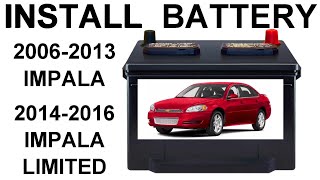
- Replacing the main vehicle battery. While a failing 🎬 Watch: How to properly replace the main vehicle battery. main battery can cause various electrical issues, B1447 points specifically to the small, separate OnStar backup battery.
- Assuming the entire OnStar module (VCIM) is bad. The battery is a separate, serviceable part and is the most common failure point.
Most Likely Causes
- Failed OnStar Backup Battery 🔴 High Probability → Shop Vehicle Battery The original backup battery is a non-rechargeable lithium battery with a typical lifespan of 5-7 years. Given the age of these vehicles (2006-2013), most original batteries are now failing due to natural end-of-life. A user on ChevroletForum.com noted they got 6 years out of their original battery.
How to confirm: Scan for code B1447. Observe a red OnStar status light. The battery is located in the trunk, on the driver's side, attached to the OnStar module (VCIM). Pull back the trunk liner to expose the silver VCIM box; the battery is a smaller black box attached to it. Visually inspect the battery and its connections.
Typical fix: Replace the OnStar backup battery module. Ensure the ignition is OFF and Retained Accessory Power (RAP) has timed out before disconnecting any components.
Est. part cost: $50-$100 - Improper Main Battery Service 🟡 Medium Probability → Shop Vehicle Battery As per TSB PIC4541F, disconnecting the main vehicle battery or OnStar fuse 🎬 See this quick guide to find your OnStar fuse location. while the ignition is on or RAP is active will trigger the backup battery. Once activated in this way, the non-rechargeable battery will fully and permanently discharge, requiring replacement. This often happens during a routine main battery change if proper procedure is not followed.
How to confirm: If the B1447 code and red OnStar light appeared immediately after the main vehicle battery was replaced or disconnected for service, this is the likely cause.
Typical fix: Replace the OnStar backup battery. There is no way to recharge or reset the discharged battery.
Est. part cost: $50-$100
Rare But Worth Checking
- Wiring Harness or Connector Issue: A damaged wire or loose connector between the backup battery and the VCIM can mimic a failed battery. This is worth checking if a new battery doesn't solve the problem.
- Faulty Vehicle Communication Interface Module (VCIM): → Shop Telematics Interface Module In rare cases, the OnStar module itself can fail, incorrectly reporting a battery issue. This is an expensive last resort after verifying the battery and wiring are good.
Diagnosis Steps
- Verify the primary symptom: Is the OnStar status light on the rearview mirror red? 🎬 Watch: What a red OnStar light means and how to fix it.
- Use an OBD-II scanner capable of reading Body (B) codes to confirm that B1447 is present.
- IMPORTANT: Turn the ignition key to OFF. Open the driver's door to cancel Retained Accessory Power (RAP) and wait for all interior lights to turn off before proceeding.
- Open the trunk and pull back the liner on the driver's side to expose the silver OnStar module (VCIM).
- Locate the backup battery, which is a black box typically mounted to the side of the VCIM with screws.
- Inspect the wiring and connector going to the battery for any visible damage or corrosion.
- If the wiring appears intact, the most likely cause is the battery itself. Disconnect the battery's electrical connector and remove the screws holding it to the VCIM bracket.
- Install the new OnStar backup battery and reconnect the electrical harness.
- Cycle the ignition. The OnStar light should turn green. Use a scan tool to clear the B1447 DTC. The code should not return. Some service information suggests a history DTC will clear on its own after 50 malfunction-free ignition cycles.
Parts You'll Likely Need
- OnStar Backup Battery
(OEM #22704633, 25903535, 88861186)— This is the consumable, non-rechargeable part of the system that fails with age or due to improper service, triggering the B1447 code. Part number 25903535 is a common replacement for 22704633.
Trusted brands: ACDelco, GM Genuine Parts
OEM price range: $60-$100
Aftermarket price range: $50-$80
Related Codes That Often Appear With This One
- B1446 — B1446 is for 'Backup Power Source Voltage Below Minimum Threshold'. It often appears alongside B1447 as the battery weakens before it fails completely (open circuit).
Technical Service Bulletins (TSBs) & Recalls
- PIC4541F: Diagnostic tip for OnStar back-up battery failure causing B1446 or B1447.
- PIT-5463-B: Instructs to install a new backup battery if B1447 appears after a specific Canada-related OnStar upgrade.
Platform-Specific Known Issues
- TSB #PIC4541F provides a crucial diagnostic tip: B1447 is set for backup battery failure and explicitly warns technicians not to disconnect the main vehicle battery with the ignition on or RAP active, as this will permanently discharge the backup battery.
- TSB #PIT-5463-B specifically addresses B1447 appearing after a Canadian OnStar software upgrade (Bulletin 15-08-44-001), instructing technicians to install a new backup battery to resolve the issue.
Hidden / Shadow Codes Worth Checking
- B1447-04: This specific code with a symptom byte of '04' indicates a 'System Internal Failure' related to the OnStar backup battery. TSB PIT-5463-B directly links this code to a red LED light after a Canadian OnStar software upgrade, with the fix being the installation of a new backup battery. (see via A professional scan tool capable of reading GM-specific body codes and their symptom bytes, such as a Tech 2 or GDS2.)
Scan Tool Commands That Help
- N/A - OnStar Advisor: OnStar System Activation/Re-provisioning — After replacing the backup battery (or the entire VCIM), it may be necessary to press the blue OnStar button to contact an advisor. They can verify the system is communicating correctly and re-provision services to the module, ensuring full functionality. This is especially relevant if the entire VCIM was replaced.
Wiring & Ground Locations
- VCIM Location — In the trunk, mounted to the rear of the left (driver's side) wheelhouse, behind the trunk liner.. This is the physical location of the OnStar module and the attached backup battery that needs to be replaced to fix code B1447.
- G302 — On the floor, to the right of the front passenger's seat.. Wiring diagrams for the 2011 Impala show this as the ground point for the Vehicle Communication Interface Module (VCIM). A poor ground here could cause various OnStar-related electrical issues, though it is a much less common cause for B1447 than battery failure.
- OnStar Fuse — In the underhood fuse block, typically a 10-amp red fuse.. This fuse provides main power to the VCIM. TSB PIC4541F warns against removing this fuse while the ignition or RAP is active, as it will trigger and permanently drain the backup battery, causing code B1447.
OEM Part Supersession History
22704633→88861186— Standard part number evolution and consolidation by GM.
Heads up: The current part number, 88861186, is the correct service replacement for the original 22704633. Intermediate numbers like 19118855 and 42454411 also appear in the supersession chain.
Model Year Variations Within This Range
- 2014-2016: The ninth-generation Impala continued to be sold as the 'Impala Limited' for fleet and rental markets. This guide and the B1447 diagnosis apply to these Limited models as they share the same platform and trunk-mounted VCIM.
- 2014+: The fully redesigned tenth-generation Impala (starting in 2014, not 'Limited') has a different architecture. On these newer models, the OnStar VCIM is typically located under the center console or dashboard area, not in the trunk.
Helpful Videos


We Have This Part in Stock



The information in this article is provided for general reference and educational purposes only. Vehicle specifications, procedures, and part compatibility can vary by production date, trim level, and region. Always consult your vehicle's factory service manual and verify part numbers before purchasing or performing repairs. Safety-critical components such as airbags, seat belts, and braking systems should be installed by a qualified professional.
- Chevrolet IMPALA:
- 🧭 Diagnostic Flowchart
- 🎬 Helpful Videos
- 🛍️ Shop This Part
- What's Unique About the 2006-2013 Chevrolet IMPALA
- Symptoms You May Notice
- Most Likely Causes
- Rare But Worth Checking
- Diagnosis Steps
- Parts You'll Likely Need
- Related Codes That Often Appear With This One
- Technical Service Bulletins (TSBs) & Recalls
- Platform-Specific Known Issues
- Hidden / Shadow Codes Worth Checking
- Scan Tool Commands That Help
- Wiring & Ground Locations
- OEM Part Supersession History
- Model Year Variations Within This Range
- 🎟️ Get 5% Off