

B1447 on 2012-2017 Chevrolet Sonic: OnStar Backup Battery Failure Guide
On a 2012-2017 Chevy Sonic, code B1447 almost always means the internal backup battery for the OnStar system has failed. This is a common issue due to the battery's age. The main symptom is a red light on the OnStar button panel. The fix is to replace the battery, which is a relatively simple DIY job located behind the glove box.
- B1447 on a 2012-2017 Sonic means the OnStar backup battery has failed.
- The most obvious symptom is a red light on your OnStar buttons.
- This issue does not affect the car's drivability, but it does disable a key emergency feature of the OnStar system.
- The fix is replacing the small battery, which is located behind the glove box and is a simple task for most DIYers.
- Always make sure the ignition is off for several minutes before disconnecting the old battery to prevent damage to the electronics.
What's Unique About the 2012-2017 Chevrolet SONIC
For the first-generation Chevy Sonic (2012-2017), this code is a very common and straightforward issue. As these vehicles have aged, the non-rechargeable lithium backup battery simply reaches the end of its natural 5-7 year service life. Unlike some more complex electronic codes, B1447 on a Sonic rarely points to a deeper system failure; it's almost always just the battery itself. The repair is also more accessible than on other GM models where the module might be buried deeper in the vehicle, with owners confirming the location is behind the glove box and the replacement is a 10-15 minute job.
Diagnostic Flowchart
Tap your situation to follow the diagnostic path that matches what you're seeing on this vehicle.
Symptoms You May Notice
- Solid red indicator light on the OnStar button panel (in the rearview mirror or overhead console).
- OnStar system may be non-functional or an operator may report the diagnostic code if a call is placed.
- A diagnostic scan tool will show code B1447, often with a descriptor like "Backup Power Source Open Circuit" or "B1447 04".
- Replacing the main vehicle battery. While a failing main battery can cause many electrical issues, it will not directly cause the B1447 code, which is specific to the OnStar system's separate power source.
Most Likely Causes
- Failed OnStar Backup Battery 🔴 High Probability → Shop Vehicle Battery The backup battery is a non-rechargeable lithium component with a finite service life, typically 5-7 years. As the 2012-2017 Sonic fleet has aged, natural battery failure is now extremely common and expected. This is documented in GM's own service bulletins.
How to confirm: The presence of code B1447 combined with a red OnStar indicator light is a definitive confirmation. A professional scan tool may show a sub-code like B1447 04: Backup Power Source Open Circuit. Given the high failure rate, direct replacement is the standard diagnostic procedure.
Typical fix: Replace the OnStar backup battery. The OnStar module (VCIM) is located behind the glove box. The battery is a small module attached to the VCIM bracket or the VCIM itself.
Est. part cost: $25-$70
Rare But Worth Checking
- Wiring or Connector Issue: While rare, it's possible for the wiring between the battery and the OnStar module (VCIM) to become damaged or for the connector to become loose, mimicking a failed battery. This is worth a quick visual inspection when replacing the battery.
- Faulty OnStar Module (VCIM): → Shop Telematics Interface Module In very rare cases, the module itself can fail. This is more likely if other communication codes like U1500 are also present. However, B1447 by itself almost always points to the battery. A separate customer satisfaction program (14395) was issued for some 2015 models for a faulty OnStar module that could cause main battery drain, but this is a separate issue from the backup battery failing due to age.
Diagnosis Steps
- Confirm the primary symptom: a solid red light on the OnStar button panel.
- Use an OBD-II scanner capable of reading Body (B) codes to confirm that B1447 is present.
- Turn the ignition completely OFF and remove the key. Wait 2-5 minutes for the vehicle's Retained Accessory Power (RAP) system to fully shut down. This is a critical step noted in TSB #PIC4541F to prevent permanently discharging the new battery upon installation. Opening the driver's door can help cancel RAP.
- Access the OnStar module (VCIM). On the Chevy Sonic, this is located behind the glove box. Open the glove box, press the sides inward to release the stops, and let it hang down. No tools are typically needed for this step.
- Locate the silver OnStar module. The backup battery is a small, typically black or blue component connected by a wire and often attached to the module's mounting bracket.
- Carefully disconnect the old battery's electrical connector from the module. It may be held to its bracket with a simple clip or tab.
- Install the new battery, connect its electrical plug, and secure it in the bracket.
- Re-install the glove box by squeezing the sides and pushing it back into place.
- Start the vehicle. The red OnStar light should turn green after a few moments. Use a scan tool to clear the B1447 code. The code may also clear on its own after several successful ignition cycles.
Parts You'll Likely Need
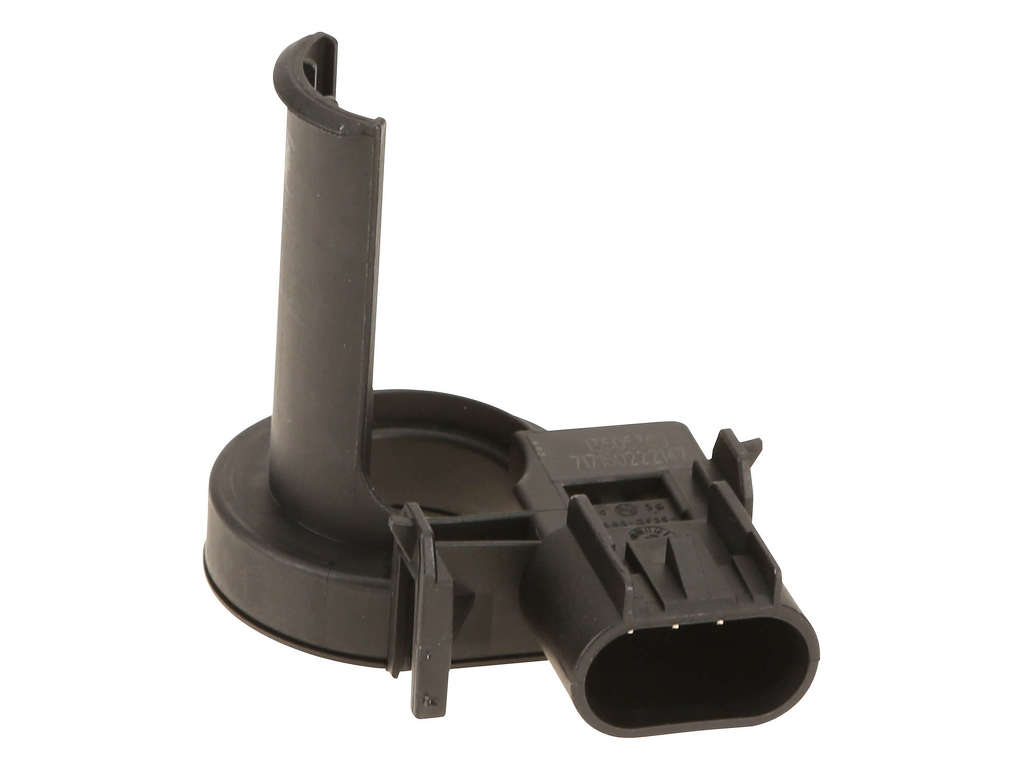
- OnStar Backup Battery
(OEM #22739970)— This is the component that fails due to age, directly causing the B1447 code.
Trusted brands: ACDelco (OEM), Dorman (e.g., 601-218, though this is often mislabeled as a relay), Ultralife
OEM price range: $45-$70
Aftermarket price range: $25-$50
Related Codes That Often Appear With This One
- B1446 — This code is also for the OnStar backup battery, but typically indicates 'Voltage Below Minimum Threshold' rather than an open circuit. They both point to the same failed component and are often listed together in service bulletins.
Technical Service Bulletins (TSBs) & Recalls
- PIC4541F: Addresses diagnostic tips for OnStar backup battery failure, mentioning codes B1446 and B1447. It explicitly warns that disconnecting power while the ignition or Retained Accessory Power (RAP) is active can permanently destroy the new battery.
Platform-Specific Known Issues
- A Technical Service Bulletin (TSB), #PIC4541F, was issued for this exact problem across a wide range of GM vehicles including the Sonic. It notes that DTC B1446 or B1447 with a red OnStar LED indicates a backup battery failure and warns technicians to never disconnect the main battery or OnStar fuse with the ignition on to avoid further issues.
- Owner experiences on forums like the 'Sonic Owners Forum' confirm that this is a very common DIY repair, often taking less than 15 minutes and requiring no special tools.
Mechanic-Grade Diagnostic Values
- Backup Battery Voltage at VCIM Connector — expected: 15.5 volts or greater. Failure: A reading less than 15.5 volts indicates a failed battery or a wiring issue.
Hidden / Shadow Codes Worth Checking
- B1447 04: Backup Power Source Open Circuit. This is the most common symptom byte and directly indicates the VCIM sees no voltage from the battery, usually due to internal failure of the battery itself. (see via GM GDS2/Tech2 or equivalent professional scan tool.)
- B1447 07: Backup Power Source Component Protection Timeout Voltage Above Threshold. This is a less common variant that can point to a short to voltage in the wiring harness between the battery and the VCIM. (see via GM GDS2/Tech2 or equivalent professional scan tool.)
Wiring & Ground Locations
- VCIM (OnStar Module) — Behind the instrument panel lower compartment (glove box). The glove box must be removed for access.. This is the physical location of the module and the backup battery that needs to be replaced.
- G302 — Under the center console.. This is a primary ground point for multiple interior modules, including the OnStar VCIM. A loose or corroded ground here could potentially cause communication issues, although it is a very rare cause for B1447.
- G303 — Located on the left side B-pillar, behind the trim panel.. Wiring diagrams for the Sonic platform show the VCIM may use this ground point. A fault here is unlikely to cause B1447 specifically but could cause other VCIM-related codes.
Real Owner Repair Stories
- Consensus from multiple GM vehicle forums (Various 2012-2017 GM vehicles, including Sonic, Cruze, and Trax) — Red OnStar light is on, code B1447 and/or B1446 is stored.
❌ Tried (didn't work) Clearing the code (it returns immediately), Replacing the main car battery
✅ What actually fixed it Replacing the OnStar backup battery located behind the glove box resolved the code and the red light in the vast majority of reported cases. The repair was consistently described as taking 10-20 minutes.
OEM Part Supersession History
22739970→84547246, 13509821, 88861186 (verify by VIN)— Standard part number updates and supplier changes over time.
Heads up: While multiple part numbers may be listed, they are generally interchangeable for this function. However, it is always best to verify the correct part number for your specific VIN with a GM dealer parts department.
Model Year Variations Within This Range
- 2017: The 2017 Sonic received a major facelift with a new dashboard, instrument panel, and standard MyLink touchscreen. However, the underlying electrical architecture for the OnStar system (VCIM) and its location behind the glove box did not change, so the cause and repair for code B1447 remain identical to the 2012-2016 models.
We Have This Part in Stock



The information in this article is provided for general reference and educational purposes only. Vehicle specifications, procedures, and part compatibility can vary by production date, trim level, and region. Always consult your vehicle's factory service manual and verify part numbers before purchasing or performing repairs. Safety-critical components such as airbags, seat belts, and braking systems should be installed by a qualified professional.
- Chevrolet SONIC:
- 🧭 Diagnostic Flowchart
- 🛍️ Shop This Part
- What's Unique About the 2012-2017 Chevrolet SONIC
- Symptoms You May Notice
- Most Likely Causes
- Rare But Worth Checking
- Diagnosis Steps
- Parts You'll Likely Need
- Related Codes That Often Appear With This One
- Technical Service Bulletins (TSBs) & Recalls
- Platform-Specific Known Issues
- Mechanic-Grade Diagnostic Values
- Hidden / Shadow Codes Worth Checking
- Wiring & Ground Locations
- Real Owner Repair Stories
- OEM Part Supersession History
- Model Year Variations Within This Range
- 🎟️ Get 5% Off