

B1517 on 2012-2014 GMC Savana: Low Voltage Fault Causes and Fixes
On a 2012-2014 Savana, code B1517 almost always indicates a software issue in the Body Control Module (BCM), especially if you see a low voltage warning on a cold start. The official fix is a dealer-only software update (re-calibration), not a part replacement, which typically costs between $150 and $250.
- Code B1517 on a 2012-2014 Savana is most often a software glitch, not a failed part.
- If you see a "Service Charging System" message that only appears on cold starts and then goes away, suspect the BCM software.
- Before replacing an expensive battery or alternator, have the charging system professionally tested to rule out a simple software issue.
- The official fix is a BCM software update (re-calibration) from a GM dealer.
What's Unique About the 2012-2014 Gmc SAVANA
Unlike many vehicles where this code would point directly to a failing battery or alternator, on these specific GMC Savana and Chevrolet Express vans, the issue is most frequently a software calibration problem. General Motors issued Technical Service Bulletins (TSBs) acknowledging that the BCM's software is overly sensitive and can falsely report a low voltage condition during a normal cold start. These vans use a Regulated Voltage Control (RVC) system, where the BCM actively manages alternator output, so voltage fluctuations are normal. The official repair involves a technician using the GM Service Programming System (SPS) and contacting the Techline Customer Support Center (TCSC) to acquire a VCI (Vehicle Configuration Index) number to perform the re-calibration.
🎬 Watch: A technician demonstrates the BCM programming process.Diagnostic Flowchart
Tap your situation to follow the diagnostic path that matches what you're seeing on this vehicle.
Symptoms You May Notice
- "Service Charging System" message on the Driver Information Center (DIC).
- Low voltage reading on the dashboard volt gauge, which may later return to normal.
- Charging system warning light is illuminated.
- Symptoms are most prominent during the first several minutes after a cold start.
- Replacing the alternator or battery when the charging system is actually healthy. If the low voltage warnings only occur on cold starts and resolve after a few minutes, the BCM software is the primary suspect, not the hardware. 🎬 See how to determine if it's the battery or alternator.
Most Likely Causes
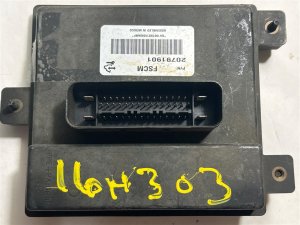
- Body Control Module (BCM) Software Requires Update 🔴 High Probability → Shop Body Control Module This is a known issue documented by GM in Technical Service Bulletin #PIT5289B and its predecessors. The factory BCM calibration is too sensitive to the temporary voltage drop that occurs during a cold start, especially on diesel models with high-load glow plugs and intake heaters.
How to confirm: Confirm that the symptoms (low voltage warning) appear only for the first few minutes after a cold start and then disappear as the engine warms up. If the battery and alternator test healthy, the TSB is the likely cause. A GM dealer can also verify if the updated calibration has already been applied to your vehicle's VIN.
Typical fix: A technician will use a GM-specific tool (like a Tech2 or GDS2) and the Service Programming System (SPS) to re-flash the BCM with an updated calibration file. This service requires contacting GM's Techline Customer Support Center for a VCI number and must be done at a dealer or qualified independent shop.
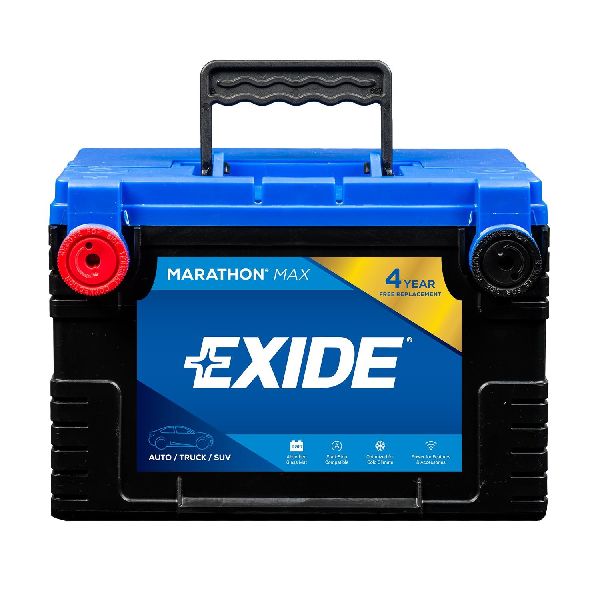
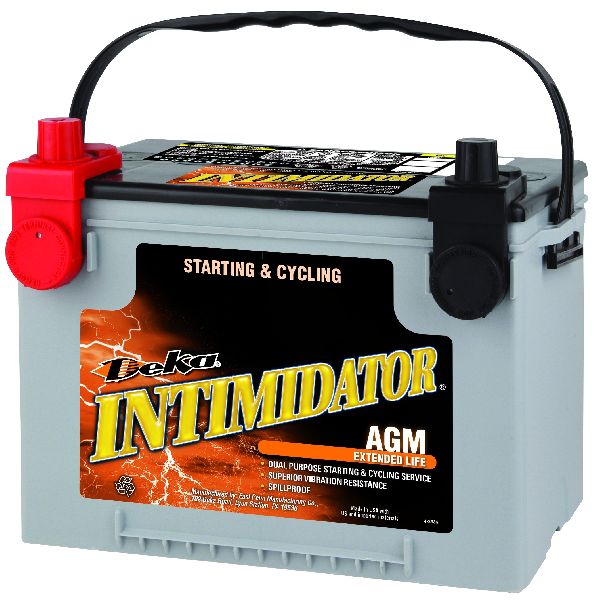
Est. part cost: $0 - Failing or Weak Battery 🟡 Medium Probability → Shop Vehicle Battery These are large commercial vehicles with high electrical demands, which puts significant stress on the battery over its service life. Diesel models use two batteries in parallel, doubling the potential for a single battery failure to cause issues.
How to confirm: Perform a load test on the battery (or both batteries on diesel models). Many auto parts stores offer this service for free. A battery that fails a load test or cannot hold a charge above 12.4 volts at rest needs replacement.
Typical fix: Replace the vehicle's battery. On diesel models, it is recommended to replace both batteries at the same time.
Est. part cost: $150-$350 - Failing Alternator ⚪ Low Probability → Shop Alternator
How to confirm: With the engine running, use a multimeter to test the voltage at the battery terminals. A healthy alternator in GM's RVC system should produce a voltage that fluctuates but generally stays between 13.2 and 14.8 volts. If the voltage is consistently below this range or erratic, the alternator is likely faulty. If the alternator's control circuit fails, it will default to a steady 13.8 volts.
Typical fix: Replace the alternator.
Est. part cost: $200-$500
Rare But Worth Checking
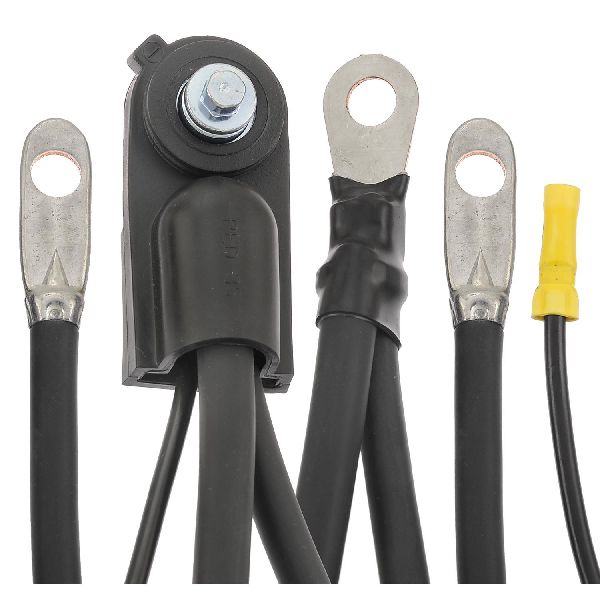
- Loose or Corroded Battery Terminals/Grounds: → Shop Vehicle Battery A poor connection can cause a significant voltage drop, mimicking a failing component. Another GM bulletin (PIC6439) notes that a small black wire on the negative battery terminal, often disturbed or damaged during a battery replacement, can cause a B1517 code (often with symptom 5A). Always check for clean and tight connections, including main power cables and chassis grounds, before replacing parts.
Diagnosis Steps
- Check for Technical Service Bulletins (TSBs) related to your vehicle's VIN. Note that TSB #PIT5289B and #PIT5289A directly address this code for this vehicle.
- Start the vehicle from a cold state and observe the voltmeter and any DIC messages. Note if the voltage reading starts low and then recovers to a normal range (13.5V+) after a few minutes of operation.
- If the voltage recovers and the warnings disappear, the BCM calibration issue is the most probable cause.
- If the voltage remains low, perform a comprehensive charging system test.
- Turn the engine off and test the battery's state of charge with a multimeter. A healthy battery should read approximately 12.6 volts.
- Perform a battery load test to check its ability to hold a charge under load.
- Start the engine and test the alternator's output voltage. It should be stable and within the 13.2-14.8 volt range.
- Thoroughly inspect all battery cable connections, including the main positive and negative terminals, the small black wire on the negative terminal, and all chassis ground points, for corrosion and tightness.
Parts You'll Likely Need
- BCM Calibration Update (Service) — This is not a physical part, but a software service. It is the most common fix documented by GM to resolve the BCM's false low-voltage reporting on cold starts.
Trusted brands: GM
OEM price range: $150-$250
Aftermarket price range: N/A - Battery — If the BCM software update does not fix the issue, or if the battery fails a load test, a genuinely weak battery is the next most likely cause.
Trusted brands: ACDelco (e.g., Gold/Silver 78S), DieHard, Interstate
OEM price range: $200-$350
Aftermarket price range: $150-$250
Technical Service Bulletins (TSBs) & Recalls
- PIT5289B: The primary TSB for 2012-2014 models, which recommends a BCM calibration update to fix a false low voltage reading after a cold start.
- PIT5289A: A superseding bulletin for 2012-2014 models with the 6.6L diesel engine, also recommending a BCM calibration update.
- PIT5289: The original bulletin covering this issue, which also included 2007-2011 models.
- PIC6439: A diagnostic tip bulletin for code B1517 related to a loose or damaged small black wire on the negative battery terminal.
- PIT4813F: Explains that for some diesel models, a temporary low voltage warning on a cold start is considered normal operation due to high electrical loads.
Platform-Specific Known Issues
- A known software issue documented in TSB #PIT5289B causes the BCM to be overly sensitive to normal voltage drops during cold starts, leading to false 'Service Charging System' warnings and code B1517.
- On models with the 6.6L diesel engine, the high electrical draw from the intake air heater (up to 130 amps) and glow plugs (up to 110 amps) on a cold start can temporarily exceed the generator's output. Per TSB #PIT4813F, GM considers this a normal operating characteristic in some cases that may not require a repair.
Mechanic-Grade Diagnostic Values
- Normal Charging Voltage (RVC System) — expected: Fluctuates between 12.9V and 15.5V depending on mode.. Failure: Consistently below 12.9V or above 15.5V. A default (fail-safe) mode will result in a steady 13.8V.
- Startup Charge Mode — expected: The BCM should target 14.5V for the first 30 seconds after engine start.. Failure: Voltage does not rise to this level after a start, or drops significantly.
- Battery Current Sensor Signal — expected: A 5-volt PWM signal at 128 Hz with a duty cycle between 5-95%.. Failure: A duty cycle of 0-5% or 95-100% indicates a diagnostic fault.
- BCM Battery Positive Voltage vs. Actual Battery Voltage — expected: The scan tool reading for BCM battery voltage should not differ from the voltage measured at the battery terminals by more than 2 volts.. Failure: A difference greater than 2 volts suggests a wiring or BCM internal fault.
Hidden / Shadow Codes Worth Checking
- B1517 sym 03: Battery Voltage Below Threshold. This is the most common symptom for this issue, set when battery voltage falls below 11V with engine speed >1,100 RPM for 15 seconds. (see via A professional GM-compatible scan tool (e.g., GDS2, Tech2) is required to view symptom bytes.)
- B1517 sym 07: Battery Voltage Above Threshold. Sets when battery voltage is greater than 16V with engine speed >1,100 RPM for 15 seconds, indicating an overcharge condition. (see via A professional GM-compatible scan tool (e.g., GDS2, Tech2).)
- B1517 sym 5A: Battery Voltage Plausibility Failure. Sets when the BCM's internal battery sense circuits differ by more than 2 volts for 10 seconds. This often points to a wiring issue, such as the loose black wire on the negative terminal noted in TSB PIC6439. (see via A professional GM-compatible scan tool (e.g., GDS2, Tech2).)
Scan Tool Commands That Help
- GDS2/Tech2 with SPS (Service Programming System): BCM Reprogramming — This is the primary fix for the false low-voltage warnings. It requires obtaining a VCI (Vehicle Configuration Index) number from the GM Techline Customer Support Center to flash the updated calibration file.
- GDS2/Tech2: Setup SDM Primary Key in BCM — This function must be performed after replacing the BCM. It syncs the new BCM with the SDM (airbag module) to prevent a B1001 code and turn off the airbag warning light.
- GDS2/Tech2: Brake Pedal Position Sensor Calibration — Required after replacing the BCM to ensure the brake lights function correctly.
- GDS2: Data Bus Diagnostic Tool — This function can be used to actively query all control modules on the CAN bus to identify which ones are not communicating, helping to diagnose deeper electrical or network issues.
Wiring & Ground Locations
- Body Control Module (BCM) — Located behind the lower right side of the dashboard.. The BCM is the module that sets code B1517. It monitors and controls the Regulated Voltage Control (RVC) system.
- G302 / G303 — Both grounds are located behind the left kick panel. G303 is specifically on the left-side B-pillar behind the trim panel.. Poor grounds for the BCM or related components can cause erratic voltage readings and contribute to electrical fault codes.
- Battery Current Sensor Wire — A small black wire integrated into the negative battery terminal connector.. This wire provides critical input to the BCM for the RVC system. If it is loose, damaged, or corroded (often after a battery replacement), it can cause code B1517 with symptom 5A.
- Main Engine/Chassis Ground — A primary ground strap typically runs from the negative battery terminal to the engine block, often on the driver's side rear of the cylinder head. A secondary cable may go from the block to the chassis frame.. A compromised main ground connection can create a significant voltage drop under load, leading to legitimate low voltage conditions that could trigger this code.
"I Checked Everything" — The Actual Cause
- The most common scenario for this code is that the battery and alternator will both pass load tests, showing they are healthy. The actual cause is not a hardware failure but an overly sensitive BCM software calibration that falsely flags a low voltage condition during a normal cold start. This is documented in GM TSB PIT5289B.
- In cases with symptom byte 5A, all charging system components may test perfectly, but the code is triggered by a loose or damaged small black wire on the negative battery terminal connector, which is often overlooked during a visual inspection. This is documented in GM TSB PIC6439.
OEM Part Supersession History
Varies by year/options→Varies (e.g., 20935349, 13594692)— Standard part updates and revisions.
Heads up: Direct part number supersession is less critical than programming. A replacement BCM, regardless of part number, MUST be programmed with the vehicle's specific VIN and configuration using GM's Service Programming System (SPS). A used BCM from another vehicle will not work correctly without being reflashed.
Model Year Variations Within This Range
- 2012-2014: The TSBs addressing this issue were updated over time. The original TSB PIT5289 was superseded by PIT5289A specifically for 2012-2014 diesel models, and later by PIT5289B for the broader 2012-2014 range. While the bulletins changed, the underlying problem and the fix (BCM re-calibration) remained consistent for this model year block.
Helpful Videos

Used OEM Parts in Stock

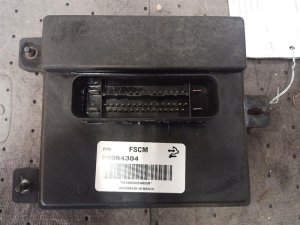
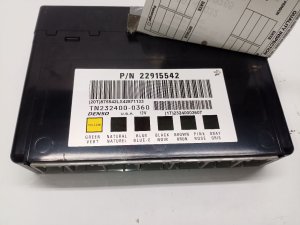
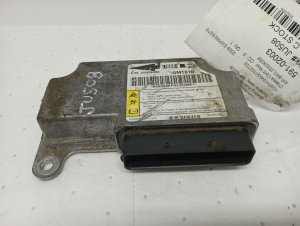
New Aftermarket Parts Available



The information in this article is provided for general reference and educational purposes only. Vehicle specifications, procedures, and part compatibility can vary by production date, trim level, and region. Always consult your vehicle's factory service manual and verify part numbers before purchasing or performing repairs. Safety-critical components such as airbags, seat belts, and braking systems should be installed by a qualified professional.
- Gmc SAVANA:
- 🧭 Diagnostic Flowchart
- 🎬 Helpful Videos
- 🛍️ Shop This Part
- What's Unique About the 2012-2014 Gmc SAVANA
- Symptoms You May Notice
- Most Likely Causes
- Rare But Worth Checking
- Diagnosis Steps
- Parts You'll Likely Need
- Technical Service Bulletins (TSBs) & Recalls
- Platform-Specific Known Issues
- Mechanic-Grade Diagnostic Values
- Hidden / Shadow Codes Worth Checking
- Scan Tool Commands That Help
- Wiring & Ground Locations
- "I Checked Everything" — The Actual Cause
- OEM Part Supersession History
- Model Year Variations Within This Range
- 🎟️ Get 5% Off