

OBD-II Code B1561: Cellular Antenna 2 Circuit Fault
What B1561 means, why it triggers, and how to fix it
- Code B1561 indicates an electrical fault in the secondary 'Cellular Antenna 2' located inside the dashboard, not the roof-mounted shark fin.
- Expect a persistent 'Uconnect Box Requires Service' message on your infotainment screen and the total loss of SOS emergency features.
- You can safely drive the vehicle, but automatic crash notifications and the overhead SOS button remain completely disabled until repaired.
- Save $300+ on unnecessary parts by first checking for loose FAKRA antenna connectors at the Telematics Box Module behind the glove box.
- Dealerships resolve over 50% of B1561 codes with a 1-hour Telematics Box Module (TBM) software update prescribed by manufacturer TSBs.
What Does B1561 Mean?
A B1561 code means the Telematics Box Module (TBM) detects an electrical problem with the secondary cellular antenna ('Cellular Antenna 2'). This distinct component sits inside the instrument panel, separate from the primary 'shark fin' roof antenna. It powers the SOS emergency button, remote vehicle apps, and in-car Wi-Fi hotspot. When active, these features fail and a 'Uconnect Box Requires Service' message locks onto your infotainment screen.
Technical definition: The Telematics Box Module (TBM) sets this manufacturer-specific code when it detects a fault in the 'Cellular Antenna 2' circuit. The fault is typically an open circuit (a break or disconnection, sub-code B1561-13) or a short to ground (an unintended connection to the chassis, sub-code B1561-11). Technical Service Bulletins (TSBs) confirm the TBM triggers this code after detecting the open or short condition for a specified duration.
Can I Drive With B1561?
Yes, But With Caution. You can safely drive your vehicle as this fault does not impact the core engine, transmission, or braking systems. However, it completely disables critical safety features like the SOS emergency button and automatic crash notifications. In an accident, the system cannot automatically contact emergency services, posing a significant safety risk. All connected services, including remote app functions and Wi-Fi, are also inoperative.
Common Causes
- Loose or Disconnected Antenna Cable (Very Common) — Vibrations or previous dash repairs unseat the coaxial cable from the Telematics Box Module (TBM) or the antenna. Manufacturer TSBs consistently list this as the primary cause to check before replacing parts.
- Telematics Box Module (TBM) Software Glitch (Common) — The TBM requires a software update to fix bugs, reduce sensitivity to minor connection drops, or correct improper DTC maturation times. Failed Over-the-Air (OTA) updates also trigger this. Dealers perform this flash as a first step under TSBs like 08-011-26 REV. A.
- Damaged or Pinched Antenna Wiring (Common) — The coaxial cable routes through tight dashboard spaces. It gets pinched, chafed, or damaged during vehicle assembly or unrelated repairs, causing a short or open circuit.
- Faulty In-Dash Cellular Antenna (Less Common) — The internal dashboard antenna unit fails internally. After confirming secure wiring and connections, the antenna itself is the next most likely failed component.
- Uconnect Service Provisioning Error (Rare) — The hardware functions perfectly, but a 'back-end' subscription or service activation error occurs. Calling the Uconnect support line to re-provision the service resolves this remotely.
- Faulty Telematics Box Module (TBM) (Rare) — The control module itself fails. TSBs explicitly advise against replacing the TBM unless the code is active, repeatable, and all other diagnostic steps fail. Code B22A9 ('ECU Internal Performance Failure') confirms a faulty TBM.
Symptoms
- 'Uconnect Box Requires Service' Message — A persistent pop-up message appears on the vehicle's main infotainment screen at every startup.
- SOS/Assist Buttons Not Working — The overhead console buttons for emergency services or roadside assistance are completely disabled.
- Red SOS Light on Overhead Console — A persistent red warning light illuminates on the SOS button itself, indicating a system fault.
- In-Vehicle Wi-Fi Hotspot Inoperative — The vehicle's Wi-Fi hotspot fails to broadcast or connect to the internet.
- Remote App Features Fail — Smartphone app functions like remote start, lock/unlock, or vehicle location tracking fail to execute.
- Parasitic Battery Drain — A faulty TBM fails to enter low-power sleep mode, draining the 12V battery if the vehicle sits for several days.
Diagnostic Flowchart
Tap your situation to follow the diagnostic path that matches what you're seeing on this code.
Common Fixes & Costs
- Reseat Loose Antenna Connectors — Parts: $0, Labor: $100-$250, ~1.5 hr book time (DIY)
- Reprogram Telematics Box Module (TBM) — Parts: $0, Labor: $150-$250, ~1.0 hr book time (Professional)
- Replace In-Dash Cellular Antenna — Parts: $50-$150, Labor: $250-$700, ~2.2 hr book time (Intermediate)
- Repair Damaged Antenna Cable — Parts: $20-$60, Labor: $200-$500, ~2.5 hr book time (Advanced)
- Replace Telematics Box Module (TBM) — Parts: $300-$500, Labor: $150-$300, ~1.2 hr book time (Professional)
Used vs. New Parts: Buying Guide
When a used part is worth it: Buy a used in-dash antenna from a salvage yard to save money, as it is a passive component with a low failure rate. Never buy a used Telematics Box Module (TBM). Used TBMs are electronically locked to the donor vehicle's VIN and require dealer-level 'PROXI alignment' tools to reprogram, which most dealers refuse to perform on salvage parts.
Donor-vehicle mileage cap: roughly under 100000 miles for the part to have meaningful remaining life.
Donor quality checklist:
- Ensure the antenna part number matches exactly and there is no visible damage to the cable.
- Avoid electronic modules from flood-damaged or heavy-collision vehicles.
- Verify the salvage yard's return policy (typically 30-90 days).
Decision logic:
- If The faulty part is the in-dash antenna → A used part is a reasonable option to save money.
- If The faulty part is the Telematics Box Module (TBM) → Buy a new OEM part. The cost and complexity of reprogramming a used module outweigh the savings.
- If The vehicle is still under warranty → Always use the dealership for repair with new OEM parts.
Warranty tradeoff: Used parts typically have a 30-90 day warranty. New OEM parts installed by a dealer are covered by a factory parts and labor warranty.
Worst-case if a used part fails: $500-$800 if a used TBM fails to program, covering the used part cost plus diagnostic fees, forcing you to buy a new one anyway.
What Happens If You Wait — Timeline
- 0-1 month: The 'Uconnect Box Requires Service' message appears at startup. SOS, Wi-Fi, and remote app features are disabled. (MPG impact: 0%% · Added cost: $0)
- 1-6 months: Continued loss of connected services. The vehicle misses important Over-the-Air (OTA) software updates that fix other system bugs. (MPG impact: 0%% · Added cost: $0)
- 6-12 months: If the fault is within the TBM, it fails to enter sleep mode, causing a parasitic drain that kills the main battery. (MPG impact: 0%% · Added cost: $250-$400)
- Ongoing: A serious accident occurs, and the automatic crash notification and SOS button fail to function, posing a critical safety risk. (MPG impact: 0%% · Added cost: Immeasurable)
Cost of Not Fixing It
- Immediate: Loss of SOS/emergency call, automatic crash notification, remote app functions, and in-vehicle Wi-Fi. (Added cost: $0)
- 1-3 months: Persistent annoyance from the 'Uconnect Box Requires Service' message at every startup. (Added cost: $0)
- 3+ months: A faulty TBM fails to enter sleep mode, causing a parasitic drain that kills the main 12V battery. (Added cost: $200-$400)
Diagnosis Steps
- Verify the Code and Symptoms
Confirm the 'Uconnect Box Requires Service' message is present. Use an OBD-II scanner capable of reading Body (B) codes to confirm B1561 is active. Note if the scanner provides a subtype like -11 (short to ground) or -13 (open).
Tools: OBD-II Scanner (Body code capable) (Beginner) - Check for Technical Service Bulletins (TSBs)
Ask a dealer or use an online service to check for TSBs related to B1561 for your specific VIN. Many Stellantis vehicles have TSBs (e.g., S228A000005, 08-011-26 REV. A) prescribing a software update as the primary fix.
Tools: Phone or Computer (Beginner) - Inspect Telematics Box Module (TBM) Connections
Locate the TBM behind the glove box. Inspect all coaxial antenna cables connected to it. Firmly press on each FAKRA-style connector to ensure it is fully seated and 'clicks' into place. A loose white or blue connector is the most common hardware cause.
Tools: Trim removal tools, flashlight (Intermediate) - Perform a Hard Reset (Battery Disconnect)
Disconnect the negative battery terminal for at least 30 minutes. This forces all modules to reboot and clears temporary electronic glitches. Reconnect the battery and check if the error message returns.
Tools: Wrench for battery terminal (Beginner) - Have a Dealer Perform a TBM Software Update
If connections are secure, the issue is likely software-related. A dealership technician uses a wiTECH scan tool to apply available TBM software updates, resolving the fault per numerous TSBs.
Tools: wiTECH Scan Tool (Professional) - Inspect In-Dash Antenna Connection
Locate the in-dash antenna (often a small black square mounted to a support beam behind the radio) and check its physical connection.
Tools: Trim removal tools, flashlight (Advanced) - Test the Antenna Circuit with a Multimeter (Pro Tip)
Disconnect the 'Cellular 2' coaxial cable at both ends. For B1561-13 (Open), check continuity on the center pin end-to-end (must be <5.0 Ohms). For B1561-11 (Short), check continuity between the center pin and chassis ground (must be OL). Finally, measure the outer metal shield to chassis ground (must be <1.0 Ohm).
Tools: Multimeter, vehicle-specific wiring diagram (Advanced) - Substitute a Known-Good Test Antenna (Pro Tip)
Connect a known-good test antenna directly to the TBM's 'Cellular 2' port. If the code clears, the fault lies in the vehicle's original antenna or wiring. If the code remains, the TBM itself is faulty.
Tools: Known-good test antenna (e.g., Mopar Special Tool 9977-6-CELL) (Professional)
When This Code Triggers (Freeze-Frame Conditions)
- System Voltage: 12.5-14.8V (Normal operating voltage during ignition on or while running.)
- Ignition Status: RUN (The TBM performs self-tests when the ignition is turned on.)
- Time Since Ignition On: 5-30 seconds (The fault is detected shortly after the module powers up and checks peripheral circuits.)
- Module State: Active/Awake (The code sets when the TBM is fully awake, not in a low-power or sleep state.)
Related Codes
- B1560 — Companion code for 'Cellular Antenna 1 Circuit' (primary roof antenna). If both codes are present, focus on a common failure point like the main TBM connector or a software issue.
- B1562 — 'GPS Antenna Circuit' fault. Seeing B1561 and B1562 together strongly suggests a loose main connector at the TBM or an internal TBM failure.
- B22A9 — 'ECU Internal Performance Failure'. If active with B1561, the Telematics Box Module (TBM) has failed and requires immediate replacement.
- B1561-11 / B1561-13 — Subtypes providing specific diagnostic data. -11 indicates a 'Circuit Short to Ground' (pinched wire), while -13 indicates a 'Circuit Open' (disconnected plug).
Climate & Environmental Factors
- Vibration: Normal vehicle operation and road vibration are the primary culprits for unseating the FAKRA-style connectors at the TBM and antenna.
- Thermal Cycles (Hot/Cold): Repeated expansion and contraction of dashboard components due to temperature swings contributes to intermittent connections over the vehicle's lifespan.
How to Talk to a Mechanic About This Code
Say this: "I have a 'Uconnect Box Requires Service' message and code B1561. Based on TSBs, please check for loose connectors at the Telematics Box Module and apply any available TBM software updates before quoting part replacements."
This signals you are an informed consumer. It directs the technician to follow the manufacturer's recommended diagnostic path, preventing them from immediately jumping to an expensive TBM replacement.
Avoid saying:
- 'My SOS light is on, just fix it.'
- 'My screen says there's a Uconnect error.'
- 'The guy on the forum said to replace the TBM.'
Questions to ask before authorizing the repair:
- Did you find any loose connections at the TBM behind the glove box?
- Did you check my VIN for applicable software update TSBs for the TBM?
- If you are recommending a part replacement, how did you rule out a software or connection issue?
- If you are recommending replacing the TBM, did you first try connecting a known-good test antenna to see if the code cleared?
Where to Take It: Dealer vs Independent vs Chain
- Dealer:
Best and often necessary choice. Since a software update is a very common fix requiring the proprietary wiTECH tool, they are the logical starting point.
Best for: Vehicles still under the 3yr/36k mile warranty., Performing TBM software updates, which require the proprietary wiTECH scan tool., Complex cases where TSBs need to be referenced and followed correctly.
Downsides: Highest labor rate., May attempt to replace expensive parts if the technician is not thorough. (Typical cost: +50% vs. baseline) - Independent Shop:
Acceptable for simple loose wires. However, if the fix requires a software flash, they cannot complete the repair, forcing a dealer visit.
Best for: Out-of-warranty vehicles where the cause is confirmed to be a simple loose connection or a bad in-dash antenna.
Downsides: Cannot perform TBM software updates., Requires expensive scanners with an AutoAuth subscription to communicate with the module on 2018+ vehicles. (Typical cost: +0% vs. baseline) - Chain Shop:
AVOID. This is a nuanced, manufacturer-specific electronic issue far outside their scope.
Best for: Oil changes, tires, and brakes.
Downsides: Lack specialized tools and knowledge for manufacturer-specific body control module diagnostics., High likelihood of misdiagnosis. (Typical cost: -10% vs. baseline)
When to Walk Away From the Repair
If the estimated repair cost exceeds 40-50% of the car's private-party value, question the investment. However, for B1561, the decision is less about value and more about annoyance, as the vehicle remains fully drivable.
- Car worth $45000, fix is $250: Fix it. A $250 software update to restore functionality and remove the warning message is a clear 'yes'.
- Car worth $45000, fix is $1200: Fix it. A $1200 TBM replacement is a small percentage of the vehicle's value and restores important safety features.
- Car worth $8000, fix is $1200: Borderline. If you don't use connected features, ignore the fix and live with the warning message. The vehicle's core function is unaffected.
What Scan Tool You Need for This Code
Minimum: A scanner that reads and clears manufacturer-specific Body (B) codes for Stellantis. A basic engine code reader will not see code B1561.
A $20 code reader only sees 'P' (Powertrain) codes. To diagnose B1561, you need a tool that accesses the Telematics Box Module (TBM). For 2018+ vehicles, the tool must handle the Security Gateway (SGW) module via a bypass cable or AutoAuth subscription.
Budget: AlfaOBD + OBDLink MX+ Adapter (~$150) — Reads B1561 and subtypes, clears the code, and performs advanced diagnostics. For 2018+ vehicles, it requires a separate SGW bypass cable.
Mid-range: Foxwell NT510 Elite for Chrysler (~$180) — Provides full-system access for Chrysler/Dodge/Jeep, including reading and clearing body codes. Limited by the SGW on 2018+ models without a bypass cable.
Professional: Autel MaxiCOM MK808S / MK906BT (~$500-1200) — Reads all codes and subtypes. Supports a paid AutoAuth subscription to legally bypass the SGW and clear codes without a physical bypass cable.
Rent vs buy: Most auto parts stores do NOT rent scanners capable of reading manufacturer-specific body codes. You will likely need to buy a capable scanner or pay for a professional diagnosis.
How to Clear the Code After You Fix It
- Ensure all connectors are secure.
- Reconnect the negative battery terminal if disconnected.
- Use a compatible OBD-II scanner to clear the Diagnostic Trouble Code (DTC) from the Telematics Box Module (TBM).
- Perform several ignition cycles (turn the vehicle on and off, waiting 30 seconds in between) to confirm the message does not reappear.
Drive cycle (~15 minutes): A specific drive cycle is not required. After clearing the code, a few minutes of normal operation allows the TBM to re-run its self-test. Some systems require a full sleep cycle (vehicle off and locked for over 30 minutes) to fully clear a stored fault.
Readiness monitors affected: None
Watch out for:
- Basic OBD-II scanners only read powertrain codes and cannot clear a body code like B1561.
- The code returns immediately if the root cause (e.g., loose wire, faulty part) remains unfixed.
- For 2018+ Stellantis vehicles, a Security Gateway (SGW) bypass is required for aftermarket scanners to clear the code.
Will This Fail Emissions / State Inspection?
No — by itself this code doesn't fail OBD inspection (but it can keep readiness monitors from setting, which causes a separate fail).
- California: This is a 'B' (Body) code and does not affect emissions. It will not trigger a Check Engine Light or cause a smog check failure.
- New York: A B1561 code will not cause an emissions inspection failure, as the test focuses on powertrain codes (P-codes).
- Texas: The OBD-II scan looks for emissions-related trouble codes. A B1561 code is not emissions-related and will not cause a failure.
Most Commonly Affected Vehicles
- Ram 1500/2500/3500 (2022-2026) — Widespread issue with the Uconnect 5 system, traced to loose connections at the TBM behind the glove box. TSB S228A000005 applies.
- Jeep Grand Cherokee / Grand Cherokee L (2021-2026) — Subject of multiple TSBs (e.g., 08-011-26 REV. A) pointing to software updates and checking connections for the IP-mounted antenna.
- Dodge Durango (2021-2025) — Common fault on models with the Uconnect 5 system. TSBs clarify B1561 refers to the secondary antenna in the dash, not the roof.
- Chrysler Pacifica (2020-2026) — Known issue where the 'Cellular Antenna 2' cable becomes loose at the TBM or the in-dash antenna fails. TSB S228A000005 applies.
- Jeep Grand Wagoneer / Wagoneer (2022-2025) — Prone to this code. Fixes involve software updates or securing pinched wiring harnesses behind the dashboard.
- Jeep Compass (2020-2026) — Common fault after the 2022 refresh with Uconnect 5. TSBs point to intermittent connections or software issues.
- Chrysler Voyager (2020-2025) — Shares the Pacifica TBM architecture and is susceptible to the same antenna circuit faults.
- Jeep Grand Cherokee 4XE (2022-2026) — Particularly known for this Uconnect 5 issue, with dealer software updates being the most frequent solution.
Manufacturer-Specific Notes
- Stellantis (Chrysler, Dodge, Jeep, Ram): Overwhelmingly associated with Stellantis Uconnect 5 systems. TSBs clarify B1561 refers to the secondary in-dash antenna, not the roof antenna. Key TSBs include S228A000005 and S2108000016.
- Stellantis (Warranty & Recalls): No active recalls exist, but repairs are covered under the 3-year/36,000-mile basic warranty. A class-action lawsuit cites defective Uconnect 5 systems but hasn't forced a recall.
- Stellantis (Aftermarket Scanners): 2018+ models feature a Security Gateway (SGW) module blocking aftermarket scan tools. Clearing this code requires a physical SGW bypass adapter or an AutoAuth subscription.
- Suzuki: On older models like the 2004 Swift, B1561 means 'Engine Coolant Temperature Sensor Signal Malfunction', proving B-codes vary wildly by manufacturer.
Real Owner Stories
2022 Ram 1500 with 'Uconnect Box Requires Service' message.
Owner saw the service message at every startup. Connected services like Wi-Fi and the SOS button failed.
What they tried:
- Performed a hard reset by disconnecting the battery, which temporarily cleared the message.
- Accessed the Telematics Box Module (TBM) behind the glove box.
- Firmly reseated the loose FAKRA coaxial antenna connector.
Outcome: Reseating the connector permanently fixed the issue. The B1561 code cleared and did not return. Total cost: $0.
Lesson: Always check for loose connectors at the TBM behind the glove box before visiting a dealer. This is the most common cause and a free DIY fix.
2023 Dodge Durango R/T with a persistent B1561 code.
The 'Uconnect Box Requires Service' message appeared shortly after purchase.
What they tried:
- Dealer performed a firmware update, but the message returned.
- Dealer replaced the in-dash cellular antenna (Antenna 2), but the message returned immediately.
- Dealer ordered and replaced the entire Telematics Box Module (TBM).
Outcome: Replacing the TBM ultimately resolved the problem, but only after less effective fixes failed.
Lesson: If a dealer suggests replacing a part, ensure they followed TSBs recommending connection checks and software updates first. Replacing the TBM is the last resort.
2022 Ram 1500 TRX where dealer repairs failed.
The 'Uconnect Box Requires Service' message was constant. The dealer replaced the TBM module, but the error remained.
What they tried:
- Dealer replaced the TBM hardware.
- Owner drove over 100 miles to allow an 'ATT security certificate' to update, which failed.
Outcome: The owner called RAM Connect customer service. The support team acknowledged a 'back-end' issue and performed a remote service provisioning fix. The problem was solved within a week.
Lesson: If dealer hardware swaps fail, the problem is likely a server-side account or provisioning error that only Uconnect support resolves remotely.
How to Prevent This Code From Triggering
- Apply Dielectric Grease to Connectors (During any dash repair) — Applying a small amount of dielectric grease to FAKRA connectors prevents moisture intrusion and ensures a stable long-term connection.
- Secure Wiring During Other Repairs (During any dash or radio work) — Ensure the TBM's coaxial cables are not pinched, stretched, or rubbing against sharp metal edges to prevent future shorts or open circuits.
- Handle FAKRA Connectors with Care (Whenever disconnecting) — The plastic locking tabs on FAKRA connectors are fragile. Always disengage the lock before pulling. A broken lock leads to a loose connection from vibration.
- Maintain a Healthy Battery (Ongoing) — Low system voltage during startup causes electronic modules to glitch and throw erroneous codes. A healthy 12V battery prevents phantom electronic issues.
- Accept Over-the-Air (OTA) Updates Promptly (When prompted on screen) — Stellantis pushes software updates to fix bugs. Installing them prevents the 'Uconnect Box Requires Service' message or fixes it remotely.
Frequently Asked Questions
What is the most common misdiagnosis for a B1561 code?
The most common and costly mistake is replacing the wrong part. Technicians unfamiliar with Stellantis TSBs often replace the roof-mounted 'shark fin' antenna (Cellular Antenna 1/B1560) instead of the in-dash antenna (B1561). Another error is replacing the expensive Telematics Box Module (TBM) before checking for loose connectors and software updates.
What do the numbers after the code mean, like B1561-11 or B1561-13?
These subtype identifiers specify the exact nature of the electrical fault. B1561-11 means 'Circuit Short To Ground,' indicating a pinched wire touching metal. B1561-13 means 'Circuit Open,' indicating a broken wire or a disconnected plug.
Can a weak or dying car battery cause a B1561 code?
Modern vehicles are highly sensitive to voltage fluctuations. A weak battery causes random electronic glitches and communication codes as modules fail to initialize correctly. Test your battery and charging system before paying for expensive telematics diagnostics.
Can I fix a B1561 code myself?
A motivated DIYer can fix this code if the cause is a simple loose connection. Accessing the Telematics Box Module behind the glove box and firmly reseating the antenna cables is a free, common fix. Stop DIY and go to a shop if the issue requires software updates or advanced electrical diagnosis.
Will clearing the code or doing a soft reset fix the problem?
Clearing the code or performing a soft reset temporarily hides the warning message. However, the TBM re-runs its diagnostic check on the next ignition cycle, and the code will return immediately until you repair the underlying hardware or software fault.
My dealer wants to replace the expensive Telematics Box Module. What should I do?
Politely insist the shop checks all other possibilities first. Manufacturer TSBs repeatedly instruct technicians to check connections, inspect wiring, and perform software updates before replacing the TBM. Ask if they used a test antenna to isolate the fault, as replacing the module is the absolute last resort.
What is the difference between B1561 and B1560?
B1561 indicates a fault in the secondary cellular antenna ('Cellular Antenna 2') located inside the dashboard. B1560 indicates a fault in the primary cellular antenna ('Cellular Antenna 1') located in the roof-mounted 'shark fin' assembly.
Why did this happen? Is it my fault?
This is a well-documented manufacturer defect, not caused by driver error. It typically results from a connector vibrating loose over time, a pinched wire from the factory, or a software glitch. It is a common pattern failure on newer Stellantis vehicles.
Key Takeaways
- Code B1561 indicates an electrical fault in the secondary 'Cellular Antenna 2' located inside the dashboard, not the roof-mounted shark fin.
- Expect a persistent 'Uconnect Box Requires Service' message on your infotainment screen and the total loss of SOS emergency features.
- You can safely drive the vehicle, but automatic crash notifications and the overhead SOS button remain completely disabled until repaired.
- Save $300+ on unnecessary parts by first checking for loose FAKRA antenna connectors at the Telematics Box Module behind the glove box.
- Dealerships resolve over 50% of B1561 codes with a 1-hour Telematics Box Module (TBM) software update prescribed by manufacturer TSBs.
Shop the Parts Behind B1561
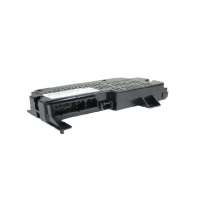
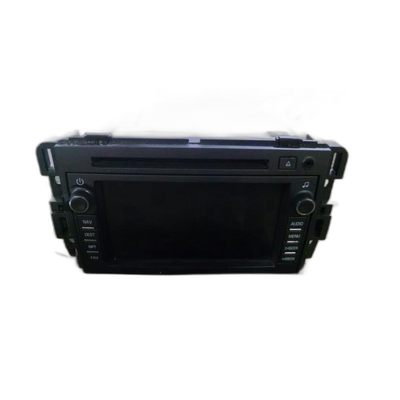
Below are the parts most often responsible for code B1561, ranked by how frequently each one is the actual culprit (per the diagnosis above). Tap any to see what we have for your vehicle.


The information in this article is provided for general reference and educational purposes only. Vehicle specifications, procedures, and part compatibility can vary by production date, trim level, and region. Always consult your vehicle's factory service manual and verify part numbers before purchasing or performing repairs. Safety-critical components such as airbags, seat belts, and braking systems should be installed by a qualified professional.
- 🧭 Diagnostic Flowchart
- 🛍️ Shop This Part
- What Does B1561 Mean?
- Can I Drive With B1561?
- Common Causes
- Symptoms
- Common Fixes & Costs
- Used vs. New Parts: Buying Guide
- What Happens If You Wait — Timeline
- Cost of Not Fixing It
- Diagnosis Steps
- When This Code Triggers (Freeze-Frame Conditions)
- Related Codes
- Climate & Environmental Factors
- How to Talk to a Mechanic About This Code
- Where to Take It: Dealer vs Independent vs Chain
- When to Walk Away From the Repair
- What Scan Tool You Need for This Code
- How to Clear the Code After You Fix It
- Will This Fail Emissions / State Inspection?
- Most Commonly Affected Vehicles
- Manufacturer-Specific Notes
- Real Owner Stories
- 2022 Ram 1500 with 'Uconnect Box Requires Service' message.
- 2023 Dodge Durango R/T with a persistent B1561 code.
- 2022 Ram 1500 TRX where dealer repairs failed.
- How to Prevent This Code From Triggering
- Frequently Asked Questions
- What is the most common misdiagnosis for a B1561 code?
- What do the numbers after the code mean, like B1561-11 or B1561-13?
- Can a weak or dying car battery cause a B1561 code?
- Can I fix a B1561 code myself?
- Will clearing the code or doing a soft reset fix the problem?
- My dealer wants to replace the expensive Telematics Box Module. What should I do?
- What is the difference between B1561 and B1560?
- Why did this happen? Is it my fault?
- Key Takeaways
- 🎟️ Get 5% Off