

B2190 on 2009-2015 Nissan 370Z: NATS Antenna Fault Causes and Fixes
This code means your car's anti-theft system (NATS) can't read your Intelligent Key. The most common fixes are simple: replace the CR2032 battery in your key fob, remove other electronics from your keychain, or try your spare key. If that fails, the key slot reader (NATS Antenna Amplifier) may need replacement, which is an expensive part that requires professional programming.
- B2190 means your 370Z's anti-theft system can't recognize the key.
- Always start with the simplest fix: replace the CR2032 battery in your key fob and try your spare key.
- Do not confuse this fault with the more common steering lock (ESCL) failure, which has identical symptoms (no-start, key light) but different root causes and trouble codes.
- If you need to replace the key slot (NATS Antenna), the OEM part is expensive and must be programmed to your existing keys by a professional with Nissan-specific tools.
What's Unique About the 2009-2015 Nissan 370Z
On the 370Z, this issue is almost exclusively related to the Intelligent Key system. The official Nissan service bulletin NTB13-015A notes that the code can be triggered simply by inserting something other than a registered key into the slot. Unlike some other vehicles where similar codes can be vague, on the Z, B2190 points directly to the key-to-vehicle communication link. It is frequently confused by owners with the much more common electronic steering column lock (ESCL) failure, which also causes a no-start and illuminates the key warning light, but they are separate issues with different codes and were subject to a separate service campaign (NTB13-014).
Diagnostic Flowchart
Tap your situation to follow the diagnostic path that matches what you're seeing on this vehicle.
Symptoms You May Notice
- Engine will not crank or start
- Intermittent no-start condition
- Solid or flashing 'Intelligent Key' warning light illuminated on the dashboard.
- 'Key not detected' message on the instrument cluster
- Ignition stays in the 'LOCK' position and will not switch to 'ACC' or 'ON'
- Electronic Steering Column Lock (ESCL) Failure. Many 370Z owners (especially 2009-2010 models) experience a no-start due to a failed steering lock module. This failure presents with identical symptoms, including a no-crank condition and an illuminated 'Intelligent Key' warning light. However, it is a separate mechanical/electronic issue that was subject to a voluntary service campaign (NTB13-014) and typically does not store the B2190 code. 🎬 See how to fix the common steering lock failure yourself. Owners often mistakenly assume a key or NATS problem when the ESCL is the true culprit.
Most Likely Causes
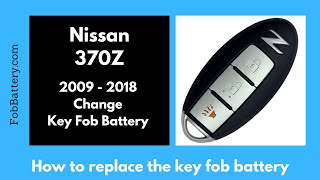
- Weak or Dead Battery in Intelligent Key Fob 🔴 High Probability → Shop Keyless Entry Transmitter Key fob batteries have a finite life of 2-3 years and are a common failure point for any keyless system. This is the first and most important diagnostic step.
How to confirm: Try using the spare key fob. If the car starts, the battery in the primary key is the culprit. You can also try inserting the fob directly into the key slot, which can sometimes work even with a low battery. If you replace the battery and it still doesn't work, try a second new battery from a different package to rule out a dud.
Typical fix: Replace the CR2032 battery inside the key fob, ensuring the positive side faces down.
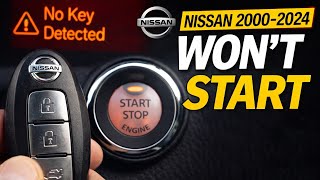
Est. part cost: $2-$5 - Using an Unregistered or Incorrect Key 🟡 Medium Probability As stated in Nissan TSB NTB13-015A, the system is designed to set this code if a non-programmed key, a key from another vehicle, or another object is inserted into the key slot. 🎬 Watch this fix if your Nissan says no key detected.
How to confirm: Ensure you are using a key that has been properly programmed for the vehicle. Test with a known-good spare key. The B2190 code will not clear until a valid, registered key is inserted into the slot.
Typical fix: Use the correct, registered key. If a key is new or from another vehicle, it must be programmed by a dealer or automotive locksmith.
Est. part cost: $0 (if you have the correct key) - Faulty NATS Antenna Amplifier / Key Slot ⚪ Low Probability → Shop Antenna The electronic components within the key slot (officially 'Controller Assy-Card Slot') can fail over time, though it is not as common as the ESCL failure.
How to confirm: If a new key battery and spare key do not resolve the issue, and there is no visible wiring damage, the antenna amplifier itself is the next logical point of failure. Diagnosis requires testing with a Nissan-specific scan tool like CONSULT-III.
Typical fix: Replace the ignition key card slot module (Part No. 285F5-1EA0A). This part requires professional key reprogramming.
Est. part cost: $250-$900 (OEM) - Signal Interference ⚪ Low Probability Other strong RFID or electronic devices on the same keychain (e.g., other car fobs, office access cards) can interfere with the signal between the Intelligent Key and the NATS antenna.
How to confirm: Remove all other keys, fobs, and electronic devices from the keychain. Attempt to start the car with the Nissan key fob by itself.
Typical fix: Keep the Intelligent Key on a separate ring from other electronic fobs.
Est. part cost: $0
Rare But Worth Checking
- Wiring or Connector Issue: A damaged wire or loose connector between the key slot and the Body Control Module (BCM) can cause this code, as noted in Nissan service bulletins. This is rare without other work being done on the car but worth checking if the module itself doesn't fix it.
- Faulty Body Control Module (BCM): → Shop Body Control Module In very rare cases, the BCM, which processes the signal from the NATS antenna, can fail. This is unlikely and should only be considered after all other possibilities have been exhausted. BCM replacement requires extensive reprogramming and configuration with CONSULT-III.
- Dead Vehicle Battery: → Shop Vehicle Battery While it won't typically set a B2190 code on its own, a very weak or dead main car battery can cause a variety of electronic issues, including failure of the BCM and NATS system to power on and communicate correctly.
Diagnosis Steps
- Verify the code with a capable OBD-II scanner that can read Body/Chassis codes.
- Replace the battery (CR2032) in your Intelligent Key fob. Be sure to install it correctly (positive side down) and consider trying a second new battery to rule out a defective one.
- Try to start the vehicle with your spare key to rule out a faulty primary key.
- Remove all other electronic devices and keys from your keychain to check for signal interference.
- Insert the Intelligent Key directly into the key slot in the dashboard. If the car starts, it confirms a weak signal but points to a key-related issue.
- Crucially, note that per Nissan TSBs, the B2190 DTC will not erase or move to 'PAST' status until a known-good, registered Intelligent Key is successfully read by being inserted into the key slot.
- If the code persists, visually inspect the wiring and connector at the key slot for any signs of damage or looseness.
- If all previous steps fail, the NATS antenna amplifier (key slot module) is likely faulty. The vehicle should be taken to a Nissan dealer or qualified shop for advanced diagnostics with a CONSULT-III scan tool and potential replacement and reprogramming of the module.
Parts You'll Likely Need
- Intelligent Key Fob Battery
(OEM #CR2032)— This is the most common, cheapest, and easiest fix. The key fob's signal is too weak for the NATS antenna to read.
Trusted brands: Energizer, Duracell, Panasonic
OEM price range: $2-$5
Aftermarket price range: $2-$5 - Controller Assy-Card Slot (NATS Antenna)
(OEM #285F5-1EA0A)— This module contains the NATS antenna amplifier. If it fails, it cannot read the key's ID, preventing the car from starting. This is the component to replace if all key-related issues are ruled out.
Trusted brands: Nissan (OEM)
OEM price range: $250-$910
Aftermarket price range: $80-$150 (Used/Salvage)
Related Codes That Often Appear With This One
- P1614: This is the corresponding Powertrain Control Module (PCM) code for a NATS malfunction, often stored alongside the B2190 Body Control Module (BCM) code.
Technical Service Bulletins (TSBs) & Recalls
- NTB13-015A / NTB13-015B: The primary Nissan TSB for B2190, stating the four main causes (bad key, wrong key, wiring, or key slot) and diagnostic procedure.
- ITB13-002: The equivalent TSB for Infiniti vehicles like the G37, confirming the issue is shared across platforms.
- NTB13-014: The voluntary service campaign for the separate Electronic Steering Column Lock (ESCL) unit, which is often confused with the B2190 fault due to similar symptoms.
Platform-Specific Known Issues
- Confusion with Steering Lock (ESCL) Failure: The most significant vehicle-specific issue is the frequent misdiagnosis between a B2190 NATS fault and the more common Electronic Steering Column Lock (ESCL) failure on 2009-2010 models. Both problems result in a no-start and an illuminated key warning light. Owners on forums like the370z.com and Reddit often report being stranded by the ESCL issue, initially believing it's a key fob or battery problem. Nissan issued a separate voluntary service campaign (NTB13-014) for the ESCL, which is a completely different part and repair from the NATS antenna discussed here.
Mechanic-Grade Diagnostic Values
- Voltage at NATS Antenna Amp Connector (M21/M49) Pin 1 to Ground — expected: Battery Voltage (6-16 V). Failure: 0V indicates a power supply issue from the IPDM E/R (fuse box) or wiring fault.
- Continuity at NATS Antenna Amp Connector (M21/M49) Pin 3 to Ground — expected: Continuity should exist.. Failure: No continuity indicates an open in the ground circuit or a bad ground point.
- Voltage Signal at NATS Antenna Amp Connector to BCM (Pin 4) — expected: A fluctuating signal should be present on an oscilloscope when the ignition is turned ON.. Failure: No signal indicates a faulty NATS antenna amplifier or an open/short in the signal wire to the BCM.
Hidden / Shadow Codes Worth Checking
- P1614: This is the powertrain-side (ECM) trouble code that corresponds to the body-side (BCM) code B2190, indicating a NATS malfunction. (see via A standard OBD-II scanner that can read powertrain codes, often appears with B2190 when read by a more advanced scanner like CONSULT-III.)
Scan Tool Commands That Help
- Nissan CONSULT-II / CONSULT-III plus: Self-diagnostic result — Used to check if the B2190 code is 'CURRENT' or 'PAST'. Per TSB NTB13-015A, the code will not move to 'PAST' or be erased until a known-good registered key is inserted into the key slot and read successfully.
- Nissan CONSULT-II / CONSULT-III plus: NATS Initialization / Key Registration — This function is required after replacing the NATS antenna amplifier, BCM, or any Intelligent Keys to register the components with the vehicle's immobilizer system.
Wiring & Ground Locations
- M21 / M49 — The electrical connector on the NATS Antenna Amplifier module itself, which is the key slot in the dashboard.. This is the primary connector where power, ground, and signal lines for the antenna must be tested to diagnose a faulty module or wiring.
- M11, M55, M95 — These are master ground points located in the instrument panel/dashboard area. M11 is at the left end, M55 is at the center, and M95 is at the right end of the dash.. The BCM and related components for the NATS system ground at one of these locations. A loose or corroded ground here can cause intermittent communication issues and trigger a B2190 code.
- Driver's Side Fuse Box Mounting Bolt — Underneath the driver's side kick panel, near the dead pedal.. This is a known-good chassis ground point in the vicinity of the BCM and NATS wiring, often used when adding electronics and can be a reference point for testing the NATS ground circuit.
OEM Part Supersession History
285F5-1EA0A→285F5-1EA0A— No supersession found.
Heads up: This part number appears to be consistent for all Nissan 370Z models from 2009 through 2020, indicating no significant design changes or compatibility issues within the specified vehicle range.
Helpful Videos

We Have This Part in Stock



The information in this article is provided for general reference and educational purposes only. Vehicle specifications, procedures, and part compatibility can vary by production date, trim level, and region. Always consult your vehicle's factory service manual and verify part numbers before purchasing or performing repairs. Safety-critical components such as airbags, seat belts, and braking systems should be installed by a qualified professional.
- Nissan 370Z:
- 🧭 Diagnostic Flowchart
- 🎬 Helpful Videos
- 🛍️ Shop This Part
- What's Unique About the 2009-2015 Nissan 370Z
- Symptoms You May Notice
- Most Likely Causes
- Rare But Worth Checking
- Diagnosis Steps
- Parts You'll Likely Need
- Related Codes That Often Appear With This One
- Technical Service Bulletins (TSBs) & Recalls
- Platform-Specific Known Issues
- Mechanic-Grade Diagnostic Values
- Hidden / Shadow Codes Worth Checking
- Scan Tool Commands That Help
- Wiring & Ground Locations
- OEM Part Supersession History
- 🎟️ Get 5% Off