

B2255 on 2019-2024 Subaru Impreza: Infotainment Communication Fault Guide
Code B2255 on a 2019-2024 Subaru Impreza indicates a communication problem between the Telematics Data Communication Module (DCM) and the Harman infotainment head unit. Before replacing any parts, a technician must follow a specific diagnostic procedure outlined in a Subaru TSB to rule out other telematics system faults, which are the most common underlying cause.
- B2255 on your Impreza means there's a communication breakdown between the telematics module (DCM) and the radio/infotainment screen.
- This is NOT typically a failed head unit. Subaru has warned technicians that the most common mistake is replacing the expensive radio without proper diagnosis.
- The correct fix requires a dealer or qualified shop to perform a full system scan and address any other telematics codes *first*.
- A red, illuminated 'SOS' light on the overhead console is a very common symptom of this fault.
- The most likely causes are a related telematics fault (like a bad DCM backup battery), a loose connector, or a wiring issue between the two modules.
- Do not approve the replacement of the head unit unless the shop can prove they have followed TSB 18-225-22R and ruled out all other possibilities.
What's Unique About the 2019-2024 Subaru IMPREZA
Subaru has identified a pattern of unnecessary head unit and USB cable replacements for this code. As a result, they issued a specific Technical Service Bulletin (TSB 18-225-22R) that mandates a precise diagnostic procedure. Technicians are instructed to perform a full system scan and resolve any other telematics DTCs *before* addressing the B2255 code to avoid misdiagnosis. This indicates the problem is often a related but separate telematics issue (like a failing DCM backup battery or antenna fault), a software glitch, or a wiring problem rather than a failure of the main infotainment unit itself.
Diagnostic Flowchart
Tap your situation to follow the diagnostic path that matches what you're seeing on this vehicle.
Symptoms You May Notice
- Check Engine Light or other malfunction indicator on the dash
- Red SOS light illuminated on the overhead console
- Starlink telematics features (e.g., remote start, SOS, Automatic Collision Notification) may be inoperative
- Issues with Apple CarPlay or Android Auto connectivity
- Loss of Bluetooth pairing or connection problems
- USB ports may not function correctly
- Infotainment system may be slow, freeze, or reboot
- Inability to activate or subscribe to Starlink services
- Replacing the Infotainment Head Unit
- Replacing the USB Cable or Port
Most Likely Causes
- Underlying Telematics System Fault 🔴 High Probability Subaru TSBs explicitly state that other telematics DTCs must be diagnosed and fixed first, as they are a common root cause for B2255 being logged. These can include issues with the DCM's internal backup battery, cellular antenna, or software glitches that prevent the DCM from operating correctly.
How to confirm: A technician must use a Subaru Select Monitor to perform a full system scan and check for any other DTCs in the Telematics system. The diagnostic procedure in TSB 18-225-22R must be followed exactly.
Typical fix: Diagnose and repair the other active telematics codes (e.g., replace DCM backup battery, check antenna connection). Once cleared, the B2255 code may resolve on its own.
Est. part cost: $0-$100 - Poor Connector or Wiring Harness Issue 🟡 Medium Probability The diagnostic procedure points to checking for temporary poor contact, open circuits, or short circuits in the harness between the DCM and the head unit. Connectors can become loose or pins can corrode over time. The TSB specifically calls for a thorough inspection of connectors and pins during diagnosis.
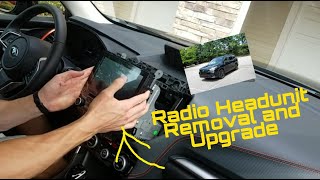
How to confirm: Visually inspect and test the wiring harness and connectors between the DCM and the audio/navigation unit for a secure connection, damage, or corrosion. This requires removal of the head unit to access the connectors. 🎬 Watch: How to remove the head unit and inspect wiring.
Typical fix: Reseat the connectors firmly. If damage is found, the specific connector or section of the wiring harness may need to be repaired or replaced.
Est. part cost: $10-$200 - Faulty Data Communication Module (DCM) ⚪ Low Probability → Shop Telematics Interface Module The DCM is the module that communicates with the head unit. While less common than wiring or other telematics issues, an internal failure of the DCM can cause this communication fault. Some DCM generations have been subject to a warranty extension for issues like parasitic battery drain caused by the 3G network sunset, indicating known hardware problems. 🎬 See how a faulty DCM causes battery drain and connectivity issues.
How to confirm: This is typically diagnosed by exclusion. If all wiring, connectors, other telematics DTCs, and the head unit are confirmed to be good, the DCM is the likely culprit. The diagnostic procedure in TSB 18-225-22R must be followed.
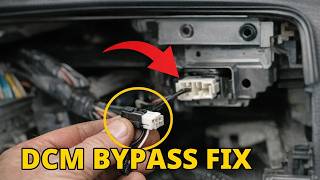
Typical fix: Replacement of the Data Communication Module. For unsubscribed vehicles, a 'DCM Bypass Box' (PN 86229AL400) may be used to restore audio functions while isolating the faulty DCM.
Est. part cost: $300-$700
Rare But Worth Checking
- Faulty Infotainment Head Unit: → Shop Audio System Subaru TSBs specifically warn that this part is often replaced unnecessarily. It should only be replaced after all other diagnostic steps, including wiring and DCM checks, have been exhausted. Owners have reported paying for replacements only to have the issue return, indicating a misdiagnosis.
Diagnosis Steps
- Connect a Subaru Select Monitor (or equivalent advanced scan tool) to the OBD-II port.
- Perform a FULL system scan for all modules.
- IMPORTANT: Check the Telematics system for any DTCs. If any are present (e.g., B2A0C), diagnose and repair those faults FIRST by following the specific Telematics diagnostic procedure.
- Once the telematics system is confirmed to be free of DTCs, clear the memory for the [Infotainment] system.
- Cycle the ignition OFF, then ON, and re-read the DTCs for the [Infotainment] system.
- If B2255 returns as a current code, proceed to check the wiring harness. If it does not return, the issue may have been intermittent or related to the other cleared codes.
- Turn the ignition OFF and disconnect the battery ground terminal.
- Remove the infotainment head unit to gain access to the connectors.
- Disconnect the connectors at the audio/navigation unit and the Data Communication Module (DCM).
- Thoroughly inspect the connectors and pins for damage, corrosion, or poor fitment.
- Verify DCM ground from terminal A14 to chassis ground.
- Check for open or short circuits in the harness between the DCM and the head unit per the service manual wiring diagram.
- If wiring and connections are good, further diagnosis of the DCM and head unit may be required, following the specific trouble tree in TSB 18-225-22R.
Parts You'll Likely Need
- Data Communication Module (DCM)
(OEM #86229FL03C (Verify with VIN))— This module is responsible for telematics and communicates with the head unit. If it fails internally, it can cause code B2255. It is typically replaced only after wiring and other telematics issues are ruled out.
Trusted brands: Subaru (OEM)
OEM price range: $300-$700
Aftermarket price range: N/A - DCM Backup Battery
(OEM #57433AN000, 57433VC000 (Verify with VIN))— The DCM has its own small backup battery that can fail and cause various telematics system DTCs, which in turn can trigger a B2255. This is a potential underlying cause that must be investigated before condemning the DCM itself.
Trusted brands: Subaru (OEM)
OEM price range: $50-$80
Aftermarket price range: N/A
Related Codes That Often Appear With This One
- B2A0C (DCM internal error)
- U1198 (Lost Communication With Telematics Transceiver)
Technical Service Bulletins (TSBs) & Recalls
- 18-225-22R: 'Diagnostics Procedure Addition: DTC B2255' - This TSB provides the official diagnostic procedure for the Harman Infotainment System when B2255 is detected, noting it indicates a communication problem between the DCM and Head Unit. It explicitly states to check for and resolve all other Telematics DTCs first.
- 15-308-23R: 'Diagnostic Information - Testing Telematics Systems for Dark/Standby Current' - While focused on parasitic draw, this bulletin notes that DTCs like B2255 indicate a problem between the DCM and infotainment unit and that other telematics DTCs can cause skewed test results, reinforcing the need to perform a full system scan.
Platform-Specific Known Issues
- Subaru has issued multiple revisions of Technical Service Bulletin 18-225-22R to address misdiagnosis of this code, emphasizing that technicians must follow a specific diagnostic path to avoid unnecessarily replacing expensive head units or USB cables.
- The Harman Gen 3 infotainment systems used in these vehicles are known for various software glitches, including freezes and connectivity problems, which can sometimes be related to module communication errors.
- Some earlier generation DCMs were subject to a warranty extension due to issues with the 3G network sunset causing parasitic battery drain, highlighting the critical and sometimes problematic nature of this component.
Mechanic-Grade Diagnostic Values
- CAN Bus Network Resistance — expected: ~60 Ohms. Failure: A reading of ~120 Ohms indicates an open circuit in one of the two terminating resistors. A reading near 0 Ohms indicates a short between the CAN High and CAN Low lines.
- DCM Ground Circuit Resistance — expected: Less than 1 Ohm. Failure: Resistance of 1 MΩ or more indicates a poor ground connection.
Scan Tool Commands That Help
- Subaru Select Monitor (SSM): Each System Check > Integ. Unit mode > Diagnostic Code(s) Display — This is the primary function used to read the B2255 DTC directly from the integrated unit/infotainment system.
- Subaru Select Monitor (SSM): DTC > Clear memory — Used to clear the B2255 code from the infotainment system's memory after a repair or to check if the code returns as a hard fault.
- Subaru Select Monitor (SSM): Telematics > Comm Check — After replacing the DCM, this function is used to confirm that the new module is communicating correctly with the vehicle and the Starlink network.
Wiring & Ground Locations
- DCM Ground — The main ground for the DCM is on terminal A14 of its harness connector. The physical ground point is on the chassis.. TSB 18-225-22R specifically requires technicians to verify the integrity of this ground connection as part of the diagnostic procedure for B2255, as a poor ground can cause communication errors.
- Main Engine Ground — On naturally aspirated engines, a main ECU ground is typically located on the intake manifold, near the throttle body.. While not directly for the DCM, a poor main engine or ECU ground can introduce electrical noise and voltage stability issues throughout the vehicle, potentially affecting communication between modules.
- Data Link Connector (OBD-II Port) — Located in the lower portion of the instrument panel on the driver's side.. This is the access point for the Subaru Select Monitor to communicate with all vehicle modules, including the infotainment system and DCM, to diagnose B2255.
Real Owner Repair Stories
- Reddit user in r/Subaru_Outback (2019 Subaru Outback (shares DCM architecture with Impreza)) — Battery dying on a daily basis.
❌ Tried (didn't work) Getting multiple jump starts., Having the battery tested by AAA, which showed the battery was good.
✅ What actually fixed it The user identified the DCM as the source of the parasitic drain. As a diagnostic step, they removed the DCM fuse, which solved the battery drain but disabled the front speakers and Bluetooth microphone. The final resolution pointed toward a dealership visit to address the faulty DCM under the known issue. - YouTube video by user Joe (2019 Subaru WRX (shares DCM architecture)) — Parasitic battery drain when the car is turned off.
❌ Tried (didn't work) Using a trickle charger to maintain the battery.
✅ What actually fixed it The owner diagnosed a faulty DCM related to the 3G network sunset. The final fix was to physically remove the DCM and install an aftermarket bypass harness from AutoHarnessHouse. This harness loops back the speaker and microphone connections, restoring their function, while completely removing the power-draining DCM from the circuit. A multimeter test after the fix confirmed the parasitic draw was eliminated.
Model Year Variations Within This Range
- 2024+: The 2024 model year marks the start of the sixth generation Impreza. While still covered by TSB 18-225-22R, higher trims (Sport, RS) feature a new, vertically oriented 11.6-inch STARLINK Multimedia Plus system, replacing the dual 7-inch screen setup in the Base model and previous years. This changes the physical head unit but not the separate DCM that communicates with it.
Helpful Videos

We Have This Part in Stock


The information in this article is provided for general reference and educational purposes only. Vehicle specifications, procedures, and part compatibility can vary by production date, trim level, and region. Always consult your vehicle's factory service manual and verify part numbers before purchasing or performing repairs. Safety-critical components such as airbags, seat belts, and braking systems should be installed by a qualified professional.
- Subaru IMPREZA:
- 🧭 Diagnostic Flowchart
- 🎬 Helpful Videos
- 🛍️ Shop This Part
- What's Unique About the 2019-2024 Subaru IMPREZA
- Symptoms You May Notice
- Most Likely Causes
- Rare But Worth Checking
- Diagnosis Steps
- Parts You'll Likely Need
- Related Codes That Often Appear With This One
- Technical Service Bulletins (TSBs) & Recalls
- Platform-Specific Known Issues
- Mechanic-Grade Diagnostic Values
- Scan Tool Commands That Help
- Wiring & Ground Locations
- Real Owner Repair Stories
- Model Year Variations Within This Range
- 🎟️ Get 5% Off